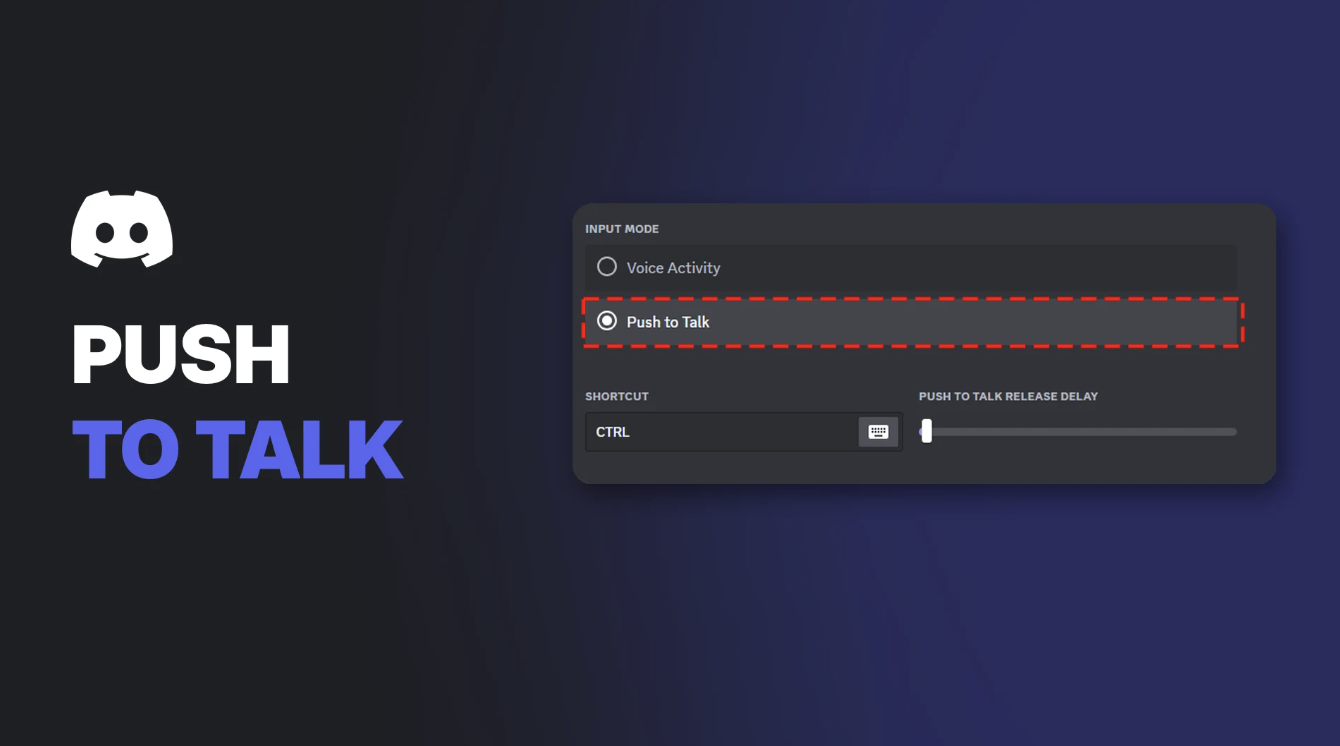

Discord Push to Talk (PTT) is a voice input mode that only sends your voice while you hold a key. Discord says it "ensures that any input audio doesn't transmit unless you press and hold a dedicated Push to Talk key."
It's the easiest way to stop friends hearing your keyboard, a noisy room or your game. This page covers how to turn it on, choose your key, adjust the release delay, and fix Push to Talk when it doesn't work.
Key Information
| Detail | Summary |
|---|---|
| What it does | Sends your voice only while you hold a key |
| Where to find it | User Settings > Voice & Video > Input Mode |
| The other mode | Voice Activity, which sends your voice automatically when you speak |
| Delay | Almost none when you press the key |
| Browser | Only works while the Discord tab is in focus |
| Common fix | Run Discord as administrator if your game runs as administrator |
Push to Talk vs Voice Activity
Discord has two input modes:
| Push to Talk | Voice Activity | |
|---|---|---|
| How it works | You hold a key to talk | Your mic turns on when you speak |
| Background noise | Not sent unless you're holding the key | Can be picked up if sensitivity is too low |
| Delay | Relatively none when you press the key | An inherent 200ms delay, plus your distance to the server |
| Best for | Noisy rooms, games, big calls | Casual chats, hands-free talking |
Tip: If your voice keeps cutting out at the end of sentences on Voice Activity, Push to Talk is often the simplest fix.
Input Mode in Voice & Video settings, set to Voice Activity. Image: Discord.
How to Turn On Discord Push to Talk
- Select the cog icon in the bottom-left corner of Discord to open User Settings.
- Open the Voice & Video tab.
- Under Input Mode, select Push to Talk.
Push to Talk selected under Input Mode. Image: Discord.
How to Set Your Push to Talk Key
After turning on Push to Talk, choose the key you'll hold to talk.
- Next to Shortcut, select the Edit Keybind icon.
- Press the key you want to use on your keyboard.
- Your key now appears under Shortcut. Select the icon again to change it.
Recording a new Push to Talk key. Image: Discord.
Good keys to use: a mouse side button or a key your games don't use. Avoid keys you press a lot in-game, or you'll talk by accident.
Push to Talk Release Delay
The Push to Talk Release Delay slider sets how long Discord keeps your mic open after you let go of the key.
- Raise it if the end of your sentences gets cut off.
- Lower it if friends hear noise after you stop talking.
Push to Talk Sounds
Discord can play a beep when Push to Talk turns on or off. To change this:
- Open User Settings.
- Go to Notifications.
- Scroll to the sounds list and turn PTT Activate and PTT Deactivate on or off.
Priority Speaker: Push to Talk for Leaders
Priority Speaker lowers everyone else's volume while one person talks. It's useful for raid leaders, shot-callers and event hosts, and it only works with Push to Talk.
- Go to User Settings > Keybinds and select Add a Keybind.
- Under Action, choose Push to Talk (Priority) and set a key.
- A server admin with Manage Roles permission must turn on Priority Speaker for your role, or for you in a channel's permissions.
Priority Speaker works on the desktop app only, not mobile. To set up roles, see our Discord roles and permissions guide.
Troubleshooting Push to Talk
| Problem | Likely cause and fix |
|---|---|
| PTT doesn't work in a game | The game runs as administrator. Close Discord fully, then right-click it and choose Run as administrator |
| PTT only works when Discord is open in front | You're using Discord in a browser. Download the desktop app for system-wide PTT |
| End of sentences cut off | Raise the Push to Talk Release Delay |
| Friends hear you without pressing the key | Check Input Mode is set to Push to Talk, not Voice Activity |
| Friends hear your game while you talk | Use headphones and turn on echo cancellation |
For echo and game audio leaking into your mic, see our guide to Discord echo cancellation. If Discord slows your games, try our Discord Game Mode guide.
Frequently Asked Questions
How do I turn on Discord Push to Talk?
Open User Settings > Voice & Video, then choose Push to Talk under Input Mode and set a shortcut key.
Why is Discord Push to Talk not working in games?
Usually because the game is running as administrator. Run Discord as administrator too.
Does Discord Push to Talk work in the browser?
Yes, but only while the Discord window is in focus. Use the desktop app for system-wide Push to Talk.
Is Push to Talk better than Voice Activity?
For noisy rooms and games, usually yes. It only sends your voice while you hold the key, and it has almost no delay.
What is Push to Talk Release Delay?
How long Discord keeps your mic open after you let go of the key.
Summary
Discord Push to Talk keeps your mic off until you hold a key, which stops background noise and game sound reaching your friends. Turn it on in Voice & Video, pick a key you won't hit by accident, and tune the release delay. If it fails in games, run Discord as administrator.
Sources
- Voice Input Modes 101 (Push-to-Talk & Voice Activated), Discord Help Center
- How do I enable push-to-talk if I am running my game in administrator mode?, Discord Help Center
- How do I enable/disable Push-to-talk activation noise?, Discord Help Center
- Setting up Priority Speaker, Discord Help Center
Comments
Sign in to join the conversation
Sign inNo comments yet
Be the first to share your thoughts!