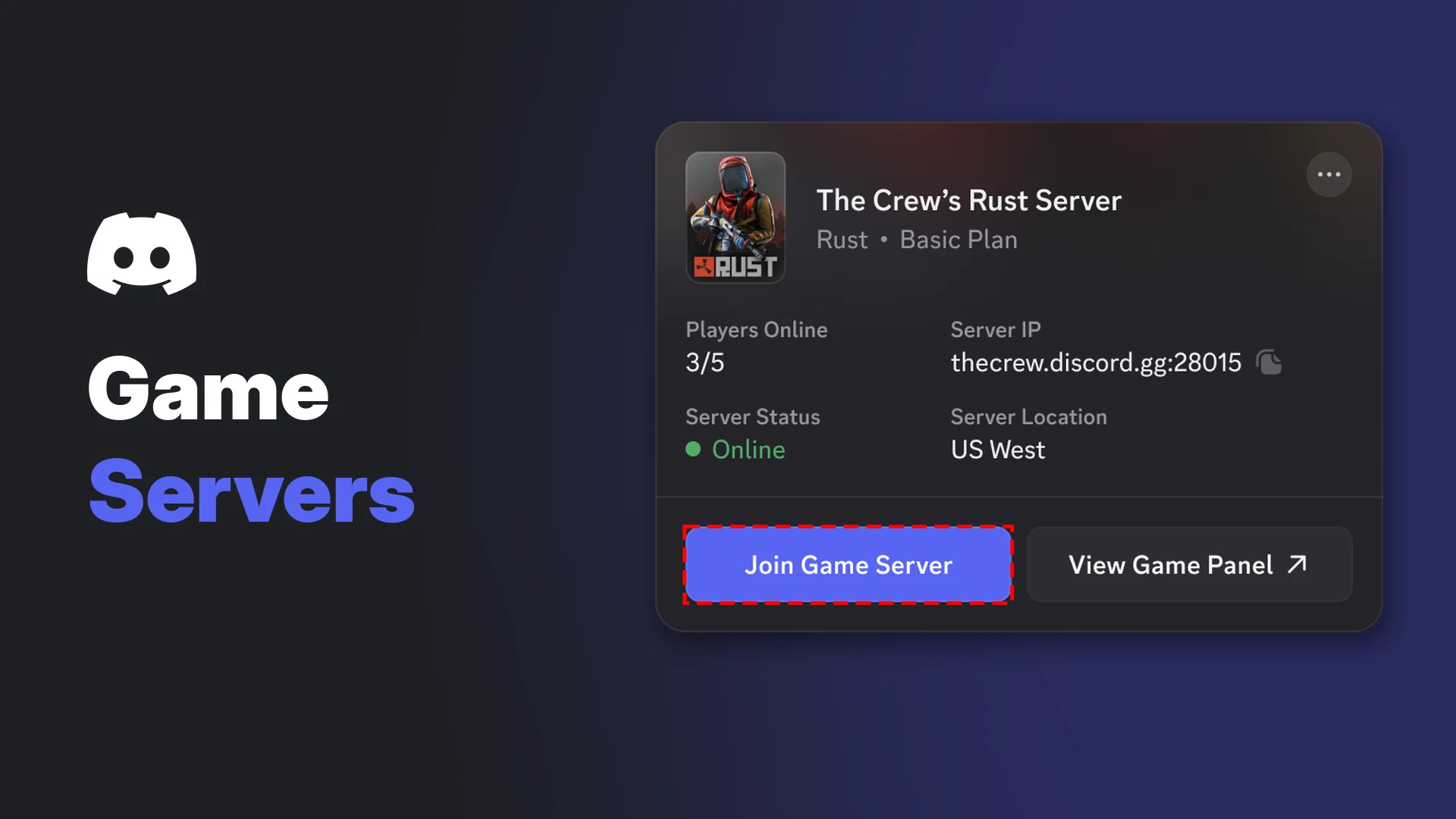

Discord Game Servers is a Discord feature that lets you create a dedicated, hosted server for a multiplayer game without leaving Discord. You can unlock one for your whole community with Server Boosts, or subscribe to your own in the Shop.
The servers are hosted by Shockbyte, a third-party provider, and support games like Minecraft, Palworld, Rust, Valheim and Terraria. Members join from a new Game Servers tab in your server or from a shared link.
This guide explains how Discord Game Servers work, how to create and join one, what each server status means, and the rules on billing and limits.
Note: Discord says Game Servers is currently an experiment, available only to select servers and users. If you don't see it yet, it hasn't reached your account.
🎮 Discord Game Servers at a Glance
| Detail | What to know |
|---|---|
| Ways to create | Server Boosts, or a direct subscription in the Shop |
| Lowest Boost cost | 3 Boosts, depending on the game and plan |
| Plans | Starter, Pro and Ultimate |
| Max per Discord server | 10 game servers |
| Max direct subscriptions | 5 per user |
| Host | Shockbyte |
| Refunds | None. Payments are final |
| Gifting | Not allowed |
| Status | Experiment, limited rollout |
Supported Games
Discord's help centre lists connection steps for these games:
| Survival and crafting | Shooters and action | Building and farming |
|---|---|---|
| Palworld | Rust | Minecraft (Java and Bedrock) |
| Enshrouded | Counter-Strike 2 | Terraria |
| Valheim | V Rising | Stardew Valley |
| 7 Days to Die | Satisfactory | |
| Vintage Story | Factorio | |
| RuneScape: Dragonwilds | Hytale | |
| Necesse |
The Boost cost and server specs, such as RAM, player slots, storage and vCPUs, change depending on the game and plan you pick.
Plans Explained
Every supported game offers three plan tiers:
- Starter: the entry-level option, best for small groups or light setups.
- Pro: more resources for mods or bigger player counts.
- Ultimate: the most power and flexibility.
Discord shows the exact Boost cost or price before you confirm, so you always know what a plan needs.
🛠️ How to Create a Game Server With Server Boosts
Only server owners and admins can do this, because only they can see the Server Boosts tab.
- Select your server and open the Server Boosts tab in the upper-left corner.
- Check how many Boosts you have available in the upper-right.
- Hover over the Game Servers perk and select Create Game Server.
The Create Game Server option. Image: Discord.
- Choose your game. Discord shows the minimum Boost cost for each one.
- Set a name, a location and a plan. Pick a location close to your players for lower latency.
- Select Enable Game Server to finish.
Game server setup settings. Image: Discord.
Important: a game server can't be disabled within 7 days of being created, so choose your game and plan carefully.
Boosts used for game servers are separate from your server's Boost level. Boosts that level up your server don't count toward a game server. If you want a refresher on Boosts, our Discord Server Boost guide covers how they work.
How to Buy a Game Server Directly
Any Discord user can subscribe to their own game server with a payment method on file. You don't need a server's Boosts, and you control who gets access.
- Open the Shop and select the Game Servers tab.
- Under Start your own game server, choose a game.
- Enter a name, choose a location and select a plan.
- Press Continue, choose your payment method and confirm on the Checkout screen.
Game server hosting in the Discord Shop. Image: Discord.
Your server can take up to an hour to become available. Subscriptions renew monthly until you cancel. If you have Nitro, you'll see a discounted Nitro price on eligible plans, but Nitro isn't required.
Once it's ready, share it with a link in a channel, DM or group DM. Friends can join without sharing a Discord server with you.
🔗 How to Join a Game Server
After the first game server is created, a Game Servers tab appears at the top of the Discord server for all members.
- Open the Discord server and select Game Servers.
- Select Join Game Server on the server you want.
- Follow the steps in the pop-up to connect in-game.
The Join Game Server button. Image: Discord.
Most games connect with the server's IP and port. A few examples from Discord's instructions:
| Game | How to connect |
|---|---|
| Minecraft Java | Multiplayer, then Add Server, then enter the IP |
| Palworld | Join Multiplayer Game, then enter IP:Port |
| Rust | Press F1, then type client.connect <IP:Port> |
| Valheim | Join Game tab, then Add Server, then enter the IP and password |
| Counter-Strike 2 | Steam, then View, then Game Servers, then Favorites |
Note: anyone with the server's IP address can join from inside the game, even if they aren't in your Discord server. Use passwords or allowlists if you want to keep it private.
How to Manage a Game Server
Boost-unlocked servers
Admins open the Game Servers tab and select View Game Panel. You'll sign in with Discord and authorise Shockbyte. The Game Panel is where you change game settings, configs and more advanced options.
The Shockbyte Game Panel. Image: Discord.
To turn a server off, go to Server Boosts, then View Game Servers, then Disable Perk. You need Administrator permissions to change a game server's settings. Our roles and permissions guide explains how to set that up safely.
Direct subscriptions
Go to User Settings, then Subscriptions, then Game Servers.
- Upgrading charges a prorated amount right away and upgrades the server instantly.
- Downgrading takes effect at your next renewal.
- Cancelling keeps the server running until the end of your billing period.
Game Server Statuses
| Status | Meaning |
|---|---|
| Online | Running and ready to join |
| Offline | An admin manually stopped it |
| Sleeping | Hibernating after 7 or more days with no activity |
| Starting | Coming online or restarting, which can take a few minutes |
| Startup Failed | An admin needs to fix the config in the Game Panel |
| Missing Stock | The location is full; an admin must pick a new one |
| Unavailable | Another error; check the Game Panel |
| Unknown Error | An admin must contact Shockbyte support |
| Deleted | Being removed; it will disappear once done |
A game server's status. Image: Discord.
⚠️ Limits, Billing and Safety
- 10 game servers per Discord server, at most.
- 5 active subscriptions per user, at most.
- No refunds. Game server payments are final.
- No gifting. Some prepaid or gift balances can't be used.
- 3-day grace period. If the required Boosts aren't kept, the game server is deleted after 3 days.
- Availability. New game servers may be paused during high demand.
Game servers are hosted by a third party and aren't moderated by Discord. Discord advises you to only join servers run by people you trust, avoid sharing personal details, and use allowlists and moderation plugins. Our Discord privacy settings guide helps you control who can contact you on Discord itself.
Getting support
- Game server issues: in the Game Servers tab, select the three dots, then Get Support.
- Game Panel issues: in the Game Panel, select Get Support in the sidebar.
- Discord app or billing issues: contact Discord at dis.gd/support.
Frequently Asked Questions
What are Discord Game Servers?
Discord Game Servers are hosted multiplayer servers for games like Minecraft, Palworld and Rust, created from inside Discord using Server Boosts or a Shop subscription.
How many Boosts does a Discord game server cost?
The cheapest option starts at 3 Boosts. Some games and higher plans need more.
Do I need Nitro for Discord Game Servers?
No. Nitro members get a discounted price on eligible plans, but anyone can pay the standard price.
Who hosts Discord Game Servers?
Shockbyte hosts the servers and runs the Game Panel.
Why can't I see Game Servers in my server?
It's an experiment available to select servers and users, and new servers may be paused during high demand.
Can people join without being in my Discord server?
Yes. Anyone with the IP address or a shared link can join.
Summary
Discord Game Servers let you host a game server for Minecraft, Palworld, Rust, Valheim and more without leaving Discord. Admins unlock them with Boosts, starting at 3, or anyone can subscribe in the Shop. Pick a plan, share the link, and manage settings in Shockbyte's Game Panel. Remember that payments are non-refundable, servers can't be disabled for 7 days, and the game server itself isn't moderated by Discord.
Building a community around your server? See our guide to setting up a gaming Discord server.
Sources
- Discord Help Center: Game Servers, updated 24 October 2026
Comments
Sign in to join the conversation
Sign inNo comments yet
Be the first to share your thoughts!