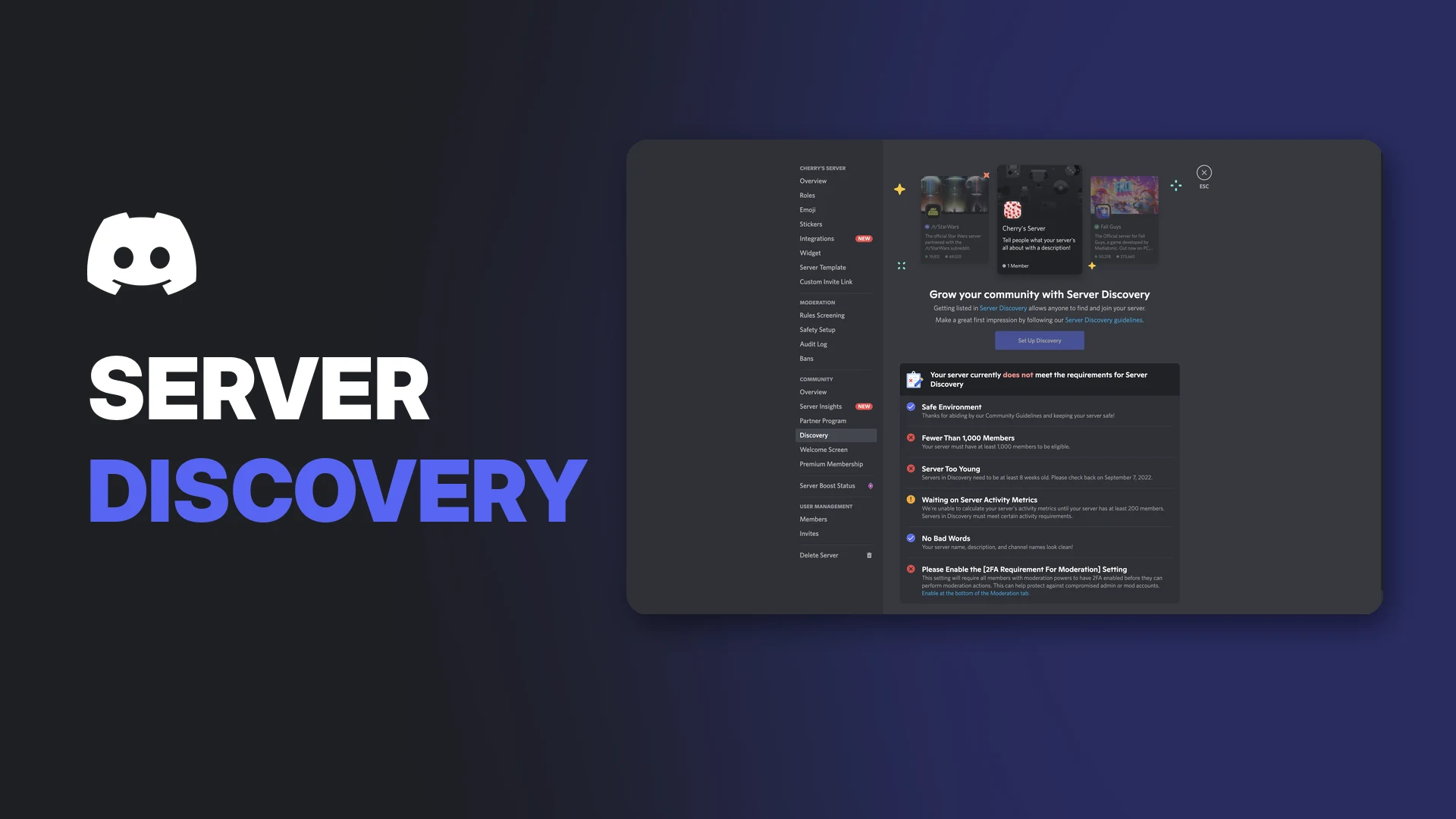

Discord Server Discovery is how a Community Server becomes a Discoverable Server, one that anyone can find and join without an invite. Discord says Discoverable Servers can be found through Server Discovery, discord.com/servers and web search.
It matters more than ever. From 16 November 2026, every Discoverable Server also gets a public Server Web Page that Google can show. This page covers the requirements, how to enable Discovery, the rules you must follow, and how to turn it off.
Key Information
| Detail | Summary |
|---|---|
| What it does | Lets anyone find and join your server without an invite |
| Minimum members | 1,000 |
| Minimum server age | 8 weeks |
| Must already be | A Community Server |
| Who can enable it | Members with Manage Server or Administrator permission |
| Where | Server Settings > Access > Discoverable |
| Extra since Oct 2026 | A public Server Web Page, searchable on Google |
Discord Server Types Explained
| Type | How people join | Discoverable? |
|---|---|---|
| Friend Server | Invite link only | No |
| Community Server | Invite link only, with community tools | No |
| Discoverable Server | Anyone, through Discovery, discord.com/servers and web search | Yes |
A server must be a Community Server first. Becoming one doesn't make your server public. It just unlocks tools like Server Insights, Onboarding and announcement channels.
Verified servers qualify for Discovery automatically.
Discord Server Discovery Requirements
According to Discord, your server must:
- Meet safety requirements for a safe environment.
- Have at least 1,000 members.
- Be at least 8 weeks old.
- Meet Discord's activity requirements.
- Use a server name, description and channel names that follow the Discovery Guidelines.
- Turn on the 2FA Requirement for Moderation setting.
The Discovery checklist shows which requirements your server still needs. Image: Discord.
Discord says these criteria "may be updated over time," and servers must keep meeting them to stay Discoverable.
Still growing toward 1,000? Our guide to getting your first 100 Discord members is a good place to start.
Community Server Requirements
Before you can enable Community, Discord requires:
| Requirement | What it means |
|---|---|
| Verification level | Members need a verified email before sending messages or DMs in the server |
| Explicit media content filter | Scan media from all members and remove explicit content |
| Rules or guidelines channel | A clear rules channel for members |
| Community updates channel | A moderator-only channel where Discord sends admin updates |
| Community Guidelines | The server must follow Discord's Community Guidelines |
For help with verification levels, see our Discord server verification guide.
How to Enable Discord Server Discovery
- Select your server's name in the top-left and open Server Settings.
- If your server isn't a Community Server yet, select Enable Community, then Get Started, and follow the prompts to set up the safety settings.
- Select Access, then the Discoverable tab, to check whether you meet the requirements.
- If you meet them all, select Save. Your server is now Discoverable.
Opening Server Settings from the server menu. Image: Discord.
Community Settings, where you pick your rules and updates channels. Image: Discord.
The Discovery Guidelines
Discoverable Servers must follow extra rules. Discord's Discovery Guidelines say servers should:
- Follow the Community Guidelines and Terms of Service, with moderators who handle reports.
- Foster a healthy, positive environment. No bullying or harassment, no discussion of controlled substances, and no servers built around regulated goods like alcohol.
- Not host graphic or sexual content. Public spaces should suit everyone aged 13+.
- Use an accurate, profanity-free name and description.
- Respect intellectual property and people's privacy.
- Have a moderator team members can trust.
Discord may also consider off-platform behaviour, and can remove servers from Discovery after a guideline violation. Server owners can request a review through the Discord Warning System.
To set up strong moderation, see our Discord AutoMod setup guide.
What Changes When Your Server Is Discoverable
- Anyone can join without an invite.
- Your server appears in Server Discovery and on discord.com/servers.
- Your server gets a Server Web Page from 16 November 2026, built from your Server Profile if you haven't made one.
- AI summaries of public channels can appear on that page from 16 November, and members' messages from mid-December 2026.
You can control the web page content in Server Settings > Community > Web Presence.
How to Turn Off Discoverability
- Open Server Settings.
- Select Access.
- Turn off Discoverable.
Your server becomes a Community Server again. It leaves Server Discovery and discord.com/servers, new members need an invite, and your Server Web Page is taken down. Search engines may take time to drop it.
Note: Disabling Community also turns off Discoverability automatically.
Troubleshooting
| Problem | Likely cause and fix |
|---|---|
| Can't find the Discoverable tab | Your server isn't a Community Server yet. Enable Community first |
| "Fewer than 1,000 members" | Keep growing; Discovery needs 1,000+ |
| "Server too young" | Servers must be at least 8 weeks old |
| Activity requirement not met | Discord checks recent engagement. Keep members chatting and wait for the metrics to update |
| 2FA requirement warning | Turn on the 2FA Requirement for Moderation setting |
| Can't change the setting | You need Manage Server or Administrator permission |
Frequently Asked Questions
What is Discord Server Discovery?
The way a Community Server becomes Discoverable, so anyone can find and join it without an invite.
How many members do you need for Discord Server Discovery?
At least 1,000 members, plus a server age of at least 8 weeks.
Is my server Discoverable automatically?
No. Eligible Community Servers must choose to enable it. Verified servers qualify automatically.
Will my Discoverable server show up on Google?
Yes. From 16 November 2026, every Discoverable Server has a public Server Web Page that search engines can show.
How do I stop my server being Discoverable?
Go to Server Settings > Access and turn off Discoverable.
Summary
Discord Server Discovery opens your server to anyone, and now to Google too. To qualify, you need a Community Server with 1,000+ members, at least 8 weeks of history, good activity, a clean name and description, and 2FA for moderators. Enable it in Server Settings > Access > Discoverable, follow the Discovery Guidelines, and manage your new web page in Web Presence.
Comments
Sign in to join the conversation
Sign inNo comments yet
Be the first to share your thoughts!