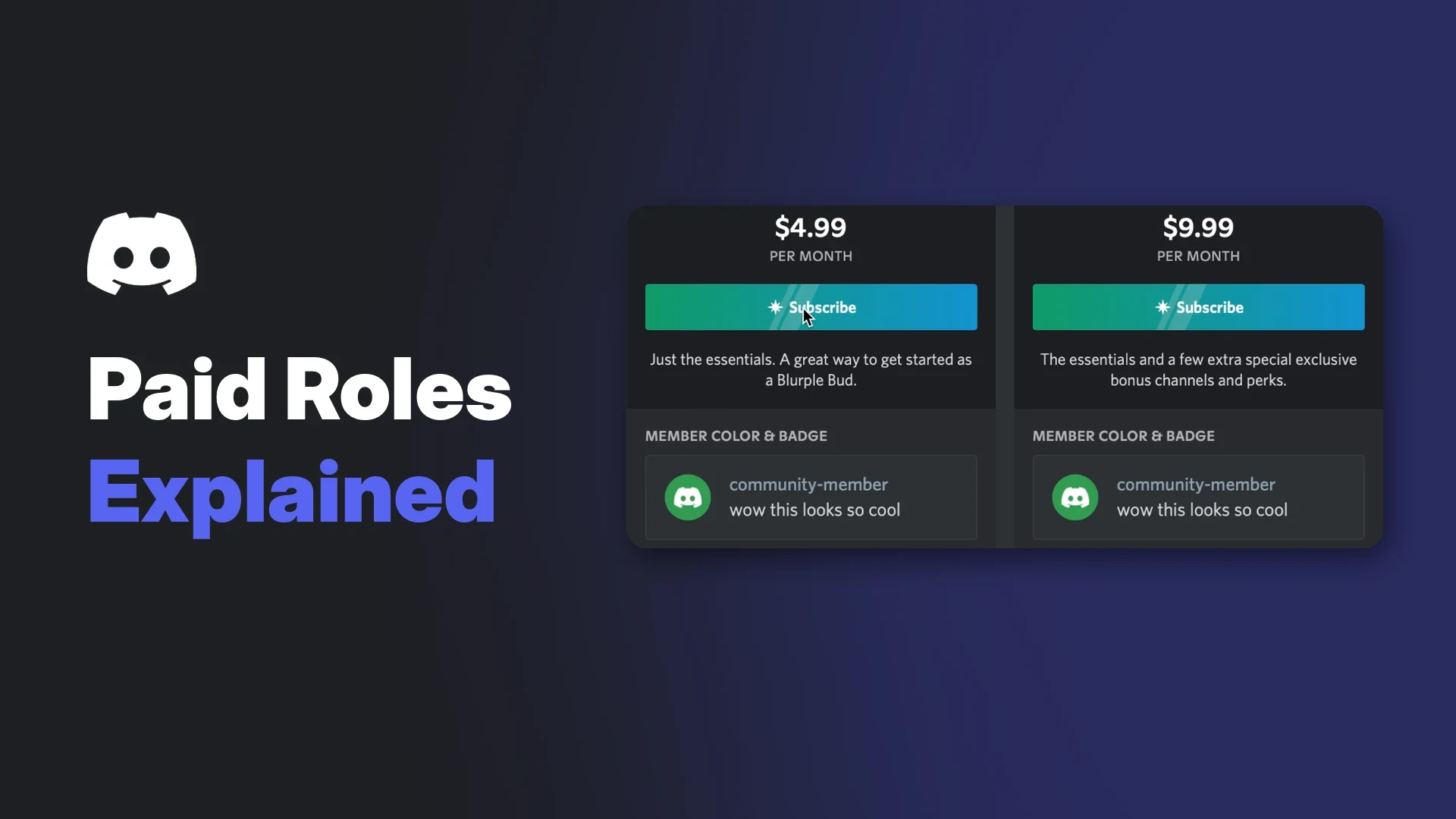

Discord Server Subscriptions let a server owner charge members a monthly fee for extra perks, such as a coloured role, private channels or subscriber-only emoji. Discord called the feature Premium Memberships until December 2022, and you will still see that older name in some help pages and settings.
The feature sits between members and creators. Members pay through Discord, the server owner delivers the perks, and Discord takes a platform fee before paying the owner out through a third-party payout provider.
This wiki explains who can turn it on, how tiers and perks work, what Discord charges, how payouts are set up, and how members subscribe, cancel and ask for refunds. Where Discord does not document something, we say so.
At a glance - What it is: a monthly paid membership for a server, split into up to three tiers. - Who can sell: the server owner, aged 18 or over, based in the United States, with a Community server. - Discord's cut: a 10% platform fee, plus payment processing and other fees. - Payouts: through Stripe, with a $100 minimum for the first payout and $25 after that. - Members: can cancel any time; refunds go through Discord within 5 days of the first purchase.
🔍 What Discord Server Subscriptions Are
A Server Subscription is a recurring monthly payment to a single server. The owner can split membership into tiers, and each tier can have its own price and perks. Members are charged every month until they cancel.
The creator is responsible for what is sold. Discord's help centre tells members to read each tier description carefully, because the server owner writes those descriptions and provides the perks.
Example tier cards from the help centre, including a free trial on the first tier. Image: Discord.
Common perks documented by Discord include:
- Tier roles with their own colour and badge next to the member's name.
- Exclusive channels, controlled through normal channel permissions.
- Premium Emoji, up to 25 custom emoji reserved for subscribers.
- Media Channels, a beta channel type for posting bonus images, videos and files to subscribers.
- Subscriber-only streams in Stage channels, announced on Discord's blog in June 2023.
Tier roles behave like any other role, so it helps to understand the role hierarchy first. Our Discord roles and permissions guide covers how channel overrides work.
Server Subscriptions are separate from Server Boosts. Boosts unlock server-wide perks like upload limits and audio quality, and the money goes to Discord. Our Discord boost guide explains that system.
✅ Eligibility and Availability
Discord's creator help centre lists requirements for the owner's account, the owner's location and the server itself. Discord also says it can decide who is eligible at its own discretion.
| Area | What Discord requires |
|---|---|
| Owner | Must be the server owner and 18 or older |
| Account | Verified email, Two-Factor Authentication on, account in good standing |
| Good standing | No safety violation in the past 30 days, no suspicious activity flags, no unpaid dues to Discord |
| Location | Based in the United States, with a US bank account and US ID for Stripe |
| Server | Community enabled, MFA required for moderation, not primarily NSFW |
| Activity | Most members and activity must not be bots or inactive accounts |
| Ownership | No ownership transfer in the last 30 days without Discord's approval, and no buying or selling the server |
Discord's Creator Revenue FAQ also mentions a verified phone number. Once you publish tiers, you cannot turn off Two-Factor Authentication.
Which countries can use it?
Discord's Creator Revenue FAQ states that Server Subscriptions are not available outside the United States, and the same applies to Server Shop. Its ownership transfer article repeats that transfers can only go to US-based recipients.
The Monetization Terms do include a section for sellers based in the EU or UK, where Discord acts as reseller. Discord's creator help pages do not list any country beyond the US, so treat the feature as US-only unless the setup screen in your own server says otherwise.
What you cannot sell
The Monetization Policy bans monetizing a long list of content. Examples include other people's intellectual property, sexually explicit material, online dating, political campaigns, charity fundraising, gambling, and servers whose main purpose is advertising a third party.
Anything on Stripe's prohibited or restricted business list is also off limits.
⚙️ How to Set Up Discord Server Subscriptions
Setup now starts in the Discord Developer Portal, then moves back into your server settings. If you have never used the portal, our Discord Developer Portal guide shows where things are.
Turn on monetization and payouts
- Open the Discord Developer Portal, select Get Started, then choose Servers in the left panel.
- Pick your server and select Enable Monetization. This only appears for Community servers.
- Discord opens the Enable Monetization page in Server Settings. Accept the terms and select Start Earning. A pop-up shows which requirements you meet.
- Create a Team. This is the billing entity that gets paid. You can be its only member or invite others.
- In your payout settings in the Developer Portal, select Get Started to open Stripe's onboarding. Stripe verifies your identity and collects your bank details.
- Review and submit. Back in the server's Server Subscriptions payment tab, choose your Team from the drop-down and select Enable.
For Stripe, Discord's onboarding guide says to have a tax ID ready (an EIN or SSN), a business website or social media link, and either bank routing and account numbers or a debit card. You need a new Stripe account made through Discord; an existing one cannot be reused.
Be careful who joins your Team. Discord warns that members who accept an invite can change payout settings and become server admins.
Create tiers and perks
- In Server Settings, open the Server Subscriptions tab.
- Under Basic Info, choose whether payment unlocks a set of exclusive channels or the whole server.
- Under Tiers, create between one and three paid tiers, each with a name, price, description and perks.
- Under Emoji, add Premium Emoji if you want them as a perk.
- Grant each tier role access to its channels through channel permissions. Discord says to use channel settings for this, not the Server Subscriptions page.
Admin and moderator roles can be given access to premium channels without paying. You can also time out a subscriber without cancelling their subscription.
Free trials
Trials are switched on per tier. Discord documents these options:
- Length: one week by default, or one day.
- Seat cap: 10, 25, 50, 100 or unlimited trial users at once.
- Billing: a payment method is needed to start, and the member is charged monthly when the trial ends unless they cancel.
Trials cannot be gifted. If you want to give someone free access, you have to add and later remove their channel access by hand.
💰 Pricing, Fees and Revenue Share
Server owners set their own tier prices. Discord's current help centre does not list a minimum or maximum price.
When Discord opened the feature to all eligible US servers in December 2022, its blog said prices could range from $2.99 to $199.99 a month. In June 2023 it added Tier Templates with suggested prices of $3.99, $4.99, $7.99 and $9.99. Check the price picker in your tier editor for the options available today.
Discord sums up the split as 90% to the creator and 10% to Discord, with fees on top. The Monetization Terms break this down:
| Purchase made on | Payment processing fee | Platform fee |
|---|---|---|
| Desktop app and browser | 6% | 10% |
| iOS App Store | 30%, or 15% on subscriptions retained over a year | 10% |
| Google Play Store | 15% on auto-renewing subscriptions, 30% on other purchases | 10% |
The platform fee is worked out after taxes, payment processing fees and other transaction fees are taken off. Currency conversion and bank charges can also come out of a payout.
For mobile store purchases, Discord raises the price the member pays to cover the app store's cut, unless agreed otherwise. That is why the members FAQ warns that iOS subscribers see a higher price.
🏦 How Payouts Work
Payouts go through Stripe to the bank account linked to your Team. Discord documents these rules:
- Minimums: $100 for your first payout, then $25 for each later payout.
- Timing: the Monetization Terms say payouts arrive within 45 days after the end of each calendar month. The Creator Revenue FAQ says they are processed monthly, on or before the 15th.
- Holds: Discord or Stripe can pause payouts for missing tax or identity details, policy breaches, or expected refunds and chargebacks.
- Deductions: refunds, chargebacks and their fees can be taken from future payouts.
- Disputes: you have 90 days after a payout to raise a problem with it.
A $0 balance in Stripe does not mean you have no earnings, according to Discord's FAQ. Stripe only shows money that has already been paid out. If you made a mistake during onboarding, Discord suggests creating a new Team and starting Stripe onboarding again.
👥 How Members Subscribe, Cancel and Get Refunds
Subscribing
- Open the server and select Server Subscription at the top of the channel list.
- Compare the tiers, prices and perks on the landing page.
- Pick a tier, choose a payment method and complete checkout.
You can pay with a Discord gift card balance. Subscriptions can be bought on desktop, browser and iOS. Discord's members FAQ says purchases will not be available on Android.
Cancelling
On desktop or browser, open User Settings, go to Subscriptions and select Manage Memberships. Use the drop-down next to the server and choose Cancel my Membership.
The Manage Memberships button under User Settings, Subscriptions. Image: Discord.
On mobile, tap your avatar, then the cog, then Manage Nitro under Billing Settings (or Get Nitro if you have no Nitro), and tap Cancel next to the server subscription.
On mobile, server subscriptions are managed from Manage Nitro. Image: Discord.
A few rules apply to every cancellation:
- Access lasts until the end of the current billing period.
- You must cancel on the same type of device you used to buy. iOS purchases are handled by Apple.
- You can select Re-Subscribe before the period ends to undo a cancellation.
- iOS subscribers cannot switch tiers mid-cycle. They have to cancel, wait for the period to end, then buy the new tier.
Refunds
Discord's Refund Policy gives members 5 days from the initial purchase to request a refund through dis.gd/billing. Outside that window, members should contact the server owner first, then Discord support if that fails.
Creators have duties too. Under the Monetization Terms, if an owner materially changes a tier, such as removing perks, subscribers must be told and given the chance to cancel before the change takes effect.
🛒 Server Shop and Premium Apps
Server Shop is where a server can sell Server Products as one-time purchases. There are two kinds: Downloadables (digital files) and Premium Roles (roles that unlock access without a monthly fee).
A Server Shop page showing downloadable products next to the Server Subs option. Image: Discord.
Discord's members article calls Server Products a limited experiment on desktop and web in the United States. Purchases from a Server Shop are not refundable unless they are defective. Downloadables accept .png, .mov, .pdf, .jpeg and .gif files, up to 10 files and 500MB per product.
Premium Apps are the developer version of the same idea. App makers sell subscriptions or one-time purchases inside their bots and apps under the same Monetization Terms, with a 15% platform fee until a team's apps earn $1,000,000, then 30%.
🛠️ Limits and Troubleshooting
| Problem | What to check |
|---|---|
| No Enable Monetization option | The server must have Community turned on |
| Start Earning shows missing criteria | Age, verified email, 2FA, good standing, MFA for moderation and US location |
| Team missing from the drop-down | Finish Stripe onboarding, submit, then refresh the payment tab |
| Payouts paused | Stripe usually needs identity, tax or date of birth details; give these only to Stripe |
| Cannot disable subscriptions | Remove all active subscribers, delete every tier including drafts and archived ones, and wait for pending payouts |
| Transferring the server | The new owner must be US-based with a Team and payout account ready before accepting |
If an iOS renewal payment fails, Discord gives the member a 28-day grace period to fix it. Members with technical problems reaching their perks can contact dis.gd/billing and pick Server Subscription as the issue type.
FAQ
Are Discord Server Subscriptions available outside the US?
Not for sellers, according to Discord's creator help centre. Members elsewhere are not covered by a published country list, so check whether the subscribe button appears in your app.
How much does Discord take from Discord Server Subscriptions?
A 10% platform fee, after payment processing fees of 6% on desktop and browser or the app store's cut on mobile.
Can I use an existing Stripe account?
No. Discord requires a new Stripe account created through its own onboarding.
Do subscribers need Nitro?
No. Subscribers can use animated Premium Emoji in the server, but using Premium Emoji in other servers requires Nitro.
Can I get a refund after the first week?
Discord's policy covers requests within 5 days of the initial purchase. After that, ask the server owner.
Has anything changed recently?
Most of Discord's help-centre articles on this topic were last edited between 2024 and July 2026. We did not find a 2026 announcement from Discord changing eligibility, fees or availability.
Summary
Discord Server Subscriptions let US-based owners of Community servers sell up to three monthly tiers of roles, channels and emoji. Setup runs through the Developer Portal, a Team and Stripe, and Discord keeps a 10% platform fee plus processing costs.
Members can cancel at any time and have 5 days from the first purchase to ask Discord for a refund. Before you launch, check that your perks match your tier descriptions, because Discord holds owners to what they promise.
Sources
- Server Subscriptions for Members, Discord Support
- Server Shop For Server Owners and Admins, Discord Creator Support
- Server Subs: Payout Onboarding Guide, Discord Creator Support
- Creator Revenue FAQ, Discord Creator Support
- Monetization Terms, Discord Support
- Monetization Policy, Discord Support
- How to Cancel your Server Subscription, Discord Support
- Refund Policy, Discord Support
- Premium Memberships Trials FAQ, Discord Support
- Server Shop for Members, Discord Support
- Ownership Transfer of Server with Server Subscriptions, Discord Creator Support
- Media Channels for Server Subscriptions (Beta), Discord Creator Support
- Creators can now learn and earn with Discord, Discord Blog (December 2022)
- Server Subscriptions updates: Media Channels, Tier Templates and more, Discord Blog (June 2023)
Comments
Sign in to join the conversation
Sign inNo comments yet
Be the first to share your thoughts!