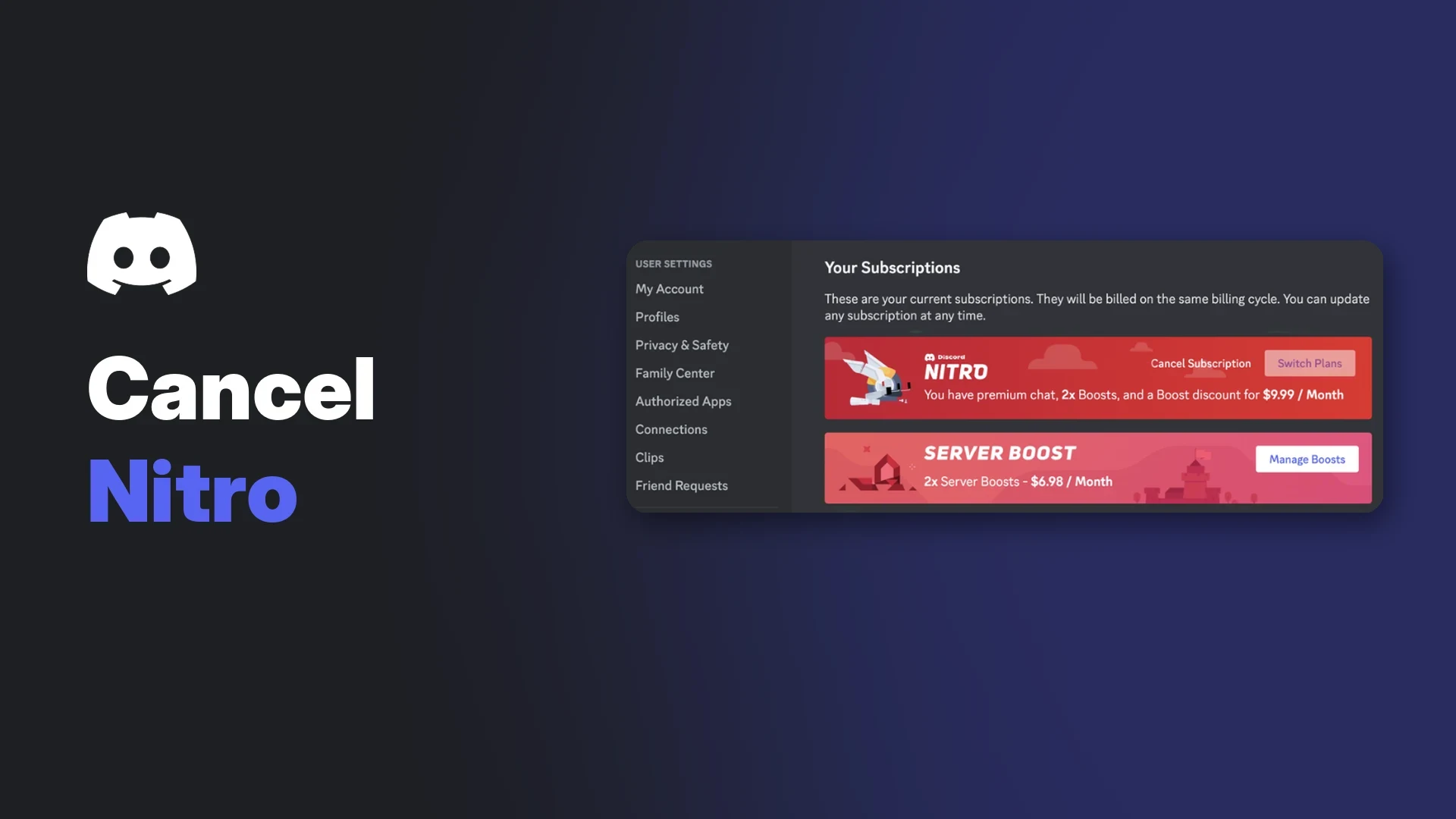

You can cancel Discord Nitro or Nitro Basic at any time, and your perks carry on until the end of the period you have already paid for. The catch is that you have to cancel on the same type of device you used to subscribe, so a Nitro plan bought on an iPhone will not show a working Cancel button on your PC.
This wiki covers the steps for desktop, browser, Android and iOS, what happens to your Boosts, badge and profile items afterwards, and how Discord's refund policy works. It also covers trials, gifted Nitro and the most common billing problems.
Everything here comes from Discord's help centre, plus Apple and Google's own pages for store-managed subscriptions. Where Discord does not document something, this guide says so.
At a glance - Where: User Settings > Subscriptions > Cancel on desktop or browser. Settings > Manage Nitro on mobile. - Same device type: cancel where you bought it. Apple subscriptions can only be cancelled through Apple. - Timing: Nitro stays active until your current billing period ends. You can re-subscribe before then. - Refunds: request within 5 days of the purchase at dis.gd/billing. Discord allows one Nitro refund per account, reviewed case by case. - Boosts: extra Server Boosts you bought are a separate subscription and need cancelling on their own.
📋 Before You Cancel: Check Where You Subscribed
Discord's cancellation article says subscriptions must be cancelled on the same device type where they were bought. A desktop or browser purchase is cancelled on desktop or browser, and a mobile purchase is cancelled on mobile.
| Where you paid | Where you cancel | Who handles refunds |
|---|---|---|
| Desktop app or browser | User Settings > Subscriptions | Discord, via dis.gd/billing |
| Android (Google Play) | Discord app or Google Play subscriptions | Discord, via dis.gd/billing |
| iPhone or iPad (App Store) | Apple subscription settings | Apple |
If you are not sure which subscription type you have, Discord's "How to Cancel your Discord Subscription" page links to the separate guides for Nitro, Server Boosts, Server Subscriptions and Premium Apps.
🖥️ How to Cancel Discord Nitro on Desktop or Browser
- Select the cogwheel next to your username to open User Settings.
- Open the Subscriptions tab under Billing Settings.
- Select Cancel in the Nitro or Nitro Basic banner.
- Follow the prompts until the cancellation is confirmed.
The Cancel button sits in the Nitro banner on the Subscriptions tab. Image: Discord.
Once it is done, the banner shows Pending Cancellation and the Billing Information box shows the date your subscription ends.
A cancelled plan shows Pending Cancellation and a Re-subscribe button until it ends. Image: Discord.
Changed your mind? Select Re-subscribe in the same banner before the billing period ends. After that date you would need to buy a new subscription.
📱 How to Cancel on Android and iPhone
Inside the Discord app
- Tap your avatar in the bottom-right corner.
- Tap the cogwheel in the top-right corner.
- Scroll to Billing Settings and tap Manage Nitro.
- Cancel your Nitro or Nitro Basic plan and follow the prompts.
Manage Nitro is under Billing Settings in the mobile app. Image: Discord.
When you finish, Manage Nitro shows the date your benefits run out.
Through Google Play
Google's help page says you open the Google Play subscriptions page, choose the subscription, tap cancel and follow the prompts. Google also notes that uninstalling an app does not cancel its subscription.
Through Apple
Discord says it cannot manage subscriptions bought through the Apple App Store. Those can only be changed in your Apple settings. Apple's steps are:
- Open Settings and tap your name.
- Tap Subscriptions.
- Tap Discord, then Cancel Subscription.
An Apple-billed plan shows "Your subscription is handled by Apple" on desktop. Image: Discord.
Discord also notes that an iOS subscription is linked to the Apple ID that bought it, and you cannot manage subscriptions for two Discord accounts through the same Apple ID.
⏳ What Happens After You Cancel Discord Nitro
Cancelling stops the next renewal. It does not switch Nitro off on the spot. Discord's Nitro page says your subscription stays active until the end of your current billing period, and the cancellation article says you lose your Nitro benefits on the expiry date shown in your settings.
Here is what Discord documents for specific perks:
- Server Boosts included with Nitro: Nitro comes with two Boosts. Discord says your boosting streak can be lost when a Nitro plan with included Boosts ends, and gives you 72 hours to reapply Boosts elsewhere to keep it.
- Boosts you bought separately: these are a separate subscription and stay active. Discord's trial FAQ adds that without Nitro you lose the 30% Boost discount, so those Boosts renew at full price.
- Server levels: if a server drops a level because Boosts disappear, it keeps level perks for a 72-hour grace period. Our guide to what Server Boosts do explains what each level unlocks.
- Nitro badge: you keep it until the billing cycle ends. Discord's evolving badge FAQ says progress resets after that. Its streaks article gives you 7 days to renew to keep your streak, so the two pages do not fully agree.
- Bought profile items: Avatar Decorations and Profile Effects you paid for in the Shop stay yours to use without Nitro.
- Nitro-exclusive items: DISXCORE decorations and effects stay in your collection but cannot be used without an active Nitro plan.
- Nitro Classic: if you cancel a Classic plan, Discord says you cannot subscribe to Classic again.
Discord does not publish a perk-by-perk list for things like custom emoji in old messages, files already uploaded or an animated avatar you set while subscribed. Expect Nitro-only features to stop working once the plan expires.
💰 Discord Nitro Refund Policy
Cancelling and refunding are two different things. Discord's cancellation article does not mention partial refunds for unused time, so cancelling simply stops future charges.
The Refund Policy sets these rules for Nitro and Server Boosts:
- 5-day window: you must contact support with the requested details within 5 days of the initial purchase.
- One refund only: refunds are one-time per purchase category. If you have had a Nitro refund before, you cannot get another.
- Promotions: if you redeemed a promotional item from Discord or a partner within 5 days of subscribing or renewing, you are not eligible.
- Paysafecard: purchases made with Paysafecard cannot be refunded.
- Apple: iOS purchases are refunded by Apple at reportaproblem.apple.com.
- Discretion: every request is reviewed case by case.
How to request a refund
- On desktop or browser, open User Settings > Billing.
- Select the purchase in your transaction history and copy the Payment ID.
- Open the Discord billing form at dis.gd/billing using the email tied to your account.
- Choose the right product category and paste the Payment ID.
- Wait for the confirmation email, then the team's reply.
The Payment ID appears when you expand a purchase in the Billing tab. Image: Discord.
On Android, Discord says the GPA number from your Google Play receipt email gets a quicker answer than a Payment ID. Discord also warns that filing a dispute with your bank before contacting its billing team may lead to an account suspension while it investigates.
⏸️ Can You Pause or Downgrade Nitro?
Discord's help centre does not describe any way to pause a Nitro subscription. Your options are to cancel, or to switch plans.
Upgrades take effect straight away. Downgrades do not: Discord's upgrade FAQ says you cannot downgrade mid-subscription and must wait for the current plan to end before moving to a lower tier, such as Nitro Basic. If you only want cheaper Nitro, the differences are covered in our separate Discord Nitro vs Nitro Basic guide.
🎁 Cancelling a Nitro Trial or Gifted Nitro
Free trials
You can cancel a trial at any time under User Settings > Subscriptions. Discord says you keep the rest of the trial and are not charged on the renewal date. For the 2-week trial, Discord says your card is charged when the trial ends unless you cancel first.
Discord also notes you cannot change plans during a free trial. Any extra Boosts you bought during the trial stay active and renew at full price unless you cancel them too. For Apple subscriptions, Apple advises cancelling a trial at least 24 hours before it ends.
Discord states it will never DM you Nitro offers. Treat any "free Nitro" message as a scam, and see our piece on fake giveaways in creator servers for the warning signs.
Gifts you received
If you accept a gift while already subscribed, it is stored as Subscription Credit. Discord says that if you cancel while holding credit, you use it later by subscribing again to the exact matching plan on desktop or browser. Credit cannot be used on Google Play or App Store subscriptions.
When you activate a gift, Discord's steps ask for payment details and note you are not charged unless the subscription renews. Check the Subscriptions tab and cancel if you do not want a paid renewal afterwards.
Gifts you bought
Unclaimed gifts sit in User Settings > Gift Inventory, where you can revoke the link. An unclaimed gift bought on desktop, web or Android can be refunded within 5 days. Once someone else claims it, Discord cannot refund it. Gift cards bought elsewhere are covered in our Discord gift cards guide.
🛠️ Troubleshooting
I cannot find the Cancel button
- Wrong device type: a mobile purchase needs cancelling on mobile, and an Apple purchase in Apple settings. Apple-billed plans show Manage Subscription on desktop instead.
- Wrong account: iOS subscriptions follow the Apple ID, so check you are signed in to the Discord account that first bought Nitro.
- No access to your account: contact Discord at dis.gd/billing from the account's email for desktop, browser or Android plans. Apple plans must go through Apple.
I was charged after cancelling
- Server Boosts: Discord's billing FAQ says Boosts are a separate subscription. Cancel them in the Server Boost tab via the three-dot menu next to each Boost.
- Repeated pending charges: after a failed renewal, Discord retries the payment. It says other pending charges are cancelled once one succeeds.
- Charges you do not recognise: Discord descriptors look like DISCORD* or PAYPAL DISCORD. Report others through the billing form.
My payment failed or shows Past Due
A past due plan keeps its perks for a limited window. Image: Discord.
A past due subscription means the renewal payment failed. You keep your perks for 30 days on desktop and Google Play, or 60 days on iOS. If nobody pays in that window, the subscription ends.
You can still cancel while past due, but you cannot switch plans until the payment is made. Discord suggests checking your billing address, card details, expiry date, funds and any spending limit, then contacting your bank if it keeps failing.
Failed payments are flagged in the Billing tab. Image: Discord.
I cannot remove my card
Discord requires at least one saved payment method while a subscription is active. Cancel first, then delete the card under User Settings > Billing.
❓ FAQ
Does cancelling Discord Nitro end my perks straight away?
No. Your perks last until the end of the billing period you paid for, and the exact date appears in your settings.
Can I cancel Discord Nitro and get my money back?
Only within Discord's refund rules. You need to ask within 5 days of the purchase, and you only get one Nitro refund per account.
Does uninstalling Discord cancel my subscription?
No. Google states that uninstalling an app does not cancel its subscription. Use the steps above instead.
Can I move Nitro to a different account?
Discord says it does not support transferring Nitro subscriptions between accounts.
Do I lose Shop items I bought?
No. Purchased Avatar Decorations and Profile Effects stay usable without Nitro. Only Nitro-exclusive items need an active plan.
Summary
To cancel Discord Nitro, go back to the platform where you paid: User Settings > Subscriptions on desktop, Manage Nitro on mobile, or Apple's Subscriptions screen for App Store plans. Your perks last until the period ends, extra Boosts need cancelling separately, and refunds depend on a 5-day, one-time window.
Sources
- How to Cancel your Nitro Subscription (Discord Help Center)
- How to Cancel your Discord Subscription (Discord Help Center)
- What are Nitro & Nitro Basic? (Discord Help Center)
- Refund Policy (Discord Help Center)
- How to Request a Refund from Discord (Discord Help Center)
- How to Request a Refund for a Subscription Renewal on a Discord Account You Can't Access (Discord Help Center)
- Managing Subscriptions and Billing FAQ (Discord Help Center)
- iOS Purchases on Discord FAQ (Discord Help Center)
- Why is My Subscription Showing as Past Due? (Discord Help Center)
- Why is My Payment Showing as Failed or Invalid? (Discord Help Center)
- How to Upgrade Your Nitro Subscription (Discord Help Center)
- Nitro: Free Trial Offer FAQ (Discord Help Center)
- Nitro 2-Week Trial Offer (Discord Help Center)
- Subscription Credit FAQ (Discord Help Center)
- Nitro Gifting (Discord Help Center)
- Server Boosting FAQ (Discord Help Center)
- How to Cancel your Server Boost Subscription (Discord Help Center)
- How to Maintain your Nitro and Server Boost Subscription Streaks (Discord Help Center)
- Evolving Nitro Badges (Discord Help Center)
- Avatar Decorations FAQ (Discord Help Center)
- Profile Effects (Discord Help Center)
- Cancel a subscription from Apple (Apple Support)
- Cancel, pause or change a subscription on Google Play (Google Play Help)
Comments
Sign in to join the conversation
Sign inNo comments yet
Be the first to share your thoughts!