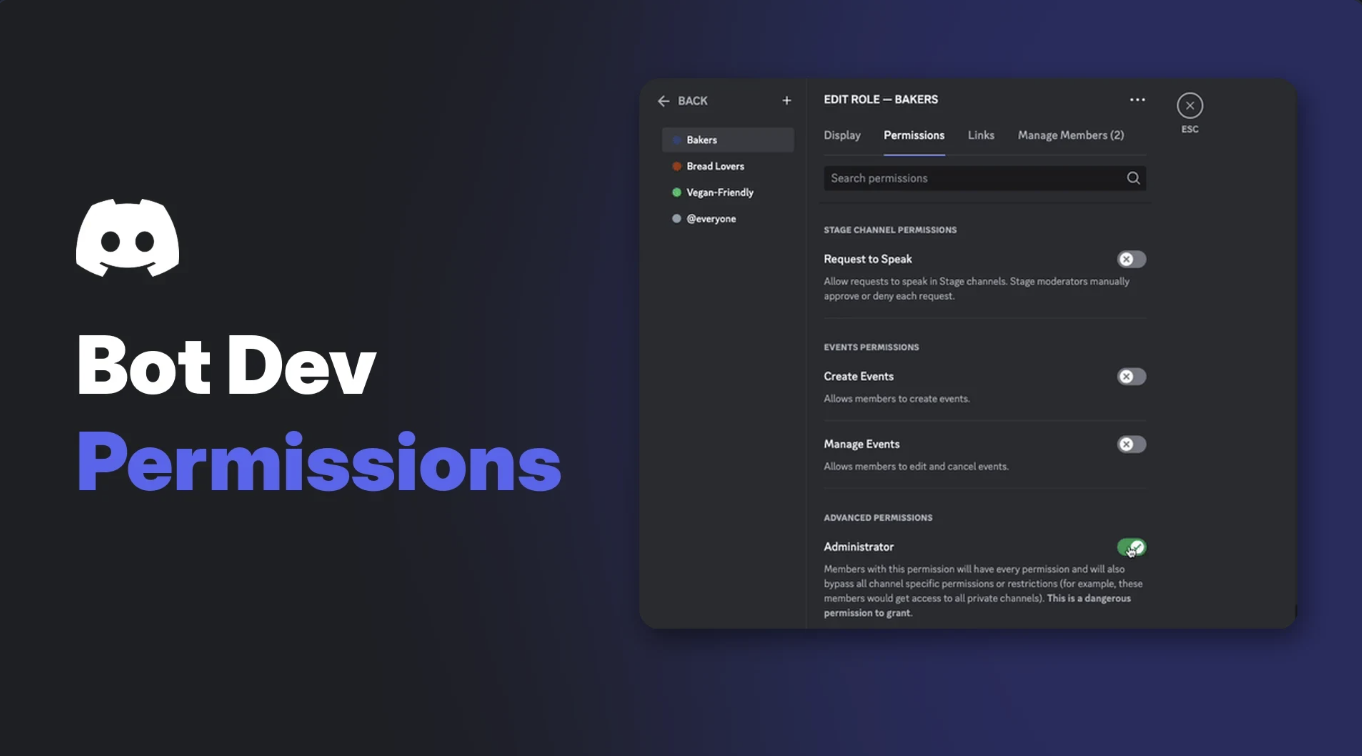

A Discord bot permissions endpoint is a REST route that returns the permissions Discord has already computed for a member or a role. Discord added four of them on 30 October 2026: two for server-wide permissions and two for a specific channel. Each one answers with a single permissions value, so your bot no longer has to rebuild Discord's permission maths from cached roles and overwrites.
This wiki covers the exact paths, what each route includes, the implicit query parameter, and minimal code in curl, JavaScript and Python. It also explains where this beats client-side calculation, and which behaviours Discord has not documented yet.
Everything below comes from Discord's developer change log and API reference. Where the docs are silent, this page says so.
At a glance - Added: 30 October 2026, in the Discord developer change log. - How many: four
GETendpoints. Two guild-level, two channel-level. - Response:{ "permissions": "<string>" }, a stringified permission bitfield. - Channel routes: apply overwrites and implicit permission masking by default. Addimplicit=falseto skip the masking. - Requirement: the channel routes needVIEW_CHANNEL, plusCONNECTfor voice and stage channels. The guild routes list no requirement. - Libraries:discord-api-typeshas route helpers. discord.js and discord.py have no dedicated methods yet.
The Four Discord Bot Permissions Endpoint Routes
All four use the standard API base, https://discord.com/api/v10, and authenticate with your bot token in the Authorization: Bot <token> header. Discord's reference documents a 200 OK response containing one field, permissions, for every route.
| Endpoint name | Method and path | What it computes |
|---|---|---|
| Get Guild Member Permissions | GET /guilds/{guild.id}/permissions/member/{user.id} |
The member's server permissions from all their roles plus @everyone |
| Get Guild Role Permissions | GET /guilds/{guild.id}/permissions/role/{role.id} |
That one role combined with @everyone, ignoring other roles |
| Get Channel Member Permissions | GET /channels/{channel.id}/permissions/member/{user.id} |
The member's permissions in one channel, including role and member overwrites |
| Get Channel Role Permissions | GET /channels/{channel.id}/permissions/role/{role.id} |
That role plus @everyone in one channel, with channel overwrites applied |
For threads, both channel routes use the parent channel's overwrites. The role routes deliberately leave out other roles and any member-specific overwrites, which makes them useful for auditing what a single role grants.
🔍 How Each Endpoint Works
Get Guild Member Permissions
This returns what a member can do across the whole server. Discord describes the result as the member's roles combined with the @everyone role. The reference lists no query parameters and no required permission.
bash
curl -H "Authorization: Bot $DISCORD_TOKEN" \
  https://discord.com/api/v10/guilds/GUILD_ID/permissions/member/USER_ID
Get Guild Role Permissions
This returns the server permissions of one role combined with @everyone. Other roles and member-specific restrictions are excluded. Again, no parameters or required permission are listed.
bash
curl -H "Authorization: Bot $DISCORD_TOKEN" \
  https://discord.com/api/v10/guilds/GUILD_ID/permissions/role/ROLE_ID
Get Channel Member Permissions
This is the route most bots will want. It returns a member's effective permissions in one channel, after their roles and any member-specific overwrites are applied. It requires VIEW_CHANNEL, and CONNECT as well for voice and stage channels.
bash
curl -H "Authorization: Bot $DISCORD_TOKEN" \
  "https://discord.com/api/v10/channels/CHANNEL_ID/permissions/member/USER_ID"
Get Channel Role Permissions
This returns one role plus @everyone in a channel, with channel overwrites applied. Other roles and member overwrites are excluded. It has the same VIEW_CHANNEL and CONNECT requirement.
bash
curl -H "Authorization: Bot $DISCORD_TOKEN" \
  "https://discord.com/api/v10/channels/CHANNEL_ID/permissions/role/ROLE_ID?implicit=false"
🧩 The implicit Parameter Explained
Both channel routes accept an optional boolean query parameter, implicit, which defaults to true. When it is on, Discord applies implicit permission masking if VIEW_CHANNEL is missing, or if CONNECT is missing on a voice or stage channel.
Discord's permissions topic explains the idea. If someone cannot view a channel, their other permissions in that channel are effectively denied too. On voice and stage channels, a missing CONNECT neutralises permissions such as MANAGE_CHANNELS.
- Leave it on when you want the answer a real user would experience.
- Set
implicit=falsewhen you are auditing raw overwrites and want to see what a role would grant if it could see the channel.
One detail for the member route: Discord's reference says the masking is not applied when the target member is a bot.
💻 Code Examples in JavaScript and Python
JavaScript (fetch)
This runs in Node.js 18 or later as an ES module. The response is a string, so convert it with BigInt before using bitwise checks.
``js
const API = "https://discord.com/api/v10";
const headers = { Authorization:
Bot ${process.env.DISCORD_TOKEN}` };
async function getPerms(path) {
const res = await fetch(API + path, { headers });
if (!res.ok) throw new Error(${res.status} ${await res.text()});
const { permissions } = await res.json();
return BigInt(permissions);
}
const guildMember = await getPerms(/guilds/${guildId}/permissions/member/${userId});
const guildRole = await getPerms(/guilds/${guildId}/permissions/role/${roleId});
const channelMember = await getPerms(/channels/${channelId}/permissions/member/${userId});
const channelRole = await getPerms(/channels/${channelId}/permissions/role/${roleId}?implicit=false);
const SEND_MESSAGES = 1n << 11n; console.log("Can send:", (channelMember & SEND_MESSAGES) === SEND_MESSAGES); ```
Python (requests)
Python integers handle large bitfields natively. Pass implicit as the string "false", because requests would otherwise send a capitalised False.
```python import os import requests
API = "https://discord.com/api/v10" HEADERS = {"Authorization": f"Bot {os.environ['DISCORD_TOKEN']}"}
def get_perms(path, **params): r = requests.get(API + path, headers=HEADERS, params=params, timeout=10) r.raise_for_status() return int(r.json()["permissions"])
guild_member = get_perms(f"/guilds/{guild_id}/permissions/member/{user_id}") guild_role = get_perms(f"/guilds/{guild_id}/permissions/role/{role_id}") channel_member = get_perms(f"/channels/{channel_id}/permissions/member/{user_id}") channel_role = get_perms(f"/channels/{channel_id}/permissions/role/{role_id}", implicit="false")
VIEW_CHANNEL = 1 << 10 print("Can view:", channel_member & VIEW_CHANNEL == VIEW_CHANNEL) ```
Library support
The discord-api-types package includes route helpers named guildPermissionsMember, guildPermissionsRole, channelPermissionsMember and channelPermissionsRole from version 0.38.58. discord.js users can call them through the client's REST instance, for example client.rest.get(Routes.channelPermissionsMember(channelId, userId)).
As of discord.js 14.28.1 and discord.py 2.7.1, neither library has a dedicated high-level method for these routes. In discord.py you would call the endpoint directly, as in the requests example above. If you are new to bot tokens and app settings, start with our Discord Developer Portal guide.
⚖️ API Check vs Client-Side Calculation
Until now, bots worked out permissions locally. Libraries do this with helpers such as discord.js permissionsFor and discord.py permissions_for, using roles and overwrites held in the cache.
| Client-side calculation | Permissions endpoint | |
|---|---|---|
| Data needed | Cached roles, members and channel overwrites | Only the IDs |
| Accuracy risk | Stale cache or a missed update | Computed by Discord at request time |
| Cost | No network call | One REST request per check, subject to rate limits |
| Hidden channels | Overwrites may be obfuscated | Requires VIEW_CHANNEL on the channel |
The local approach is still faster for hot paths, like checking every message. The endpoints suit occasional checks where being right matters more than speed, or where your bot does not keep a full cache.
The hidden channel point matters since channel obfuscation reached all bots on 16 November 2026. Our earlier wiki, Discord Bot Hidden Channels, covers how bots now see channels they cannot view.
🎫 Common Use Cases
- Ticket bots: after creating a private ticket channel, confirm the opener and the support role can view and send messages there.
- Moderation checks: before acting on a report, check whether the reported user can still post in the channel, or whether a role grants more than intended.
- Dashboards: show admins a per-channel permission view for any role without rebuilding Discord's overwrite logic in your web app.
- Setup audits: flag roles where
@everyoneplus that role grantsADMINISTRATORorMANAGE_ROLESby mistake.
For a refresher on how roles, hierarchy and overwrites fit together on the server side, see our Discord roles and permissions guide.
✅ Checking Results Against Discord's UI
When an API result surprises you, compare it with what Discord shows in the app. View Server As Role lets admins preview a server through one or more roles.
The role menu offers View Server As Role and Copy Role ID, which gives you the role.id for the role routes. Image: Discord.
The View As Role bar shows which channels a role can see. Image: Discord.
Role-level permissions are what the guild role route reads. Image: Discord.
Channel overwrites like these are applied by the channel routes. Image: Discord.
🧰 Errors and Troubleshooting
The endpoint pages do not list specific error responses. The general Discord API codes below are the likely ones, but treat this mapping as unconfirmed for these routes.
| Symptom | Likely cause | What to check |
|---|---|---|
401 |
Missing or invalid token | Header must be Authorization: Bot <token> |
403, code 50001 Missing Access |
Bot cannot view the channel or guild | Give the bot VIEW_CHANNEL, and CONNECT for voice |
404, codes 10003, 10004, 10007, 10011 |
Unknown channel, guild, member or role | Confirm the IDs and that the user is still a member |
429 |
Rate limited | Wait for retry_after, then retry |
| Value looks wrong in JavaScript | Parsed as a Number | Use BigInt, never parseInt |
| Everything denied in a channel | Implicit masking | Retry with implicit=false to see raw overwrites |
Discord has not published a dedicated rate limit for these routes. The normal rules apply: per-route buckets reported in X-RateLimit-* headers, a global limit of 50 requests per second per bot, and a temporary IP block after 10,000 invalid requests (401, 403 or 429) in 10 minutes.
❓ Frequently Asked Questions
What is the Discord bot permissions endpoint?
It is a set of four REST routes, added on 30 October 2026, that return the permissions Discord has computed for a member or role, either server-wide or in one channel.
Are there really four Discord bot permissions endpoint routes?
Yes. The change log names four: Get Guild Member Permissions, Get Guild Role Permissions, Get Channel Member Permissions and Get Channel Role Permissions.
Which permissions does my bot need?
The channel routes require VIEW_CHANNEL, plus CONNECT for voice and stage channels. The guild routes list no requirement. The docs do not say explicitly whether the requirement applies to the calling bot or the target, though the bot is the natural reading.
Do the results account for the server owner, Administrator or timeouts?
Not documented. Discord's general algorithm gives owners and administrators every permission, and timed-out members keep only VIEW_CHANNEL and READ_MESSAGE_HISTORY. The endpoint pages do not confirm whether these routes apply those rules.
Can I use these endpoints with a user OAuth2 token?
Not documented. The reference pages list no OAuth2 scopes, so this guide uses a bot token throughout.
Should I replace my library's permission helpers?
Not everywhere. Keep local checks for high-volume events and call the endpoint when you need an authoritative answer or lack cached data.
Summary
Discord's four permissions routes let a bot ask the API directly what a member or role can do, server-wide or per channel. The channel routes apply overwrites and implicit masking by default, and implicit=false turns the masking off.
Use them for tickets, moderation and dashboards, parse the string result as a big integer, and keep in mind the open questions: owner and timeout handling, specific errors and rate limits. If you also handle punishments, our mute vs timeout guide explains how timeouts restrict members.
Sources
- Discord Developer Change Log: New Endpoints for getting member and role permissions for guilds and channels (30 October 2026)
- Discord API Reference: Guild resource (Get Guild Member Permissions, Get Guild Role Permissions)
- Discord API Reference: Channel resource (Get Channel Member Permissions, Get Channel Role Permissions)
- Discord Developer Docs: Permissions topic (implicit permissions, overwrite order, timeouts)
- Discord Developer Docs: Rate Limits
- Discord Developer Docs: Opcodes and Status Codes
- discord-api-types on npm
- Discord Help Center: View Server As Role Permission Guide
- Discord Help Center: Discord Roles and Permissions
Comments
Sign in to join the conversation
Sign inNo comments yet
Be the first to share your thoughts!