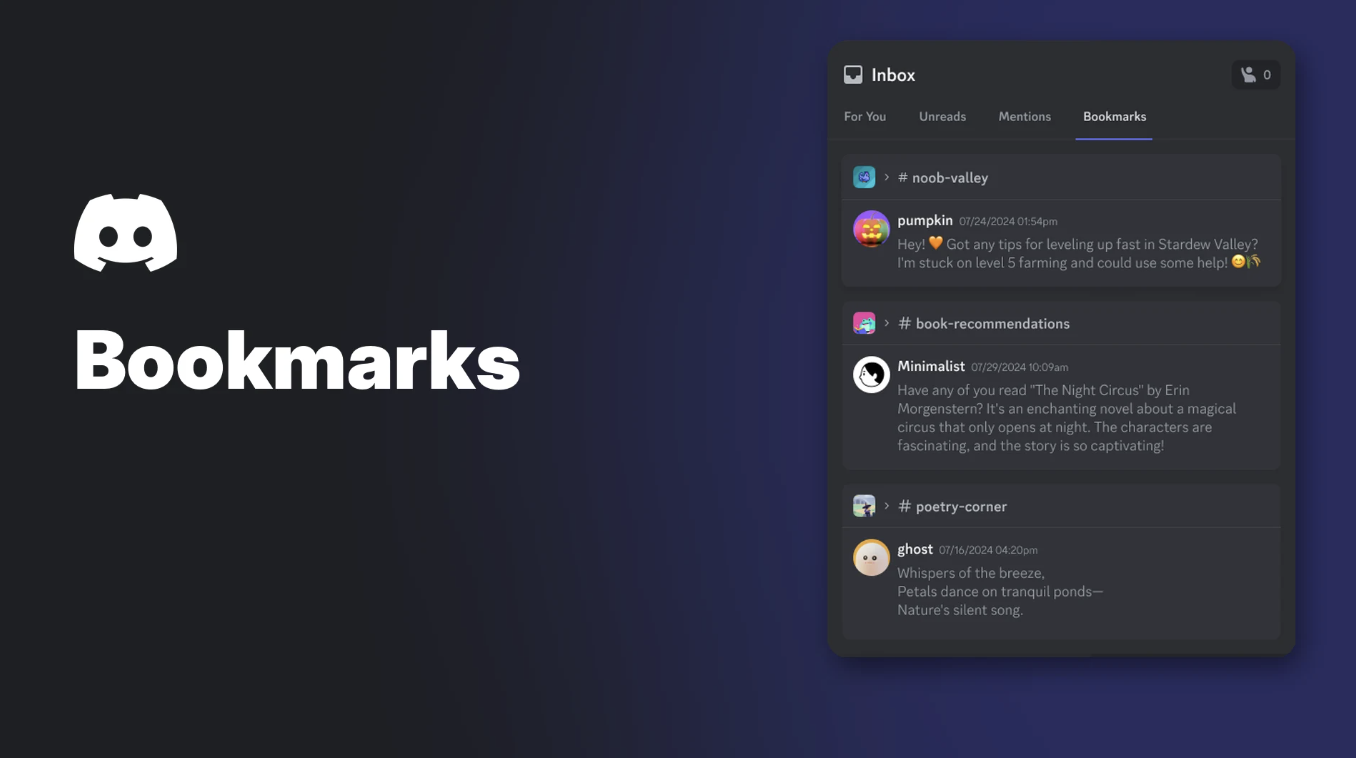

Discord bookmarks let you save important messages from servers, DMs and group chats so you can find them later. Saved messages appear in one place, and you can turn any bookmark into a reminder that notifies you at a set time.
Discord highlighted bookmarks and reminders in its 9 November 2026 patch notes. According to Discord's help centre, bookmarks are a Nitro feature.
This guide explains how to bookmark a message, where your bookmarks live, how reminders work, and what to do when something doesn't show up.
Key Facts
| Detail | What to know |
|---|---|
| What it does | Saves messages so you can come back to them later |
| Who can use it | Nitro users, according to Discord's help centre |
| Storage limit | 200 bookmarked messages |
| Where saved messages appear | Inbox > Bookmarks on desktop and browser; Notifications > Bookmarks on mobile |
| Reminders | Choose a preset time or a custom date and time |
| Works in | Server channels, DMs and group DMs |
Bookmarks vs Pins vs Reminders
| Feature | Who sees it | Best for |
|---|---|---|
| Bookmark | Only you | Saving a message for yourself |
| Reminder | Only you | Getting notified about a message at a set time |
| Pin | Everyone in the channel | Keeping key info visible for the whole group |
If you want to highlight something for a whole server or DM, pin it instead. Bookmarks and reminders are private to you.
How to Bookmark a Message
Desktop and browser
- Go to the message you want to save.
- Right-click the message and select Bookmark Message, then press Bookmark.
- A notification badge confirms the message has been saved.
Bookmarking a message from the right-click menu on desktop. Image: Discord.
Mobile
- Go to the message you want to save.
- Long-press the message and tap Bookmark Message.
- A notification badge confirms it has been saved.
Where to Find Your Discord Bookmarks
- Desktop and browser: press the Inbox icon in the upper-right corner, then open the Bookmarks tab.
- Mobile: tap Notifications in the bottom bar, then tap the Bookmarks icon in the upper-right corner.
Discord bookmarks listed in the Inbox Bookmarks tab. Image: Discord.
To unsave a bookmark or turn it into a reminder, open the Bookmarks tab. On desktop, use the options in the upper-right corner of the saved message. On mobile, tap the ellipsis (...) on the message and choose an option.
How to Set a Reminder
Desktop and browser
- Open the Inbox in the upper-right corner.
- Hover over the message and press the Create Reminder icon in its upper-right corner.
- In the Remind Me menu, choose how long to wait, or pick Custom to set a specific date and time.
- Your reminders appear in Inbox > Bookmarks, with a Due in time shown above each message.
Mobile
- Go to the message you want to be reminded about.
- Long-press it and tap Create Reminder.
- Choose when you'd like to be reminded in the Remind Me... menu.
- A notification badge confirms the reminder is set. Find it under Notifications > Bookmarks.
Create Reminder in the long-press menu on mobile. Image: Discord.
How to Edit, Complete or Remove a Reminder
- Desktop and browser: go to Inbox > Bookmarks, right-click the reminder and choose to edit, complete or remove it.
- Mobile: tap the ellipsis (...) on the reminder to edit or remove it. Tap the checkmark to mark it as complete.
Troubleshooting
| Problem | What to check |
|---|---|
| No Bookmark Message option | Discord's help centre lists bookmarks as a Nitro feature. Check your Nitro is active |
| Can't save more messages | You may have hit the 200-bookmark limit. Unsave old ones first |
| Can't find saved messages | Look in Inbox > Bookmarks on desktop or Notifications > Bookmarks on mobile, not in pins |
| Reminder didn't notify you | Check Discord's notification settings and your device's notification permissions |
If the options still don't appear, update the app. Discord's patch notes say some changes may still be rolling out.
Frequently Asked Questions
Are Discord bookmarks free?
No. Discord's help centre says bookmarks are available for Nitro users.
How many messages can I bookmark on Discord?
Up to 200. Unsave older bookmarks to make room for new ones.
Can other people see my Discord bookmarks?
No. Bookmarks and reminders are personal. To share an important message with everyone in a channel, pin it.
Can I bookmark messages in DMs?
Yes. Discord says bookmarks work in server chats, direct messages and group chats.
Can I set a reminder for a specific date?
Yes. On desktop, choose Custom in the Remind Me menu to set a date and time.
Summary
Discord bookmarks are a quick way for Nitro members to save up to 200 messages and get reminded about them later. Right-click or long-press a message to bookmark it or create a reminder, then find everything in the Inbox on desktop or Notifications on mobile.
For other ways to tidy up your Discord, see our guide to pinned channels and DMs, and use our Discord text formatter to make important messages stand out.
Comments
Sign in to join the conversation
Sign inNo comments yet
Be the first to share your thoughts!