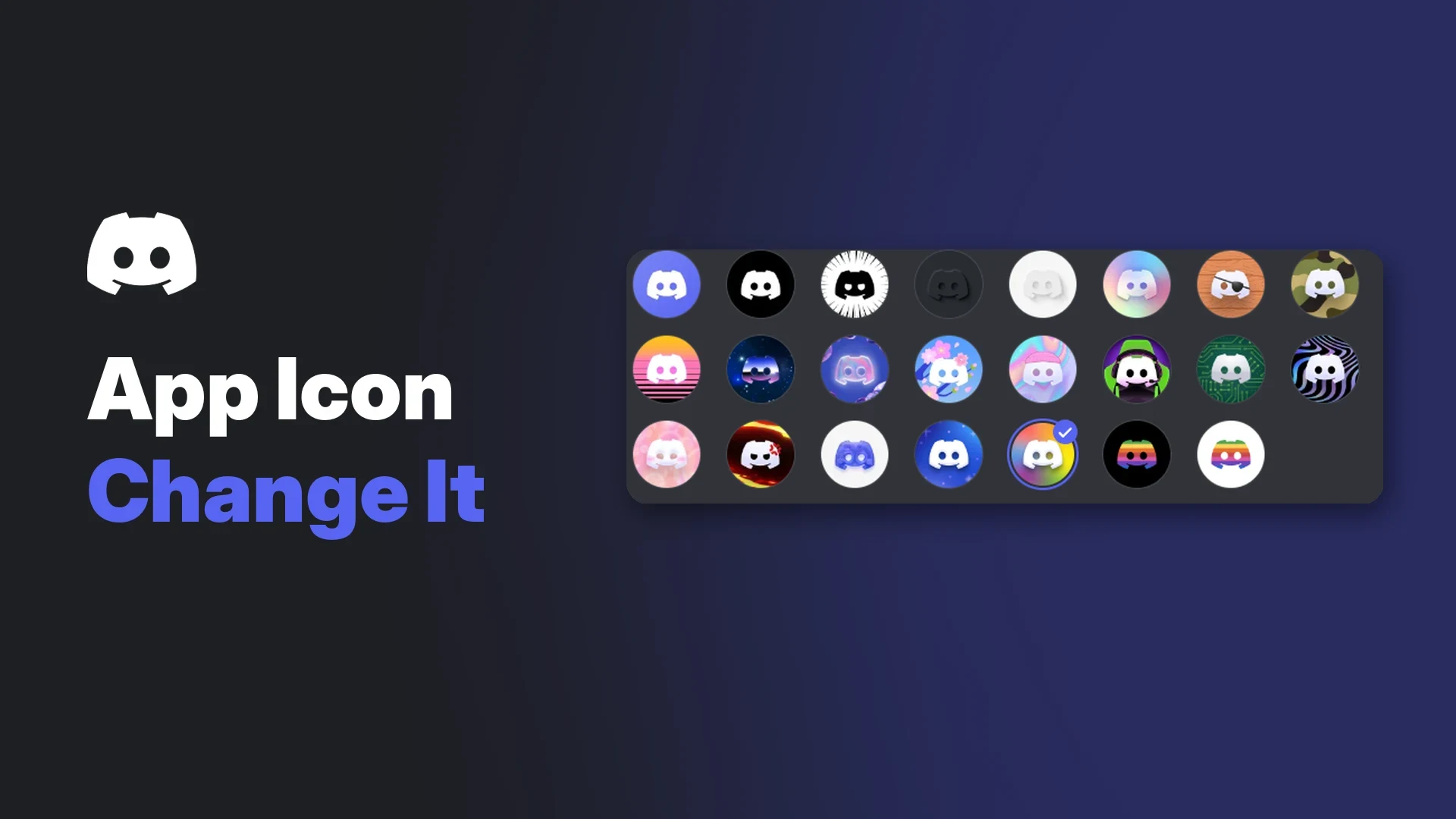

You can change Discord app icon designs from inside Discord's own settings, swapping the standard blurple logo for one of Discord's alternative icons. On iOS and Android the new icon replaces the one on your home screen. On desktop it only changes the icon shown inside the Discord window.
The feature is a Nitro perk, with one exception: limited-edition icons that Discord occasionally hands out to everyone for a short time. The current example is the Vice City icon released for the Grand Theft Auto VI launch.
This wiki covers which icons exist, who can use them, the exact steps on each platform, and what to do when the icon refuses to change.
At a glance - What it is: a cosmetic swap of the Discord logo for one of Discord's preset designs. - Who can use it: Nitro, Nitro Basic and Nitro credit holders, plus everyone during limited free promotions. - Mobile (iOS and Android): changes the home screen icon. Settings, App Settings, App Icon. - Desktop (Windows, macOS, browser): changes only the in-app icon. User Settings, Appearance. - Custom uploads: not allowed. You can only pick from Discord's own icons. - Per device: each phone needs its own setting. - Vice City icon: free for everyone until 13 December 2026, and for Nitro (not Nitro Basic) until 20 February 2027.
What Is a Custom App Icon?
A custom app icon is an alternative version of the Discord logo that you choose from a list. Discord's help centre describes it as a way to personalise your mobile app icon and your desktop in-app icon.
Those two are different things:
- Mobile app icon: the icon on your phone's home screen and in the app drawer. Changing it changes what you tap to open Discord.
- Desktop in-app icon: the small Discord logo shown in the top-left corner of the Discord window, above your server list. Your Windows taskbar icon, macOS Dock icon and desktop shortcut stay the same.
Discord calls the desktop section In-app Icon in its settings screenshots, while the mobile menu is labelled App Icon. It is the same feature under two names.
Looking to recolour the whole app instead? Colour themes are a separate setting, which we covered in our 17 October guide to Discord themes.
🎨 Which Icons Are Available?
Discord does not publish a full, named list of its app icons, and the selection has changed over time. What it does document falls into three groups.
| Group | Who can pick it | Examples Discord shows |
|---|---|---|
| Official (default) | Everyone | Blurple (default) |
| Nitro icons | Nitro, Nitro Basic, Nitro credit | Goth, Charcoal, Pastel, Matey, Tactical, Sunset Ave |
| Limited edition | Varies by promotion | Vice City (November 2026 to February 2027) |
The names in the Nitro row come from Discord's own iOS screenshot of the App Icon menu. The screenshot is cut off after Sunset Ave, so more icons sit below it. We have not listed names that Discord has not shown.
The mobile App Icon menu, split into Official and Nitro sections. Image: Discord help centre.
On desktop, the same icons appear as a grid of round buttons with no names. Use Preview app icon to try one before you commit.
The In-app Icon grid under Appearance on desktop. The note reads that the icon can be changed only with Nitro. Image: Discord help centre.
The Vice City icon
Discord and Rockstar Games released a Vice City app icon on 16 November 2026 as part of a GTA VI launch bundle. Discord's blog post says the bundle is available to everyone through 13 December and to Nitro members, excluding Nitro Basic, through 20 February.
For the full bundle, including the colour theme and Display Name Style, see our blog "Discord Vice City Theme: How to Get It Free Before 13 December".
💎 Who Can Change the Discord App Icon?
Discord's help centre says custom app icons are only available to Nitro and Nitro Basic members. Its FAQ adds that active Nitro credit also counts. App Icon Customization is listed as a perk of both Nitro tiers.
| Account type | Standard alternative icons | Vice City icon |
|---|---|---|
| Free account | No | Yes, until 13 Dec 2026 |
| Nitro Basic | Yes | Yes, until 13 Dec 2026 |
| Nitro | Yes | Yes, until 20 Feb 2027 |
| Nitro credit | Yes, while credit is active | Not stated by Discord |
With Nitro you can switch icons as often as you like. There is no cooldown.
Server Boosts do not unlock app icons. Boosts improve a server, while app icons are a personal Nitro perk. Our Discord boost guide explains what boosting actually gives a server.
🖥️ How to Change Discord App Icon on Desktop
These steps work on the Windows and macOS apps and in a browser.
- Open User Settings with the cog next to your name in the bottom-left corner.
- Under App Settings, select Appearance.
- Scroll to the In-app Icon section (called App Icon in Discord's written steps).
- Click an icon to apply it.
- Optional: click Preview app icon to see it in place, then press Back to Settings when you are happy.
A custom in-app icon in the top-left corner of the desktop app. This is the only place the desktop change appears. Image: Discord help centre.
Where the desktop change shows up
| Location | Changes? |
|---|---|
| Top-left corner of the Discord window | Yes |
| Windows taskbar, Start menu, desktop shortcut | No |
| macOS Dock, Launchpad, Applications folder | No |
| Browser tab icon | Not documented |
Discord's FAQ is direct about this: the desktop feature only changes the in-app icon. If you want a different taskbar or Dock icon, Discord offers no setting for it.
📱 How to Change Discord App Icon on iOS and Android
On mobile the change is visible everywhere you see Discord on your phone.
- Tap your avatar in the bottom-right corner.
- Tap the cog in the top-right to open Settings.
- Scroll to App Settings and tap App Icon.
- Tap the icon you want.
- On iOS, confirm the system alert that says you have changed the Discord app icon.
- Go back to your home screen to see the new icon.
The confirmation alert after picking a new icon on iOS. Image: Discord help centre.
Discord only mentions this pop-up for iOS.
The new icon on an iPhone home screen. Image: Discord help centre.
One device at a time
The setting does not sync. If you use Discord on a phone and a tablet, change the icon on each one.
📊 Platform Comparison
| Platform | Where to change | Nitro needed? | Notes |
|---|---|---|---|
| Windows | User Settings, Appearance, In-app Icon | Yes, except free limited icons | Taskbar and shortcut icons do not change |
| macOS | User Settings, Appearance, In-app Icon | Yes, except free limited icons | Dock icon does not change |
| Browser | User Settings, Appearance, In-app Icon | Yes, except free limited icons | Only the in-app corner icon |
| iOS / iPadOS | Settings, App Settings, App Icon | Yes, except free limited icons | Home screen icon changes; iOS shows a confirmation alert |
| Android | Settings, App Settings, App Icon | Yes, except free limited icons | Home screen icon changes; some launchers may lag |
⚠️ Limited-Edition Icons on Desktop: Conflicting Information
Discord's own sources disagree here, so it is worth spelling out.
- The Custom App Icon help article says that "at this time, limited edition icons are only available on mobile devices."
- Discord's Vice City blog post says that after 22 November you can find the Vice City app icon under User Settings, Appearance on desktop, and under Settings, App Settings on mobile.
The help article was written before the Vice City promotion, so the blog post may reflect a newer change. We could not confirm which is right for every account. If the Vice City icon does not appear in your desktop Appearance settings, check the App Icon menu on your phone instead.
⏳ What Happens When Nitro Ends or a Limited Icon Expires?
When Nitro, Nitro Basic or Nitro credit ends, Discord says you can no longer keep the custom app icon. To pick one again you need an active subscription or credit.
When a free limited-edition icon expires, Discord has not documented what happens. Its Vice City post only gives the end dates. It seems likely to behave the same way as a lapsed Nitro icon, but treat that as our expectation and not Discord's word.
If you want control over what you end up with, switch to the icon you prefer yourself before 13 December 2026, or before 20 February 2027 if you have full Nitro.
🔧 Troubleshooting
The App Icon option is missing or greyed out
- Check that your Nitro, Nitro Basic or Nitro credit is active under User Settings, Subscriptions.
- Update Discord to the latest version from your app store or the desktop updater.
- Fully close and reopen the app after subscribing.
My desktop taskbar or Dock icon did not change
This is expected. The desktop feature only changes the icon inside the Discord window.
The Android home screen still shows the old icon
Discord does not document Android launcher behaviour. These general steps often help when a launcher holds onto an old icon:
- Restart your phone.
- Remove the Discord shortcut from your home screen and drag it back from the app drawer.
- If you use a third-party launcher, clear its cache or check whether it applies its own icon pack over Discord's.
I can't see the Vice City icon on desktop
See the conflict above. Try your phone's App Icon menu, and make sure you are checking before 13 December 2026 (or 20 February 2027 on Nitro).
My icon reset on my second phone
The setting is per device. Set it again on each one.
❓ FAQ
Can I change Discord app icon without Nitro?
Only for free limited-edition icons, such as the Vice City icon until 13 December 2026. The regular alternative icons need Nitro, Nitro Basic or Nitro credit.
Can I upload my own image as the Discord app icon?
No. Discord's help centre says you can only choose from its available icons.
Does Nitro Basic include app icons?
Yes. Discord lists App Icon Customization as a Nitro Basic perk. Nitro Basic does not get the extended Vice City window, though.
Why didn't my Windows taskbar icon change after I tried to change Discord app icon?
On desktop the setting only affects the in-app icon in the top-left corner of Discord.
Does changing the icon affect my privacy or what others see?
Discord describes the icon as a personal customisation of your own app, and it does not mention it being shown to anyone else. If you are tidying up your account while you are in User Settings, our Discord privacy settings guide covers the settings that do affect what others see.
Is the Vice City icon worth setting for a GTA VI server?
It is a fun way to match a launch-week crew. If you are building a space for GTA VI players, start with how to set up a gaming Discord server.
Summary
The custom app icon is a Nitro and Nitro Basic perk that swaps the Discord logo for one of Discord's preset designs. On iOS and Android it changes your home screen icon through Settings, App Settings, App Icon. On desktop it only changes the in-app icon, under User Settings, Appearance.
You cannot upload your own design, the choice is per device, and the icon goes when Nitro ends. Free users can join in during limited promotions, with the Vice City icon open to everyone until 13 December 2026.
Comments
Sign in to join the conversation
Sign inNo comments yet
Be the first to share your thoughts!