

Steam Remote Play Pyrowave is an experimental video codec designed for users who want extremely low latency while streaming games through Steam Remote Play. Introduced through the Steam Client Beta, Pyrowave takes a different approach from conventional streaming codecs by prioritizing speed and image quality over bandwidth efficiency.
The technology is particularly suited to fast local networks, where high bandwidth can be used to reduce encoding and decoding delays.
What Is Steam Remote Play Pyrowave?
Pyrowave is a new video codec being tested for Steam Remote Play. It was developed by Hans-Kristian Arntzen and is designed around high-bandwidth, low-latency game streaming.
Unlike codecs designed primarily to minimize bandwidth consumption, Pyrowave can use significantly more network capacity. Valve describes it as requiring roughly 5–10 times the bandwidth of other streaming codecs.
The codec uses GPU acceleration for encoding and decoding, helping reduce the time required to process each frame. This makes Pyrowave particularly interesting for local streaming setups where network latency is already very low.
Why Was Pyrowave Created?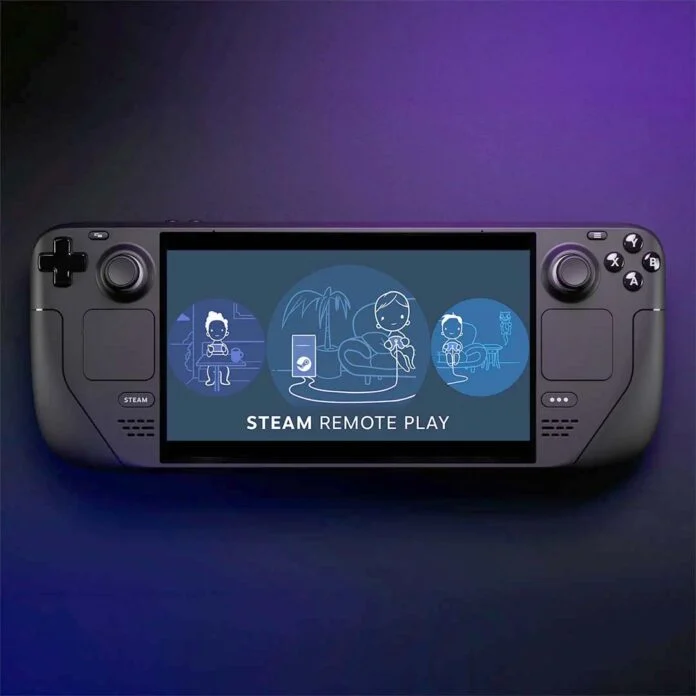
Game streaming involves several stages between the game running on the host PC and the image appearing on the client device. Frames need to be captured, encoded, transmitted, decoded, and displayed.
Every stage can add latency.
Pyrowave is designed to reduce the processing portion of that chain. Instead of focusing primarily on compressing video into the smallest possible stream, it uses additional bandwidth and GPU resources to prioritize fast processing.
This makes it better suited to users with strong wired networks rather than slower wireless connections.
Pyrowave Features and Major Details
Ultra-Low Latency
The main purpose of Pyrowave is reducing encoding and decoding latency. GPU acceleration allows the codec to process frames extremely quickly when the host and client hardware are capable of supporting it.
High Bandwidth
Pyrowave's biggest requirement is bandwidth. Valve states that it can consume 5–10 times more bandwidth than other streaming codecs, making a fast local network highly important.
GPU Acceleration
Pyrowave uses the GPU for encoding and decoding rather than relying entirely on the CPU. This helps reduce processing delays while keeping the streaming pipeline responsive.
YUV 4:4:4 Support
Pyrowave supports YUV 4:4:4, which preserves additional color information compared with more heavily compressed chroma formats.
This can be particularly useful when streaming a desktop or reading text on a 4K display, although it requires additional bandwidth and processing power.
HDR Support
HDR is also supported when the host and client both have compatible hardware and display capabilities.
Manual Bitrate Controls
Steam provides options for controlling the streaming bitrate. Users with bandwidth limitations can disable automatic bitrate adjustment and select a specific bitrate instead.
The available manual range can extend from 100 Mbps to 500 Mbps.
How to Enable Pyrowave
Pyrowave is not enabled automatically.
To experiment with it:
- Open the Steam Client Beta.
- Open Steam's Remote Play settings.
- Enter the advanced client settings.
- Locate the video codec options.
- Select Pyrowave.
- Start a Remote Play session and monitor the streaming performance.
Pyrowave is available through Steam Beta on Windows and macOS. Linux users can access it when using the experimental SteamRT3 Steam Client configuration.
Support for Steam Link mobile devices was also planned as part of the rollout.
Bandwidth Requirements
Bandwidth is the most important consideration when using Pyrowave.
A wired connection directly to the router is recommended, with Gigabit Ethernet being the preferred starting point. Wireless networks can introduce additional interference, packet loss, and latency that may become more noticeable when Pyrowave is operating at high bitrates.
Users who cannot provide sufficient bandwidth can reduce the bitrate manually.
For example, a user could experiment with a lower setting rather than immediately running the codec at the highest available bitrate. The ideal setting depends on the host hardware, client hardware, network infrastructure, and desired image quality.
Troubleshooting Visual Artifacts
Flickering
Flickering was among the issues addressed during the early Steam Beta development of Pyrowave. Updates included fixes for occasional flickering when streaming toward Linux and SteamOS clients.
If flickering continues, updating Steam to the latest available Beta build should be one of the first troubleshooting steps.
Blocky or Unstable Images
Visual compression problems can occur when the available network bandwidth cannot consistently sustain the selected bitrate.
Try using a wired connection and reducing the streaming bitrate. If the image becomes stable after lowering the bitrate, the network may have been struggling to maintain the previous setting.
Color and Text Artifacts
For users streaming desktops or text-heavy applications, enabling YUV 4:4:4 can improve the clarity of fine color details.
However, the feature consumes additional bandwidth and processing resources, so it may not be appropriate for every setup.
Stuttering
Stuttering can come from several parts of the Remote Play pipeline, including encoding, networking, decoding, or display latency.
Steam's Remote Play performance graph can help identify where the delay is occurring. GPU utilization can also matter because the host computer needs to encode the stream while simultaneously running the game.
Steam Beta updates have included changes designed to reduce GPU workload contention during encoding.
Technology and Development
Pyrowave represents a different approach to game-streaming technology.
Traditional streaming codecs attempt to deliver good visual quality while keeping bandwidth requirements manageable. Pyrowave instead gives up some of that bandwidth efficiency in exchange for extremely fast processing.
The codec uses GPU-based processing and Vulkan compute technology, making it particularly appropriate for modern gaming hardware.
Because Pyrowave remains experimental, its performance can vary considerably between different hardware and network configurations.
Platforms and Availability
Pyrowave has been introduced through Steam Client Beta builds.
Current compatibility includes:
- Windows
- macOS
- Linux with the experimental SteamRT3 Steam Client
- SteamOS through compatible Beta builds
- Steam Link mobile support planned for a later stage
Availability can change as Valve continues developing the technology.
Why It Matters?
Steam Remote Play has traditionally involved balancing image quality, network bandwidth, and latency.
Pyrowave changes that balance by allowing significantly higher bandwidth usage in exchange for faster processing. For users with a strong wired home network, this approach can make local game streaming feel more responsive.
It is not necessarily designed for every Remote Play setup. Users on limited connections may benefit more from conventional codecs that prioritize bandwidth efficiency.
🎮 The Bottom Line
Steam Remote Play Pyrowave is an experimental codec built around one central idea: use more bandwidth to achieve lower streaming latency and faster video processing.
Its support for GPU acceleration, HDR, YUV 4:4:4, and high manual bitrates makes it an interesting option for powerful PCs connected through fast local networks.
The biggest requirement is a capable network. A wired Gigabit connection provides a much better environment for experimenting with Pyrowave than a congested or unstable wireless connection.
For users willing to trade bandwidth efficiency for responsiveness, Pyrowave offers a new direction for Steam Remote Play.