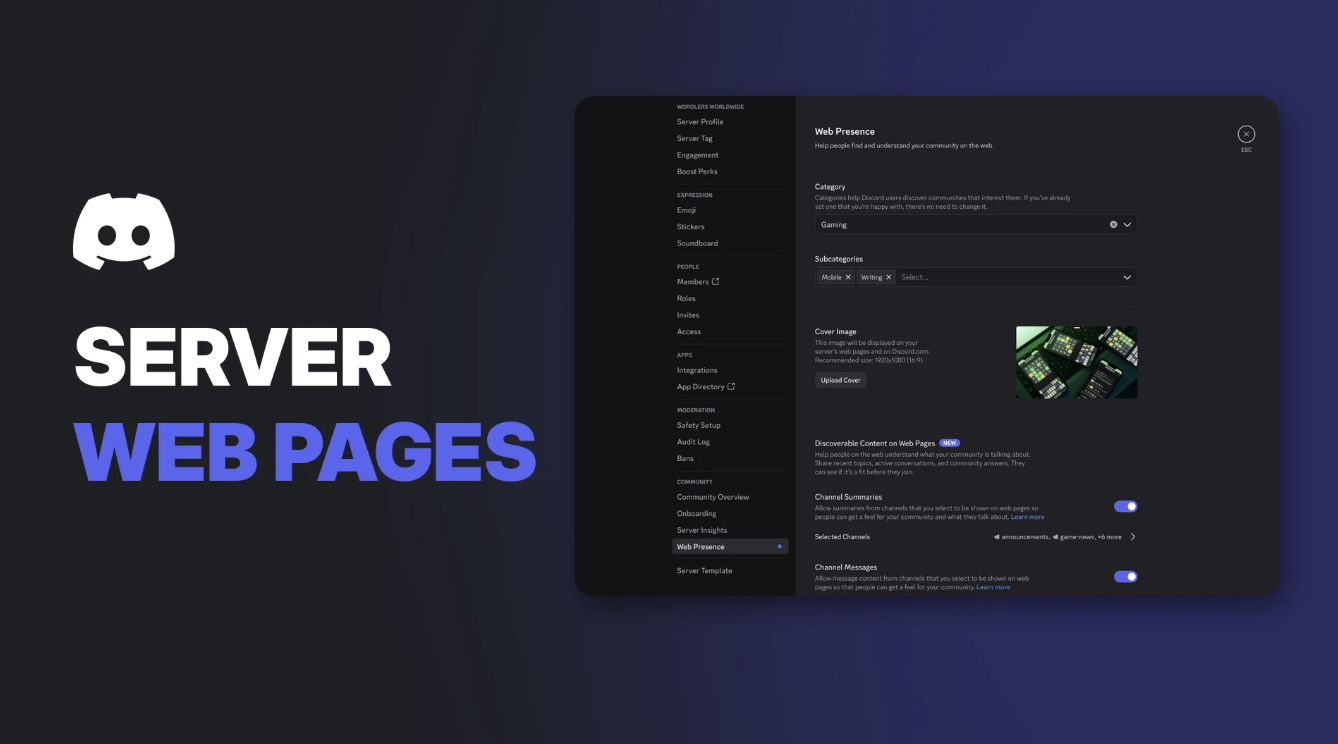

Discord Server Web Pages are public pages on the open web that help people find and learn about a Discoverable Server. Anyone can see them, even without a Discord account, and search engines like Google can show them in results.
From 16 November 2026, every Discoverable Server will have one. Admins manage what appears on it in a new Web Presence section of Server Settings. This guide covers who gets a page, how to set it up, and how to control what your members' conversations show on the web.
Key Information
| Detail | Summary |
|---|---|
| Who gets a page | Discoverable Servers only |
| When | From 16 November 2026, automatically |
| Where to manage it | Server Settings > Community > Web Presence |
| Who can change settings | The server owner and members with the Administrator permission |
| Platforms | Desktop and browser only |
| Boost Level needed | None |
| Can you remove the page? | Only by turning off Discoverability |
Which Servers Get Discord Server Web Pages?
Server Web Pages are exclusive to Discoverable Servers. Discord has three server types:
| Server type | Who can join | Server Web Page? |
|---|---|---|
| Friend Server | Invite only | No |
| Community Server | Invite only | No |
| Discoverable Server | Anyone, through Server Discovery and web search | Yes |
To become Discoverable, a Community Server must meet Discord's eligibility criteria, including 1,000+ members, active engagement, safety checks and two-factor authentication for moderators. Verified servers qualify automatically.
To check your status: open Server Settings > Access and look at the Discoverable setting.
What Can Appear on a Server Web Page
A Server Web Page can show three kinds of content:
| Content | What it is | Starts |
|---|---|---|
| Landing page | Your server's description, category, cover image and a Join button | 16 November 2026 |
| Channel Summaries | AI-written summaries of active conversations in public channels | 16 November 2026 |
| Channel Messages | Members' own messages from public channels, which can appear in web search | Mid-December 2026, rolling out over a few weeks |
Usernames and avatars are never shown with summaries or messages. Discord also warns that AI summaries "may not always be accurate."
How to Set Up Your Server Web Page
If you do nothing, Discord publishes a default page built from your existing Server Profile. To customise it:
- Open Server Settings on desktop or browser.
- Under Community, select Web Presence.
- Edit your server's Landing Page. Complete each requirement, such as a cover image, short description, "About your server" and "Reasons to join."
- Select Publish Landing Page.
- Select View Page to see it live. You can update it any time.
Completing the Landing Page requirements in Web Presence. Image: Discord.
Tip: Discord recommends describing your server with specific words people would actually search for. Its example: if your server is for underwater basket weavers, say that, rather than something generic. Our guide to writing the perfect Discord server description can help.
All page content must follow Discord's Discovery Guidelines. Discord's Trust & Safety team can remove pages that break them.
How to Manage Web Presence Settings
Web Presence controls two separate features, each with its own toggle and its own channel list. Both are on by default.
Web Presence in Server Settings. Image: Discord.
Channel Summaries
Choose which public channels feed the summaries on your web page.
- In Web Presence, open Channel Summaries.
- Select or deselect channels. Use Search channels, Select All or Deselect All.
- Select Save Changes.
You can also curate which summaries are shown, or turn summaries off for the whole server.
Choosing which channels feed Channel Summaries. Image: Discord.
Channel Messages
Choose which public channels can have members' messages shown on the web. This list is independent of your summaries list, so you can pick different channels or turn one feature off and keep the other.
When creating a new channel
When you create a public text channel in a Discoverable Server, a Discoverable section lets you choose:
- All Content
- Summaries Only
- Messages Only
- Off
Private channels show this section as Disabled, because they're never included.
What's Never Included
- Private channels, including role-restricted channels
- Private threads and private forums
- DMs and group DMs
- Messages from teen accounts
- Messages from members who've opted out in User Settings > Data & Privacy
- Messages sent before mid-December 2026
Members in the EU/EEA, UK, Canada, Brazil, Australia and South Korea have message sharing off by default. Turning off a feature as an admin doesn't change members' own privacy settings, which are covered in our Discord privacy settings guide.
Participating channels show an icon in the channel header, and members get a pop-up before they post, so it's worth telling your community about the change. Our announcements guide covers how to write a clear update.
How to Remove Content From the Web
| Goal | What to do |
|---|---|
| Remove one message | Delete it in Discord. It disappears from Discord's web pages |
| Stop new summaries or messages | Turn off the feature, or deselect channels, in Web Presence |
| Remove the whole Server Web Page | Turn off Discoverability in Server Settings > Access |
Two things to keep in mind:
- Turning a feature off doesn't delete what's already published. Old content stays until it's removed individually.
- Search engines keep their own copies. It can take extra time, or a removal request to the search engine, for content to disappear from results.
Turning off Discoverability changes your server back to a Community Server. It leaves Server Discovery, needs invite links again, and loses its web page. You can turn it back on later if you still qualify.
Troubleshooting
| Problem | Likely cause and fix |
|---|---|
| Can't find Web Presence | Your server isn't Discoverable, or you're on mobile. Use desktop or browser |
| Can't change the settings | Only the owner and Administrators can. Bots can't change them |
| A member's message isn't showing | They may have opted out, be in a default-off region, or have a teen account |
| A deleted message still shows on Google | Search engines cache pages. Request removal from the search engine |
| Want no web page at all | Turn off Discoverability. The page is required while Discoverable |
Frequently Asked Questions
What are Discord Server Web Pages?
Public web pages for Discoverable Servers that anyone can view and Google can index. They show your server's details and can include AI summaries and members' messages from public channels.
Do I have to do anything for my server to get a web page?
No. From 16 November 2026, Discord creates a default page from your Server Profile if you haven't published your own.
Can I turn off my Discord Server Web Page?
Not while your server is Discoverable. You can turn off Channel Summaries and Channel Messages, or turn off Discoverability to remove the page.
Does it cost anything?
No. Server Web Pages work for all Discoverable Servers, whatever their Boost Level.
Is Discord selling messages to AI companies?
Discord says no: "Nothing has changed." It says it's making content easier to find where admins and users choose to share it.
Summary a
Discord Server Web Pages give every Discoverable Server a public home on Google from 16 November 2026, with AI summaries from then and members' messages from mid-December. Admins control it all in Server Settings > Web Presence: customise the landing page, choose channels for summaries and messages separately, or switch either off. To remove the page entirely, you have to turn off Discoverability.
Comments
Sign in to join the conversation
Sign inNo comments yet
Be the first to share your thoughts!