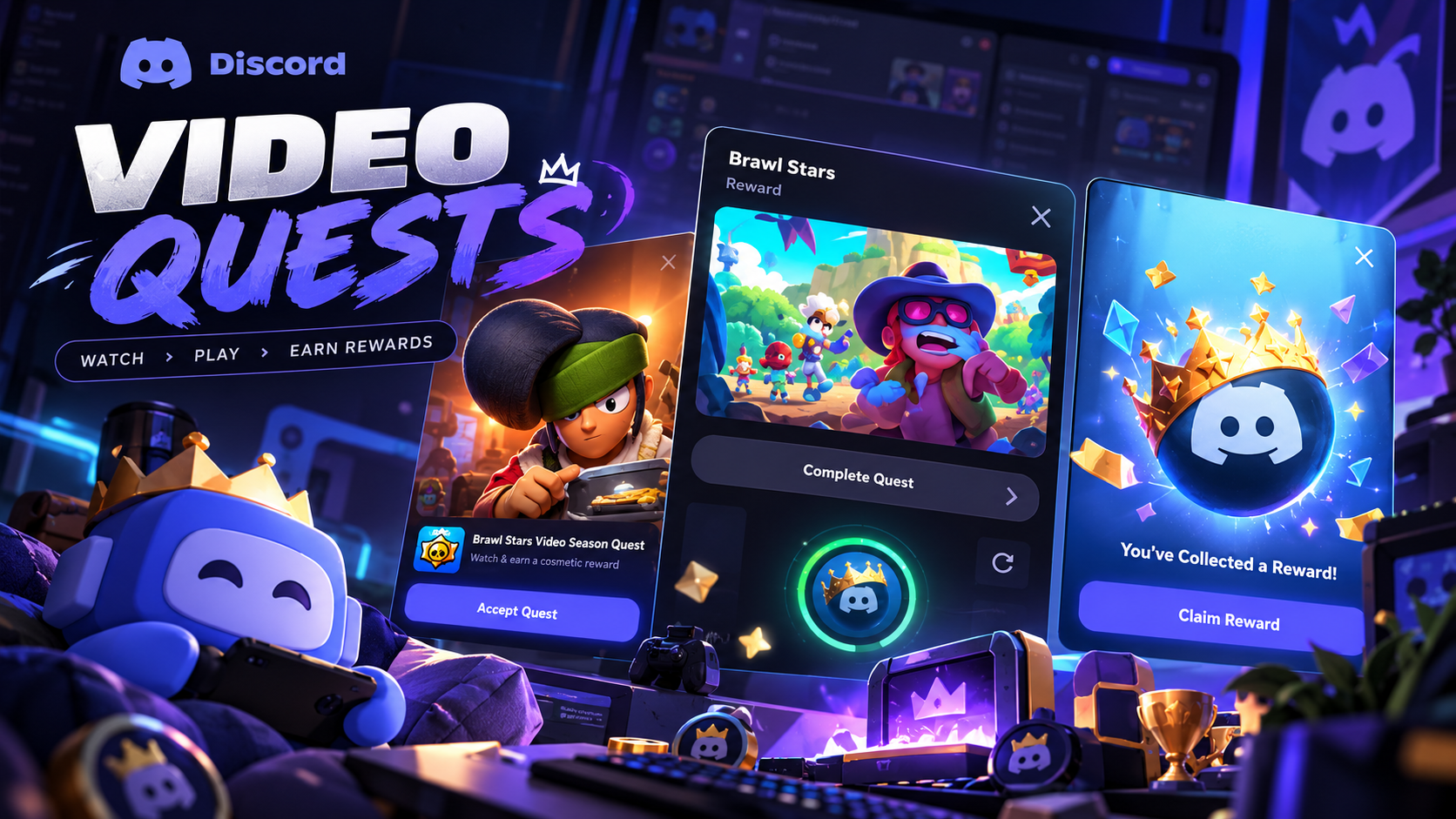

The Complete Wiki to Discord Video Quests: Earn Orbs in 15 Seconds
Discord Video Quests give eligible users an opportunity to earn in-app rewards by watching promotional videos. With the mobile version of Video Quests, users can discover participating campaigns directly from their phones instead of relying exclusively on the desktop experience.
Some mobile promotions may involve videos lasting around 15 seconds, making them quicker to complete than many gameplay-based Quests. However, the required viewing time and reward amount depend on the individual campaign. Discord does not guarantee that every Video Quest lasts exactly 15 seconds or awards a fixed number of Orbs.
This guide explains how the mobile-first format works, where to find available Quests, how to claim rewards, and what to do if your Orbs do not appear.
Quick Facts
| Feature | Details |
|---|---|
| Feature | Discord Video Quests |
| Main activity | Watch a promotional video or trailer |
| Platform | Mobile, desktop, and browser depending on the campaign |
| Short-video duration | Some promotions may take around 15 seconds |
| Reward | Orbs or another reward specified by the Quest |
| Cost | No payment required to complete an eligible reward Quest |
| Availability | Depends on region, account eligibility, campaign, and platform |
| Mobile support | Available for eligible mobile Quests; the broader mobile Quest experience remains limited to selected campaigns |
| Reward claiming | Complete the requirements and select Claim Reward when prompted |
| Official guide | Discord Quests FAQ |
What Are Discord Video Quests?
Video Quests are opt-in promotional experiences inside Discord. Instead of requiring users to play a game for several minutes, a Video Quest asks them to watch a designated video or trailer.
Depending on the campaign, completing the task can unlock Discord rewards, including Orbs, which can be redeemed for eligible items in the Discord Shop.
Discord introduced Video Quests as an extension of its rewarded advertising format. In October 2025, Discord announced the launch of Video Quests on mobile, expanding the format beyond desktop and browser experiences. https://discord.com/press-releases/discord-launches-newest-ad-format-and-partners-with-appsflyer-gamesight-for-ads-measurement
The mobile format is particularly useful for users who mainly access Discord on their phones. Instead of needing to launch a game or remain at a computer, eligible users can complete a video-based task directly in the mobile app.
How the 15-second format works
The short-video concept is straightforward:
Find a Video Quest that offers a reward.
Review the campaign's requirements.
Start the video and watch for the required duration.
Complete any additional instructions shown in the Quest.
Claim the reward if the Quest requires manual claiming.
Important: Around 15 seconds describes the short viewing format in this topic, not a universal Discord rule. Always follow the timer and completion instructions displayed on the individual Quest card.
How to Find Video Quests on Discord Mobile
Use these steps to check whether your account has an eligible Video Quest.
Step 1: Open the Discord mobile app
Launch Discord on your Android phone or iPhone and sign in to the account where you want to earn Orbs.
Update the app if you are using an older version and cannot find the relevant Quest menus.
Step 2: Open your profile
Tap the You or profile icon at the bottom of the mobile app. The exact icon placement or label may vary slightly with the app version.
Step 3: Find your Orbs balance or Quest settings
Discord's official Orbs FAQ documents two ways to find eligible mobile Quests:
Open Settings > Quests from your profile.
Open Orbs Balance from your profile and look for the option to earn Orbs.
The wording and available options can vary depending on your app version and account eligibility.
Step 4: Browse the available Quests
Look through the available campaigns and select a Video Quest that interests you.
Check the reward, viewing requirements, campaign deadline, and supported platform before starting.
Step 5: Open the Quest details
Review the Quest card carefully. Confirm that it offers Orbs if earning Orbs is your goal.
Some Quests may award different items, so do not assume every video promotion gives the same reward.
Official instructions: Discord Orbs FAQ
How to Earn Orbs by Watching a Short Video
Once you find an eligible Video Quest, follow the instructions on its card.
Step 1: Accept or start the Quest
Tap the button provided by Discord to begin. Depending on the Quest, it may say Start Video Quest, Accept Quest, or use similar wording.
Some mobile Quests may start directly from their promotional card.
Step 2: Watch the video
Allow the promotional video to play for the required duration. If the Quest specifies approximately 15 seconds, watch until Discord registers the required viewing progress.
Do not assume that opening the video automatically completes the task.
Step 3: Keep the Quest active
Follow any on-screen instructions while the video plays. If progress pauses or the app asks you to resume, return to the Quest and continue.
Campaign rules can differ, so use the progress indicator or completion message as the source of truth.
Step 4: Wait for completion confirmation
Once the viewing requirement is met, check whether the Quest displays a completed status or a reward-claiming option.
If the Quest does not immediately register your progress, give the app a moment and reopen the Quest details.
Step 5: Claim your Orbs
If Discord displays Claim Reward, tap it to collect your reward.
Discord's official guidance says that Orbs earned through Quests are added to your account after you claim them. Check your Orbs balance to confirm the reward has been credited.
How Many Orbs Can You Earn From a 15-Second Video?
There is no single guaranteed reward amount for all Discord Video Quests.
The reward depends on the campaign and can change over time. Discord's Orbs FAQ explains that Quest reward amounts vary according to the type of Quest and that reward amounts may be updated as the program evolves.
Before watching, open the Quest details and look for the advertised Orbs amount. This is more reliable than assuming that every 15-second video pays the same amount.
Does Discord Nitro give you more Orbs?
Eligible Discord Nitro subscribers can receive a 1.2x Orbs multiplier on qualifying Quests that offer Orbs. Discord lists this perk as being in beta and notes that Nitro Basic and subscriptions obtained through Nitro Credits are excluded from this multiplier.
The multiplier only applies where the Quest and subscription meet Discord's eligibility rules. Check the reward details shown on the campaign card.
Source: Discord Orbs FAQ
What Can You Buy With Discord Orbs?
Orbs are virtual rewards for use inside Discord. They are not cash and cannot be transferred to another user or converted into real money.
Depending on the items available in the Shop, you can redeem Orbs for eligible products such as:
Avatar decorations for customizing your profile.
Profile effects that change the appearance of your profile.
Profile badges offered through eligible promotions.
Nitro credits when available.
Other eligible items from Discord's Shop collections.
Not every Shop item can be purchased with Orbs. Partner-branded items, gifts, and recurring Nitro or Server Boost subscriptions are among the items Discord says cannot be purchased with Orbs.
To browse your options, open Discord's Shop and look for the Orbs Exclusives section or eligible items displaying an Orbs price.
Source: Discord Orbs FAQ
Why Can't I Find Video Quests on Mobile?
Not every Discord account will see the same Quest promotions. Discord confirms that mobile Quest browsing, acceptance, and tracking are in beta and limited to specific Quests.
If you cannot find a short Video Quest, consider these possibilities:
Campaign availability: The promotion may have ended or may not yet be available to your account.
Regional eligibility: Some Quests are unavailable in certain regions.
Platform restrictions: A particular campaign may be limited to mobile, desktop, or browser.
Account eligibility: The promotion may be targeted to a specific eligible audience.
App version: Updating Discord may help if the relevant interface is missing.
Quest visibility: A dismissed promotional banner does not necessarily mean the Quest is unavailable. Check Quest Home or the Orbs section.
You can also revisit the Quest area later because the selection of available promotions changes over time.
Troubleshooting: Video Quest Rewards Are Missing
If you watched the video but did not receive your Orbs, work through these checks.
1. Confirm that the Quest is complete
Reopen the Quest and check whether the required viewing progress has reached completion. Starting a video is not necessarily enough.
2. Check for a Claim Reward button
Some rewards require you to claim them manually. If the button appears, select it and then check your Orbs balance.
3. Restart Discord
If the progress indicator appears stuck, close and reopen the app. Discord's Quest FAQ recommends restarting Discord and checking for updates when Quest progress does not update correctly.
4. Check the Quest's terms
Confirm the reward type, eligibility requirements, and expiration date. A Quest that awards an avatar decoration will not necessarily add Orbs to your balance.
5. Confirm that the promotion is still active
Quests are time-limited. If the campaign has expired, you may no longer be able to complete it or claim its reward.
6. Contact Discord Support if necessary
If the Quest shows as complete and you have claimed the reward but your Orbs balance has not changed, consult the Discord Help Center for assistance.
Frequently Asked Questions
Can I earn Discord Orbs by watching a 15-second video?
You can earn Orbs from eligible Video Quests that offer Orbs as a reward. The exact viewing duration and reward amount depend on the campaign, so check the Quest details.
Are Discord Video Quests available on mobile?
Yes. Discord announced Video Quests on mobile in 2025. However, mobile Quest availability is limited to supported campaigns and eligible accounts.
Do I have to pay to earn Orbs from Video Quests?
An eligible reward Quest does not require you to buy Orbs. Follow the Quest instructions and check its terms before participating.
Do I need Discord Nitro?
Nitro is not a general requirement for earning Orbs through eligible Quests. Eligible Nitro subscribers may receive a 1.2x Orbs multiplier on qualifying Quest rewards.
Why did I watch the video but receive no Orbs?
The Quest may not have registered completion, the reward may require manual claiming, or the promotion may not offer Orbs. Check the completion status, claim button, and reward details.
Can I transfer my Orbs to a friend?
No. Discord Orbs are attached to your account and cannot be shared or transferred to another user.
Do Discord Orbs expire?
Discord says earned Orbs remain in your account until you spend them. They cannot be converted into cash.
Does every Video Quest last 15 seconds?
No. The required duration depends on the campaign. Follow the time and completion requirements shown in the individual Quest.
Final Verdict
Discord Video Quests offer a convenient way to earn in-app rewards by watching promotional content instead of completing a longer gameplay challenge. For eligible users, short mobile videos can make the process quick and accessible.
To get started, open your Discord profile, find Settings > Quests or Orbs Balance, select an eligible Video Quest, complete its viewing requirement, and claim the reward.
Remember that 15 seconds is not a universal duration, and Orbs amounts vary by promotion. Always check the Quest card for the actual requirements and reward before you begin.
Comments
Sign in to join the conversation
Sign inNo comments yet
Be the first to share your thoughts!