
Have you ever looked at your Discord server and wondered, “Is my community actually growing, or are people just joining and disappearing?”
A member count can tell you how many people are in your server. It can't tell you whether those members are active, where they came from, which channels they use, or whether new members stick around.
That's where Discord Server Insights comes in.
Server Insights gives Community Server owners and moderators analytics that can help them understand growth, engagement, and their audience. Instead of relying on guesses, you can use data to see what's working and where your community needs improvement.
Whether you're managing a gaming community, creator server, or growing social community, these analytics can help you make smarter decisions.
Let's explore how they work.
What Are Discord Server Insights?
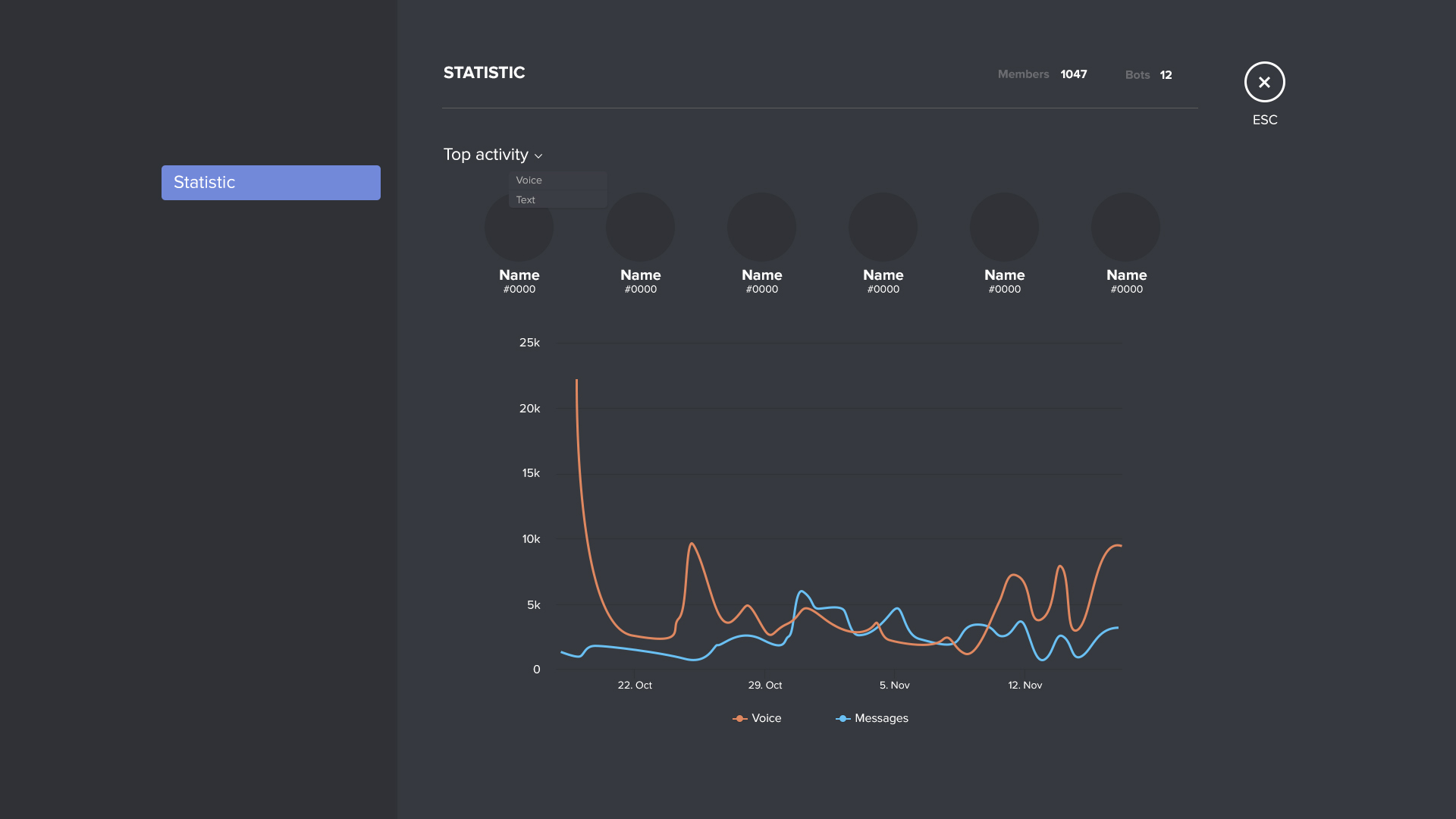
Discord Server Insights is an analytics tool designed to help Community Server managers understand how their server is performing.
The dashboard focuses on several important areas, including:
- Growth
- Activation
- Engagement
- Audience
- Announcement Channels
- Welcome Screen performance
These insights can help answer questions such as:
- Where are new members coming from?
- Are new members becoming active?
- Which channels are most popular?
- Are members returning to the server?
- What does the server's audience look like?
Discord says Server Insights uses aggregated and anonymized information rather than targeting individual members.
Who Can Access Server Insights?
Server Insights is designed for Community Servers and is particularly aimed at people responsible for managing and growing those communities.
Discord's documentation says the feature is available to Community Servers with more than 500 members, with access controlled through the View Server Insights permission.
This makes sense because analytics become significantly more useful when a server has enough activity and members to identify meaningful trends.
What Can You See in Server Insights?
The dashboard is divided into several categories.
Let's break down what each one tells you.
Growth and Activation
Growth analytics help you understand how people are entering your community.
You can investigate where new members are coming from and whether those members successfully become active participants.
This distinction is important.
Getting 1,000 new members sounds impressive.
But if 900 of them never send a message, participate in an event, or return to the server, your community may not actually be growing in a meaningful way.
Activation data helps you look beyond the raw member count.
Engagement Analytics
Engagement tells you what your existing members are actually doing.
You can use engagement information to understand:
- How many people are participating
- Which channels receive the most activity
- How members interact with your server
- Whether engagement is increasing or declining
This is particularly useful when deciding where to invest your moderation and content efforts.
For example, if one discussion channel consistently receives significantly more activity than several others, you might want to understand what makes that channel successful.
Audience Insights
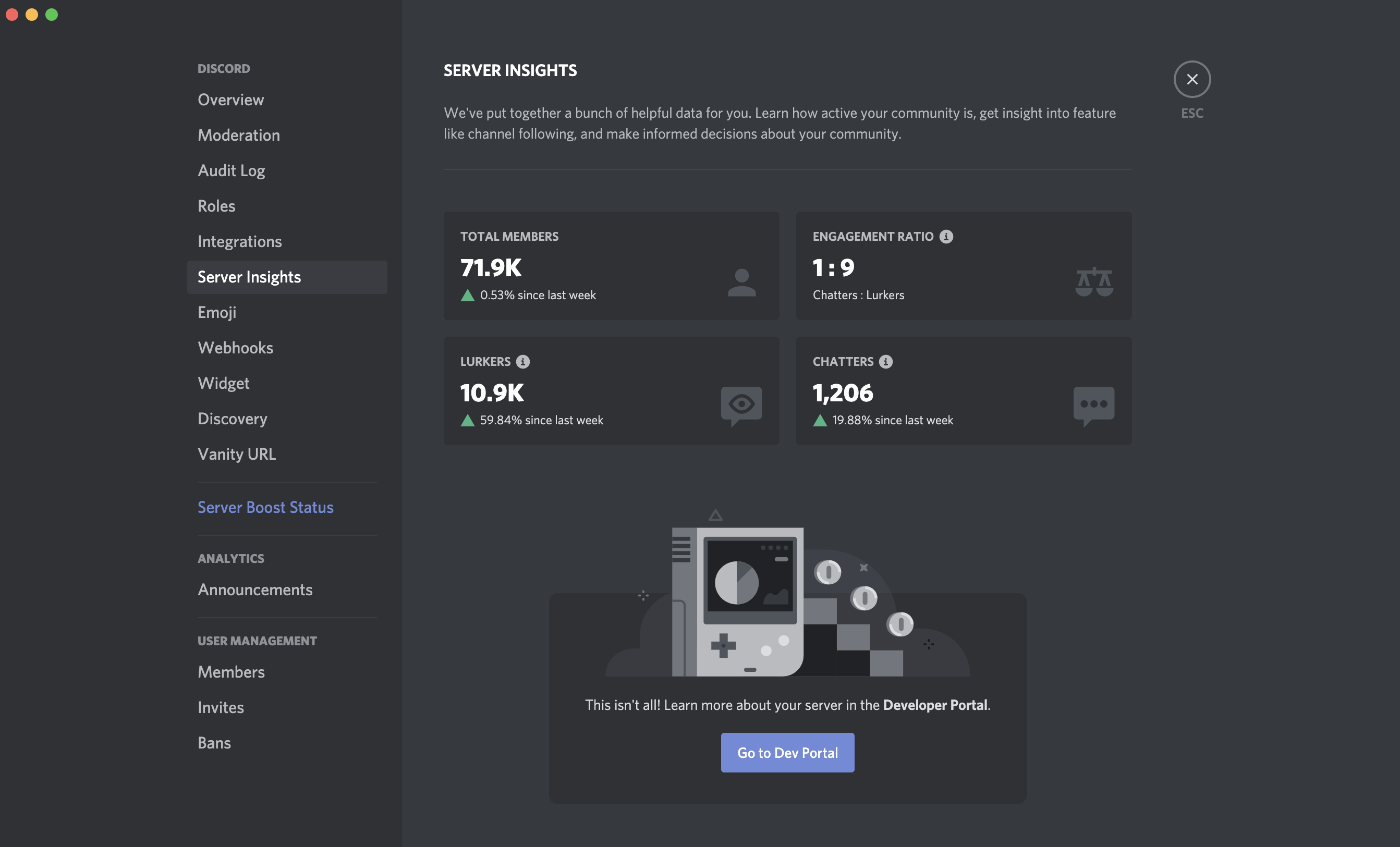
Audience analytics help you understand who makes up your community.
Discord's Server Insights can provide information about things such as where members are located and how long they've been part of your server.
This can help server owners make practical decisions.
For example, if your community has members across multiple regions, you might discover that your events are consistently scheduled when a large portion of your audience is offline.
You could then experiment with different event times.
Tip
Use audience information to guide decisions, not assumptions. If your members are spread across multiple time zones, test different event schedules and compare engagement.
Announcement Channel Analytics
If your Community Server uses Announcement Channels, Server Insights can provide analytics for them as well.
This can be useful for communities that regularly publish:
- News
- Updates
- Events
- Creator announcements
- Product information
- Community notices
Instead of simply posting announcements and hoping people see them, analytics can help you understand how your announcement strategy performs.
Welcome Screen Analytics
Your Welcome Screen is often a new member's first introduction to your community.
Server Insights can provide analytics for the Welcome Screen when the feature is enabled.
This can help you understand whether your onboarding experience is helping new members find their way around the server.
If new members consistently fail to become active, your welcome experience may be one area worth reviewing.
How Far Back Does Discord Server Insights Go?
The amount of historical data available depends on the type of server.
Discord's current documentation says non-Partnered and non-Verified servers can generally access up to 120 days of data. Partnered and Verified servers can have access to data going back further, specifically to the point when the server became Partnered or Verified.
The dashboard uses completed days, weeks, or months for its reporting.
This means you shouldn't necessarily expect real-time analytics for activity happening right now.
Can You Export Server Insights?
Yes.
Discord's Server Insights dashboard includes an Export CSV option, allowing administrators to export chart data. The dashboard also supports different aggregation intervals and date ranges.
You can view information using:
- Daily intervals
- Weekly intervals
- Monthly intervals
- Custom date ranges
This makes it easier to compare different periods.
For example, you could compare engagement before and after introducing a new weekly community event.
How Should Server Owners Use Analytics?
Analytics are only useful when you actually act on them.
Instead of checking Server Insights once and forgetting about it, use the information to test different strategies.
For example:
If membership is growing but engagement is falling
Your onboarding process may need improvement.
If one channel dominates activity
Consider whether its format could be replicated elsewhere.
If members join but don't return
Experiment with welcome messages, events, roles, or onboarding.
If activity increases during certain periods
Schedule important community events around those periods.
The goal isn't to chase every number.
The goal is to understand why the numbers are changing.
Warning
Don't judge your community's health using member count alone. A large server can have extremely low engagement, while a smaller community can have highly active members and stronger retention.
Privacy and Server Insights
Discord says Server Insights uses aggregated and anonymized information and includes measures designed to prevent individual members from being identified through certain analytics breakdowns.
For example, Discord explains that smaller groups can be combined into an “Other” category in some charts rather than displaying a potentially identifying breakdown.
Users can also opt out of having their activity included in Server Insights by changing the relevant data settings in their Discord account.
This is an important distinction: Server Insights is intended to help administrators understand community-level trends, not provide a tool for tracking individual members.
Discord Server Insights vs. Member Count
These two things tell you very different stories.
Member count:
How many members are currently in your server.
Server Insights:
What those members are doing, where growth is coming from, how engagement changes, and other community-level trends.
Think of member count as a headline number.
Server Insights gives you the context behind that number.
Tips for Using Discord Server Insights
If you're managing a growing community, keep these practices in mind:
- Check analytics regularly rather than obsessively.
- Compare similar time periods.
- Track engagement alongside member growth.
- Look for changes after major events or updates.
- Use audience data when planning events.
- Review onboarding if new members aren't becoming active.
- Export important data for longer-term comparisons.
- Use analytics to test ideas rather than make assumptions.
The most valuable insight isn't necessarily the biggest number.
It's the trend that tells you what to do next.
Frequently Asked Questions
What is Discord Server Insights?
Discord Server Insights is an analytics dashboard for eligible Community Servers that provides information about growth, activation, engagement, audience, and certain community features.
Who can access Discord Server Insights?
Access is controlled through the View Server Insights permission. Discord's documentation describes Server Insights for Community Servers with more than 500 members.
What analytics does Discord Server Insights show?
It can provide information about growth and activation, engagement, audience, Announcement Channels, and Welcome Screen performance.
Can I export Discord Server Insights?
Yes. Discord provides an option to export chart data to CSV.
How far back can Server Insights data go?
Non-Partnered and non-Verified servers can generally access up to 120 days of data, while Partnered and Verified servers may have longer historical coverage.
Does Discord Server Insights track individual users?
Discord says Server Insights uses aggregated and anonymized information and includes safeguards intended to prevent individual members from being targeted through certain breakdowns.
Can members opt out of Server Insights?
Discord says users can opt out of having their activity included in Server Insights through their account data settings.
Final Thoughts
Discord Server Insights gives community managers something that member counts alone can't provide: context.
You can see how your community is growing, understand engagement patterns, learn more about your audience, and evaluate parts of your onboarding and announcement strategy.
The real value comes from turning those numbers into action.
If engagement drops, investigate why. If a particular channel performs well, learn what makes it work. If new members aren't sticking around, improve the onboarding experience.
Used correctly, Server Insights isn't just a collection of charts.
It's a tool for understanding what your community needs next.