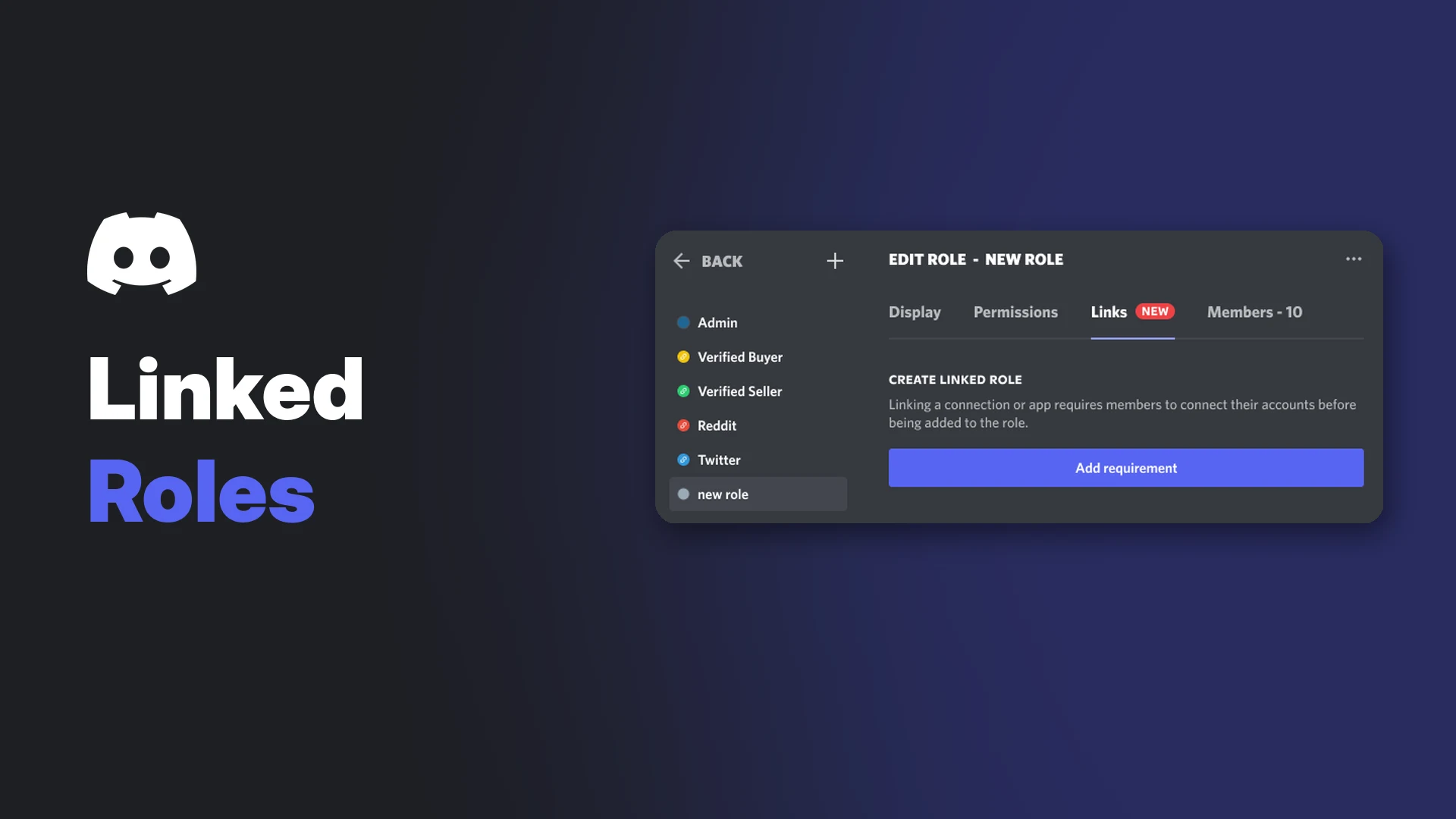

Discord linked roles are server roles that members can only get after they connect an outside account, such as Steam or Reddit, and pass checks the admins choose. Discord's example is a Reddit account age check before someone can post in a #RedditorsOnly channel.
Admins use them to check new members against platforms they trust, or to open exclusive channels for verified groups. Discord says the feature is gradually rolling out, so some servers may not see it yet.
This wiki covers how admins create a linked role, gate a channel, how members claim the role, what data is shared, how apps add their own checks and how to fix common problems.
At a glance - Where admins set it up: Server Settings > Roles > select a role > Links tab - Where members claim it: server name dropdown > Linked Roles - Permissions: Administrator or Manage Roles (roles), Administrator or Manage Channels (channel gating) - Platform: admins set up on desktop; members opt in on desktop once - Sources of checks: built-in Connections and apps with connection capabilities - Not possible: checks based on Discord activity, such as when someone joined the server
🔗 What Are Discord Linked Roles?
A linked role is a normal role with one or more requirements attached. Each requirement is a connected account plus optional checks, for example "account must be at least 10 days old".
Members are never auto-assigned. Even if they already pass every check, they have to opt in through the Linked Roles menu. Discord says this makes sure members actually want the role.
Once a member has the role, a Linked Role Tag appears next to their name in gated channels, and anyone can hover over it to see which checks they passed.
Requirements for Admins
| Task | Who can do it |
|---|---|
| Add requirements to a role | Administrator or Manage Roles permission |
| Gate a channel behind a linked role | Administrator or Manage Channels permission |
| Set up linked roles on mobile | Not possible at this time |
Discord's help centre doesn't list Community or Server Boosts as requirements. If you're new to permissions, our Discord roles and permissions guide explains how role hierarchy works.
🛠️ How to Create a Linked Role
- Open Server Settings and select Roles.
- Create a new role, or select an existing one.
- Open the Links tab at the top.
- Select Add requirement and choose a connection or app.
- Turn on the checks you want and enter values, such as an account age in days.
- Add more requirements if needed, then save.
Adding requirements to a new role. Image: Discord.
Discord's screenshot shows a choice between Must connect at least one and Must connect all. When all are required, Discord checks every requirement before assigning the role.
Adding requirements to a role that already has members doesn't force everyone to reverify, as long as they already opted in and passed the checks.
How to Gate a Channel Behind a Linked Role
- Open the channel's Channel Settings and select Permissions.
- Select Add Members or Roles.
- Choose your linked role.
A channel can use as many linked roles as you like. Different channels can also use different linked roles.
Want existing members to keep access? Add both the old role and the new linked role to the channel. New members will go through the linked role flow, while existing role holders keep their access.
Changes to a linked role take effect immediately, so members who no longer qualify lose access right away. As an admin you can see every channel, so use an alt account or View Server As Role to test the member experience.
🙋 How Members Claim a Linked Role
On desktop:
- Select the server name at the top-left to open the dropdown.
- Select Linked Roles.
- Pick the role you want. The icons show which accounts it needs.
- Connect each listed account and pass the checks.
- Select Finish.
Linked Roles in the server dropdown. Image: Discord.
The accounts a member must connect for one linked role. Image: Discord.
On mobile, you can view and add Connections, but you need desktop to opt in to the role. You only do the desktop flow once, then the gated channel works on mobile too.
🔒 What Members Share and Privacy
When you connect an account, Discord shows a window listing what it collects from that account. Discord says this data is stored securely, never sold, and never shared with third parties without your explicit permission.
- Hidden connections still count. You can hide a connection or its details from your profile and still qualify for linked roles.
- Removing a connection revokes Discord's access, deletes the data it collected and removes your access to gated channels.
- Public data only. For Steam, Discord only sees what your Steam profile makes public.
- Refresh: details update automatically, or select Refresh in User Settings > Connections.
To manage what others see on your profile, read our Discord privacy settings guide.
Linked Role Tags
Members in gated channels show a tag with the linked role's name beside their username. Hovering over it shows the checks that member passed, and a Get Linked Roles button for viewers who want it too.
A Linked Role Tag and its checks. Image: Discord.
🤖 Apps and Developer Role Connection Metadata
Apps can also power linked roles. Discord's help centre lists Jefit, Bloxlink, Solana, DeviantArt, Charlemagne and Captcha.bot as app connections, and the App Directory has a collection of more.
Developers set this up in three parts, according to Discord's developer docs:
- Set a Linked Roles Verification URL on the app's General Information page in the Developer Portal.
- Register up to 5 metadata records with
PUT /applications/{application.id}/role-connections/metadata. - When a user connects, update their data with
PUT /users/@me/applications/{application.id}/role-connection, using therole_connections.writeOAuth2 scope.
| Metadata type | What admins can check |
|---|---|
| Integer (less, greater, equal, not equal) | A number, like groups joined |
| Datetime (less or greater than or equal) | Days since a date |
| Boolean (equal or not equal) | A yes or no value |
Each record has a key (1 to 50 characters, a-z, 0-9 or _), a name and a description. New to the portal? Start with our Discord Developer Portal guide.
Linked Roles vs Twitch and YouTube Subscriber Roles
| Linked roles | Twitch or YouTube integration | |
|---|---|---|
| Set up in | Roles > Links | Server Settings > Integrations |
| Who can use it | Any server with the feature | Twitch Partners or Affiliates, YouTube Partners with memberships |
| Role assignment | Member opts in | Synced automatically |
For subscriber-only channels, see our guide to connecting Twitch and YouTube to your server.
Troubleshooting
| Problem | Likely cause and fix |
|---|---|
| No Links tab | The feature is still rolling out, or you're on mobile |
| Member qualifies but has no role | They must opt in through server dropdown > Linked Roles |
| Lost access to a channel | The connection was removed or the requirements changed |
| Steam checks fail | Make the Steam profile public, then select Refresh |
| Payment provider not verified | Discord requires a bank account on file, not just a card |
| Instagram missing | Discord removed Instagram support for linked roles |
| Connection gone after switching accounts | Connections don't carry over in Account Switcher. Re-add it |
Frequently Asked Questions
Are Discord linked roles free?
Yes. Discord doesn't list Nitro or Boosts as a requirement, and Nitro doesn't affect Connections.
Can Discord linked roles check Discord account age?
No. Discord says linked roles can't be based on activity on Discord, such as when a member joined Discord or the server.
Can I see how many members verified?
Not in Server Insights. Members also don't appear in the role's list until they opt in.
Can developers build their own connection?
Yes. Discord's API lets any developer build an app with connection capabilities.
Summary
Discord linked roles let admins tie a role to connected accounts and checks, then gate channels behind it. Admins with Manage Roles set requirements on the Links tab on desktop, and members opt in from the server dropdown. Connections can stay hidden and still count, and apps can add their own checks through the role connection metadata API.
Sources
- Discord Help Center: Connections & Linked Roles: Admins
- Discord Help Center: Connections & Linked Roles: Community Members
- Discord Developer Docs: Application Role Connection Metadata
- Discord Developer Docs: User resource (Update Current User Application Role Connection)
- Discord Developer Docs: Configuring App Metadata for Linked Roles
- Discord Help Center: Twitch Integration FAQ
- Discord Help Center: How to Connect Your YouTube Channel to Discord
Comments
Sign in to join the conversation
Sign inNo comments yet
Be the first to share your thoughts!