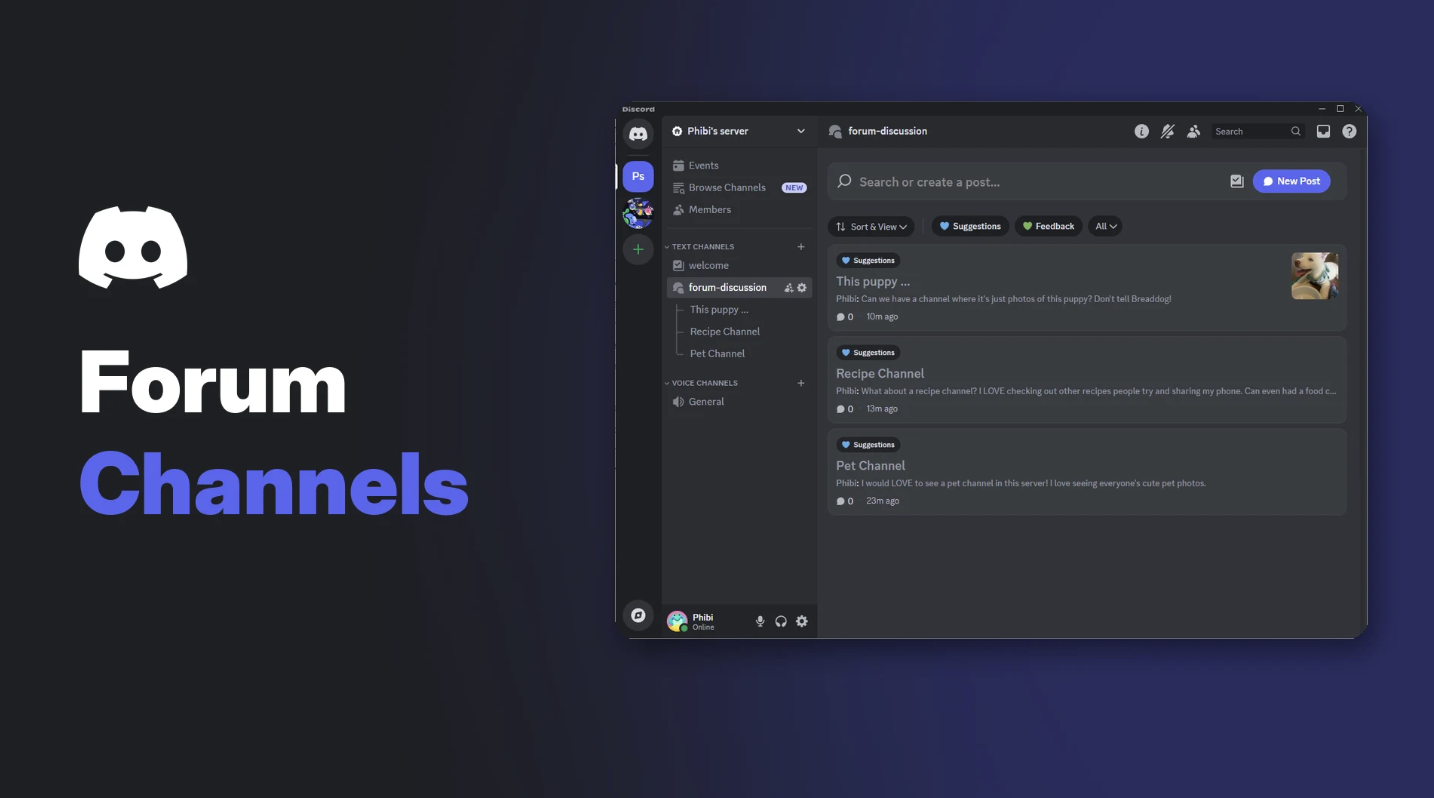

Every busy server has the same problem. Someone asks a good question, five other conversations roll over it, and it's gone. Discord forum channels fix that by giving every topic its own post, so discussions stay organised and easy to find.
Discord says forums let you "discuss specific topics and not worry about talking over each other." This guide shows how to set one up, the settings that matter and how to keep it tidy.
At a glance - Requirement: your server must have Community enabled - Each post: its own discussion, with a title, tags and replies - Layouts: List View or Gallery View - Auto-tidy: inactive posts move to Older Posts after 1 hour, 24 hours, 3 days or 1 week - Pinned posts: one per forum
🧵 What Are Discord Forum Channels?
A forum channel is a channel made of posts. Each post has a title, an opening message and its own replies, a bit like a mini message board inside your server.
A forum channel with tagged posts. Image: Discord.
| Text channel | Forum channel | Thread | |
|---|---|---|---|
| Best for | Fast, live chat | Ongoing topics people return to | Quick side conversations |
| Structure | One stream of messages | Separate posts | Branch off one message |
| Lasts | Always | Persistent | Temporary |
Discord puts it simply: "Forums are a type of channel, while threads are a type of message."
🛠️ How to Create a Forum Channel
Forums only work in Community servers. Turn on Community in Server Settings first if you haven't.
- Hover over a category in your channel list and select +.
- Choose Forum as the channel type.
- Name the channel and select Create Channel.
Choose Forum when creating a channel. Image: Discord.
⚙️ Set It Up Properly
1. Permissions
Select Set recommended permissions, then decide who can post. Discord's tip: "Allowing everyone to post in a forum channel helps increase overall engagement."
2. Post guidelines
Select Create post guidelines to explain what belongs in the forum, like "One question per post" or "Add a screenshot of your issue."
3. Tags
Tags label posts (for example Question, Bug, Suggestion, Solved). You can also require a tag before members post.
Tags keep posts organised and filterable. Image: Discord.
Forgot to add a tag? Right-click your post and choose Edit Tags.
4. Hide After Inactivity
Inactive posts move to Older Posts automatically. Choose 1 hour, 24 hours, 3 days (the default) or 1 week. Unless a post is locked, anyone can reopen it.
5. Default layout
| Layout | Best for |
|---|---|
| List View | Text discussions, questions and support |
| Gallery View | Art, screenshots, builds and other media |
🔍 Finding and Filtering Posts
- Use the forum's own search bar to find posts by title.
- Select tags to filter posts, and combine tags to narrow things down.
- Pin one post to the top, like your rules or an FAQ. It stays until you unpin or replace it.
🛡️ Moderating Forum Channels
Discord gives you three tools:
- AutoMod detects and removes problem content in forums. Our AutoMod setup guide shows how to set it up.
- Slowmode limits how fast people can post.
- Close Post (right-click a post) removes it from new posts and locks it so only moderators can reopen it.
Notifications: people who follow a post get notified about it. Following a forum doesn't notify you about every new post.
💡 Great Uses for Forum Channels
- #help or #support, where each question is its own post
- #suggestions, with tags like Planned and Done
- #showcase in Gallery View for art, clips and builds
- #lfg for finding teammates
- #bug-reports for game or bot communities
Need more channel ideas? See our list of 100 Discord channel ideas.
Discord also suggests rolling forums out gradually: test a private forum with moderators, replace one busy text channel, announce the change and ask for feedback.
Frequently Asked Questions
What are Discord forum channels?
Channels made of separate posts, each with its own title, tags and replies, for organised discussions.
Why can't I create a forum channel?
Forum channels need Community enabled on your server, plus the Manage Channels permission.
What's the difference between forums and threads?
Forums are a type of channel and are persistent. Threads branch off a single message and are more temporary.
How many posts can I pin in a forum?
One. It stays pinned until you unpin it or pin a different post.
How do I close a forum post?
Right-click the post and select Close Post. Only moderators can reopen it.
🎮 The Bottom Line
Discord forum channels are the easiest way to stop good questions getting buried. Set clear guidelines, add a few tags, choose the right layout and let posts tidy themselves away after a few days.
Which channel in your server would work better as a forum?
Sources
- Discord Help Center: Forum Channels FAQ, updated 24 October 2026
Comments
Sign in to join the conversation
Sign inNo comments yet
Be the first to share your thoughts!