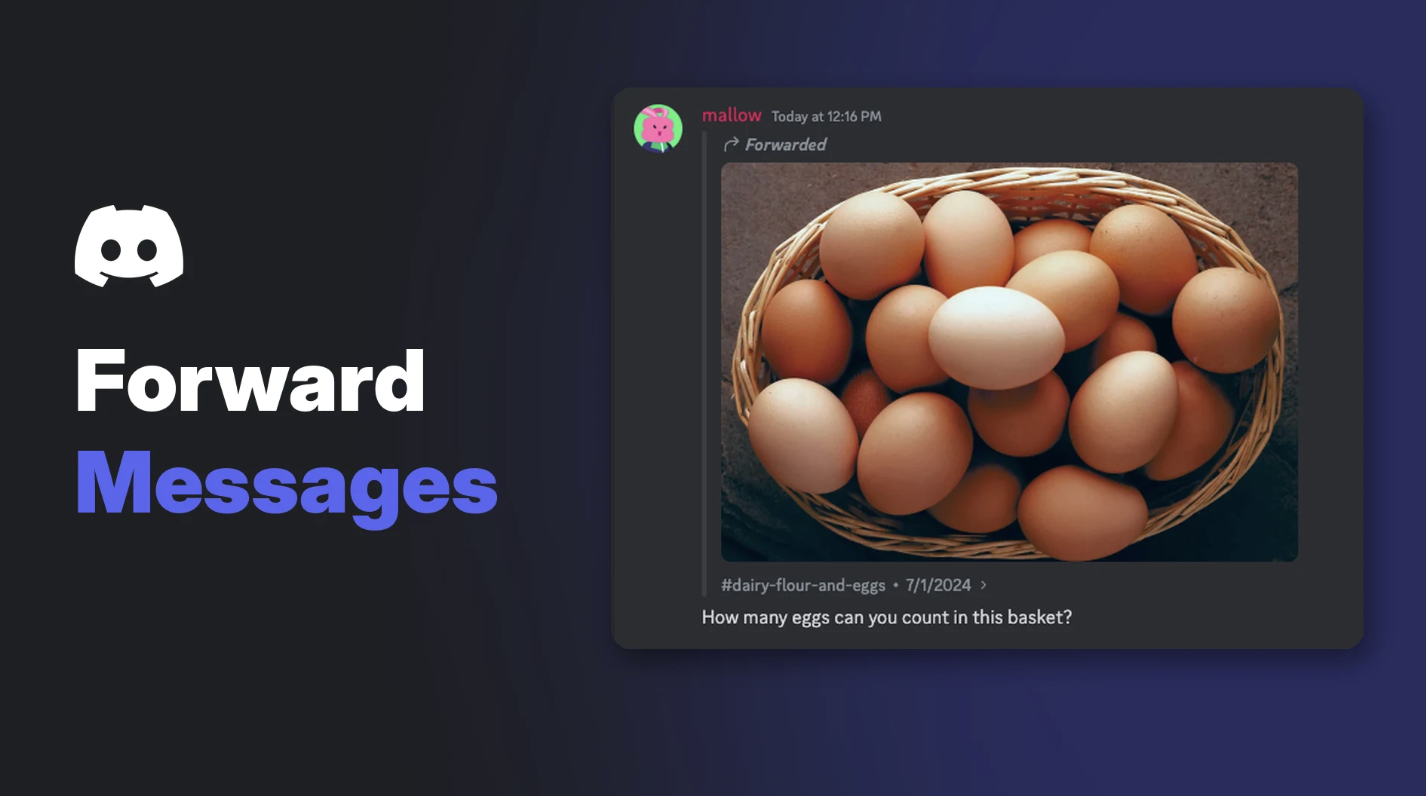

Saw a great meme in one server and want to send it to your friends? You used to screenshot it or copy the link. Now, once you know how to forward messages on Discord, it takes two taps.
This guide shows how to forward messages on Discord, what the person receiving it actually sees, and why some messages won't forward.
At a glance - Forward to: up to 5 places at once - Add a note: optional - Label: forwarded messages show as "Forwarded" - Original author: not shown - Edits: forwarded copies don't update if the original changes
➡️ How to Forward Messages on Discord (Desktop)
- Hover over the message.
- Select the Forward button in the hover bar at the top right of the message.
- In Forward To, pick up to 5 destinations: friends, DMs, group chats or channels.
- Add an optional note for context.
- Select Send.
The Forward button appears when you hover over a message. Image: Discord.
📱 How to Forward a Message on Mobile
- Long-press the message.
- Tap Forward.
- Choose where to send it.
- Tap Send.
Choosing destinations on mobile. Image: Discord.
👀 What Does the Recipient See?
| They see | They don't see |
|---|---|
| The message content and media | Who originally wrote it |
| A "Forwarded" label | A link to the source, unless they already have access to that server or it's public |
| Your optional note | Later edits to the original |
Forwarded messages are clearly labelled. Image: Discord.
Discord says a forwarded message "is a copy of the original message at the time you forwarded it and will not update."
🚫 Messages You Can't Forward
- Messages from monetized channels (paid server content)
- Messages from age-restricted channels into channels that aren't age-restricted
- Forwarded messages can't be published in announcement channels
You also can't turn off forwarding for your own messages or for your server at the moment.
🔒 Forwarding Etiquette and Privacy
Because forwarded messages don't show the author, it's easy to share something out of context. A few good habits:
- Ask first before forwarding something personal from a DM.
- Add a note so people know why you're sharing it.
- Remember the original author isn't shown. Don't present someone else's work as your own.
- Be careful with screenshots of private info. Once forwarded, it's out of your hands.
If you're worried about what people share about you, our Discord privacy settings guide covers who can message you. And watch out for forwarded "free Nitro" or giveaway links, which are a classic scam. Our post on the fake giveaway epidemic explains how to spot them.
Frequently Asked Questions
How do I forward a message on Discord?
Hover over the message on desktop, or long-press it on mobile, then select Forward, choose up to 5 places and send.
Does Discord show who wrote a forwarded message?
No. Only the content is shared, with a "Forwarded" label.
How many places can I forward a message to?
Up to 5 at once.
Why can't I forward a message?
It may be from a monetized channel, or from an age-restricted channel going to a regular one.
If the original message is edited, does the forward update?
No. A forward is a copy from the moment you sent it.
🎮 The Bottom Line
Knowing how to forward messages on Discord saves a lot of screenshots and copied links. Pick up to five places, add a note, and send. Just remember the author isn't shown, so forward thoughtfully.
What's the last thing you forwarded to your group chat?
Sources
- Discord Help Center: Message Forwarding, updated 23 October 2026
Comments
Sign in to join the conversation
Sign inNo comments yet
Be the first to share your thoughts!