

The Complete Wiki to Modmail & Ticket Bot Setup
What Is Modmail & Ticket Bot Setup?
A Modmail system allows members to contact the moderation team privately without needing access to a public staff channel.
A ticket bot takes the same idea further by creating a private ticket channel or thread where the member and authorized staff can discuss the case.
This creates a structured workflow instead of relying on scattered DMs.
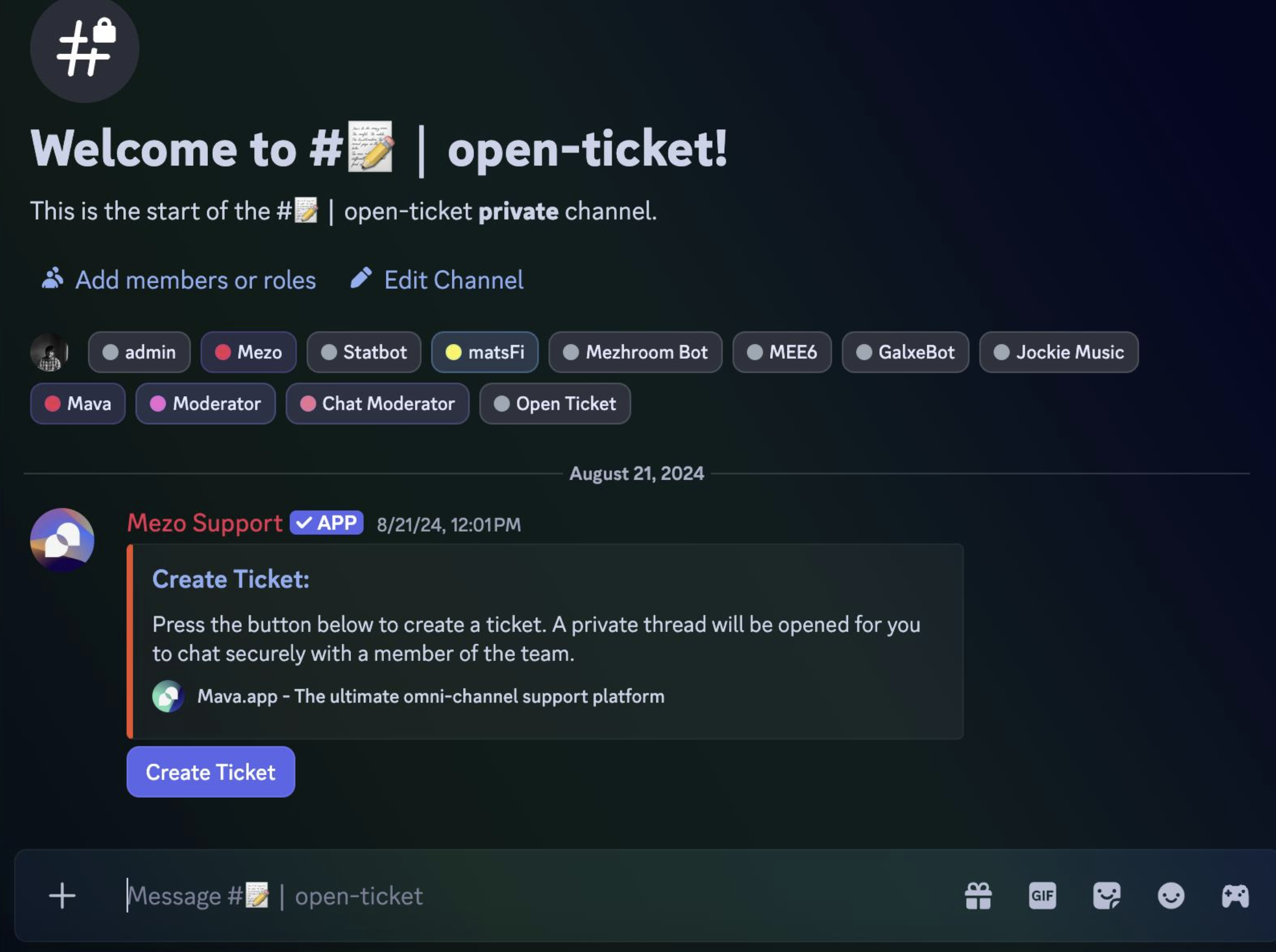
How a Private Ticket Workflow Works
A typical setup looks like this:
Member → Ticket Panel/Modmail → Private Ticket → Staff Review → Resolution → Transcript → Archive
The member starts a ticket through a button, command, or direct message, depending on the bot.
The bot then creates a private case that only the relevant member and staff can access.
Setting Up a Ticket System
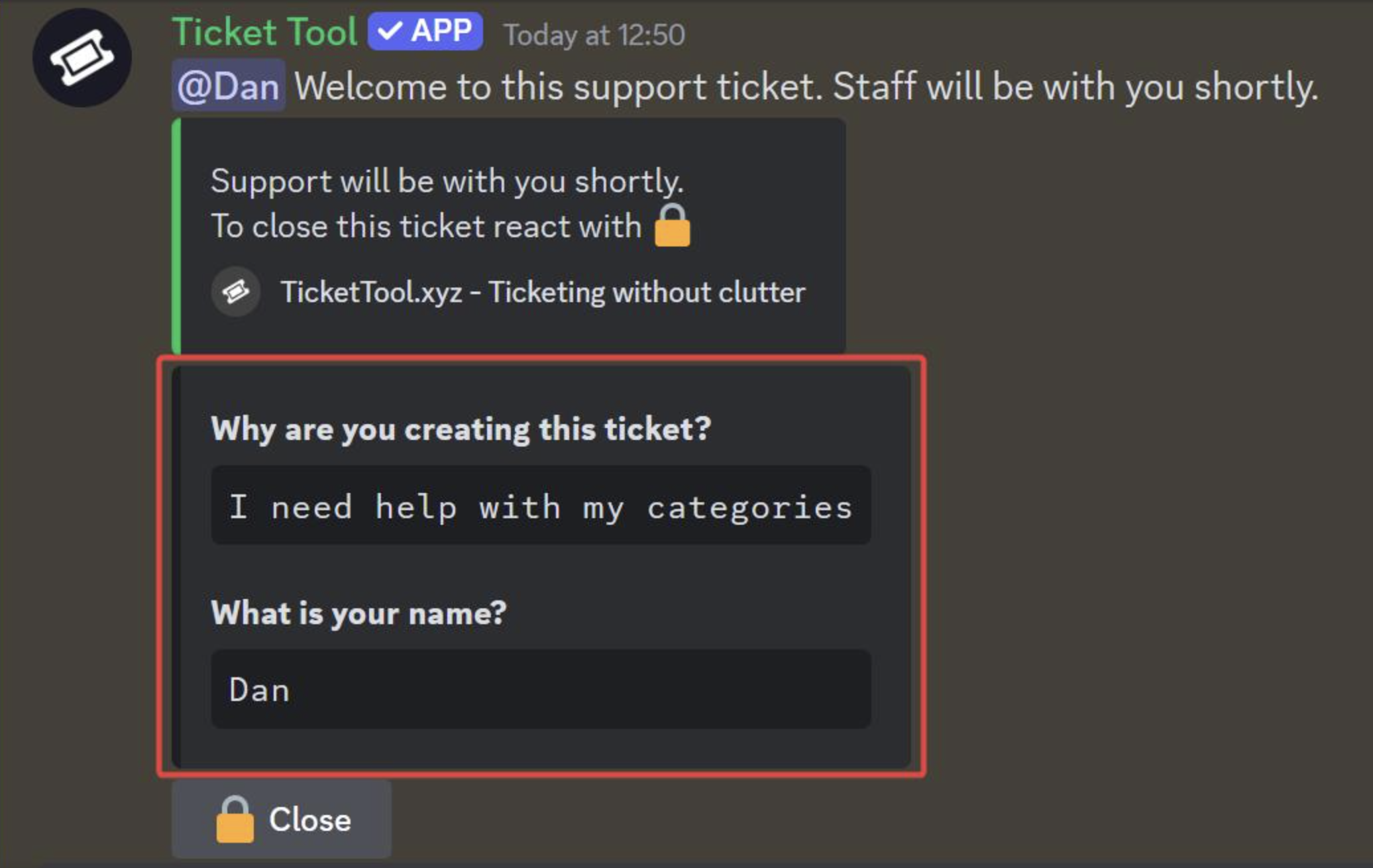
A basic ticket setup should include:
- Create a dedicated ticket category.
- Install and configure a trusted ticket bot.
- Set the correct staff roles and permissions.
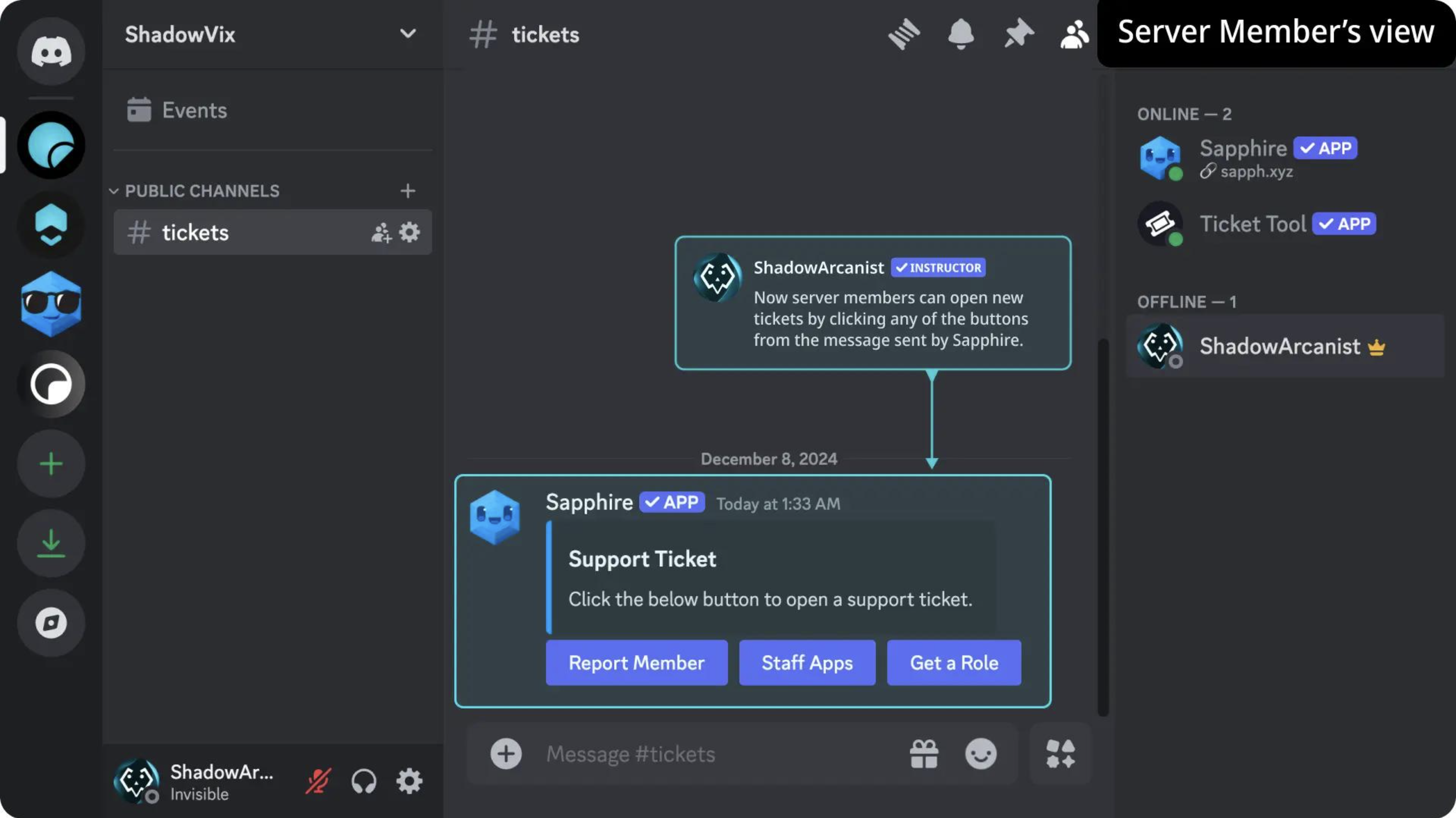
- Create a ticket-opening panel.
- Add categories such as Support, Report, Partnership, and Ban Appeal.
- Configure closing and transcript options.
- Test the complete workflow with a staff account.
Keep ticket permissions narrow. Staff should be able to access cases they need to handle without unnecessarily exposing every private conversation.
What Should Be Inside a Ticket?
A useful ticket should capture enough information for another moderator to understand the case.
For example:
- User's Discord name or ID
- Reason for contacting staff
- Relevant messages or screenshots
- Reported user, if applicable
- Moderator handling the case
- Actions taken
- Final resolution
This makes the ticket useful as a case record, rather than simply another chat channel.
Modmail for Private Communication
Modmail is particularly useful when members need to contact staff about something they don't want to discuss publicly.
Common examples include:
- Reporting another member
- Reporting harassment
- Asking for staff assistance
- Appealing a moderation action
- Reporting a server issue
- Requesting account or role help
The important part is keeping the conversation private while still giving staff a structured place to handle it.
Creating a Formal Ban Appeal Pipeline
Ban appeals should have their own workflow instead of being mixed with ordinary support requests.
A simple process could be:
Ban Appeal → User Information → Reason for Ban → Appeal Explanation → Evidence → Staff Review → Decision
The bot can create a private appeal ticket and route it to the appropriate moderation team.
Staff can then record whether the ban is:
- Upheld
- Reduced
- Removed
The exact decisions and criteria should be based on the server's own moderation policy.
Archiving Ticket Transcripts
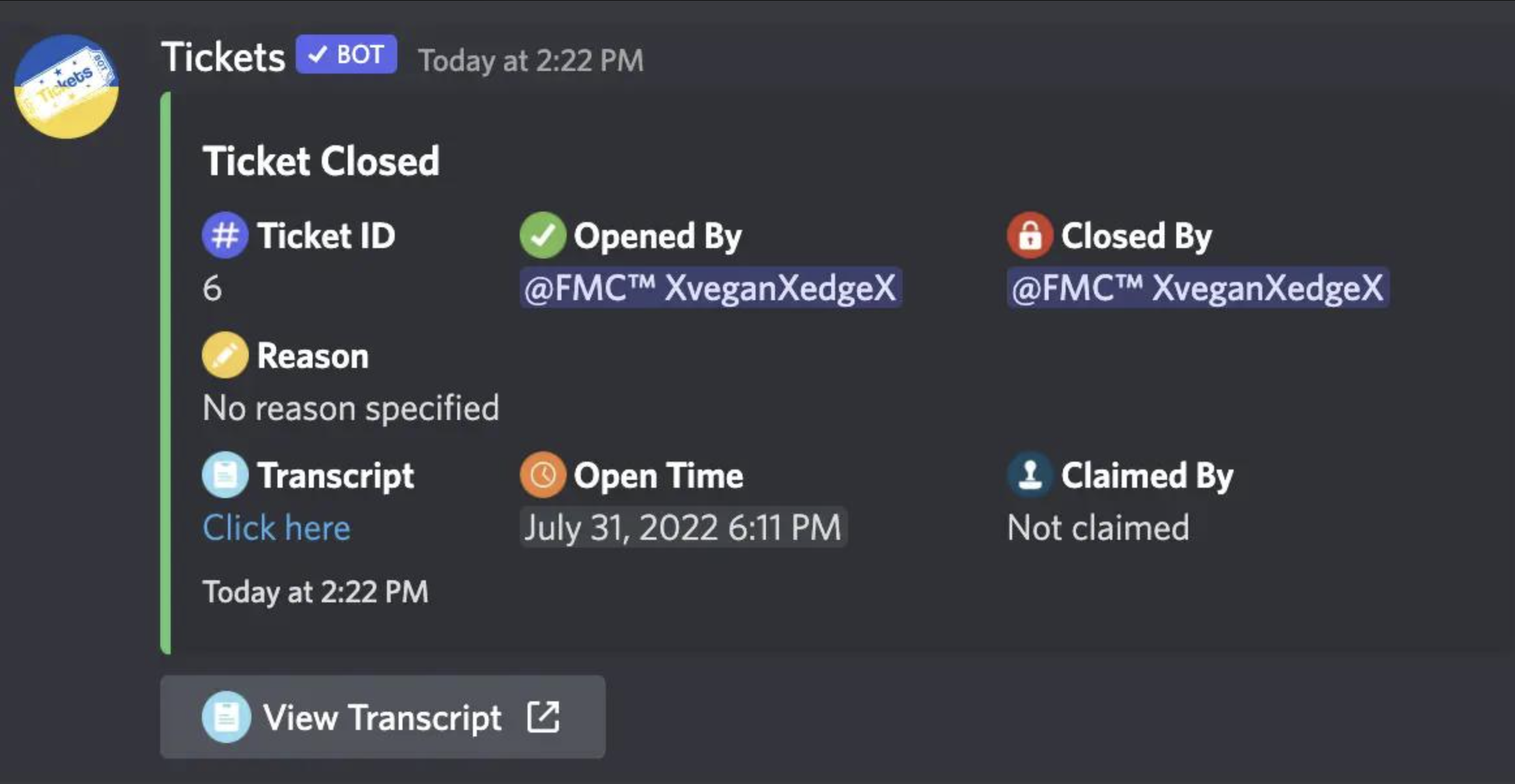
When a ticket is closed, the conversation should ideally be preserved through the bot's transcript system.
A transcript can help staff understand:
- What the member originally reported
- What evidence was provided
- Which moderator handled the case
- What decision was made
- Why the ticket was closed
Keep transcript access restricted because moderation tickets can contain private or sensitive information.
Avoid Using Tickets for Everything
Not every interaction needs a ticket.
A good system can separate:
Public channels: General questions and community discussions
Tickets: Private reports, support cases and appeals
Staff channels: Internal discussion and decisions
This keeps the ticket queue manageable and prevents moderators from spending their time sorting through unnecessary cases.
Why Ticket Bots Help Moderators
A structured ticket system reduces the problems caused by handling moderation cases entirely through DMs.
Instead of:
Member DM → Moderator responds → Another moderator doesn't know what happened
You get:
Ticket → Evidence → Staff handling → Decision → Transcript
That structure becomes increasingly valuable as a community grows.
Security & Permission Checklist
Before launching a ticket system, check:
- Only authorized staff can view tickets.
- Members cannot access other users' tickets.
- Ticket categories have correct permissions.
- Transcript channels are staff-only.
- Bot permissions are limited to what it actually needs.
- Closed tickets cannot be reopened by unauthorized users.
- Ban appeal records aren't publicly visible.
Always test permissions using a normal member account before announcing the system.
🎮 The Bottom Line
Modmail and ticket bots turn messy private conversations into organized moderation cases.
For growing Discord communities, a private ticket workflow can make reports easier to handle, ban appeals more consistent, and resolution history much easier to preserve.
The best setup isn't necessarily the bot with the most features. It's the one that gives your staff a simple, private, searchable workflow without creating unnecessary moderation overhead.
Comments
Sign in to join the conversation
Sign inNo comments yet
Be the first to share your thoughts!