

How to Make Your Discord Server Stand Out on Server Directories
There are a lot of Discord servers out there.
If someone searches for a gaming, anime, coding, or study community, they can easily find dozens of options. So simply listing your server isn't enough anymore.
The real question is:
Why should someone click your server instead of the next one?
That's where your server listing matters.
Whether you're using Discords.ai, Discord's own discovery tools, or other server directories, a few simple changes can make your listing much more appealing.
Here's how to make your Discord server stand out.
1. Start With a Clear Server Name
Your server name is usually the first thing someone sees.
Don't make people guess what your community is about.
For example:
Weak:
The Zone
Better:
Valorant India
Even better:
Valorant India | LFG & Ranked
The goal isn't to stuff keywords into the name.
It's simply to make the purpose obvious.
Discord itself recommends using a server name and description that accurately explain the community.
2. Write a Description That Actually Says Something
This is where many server owners lose potential members.
A description like:
"Welcome to the best gaming community! Join us for fun and amazing people!"
doesn't tell anyone much.
Instead, explain who the server is for and what they can do there.
For example:
"A Valorant community for Indian players looking for ranked teammates, Premier squads, tournaments and daily gaming discussions."
That's immediately more useful.
Someone searching for Valorant teammates can tell within seconds that the server might be right for them.
💡 Simple rule: Write your description for someone who has never heard of your server before.
3. Use Specific Tags
Tags are one of the easiest ways to make your server easier to find.
Instead of using broad terms like:
- Gaming
- Fun
- Community
- Chat
try to be more specific.
For a Valorant server, for example:
- Valorant
- LFG
- Ranked
- Premier
- India
For an anime server:
- Anime
- Manga
- Jujutsu Kaisen
- One Piece
- Anime Discussion
Specific tags tell potential members exactly what they'll find.
Discord's current Server Profile system also includes traits, which are descriptive tags designed to help people identify communities that match their interests.
And on Discords.ai, tags can also help your listing appear for more relevant searches.
4. Don't Try to Target Everyone
This sounds counterintuitive, but a narrower server can actually be easier to grow.
Compare these two descriptions:
"A community for gamers, anime fans, music lovers, movie fans and everyone else."
with:
"A community for Valorant players in India looking for ranked teammates and Premier squads."
The second one has a much clearer audience.
Someone who fits that audience is more likely to click.
You don't need everyone.
You need the right people.
5. Make Your Banner Do Some Work
Your server banner shouldn't just look pretty.
It should quickly communicate the personality of your community.
A gaming server could use:
- Game artwork
- Your community branding
- A simple tagline
- A recognizable visual style
An anime community could use:
- A clean anime-inspired design
- Community branding
- A subtle character or theme
Keep it readable.
You don't want a banner covered in tiny text that nobody can read on mobile.
Discord's Server Profile currently allows owners to customize their banner and icon, giving communities more control over how their profile looks before someone joins.
6. Show What People Actually Do Inside
A potential member doesn't just want to know what your server is about.
They want to know what they'll actually do there.
Instead of:
"We're a friendly gaming community."
Try:
"Find ranked teammates, join nightly voice chats, take part in tournaments and discuss the latest Valorant updates."
Now there's a reason to join.
Think about your server's strongest activities:
Gaming:
LFG, tournaments, scrims, voice chat
Anime:
Episode discussions, manga theories, watch parties
Coding:
Project help, code reviews, study sessions
Crypto:
Market discussions, news and research
Put those things in your description.
7. Keep Your Listing Updated
Your server might have changed a lot since you first created the listing.
Maybe you added:
- New events
- New games
- New channels
- Giveaways
- Tournaments
- New roles
- A different focus
But your description still says:
"New community launching soon!"
That's a problem.
Take a look at your listing every few weeks.
If the community has changed, update the listing too.
A current description makes the server feel active before someone even joins.
8. Don't Keyword Stuff
There's a difference between using relevant keywords and trying to put every possible search term into your description.
This:
"Valorant Discord Valorant server Valorant LFG Valorant India Valorant ranked Valorant community Valorant gaming..."
looks terrible.
And it doesn't help the person reading it.
Instead:
"A Valorant community for Indian players looking for ranked teammates, Premier squads and regular gaming discussions."
The important terms are naturally there.
That's enough.
9. Your Server Needs to Match the Listing
This is probably the most important part.
Imagine clicking a listing that says:
Active Valorant LFG Community
You join.
There are no LFG posts.
The last conversation happened three days ago.
Half the channels are empty.
You probably leave.
That's why promotion shouldn't start with the listing.
Your server needs to be worth joining first.
Discord's Community guidelines specifically emphasize accurate descriptions, clear rules, moderation and creating a healthy community environment.
Before promoting your server, make sure a new member can join and immediately understand:
Where do I go?
What can I do?
Who can I talk to?
10. List Your Server in More Than One Place
You don't have to rely on one discovery channel.
You can use:
- Discords.ai
- Discord's Discover features
- Reddit communities
- Social media
- Your website
- YouTube
- Twitch
- TikTok
The important thing is to keep your information consistent.
If your Discords.ai listing says you're a Valorant LFG server, your social profiles shouldn't describe you as a general gaming community.
Consistency makes the community easier to understand.
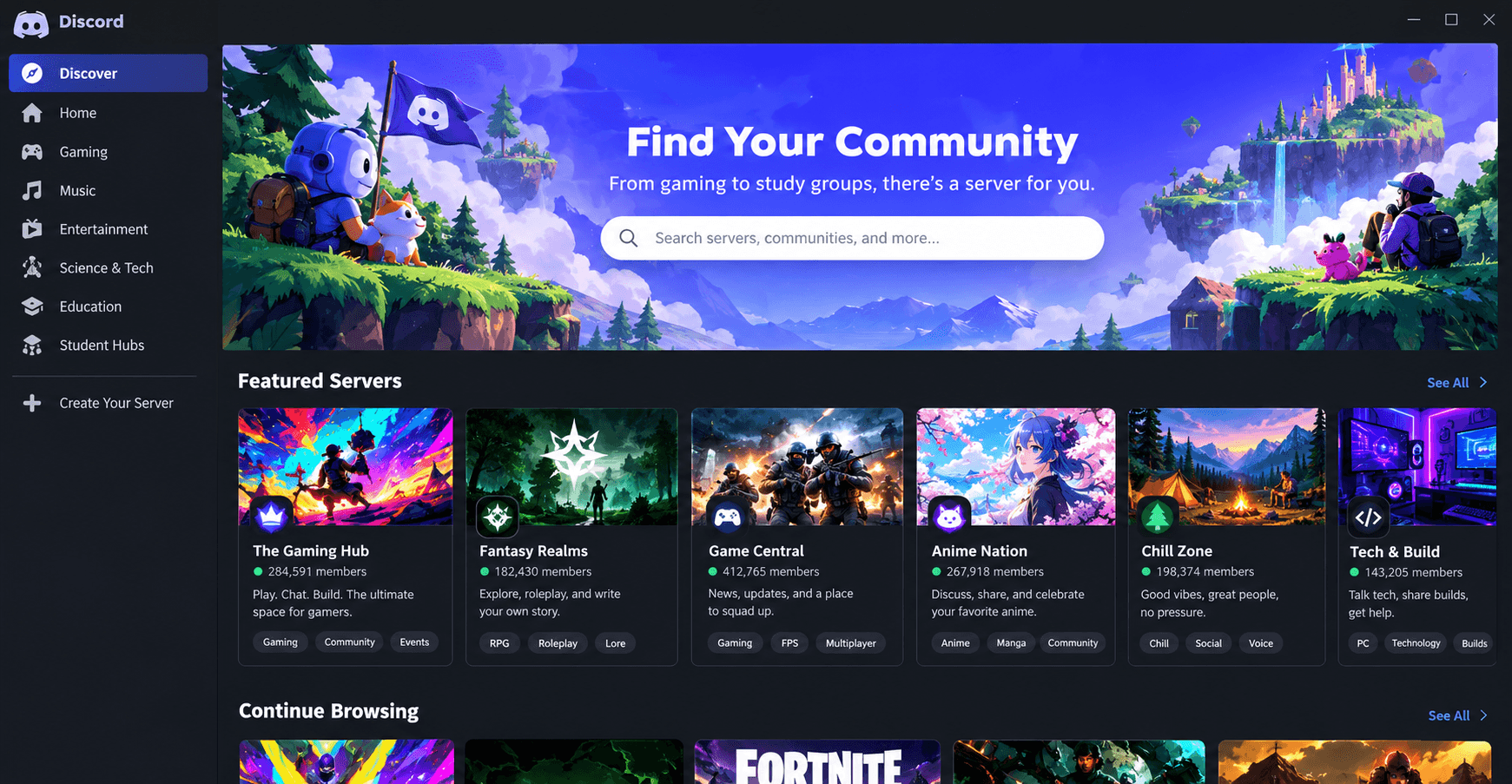
Discord's current Discover experience lets users browse community servers by category and search for communities directly.
A Simple Discord Listing Formula
If you're not sure what to write, use this structure:
Who is it for?
Tell people exactly who should join.
What is it about?
Explain the main topic.
What can members do?
Mention your best activities.
Why join this one?
Give people one or two reasons to choose your community.
For example:
Valorant India is a community for Indian Valorant players looking for ranked teammates and Premier squads. Join daily LFG channels, voice chats, tournaments and gaming discussions with other players from the region.
Short.
Clear.
Useful.
That's much better than writing a giant paragraph full of buzzwords.
Final Thoughts
Getting your Discord server listed is only the first step.
The listing needs to sell the experience without overselling it.
Use a clear name, write a useful description, choose specific tags, keep your visuals clean and make sure the actual server delivers what the listing promises.
And don't worry about trying to look like the biggest server on the internet.
A clear "Valorant LFG for Indian players" can be much more appealing than a vague "Ultimate Gaming Community" with 20,000 members.
People aren't just looking for big servers.
They're looking for the right server.
If you're ready to put your community in front of people who are already looking for Discord servers, you can list it on Discords.ai and make it easier for the right members to discover you.
Frequently Asked Questions
How do I make my Discord server stand out?
Start with a clear name, useful description, specific tags, attractive visuals and a clear explanation of what members can actually do inside the server.
Do Discord server tags help with discovery?
They can. Discord's current Server Profile system includes traits that help describe a community's interests and make it easier for potential members to find relevant servers.
Should I put keywords in my Discord server description?
Yes, but naturally. Mention the topics your community actually covers instead of repeating the same keyword multiple times.
How long should a Discord server description be?
There isn't one perfect length. Keep it long enough to explain the community, but make the most important information clear within the first few sentences.
Does server activity matter?
Absolutely. A polished listing won't help much if new members join and find an inactive community. Your listing should accurately represent the experience inside the server.
Can I list my Discord server on multiple directories?
Yes. Using several relevant discovery channels can help you reach different audiences, as long as your listing information stays accurate and consistent.

Comments
1Sign in to join the conversation
Sign in