
Discord asked its users what to build next and got more than 3,000 replies. Many of those requests are now live in the latest Discord updates, along with a batch of fixes.
The new Discord features range from small quality-of-life tweaks to bigger changes for server moderators. Some shipped for Discord's 11th birthday in September. Others arrived in the 25 September update and the 6 October patch notes.
💬 The Fan Requests That Finally Shipped
On 16 September, Discord designer Lily Jen published a post marking the app's 11th birthday. It listed the features Discord built after asking users what they wanted, according to Discord's blog.
The headline additions:
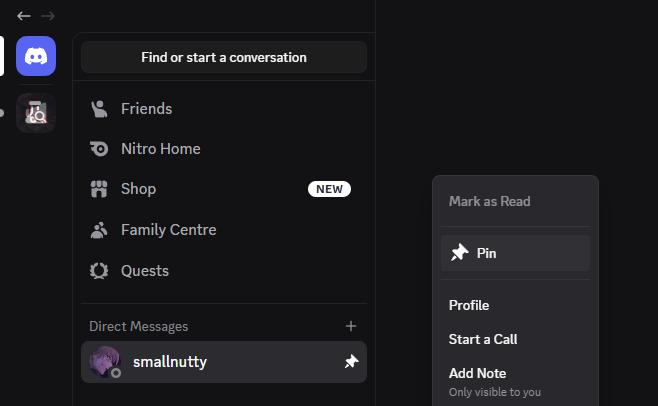
- Pinned DMs on desktop. You could already pin DMs on mobile. Now they show on desktop too, and pins made on your phone carry over.
- Pin channels in any server. This used to work only in Community servers. Pins are private, so only you see them.
- Click any profile picture to see it at full size.
- Profiles now show a "Friends Since" date.
- Edit images after sending. You can now add alt text or a spoiler tag to an image you've already posted.
- You can leave all your inactive group DMs in one go.
There are quality-of-life fixes too. Desktop search keeps the "Next Page" button visible, mobile forums get a "Jump to Top" arrow, and you can copy GIF links straight from the GIF picker.
🛡️ What Changed for Server Moderators
The moderation updates are easy to miss, but they matter if you run a server.
| Update | Why it helps |
|---|---|
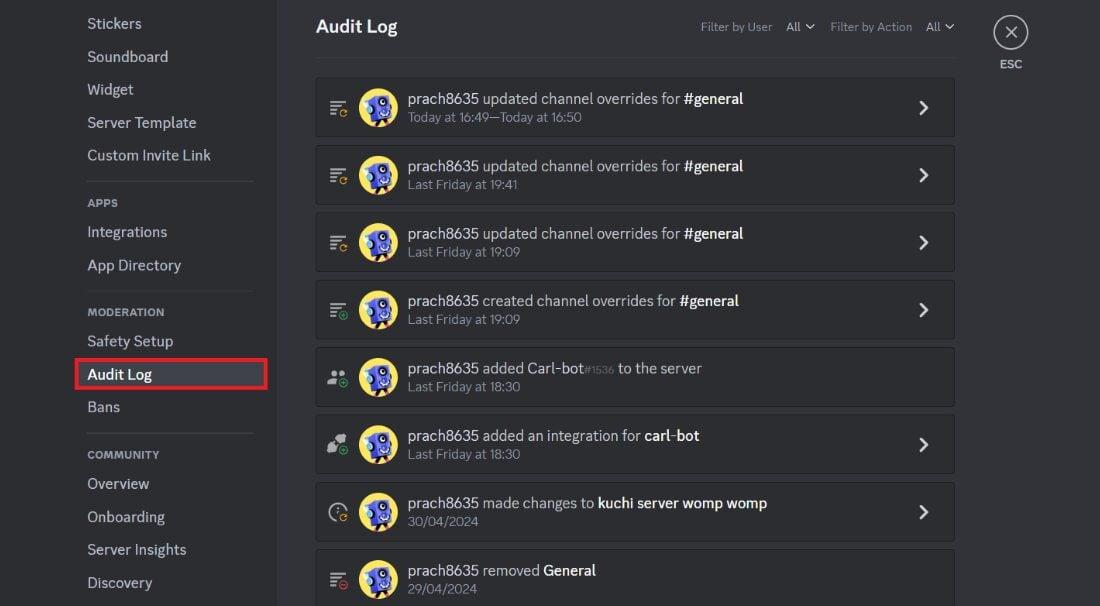
| Audit Log shows non-members | You can now see actions involving kicked and banned users, not just current members |
| Admin-only pruning toggle | Stops non-admin mods from mass-removing inactive members |
| Duplicate roles | Copy a role with its settings instead of rebuilding it from scratch |
| Timed-out members can rejoin via invite on iOS | Members can come back through an invite link after a timeout |
If you manage roles often, duplicating them will save real time. Set up one well-configured role, then copy it for each new team or channel group.
Running a growing community? Make sure people can find it by adding your server to Discords.ai.
✨ New Ways to Customise Your Profile
Discord's 25 September update focused on how you look and sound.
- Longer bios. Profile bios now allow 300 characters, up from 190.
- New name fonts. Monkey Bars, Mainframe, Headbang and Journal. These need Nitro.
- New name effects. Gummy and Prism.
- Server tags on mobile. You can now edit your server tag from your phone, and tags show on server profiles.
🎧 Better Audio and Calls
Two audio changes stand out in the September update.
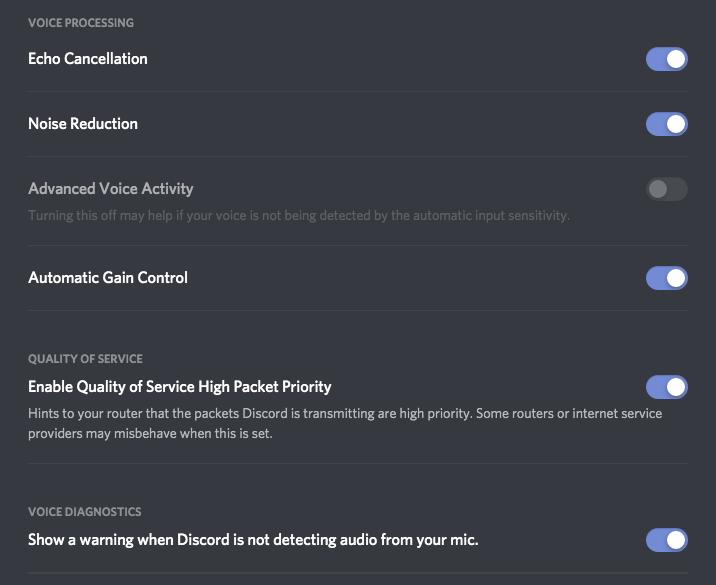
System-wide echo cancellation now works on Windows. It cancels echo from other sounds on your PC, not just from Discord calls. If friends complain they can hear your game through your mic, try this first.
Audio-device icons help you tell your headset apart from your desktop speakers when switching outputs.
The 6 October patch notes also let Picture-in-Picture and Text-in-Voice work together in Stage channels. Discord also fixed a desktop bug where Push to Mute played sounds even with system sounds turned off. We covered that one in our Push to Mute bug fix explainer.
📱 Mobile Gets a Visual Refresh
Discord's mobile app now looks more like desktop. The changes include:
- The original dark theme is back
- Circular avatars return, with rounded "squircle" shapes elsewhere
- More spacing in the chat bar
- @game mentions now work on mobile, not just desktop
- A new "Show spoiler content" setting on mobile
Discord also says you can now control how often you get "friend is online" notifications, or switch them off completely.
⚡ Faster Media and Small Fixes You'll Notice
The 6 October patch notes list roughly 150 fixes. Two are worth knowing about.
First, Discord rewrote its image and video sharing engine in Rust. It says images now resize faster with better colour accuracy.
Second, the GIF picker got two shortcuts:
- Shift-click a GIF to insert its link into your message without sending it.
- Right-click a GIF to copy its link.
Earlier, the 8 September patch notes reported that moving desktop to Electron 42 improved median CPU usage by about 17%, with a small rise in memory use. Discord's mobile engine upgrade also cut average CPU use and launch times by about 5%.
🔮 What's Coming Next
Discord says two popular requests are still in development, with no firm dates:
- Bigger group DMs. The current cap is 10 people, and Discord plans to raise it. An experiment may roll out soon.
- Hiding profile badges. Currently in testing.
To see every recent change in one place, open Settings > More > What's New in the app.
❓ FAQ
How do I see what's new in Discord?
Go to Settings > More > What's New. Discord lists recent updates there.
Why don't I have these features yet?
Discord rolls changes out gradually, and the patch notes say some fixes may still be reaching certain platforms. Make sure your app is up to date.
Do I need Nitro for the new features?
Most are free. The new name fonts need Nitro.
How many characters can a Discord bio have now?
300 characters, up from 190.
🎮 The Bottom Line
Most of these updates are small. Pinned DMs on desktop, editable alt text, duplicate roles and a more useful audit log each fix an everyday annoyance users asked Discord to sort out.
If you only try three, start with desktop DM pinning, role duplication if you moderate a server, and Windows echo cancellation if you game with a mic. Then keep an eye out for bigger group DMs.
Which fan-requested feature do you still want Discord to build next?

Comments
2Sign in to join the conversation
Sign in