
Discord Stage Channels vs Voice Channels: Structuring Massive Server Events
A Discord server with ten active members can usually get away with an informal voice chat. Everyone joins, people talk over one another occasionally, and the conversation eventually finds its rhythm. Now imagine the same setup with 500 members attending a creator AMA, a game developer answering community questions, or a server owner announcing major changes.
Suddenly, the familiar freedom of a voice chat becomes a problem. Multiple people want to speak, questions interrupt answers, and quieter members struggle to get noticed. The event might have plenty of engagement, but without a way to manage that engagement, the conversation can quickly lose direction.
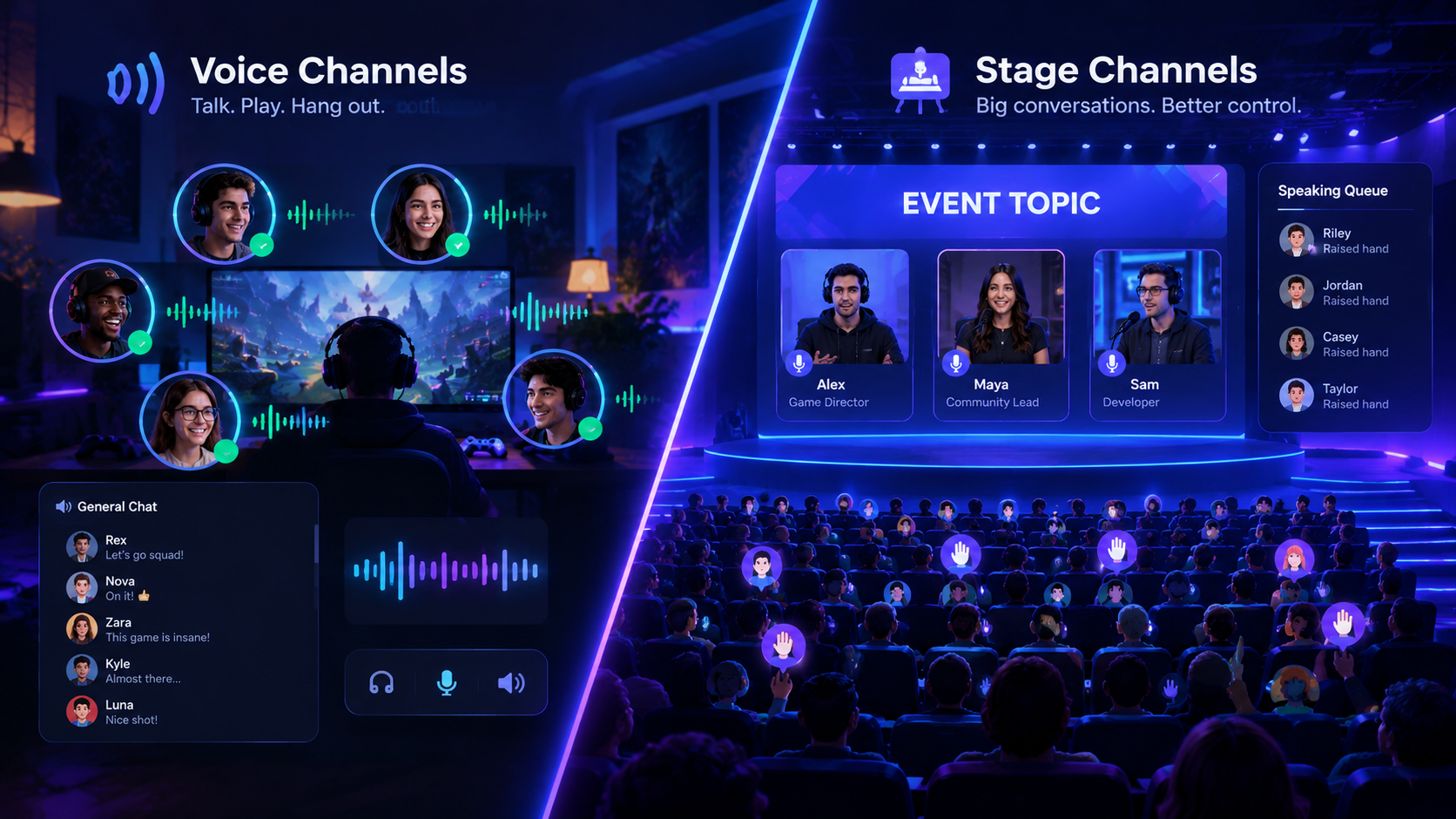
This is where understanding Discord Stage Channels vs Voice Channels becomes important. Both let people communicate in real time, but they are designed for different kinds of interaction. Standard Voice Channels are built around people talking together, while Stage Channels provide a more structured environment where selected speakers address an audience and moderators control requests to speak.
The right choice is not simply about how many members your server has. It depends on whether you want a conversation that everyone can join or an event where people listen first and take turns speaking.
1. What Makes Voice Channels Different from Stage Channels?
The biggest difference is how each channel handles participation.
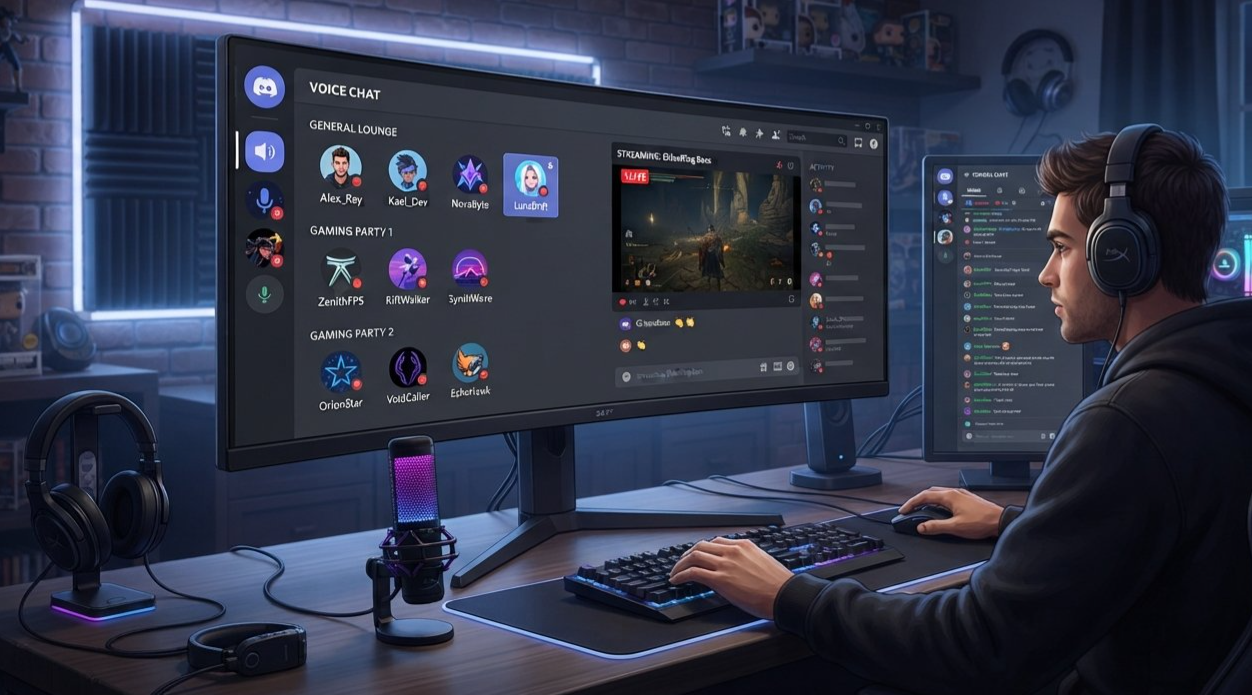
A standard Voice Channel is a shared conversation space. Members with the necessary permissions can join and speak, making it ideal for gaming sessions, team discussions, casual hangouts, and collaborative work.
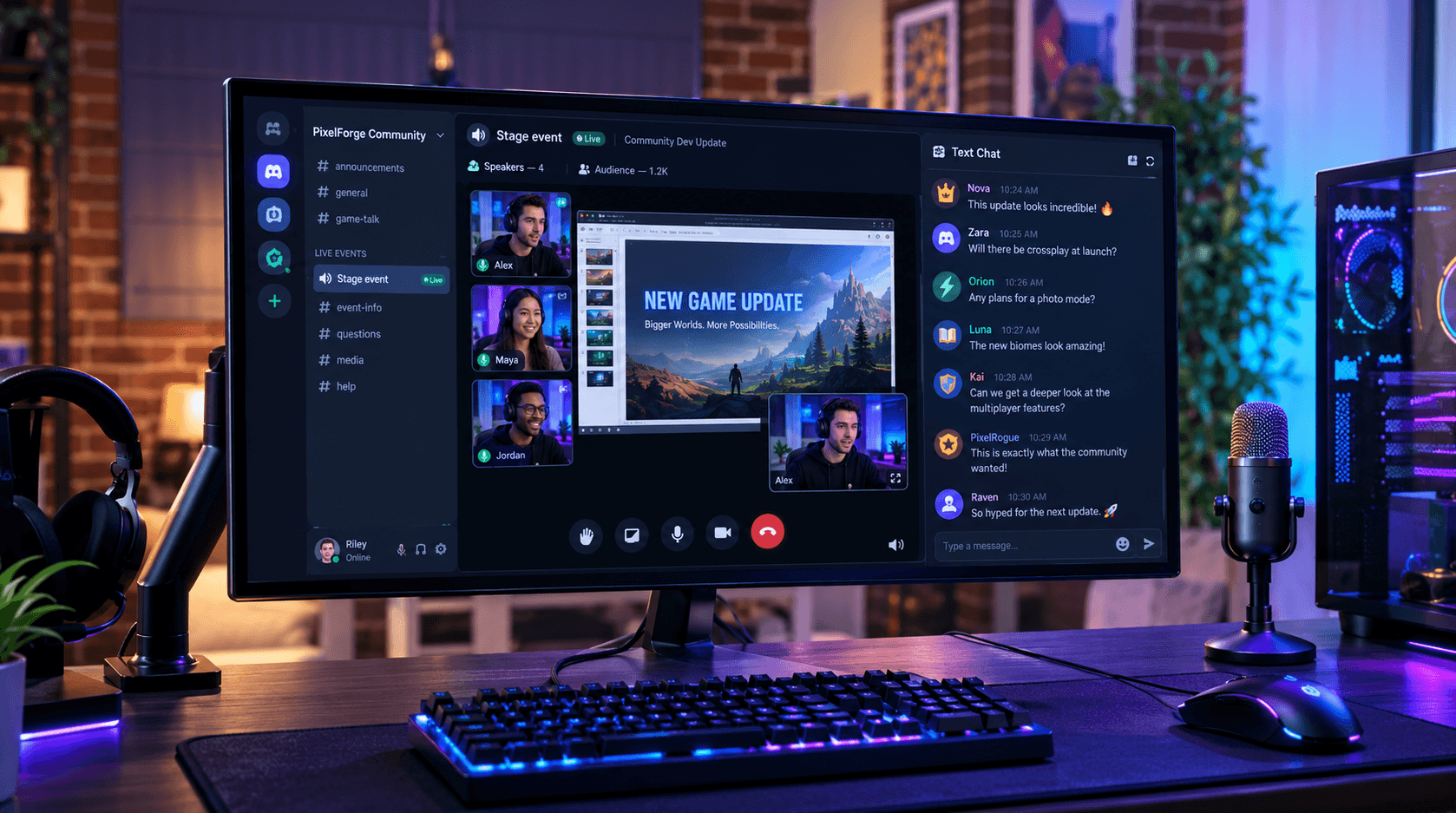
A Stage Channel is designed around a speaker-and-audience format. A small group can lead the discussion while other members listen. Audience members can request permission to speak by raising their hands, and Stage moderators decide which requests to approve.
Discord describes Stage Channels as a way to host conversations and events for a few speakers and a much larger listening audience. Stage Channels are available in servers that have enabled Community features.
Quick comparison
| Feature | Standard Voice Channel | Stage Channel |
|---|---|---|
| Main purpose | Open, interactive conversation | Speaker-led events |
| Who can speak? | Members allowed to speak by channel permissions | Speakers and moderators, plus audience members approved to speak |
| Hand-raising workflow | No equivalent built-in Stage request system | Audience members can request to speak |
| Speaker approval | Managed through permissions and moderator actions | Built-in controls for accepting or dismissing speaking requests |
| Best audience experience | Everyone participates in a shared conversation | Most people listen while selected members speak |
| Event topic and visibility | General channel setup and optional status features | An active Stage can display a topic and receive prominent placement in the channel list |
| Typical uses | Gaming, coworking, friend groups, team calls | AMAs, town halls, interviews, community announcements |
| Community server required | No | Yes |
The table describes the standard use cases rather than every possible configuration. Voice Channel permissions can be customized, and Stage Channels also support video and screen sharing when the relevant permissions and audience limits allow it.
The simple rule: choose Voice when conversation is the activity. Choose Stage when the conversation is an event.
2. Voice Channels: Best for Open Conversations
Voice Channels work best when participation is part of the experience. People should be able to react naturally, ask follow-up questions, share ideas, and join the discussion without waiting for a host to invite them onto a stage.
Imagine a gaming server organizing a squad night. One member calls out an enemy, another suggests a different route, and someone else asks whether the group wants to play another match. That spontaneous back-and-forth is exactly what an ordinary Voice Channel is good at supporting.
The same applies to smaller community meetings, study sessions, coding groups, creator collaborations, and casual discussions.
When a Voice Channel makes more sense
Use a standard Voice Channel when:
Most participants are expected to speak during the session.
The group is small enough to manage natural turn-taking.
Members need to collaborate rather than simply listen.
People are sharing gameplay, cameras, or screens in a conversational setting.
The atmosphere should feel informal rather than like a presentation.
What happens when the group gets larger?
A Voice Channel does not automatically become unsuitable just because more people join. A well-moderated group can use channel permissions, push-to-talk habits, and clear speaking rules to keep a discussion organized.
The problem appears when a large group has no clear process for deciding who speaks next. Several people may unmute at the same time, questions can interrupt answers, and the host may spend more time managing the conversation than actually leading it.
You can build custom permission arrangements in a Voice Channel, but if your event regularly depends on audience members requesting permission to speak, a Stage Channel offers a more direct workflow.
3. Stage Channels: Built for Structured Community Events
Stage Channels change the default relationship between speakers and listeners. Instead of treating everyone as part of one open conversation, they create a space where a few people lead and a larger audience listens.
That structure makes them especially useful when a server wants to host an event without asking every attendee to remain muted manually.
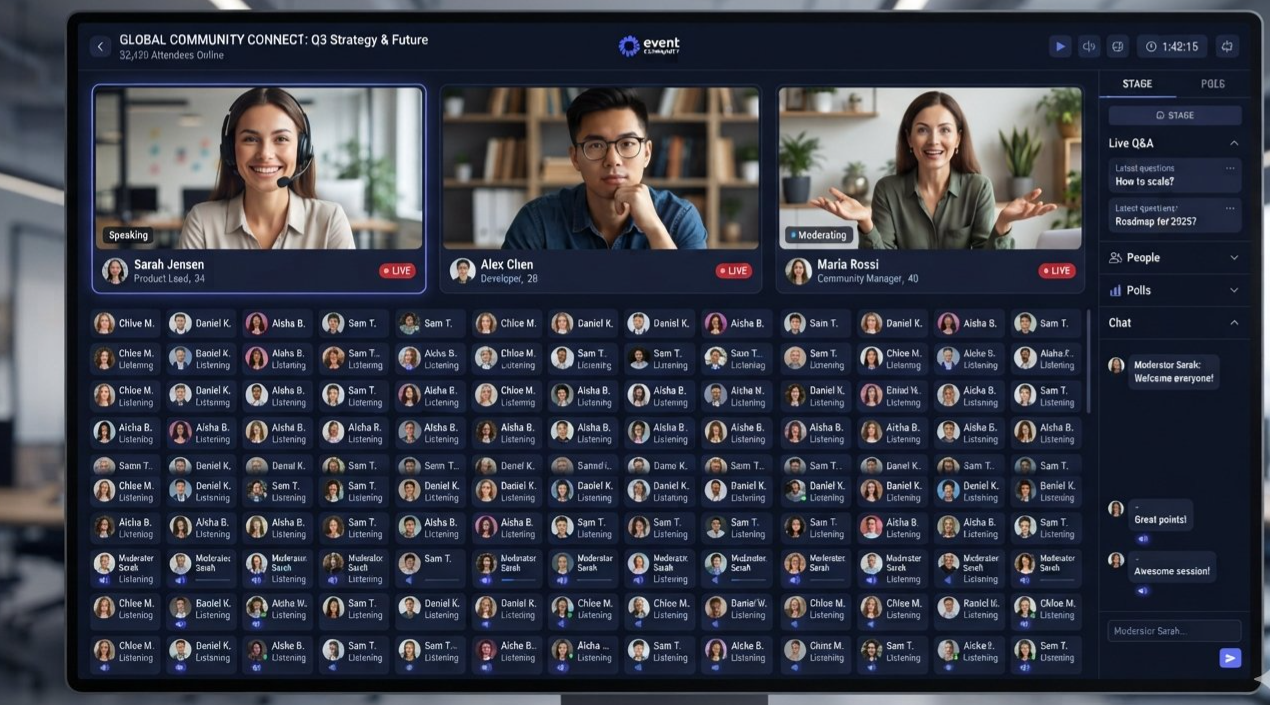
For example, a gaming studio could host a developer AMA for thousands of community members. The developers explain upcoming features, a moderator introduces each topic, and audience members listen until they want to ask a question. A moderator can then review requests and invite selected attendees to speak.
The host does not need to give every attendee the ability to speak at all times.
Events that benefit from Stage Channels
Community AMAs: Developers, creators, server owners, or subject experts answer questions from their audience.
Town halls: Administrators share updates, explain rule changes, or discuss the future of the community.
Interviews and panel discussions: A host manages a conversation between invited speakers while the audience follows along.
Creator announcements: A streamer or community leader announces new projects, explains upcoming events, or speaks directly to followers.
Educational talks: A presenter explains a topic while attendees listen and request speaking time when they have a question.
Why the audience experience matters
Stage Channels also make it easier for people to join or leave quietly. Audience members enter with their microphones muted by default, and joining or leaving does not create the usual enter-and-exit sounds associated with standard voice conversations.
That small detail makes a difference for large events. Attendees can arrive late, listen for a few minutes, or leave early without interrupting the discussion.
Stage Channels can also display an event topic, helping visitors understand what is happening before they join.
Important limitation
A Stage Channel is not automatically the best choice for every large gathering. If the purpose is to get 40 people talking in small groups, an open Voice Channel or several smaller rooms may be more effective. A Stage Channel works best when a defined speaker group and a listening audience match the format of the event.
4. How Hand-Raising and Speaker Requests Work
This is the feature that makes Stage Channels particularly useful for large AMAs.
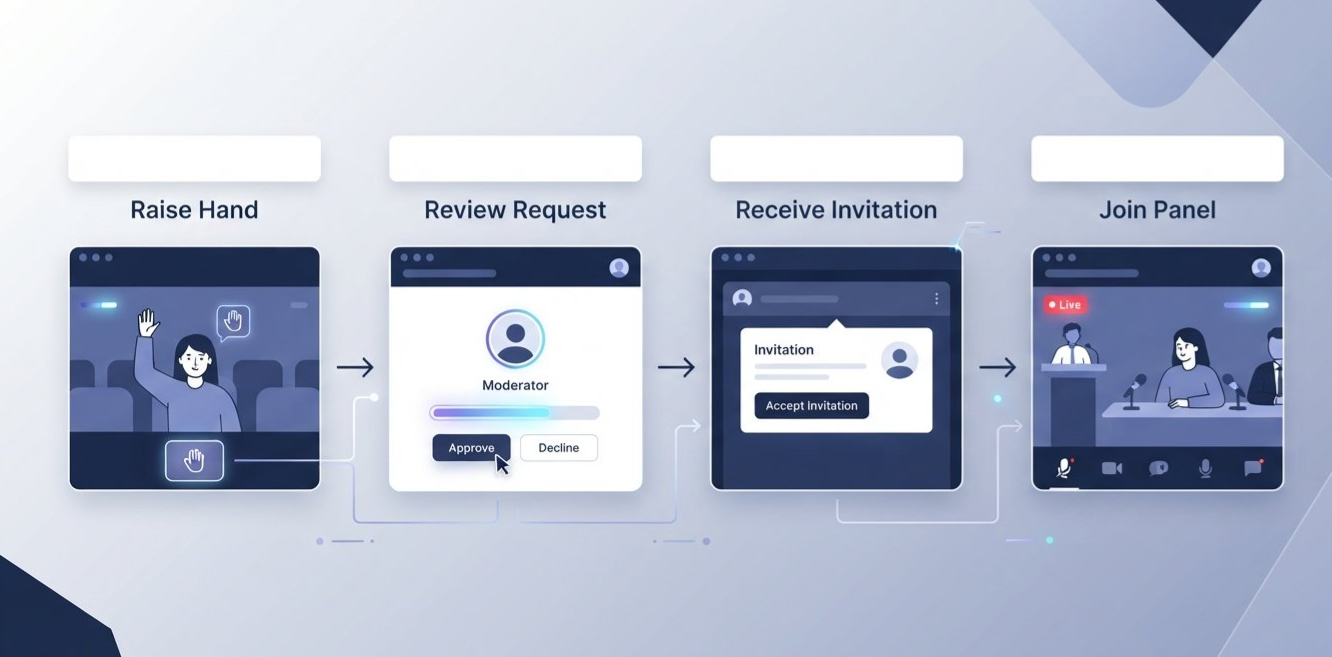
In an ordinary conversation, a member can try to enter the discussion by unmuting and speaking. In a Stage Channel, an audience member can raise their hand to request speaking permission. A Stage moderator reviews the request and decides whether to invite the person onto the stage.
That creates a clear distinction between wanting to speak and being allowed to speak.
The process from request to answer
Step 1: An audience member raises their hand.
A listener selects the hand-raising or request-to-speak control. This signals that they want to contribute without immediately interrupting the current speaker.
Step 2: A moderator reviews the requests.
Stage moderators can open the request list to see who wants to speak. They can accept requests, invite members to speak, or dismiss requests that are not suitable for the current discussion.
Step 3: The member receives an invitation.
When a moderator invites an audience member to speak, the member can accept or decline the invitation.
Step 4: The member joins the speaker group.
Once accepted, the member gains speaker status and can contribute to the discussion, subject to the channel's permissions.
Step 5: The moderator restores the listening format.
After the question has been answered, the moderator can move the member back to the audience. This keeps the speaker area focused on the current discussion.
Is it a true speaker queue?
It is more accurate to think of Stage's hand-raising feature as a moderator-managed request list, rather than a guaranteed first-in, first-out queue. Moderators review requests and decide whom to invite. That flexibility is useful when a question is urgent, a guest has limited time, or several people are asking the same thing.
However, it also means the moderation team should establish a fair process. If attendees cannot tell how questions are selected, the system may feel arbitrary even when the controls are working exactly as intended.
How this prevents people from talking over each other
The key benefit is not simply the hand icon. It is the process surrounding it.
Audience members signal interest before speaking.
Moderators can control who receives speaking access.
Speakers are visually separated from listeners.
The host can finish an explanation before inviting the next question.
Members can be returned to the audience when their turn is over.
The result is a more predictable conversation, especially when attendees greatly outnumber speakers.
5. How to Organize an AMA Without Constant Interruptions
The most useful Stage Channel feature can still be undermined by poor event planning. If the host invites people to speak without an agenda, a clear question policy, or enough moderators, the event may feel chaotic even though the audience is technically organized.
A good AMA should make it obvious how questions are submitted, who selects speakers, and how long each person is expected to speak.
Choose a question format before the event
There are two practical approaches.
Option A: Read questions from a text channel
Attendees submit questions in a dedicated text channel. A moderator or host selects questions and reads them aloud. The guest answers without needing to invite individual audience members onto the stage.
This is useful when the guest is the main attraction, the event has a strict schedule, or attendees are not comfortable speaking live.
Option B: Let attendees request speaking time
Audience members raise their hands and ask their questions verbally after a moderator invites them to speak.
This is better when the event depends on direct interaction, spontaneous follow-ups, or a more personal relationship between the speaker and the community.
You can combine both methods. Start with questions collected in advance, then reserve a portion of the event for live audience requests.
A practical 45-minute AMA schedule
| Time | Segment | Purpose |
|---|---|---|
| 0–5 minutes | Welcome and ground rules | Introduce the guest and explain the format |
| 5–15 minutes | Prepared questions | Start with useful, high-interest topics |
| 15–30 minutes | Audience requests | Invite selected attendees to ask questions |
| 30–40 minutes | Final questions | Address remaining priority topics |
| 40–45 minutes | Closing summary | Recap key points and explain next steps |
This is a sample schedule, not a Discord requirement. Adjust it to suit your guest, audience size, and the complexity of the topic.
Set expectations for each speaker
Before inviting an audience member to speak, establish simple rules:
Ask one main question at a time.
Keep the question concise so more people get a turn.
Avoid repeating questions that have already been answered.
Let the guest finish before asking a follow-up.
Respect the host's decision to move to the next question.
These rules should be shared before the event, ideally in the event announcement and the associated question channel.
Keep a backup route for questions
Not every attendee will want to speak on a live stage. Some may be shy, have a noisy environment, or prefer writing their questions. A dedicated text channel allows those members to participate without becoming speakers.
It also gives moderators a way to collect questions while the host is busy leading the event.
For a large AMA, the goal is not to make every attendee speak. The goal is to make every attendee feel that participation is possible and the process is fair.
6. Setting Up a Stage Channel for a Large Event
Stage Channels are available only in Community servers, so check that Community features are enabled before planning the event.
Step 1: Create the channel
Open your server's channel list and choose the option to create a new channel. Select Stage Channel as the channel type. You will need the appropriate channel-management permissions to create it.
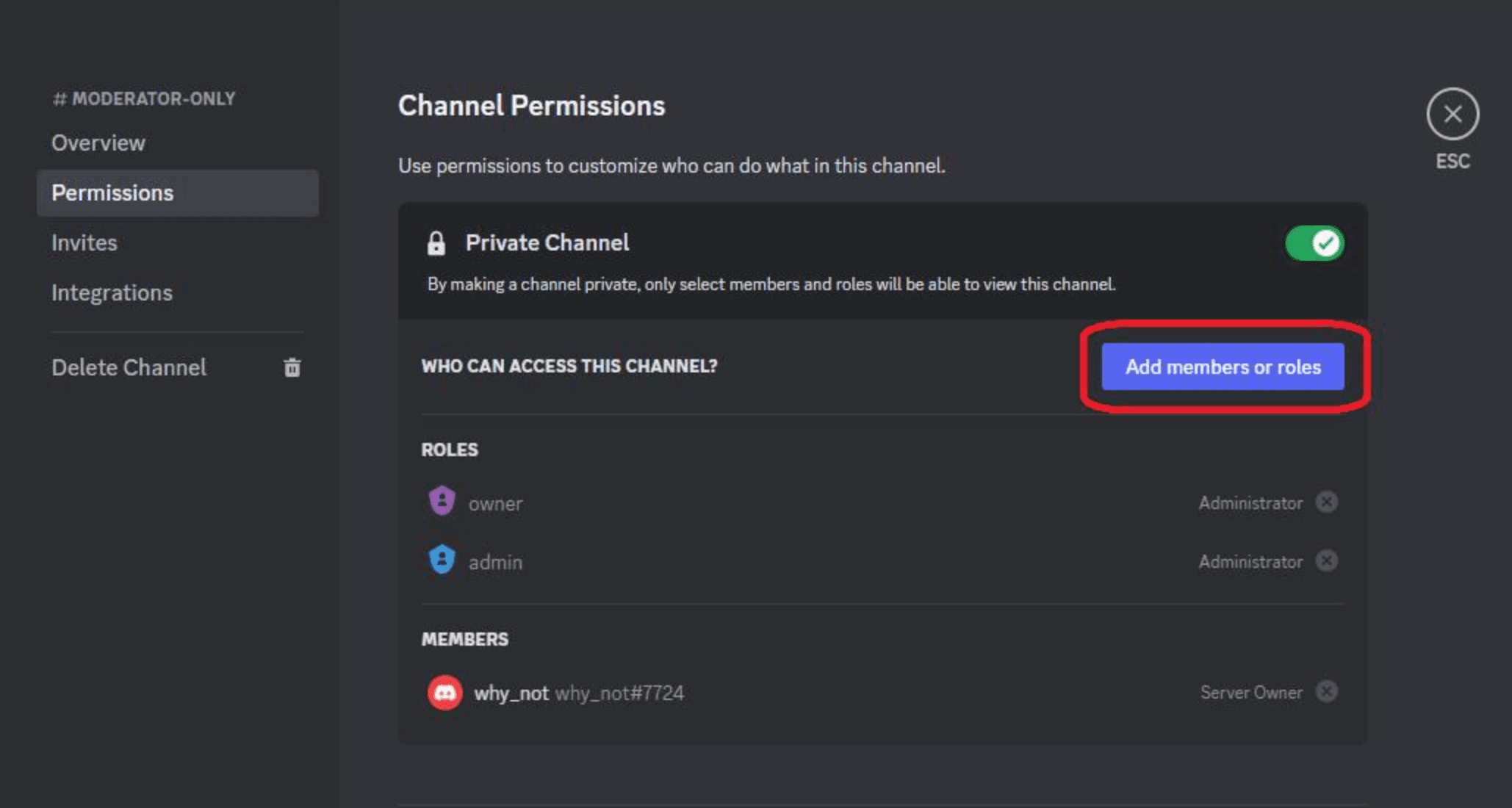
Step 2: Assign Stage moderators
Choose trusted people who will manage speaking requests and keep the event on schedule. You can configure Stage moderator access during setup and adjust permissions later.
Discord's documented Stage moderator permissions include the ability to manage the channel, mute members, and move members. Make sure your moderation team has the access it needs before the event begins.
Step 3: Set a clear topic
Give the event a descriptive title or topic. "Developer AMA: Upcoming Features" tells attendees more than "Community Chat."
A clear topic helps visitors understand the purpose of the event and gives the host an easy starting point for the opening remarks.
Step 4: Test the setup
Before announcing the event, test the experience with a small group. Confirm that:
The intended speakers can speak.
Audience members join in listening mode.
Moderators can see and handle requests to speak.
The host can invite a listener to speak and move them back to the audience.
The question channel and event instructions are accessible.
If you intend to use cameras or screen sharing, test those permissions and review the applicable audience limits in Discord's current Stage Channel documentation. Video and screen-sharing capacity can differ from audio-only audience capacity.
Step 5: Open the Stage
When you're ready, start the Stage and set its topic. Discord also provides an event-creation option for organizing scheduled events. If the event is scheduled, make sure the announcement and the event details tell members where to go and when to arrive.
Step 6: Assign responsibilities
Avoid asking one person to host, answer questions, monitor chat, review speaking requests, and deal with disruptive behavior at the same time.
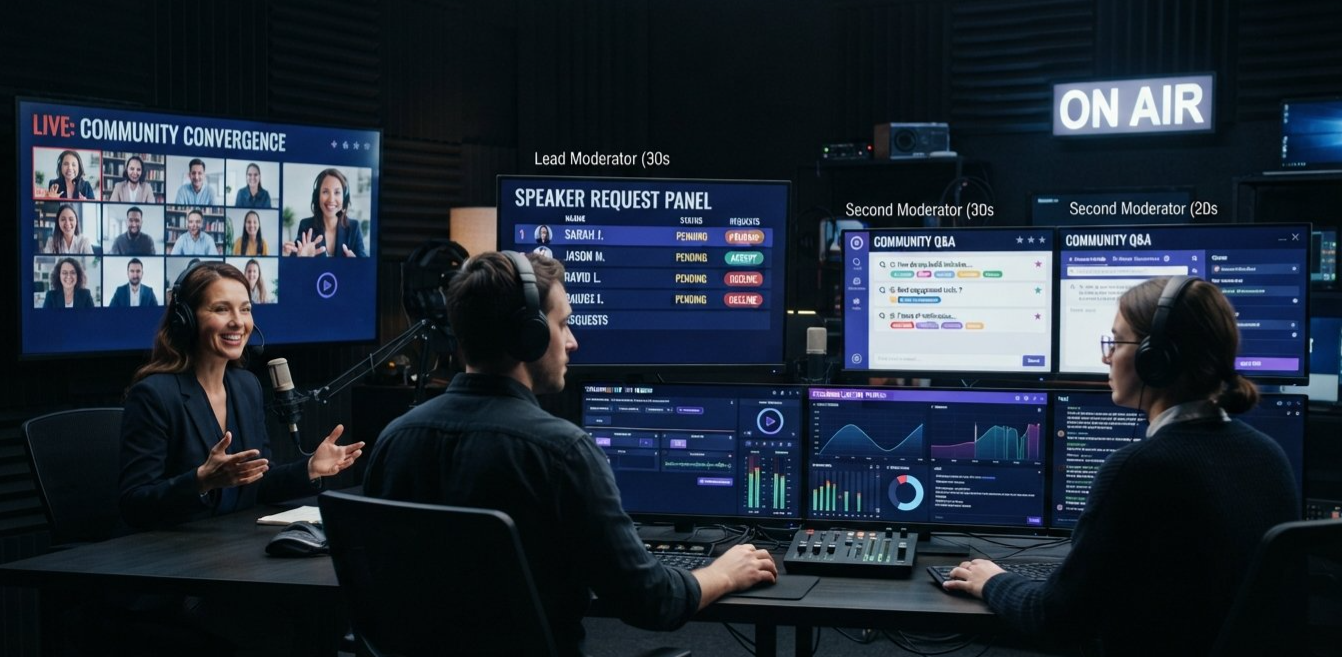
For a larger event, assign separate people to lead the conversation, manage the speaker requests, and monitor the accompanying text channel.
That division of responsibility keeps the host focused on the audience rather than the mechanics of running the room.
7. Moderation Roles That Keep Events Moving
The quality of a Stage event depends heavily on how well its moderation team works together.
For a small session, one experienced moderator may be enough. For a large AMA or town hall, separate responsibilities can make a noticeable difference.
The host
The host introduces the topic, asks the main questions, keeps the event moving, and lets attendees know what comes next.
The host should not have to watch every request or handle every moderation issue while trying to maintain a natural conversation.
The Stage moderator
The Stage moderator manages speaker access. They review requests to speak, invite selected audience members, and return speakers to the audience when their turn is finished.
This role is especially important when the audience is large enough that the request list requires constant attention.
The text-channel moderator
A text-channel moderator organizes written questions, removes spam, flags duplicate questions, and passes useful contributions to the host.
This person can also help attendees who are having trouble understanding the event format.
The technical helper
For events involving cameras, screen sharing, guest speakers, or complex permissions, a technical helper can troubleshoot connection problems and permissions without interrupting the host.
Not every event needs four separate people. The important principle is to assign responsibilities clearly, even if one person handles more than one role.
8. Common Mistakes to Avoid
Even with the right channel type, a few predictable mistakes can make an event difficult to follow.
Mistake 1: Using an open Voice Channel for a speaker-led event without a plan
A Voice Channel can support a large conversation, but everyone needs to understand how speaking turns work. If you want a host to speak while the audience listens, use a clear permission setup or choose a Stage Channel with its built-in request controls.
Mistake 2: Treating every hand-raise as an automatic invitation
A hand-raise indicates that a person wants to speak. It does not automatically make that person a speaker. Moderators should review requests and invite people when it is their turn.
Mistake 3: Letting questions run indefinitely
One attendee can unintentionally consume a large portion of an AMA by asking several long questions or repeatedly returning to the microphone. Explain the time limit and question format in advance, then move the discussion along respectfully.
Mistake 4: Giving every responsibility to one moderator
The host may miss questions while managing the request list. A moderator may overlook spam while trying to coordinate speakers. Assigning roles ahead of time reduces the chances of these tasks competing with each other.
Mistake 5: Ignoring written participation
Not everyone wants to speak in front of a large audience. A question channel or another accessible text-based route helps people contribute without requiring them to become speakers.
Mistake 6: Forgetting to test permissions
A guest who cannot speak or a moderator who cannot move members can disrupt the event before it properly begins. Run a short rehearsal and check the actual permissions rather than assuming everything is configured correctly.
Mistake 7: Choosing Stage just because the audience is large
A large audience does not automatically mean a Stage Channel is right. If the purpose is collaborative discussion, breakout conversations, or a multiplayer session, ordinary Voice Channels may provide the better experience.
9. Frequently Asked Questions
Are Stage Channels better than Voice Channels?
Neither is universally better. Stage Channels are better suited to structured events with a speaker group and a listening audience. Voice Channels are better for open conversations where participants are expected to interact freely.
Can audience members speak in a Stage Channel?
Yes. Audience members can raise their hands to request speaking permission. A Stage moderator must approve the request or invite the member before they can speak as a Stage speaker.
Does Discord automatically give the next person a turn?
Do not assume that raising a hand guarantees an automatic turn in a strict first-in, first-out queue. Stage moderators review requests and choose whom to invite. A published question policy helps make that process feel consistent and fair.
Do I need a Community server to create a Stage Channel?
Yes. Discord's Stage Channel documentation states that Stage Channels are available in servers with Community features enabled.
Can Stage Channels support large audiences?
Yes. Discord's official Stage Channel FAQ documents audio-only audience support of up to 10,000 people. Video and screen-sharing use cases have separate audience limits based on the server's boost level and current configuration, so check the latest official documentation before planning a video-heavy event.
Can a Stage Channel be used for a gaming event?
It can work well for developer Q&As, esports panels, community announcements, or post-match discussions led by a few speakers. For a match where everyone needs to coordinate in real time, a standard Voice Channel is usually more suitable.
Can I use a text channel alongside a Stage Channel?
Yes. A dedicated text channel is useful for collecting questions, sharing links, and helping listeners participate without taking the microphone. Assign a moderator to monitor it if the event is busy.
What is the easiest way to stop people from talking over the host?
For a speaker-led event, use a Stage Channel, keep the active speaker group focused, and have moderators review speaking requests. For a Voice Channel, establish speaking rules and configure permissions appropriately. The right channel helps, but clear moderation still matters.
10. Final Verdict: Choose the Channel Around the Conversation
Discord Stage Channels vs Voice Channels is not a contest between an old feature and a new one. It is a decision about how people should participate.
If your community wants to play games, brainstorm, work together, or chat casually, a standard Voice Channel keeps the conversation open and natural.
If you're hosting a developer AMA, a creator interview, a town hall, or a presentation for a large community, Stage Channels provide a more structured way to manage who speaks. Their hand-raising and speaker-request controls help moderators give audience members a chance to contribute without turning the event into an unrestricted open microphone.
For the best results, build the event around three things: a clear format, a fair process for selecting speakers, and moderators who know their responsibilities. Use written questions when they make participation easier, explain the rules before the event begins, and test permissions before attendees arrive.
The real goal is not to silence the audience. It is to make sure the right people can be heard at the right time, while everyone else can listen, follow the discussion, and take part without unnecessary interruptions.
Official Sources and Further Reading
Use these official Discord resources to verify setup steps and current feature details before publishing:
Stage Channels FAQ
https://support.discord.com/hc/en-us/articles/1500005513722-Stage-Channels-FAQ
Covers Community server requirements, Stage moderators, hand-raising, speaker invitations, audience limits, and event controls.When to Use Stage Channels vs. Voice Channels
https://discord.com/blog/when-to-use-stage-channels-vs-voice-channels
Discord's overview of the intended uses and key differences between the two channel types.Best Practices for Running and Moderating Discord Stages
https://discord.com/blog/running-moderating-discord-stages-best-practices
Practical advice on event topics, moderator responsibilities, and audience engagement.How to Run an AMA or Town Hall via a Stage Channel
https://discord.com/blog/run-an-ama-townhall-via-stage-channel
Official guidance on moderator setup, audience questions, and running a structured event.Voice Channels FAQs
https://support.discord.com/hc/en-us/articles/19583625604887-Voice-Channels-FAQs
Covers creating and joining standard Voice Channels and managing relevant permissions.
Comments
Sign in to join the conversation
Sign inNo comments yet
Be the first to share your thoughts!