
Multiline Slash Commands and Fuzzy Search: Discord's Huge Quality-of-Life Update
Discord users have become familiar with slash commands. Type a forward slash, choose an action, fill in a few options, and let a bot or app handle the task. It is a simple system, but the experience has not always been as flexible as it could be.
Longer text can be awkward to enter when a command expects a single string. Finding a command can also take unnecessary effort when you remember what it does but cannot recall its exact name. And switching channels in the middle of a task can interrupt the flow if your selected command is not preserved.
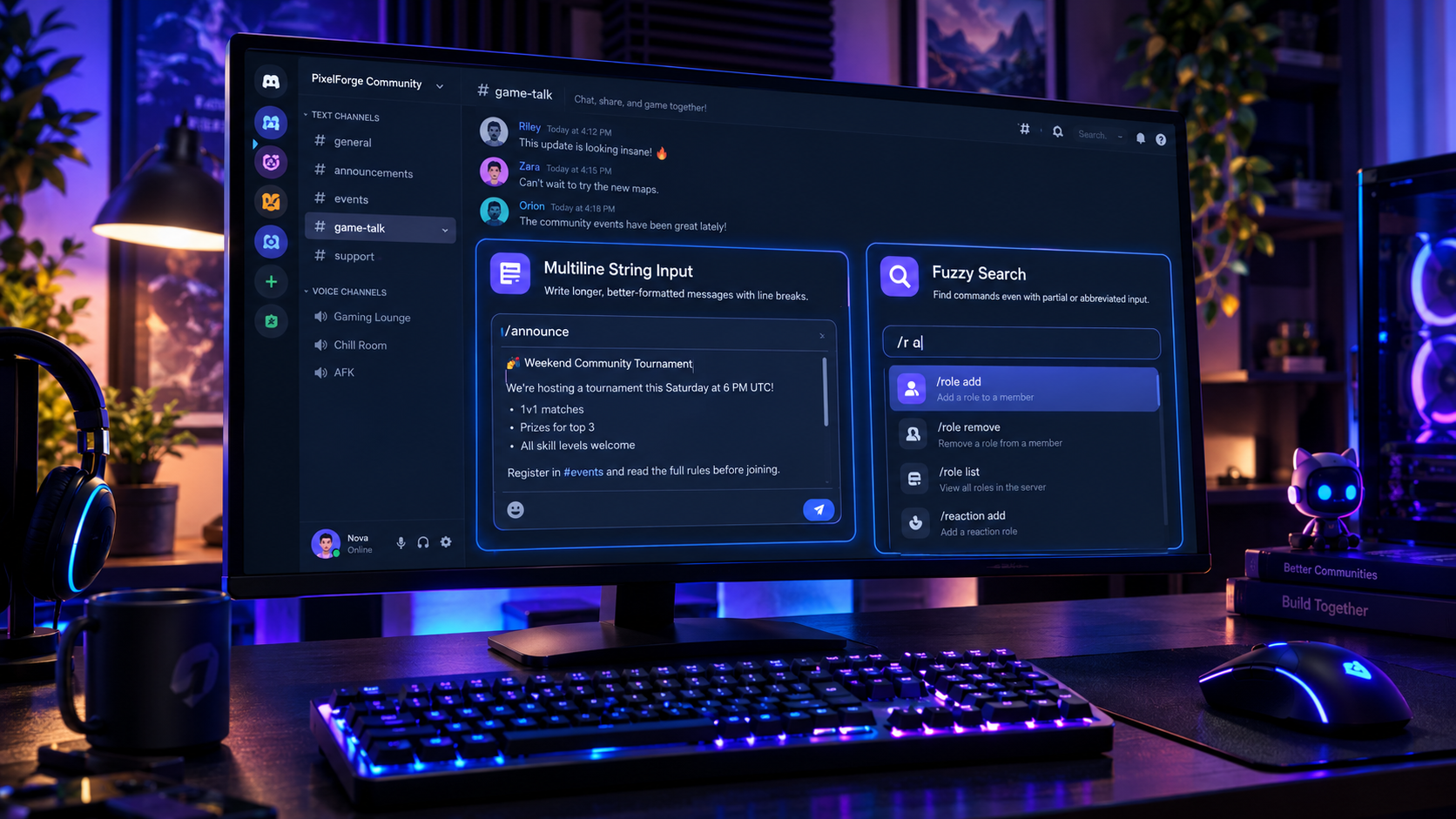
Discord's newer slash-command improvements address these everyday frustrations with three useful changes: multiline input for string options, fuzzy search in command autocomplete, and better retention of the selected command when switching channels. Developer-focused notes describing the changes also highlight fixes to mobile command selection behavior. <Cite refs={["turn444621search2","turn444621search3"]}/>
None of these features completely transforms Discord on its own. Together, however, they make commands feel less rigid and more forgiving. Users can write more naturally, search with less precision, and spend less time rebuilding a command after navigating around a server.
1. What Changed in Discord Slash Commands?
Slash commands provide a structured way to interact with Discord apps and bots. Instead of memorizing a collection of text shortcuts, users can open a command picker, select an action, and fill in its options.
The recent improvements focus on making that process more flexible.
| Improvement | What it means |
|---|---|
| Multiline string input | Text options can contain line breaks instead of forcing everything into one line |
| Fuzzy autocomplete | The command picker can find relevant commands from incomplete or abbreviated input |
| Command selection memory | The selected command can be remembered when switching channels |
| Mobile command fixes | Several frustrating command-picker and selection issues have been addressed |
These are primarily quality-of-life improvements. They do not eliminate permissions, remove the need to select the correct command, or guarantee that every bot supports every possible workflow.
The biggest difference is that users no longer need to adapt quite as much to the limitations of the command interface.
2. Multiline Input: More Room for Real Messages
One of the most useful changes is support for multiline input in slash-command string options.
Previously, a command that accepted text could feel restrictive when the information you wanted to enter naturally belonged on several lines. A short label or title is easy to type into a single-line field. An announcement, longer description, or set of instructions is a different story.
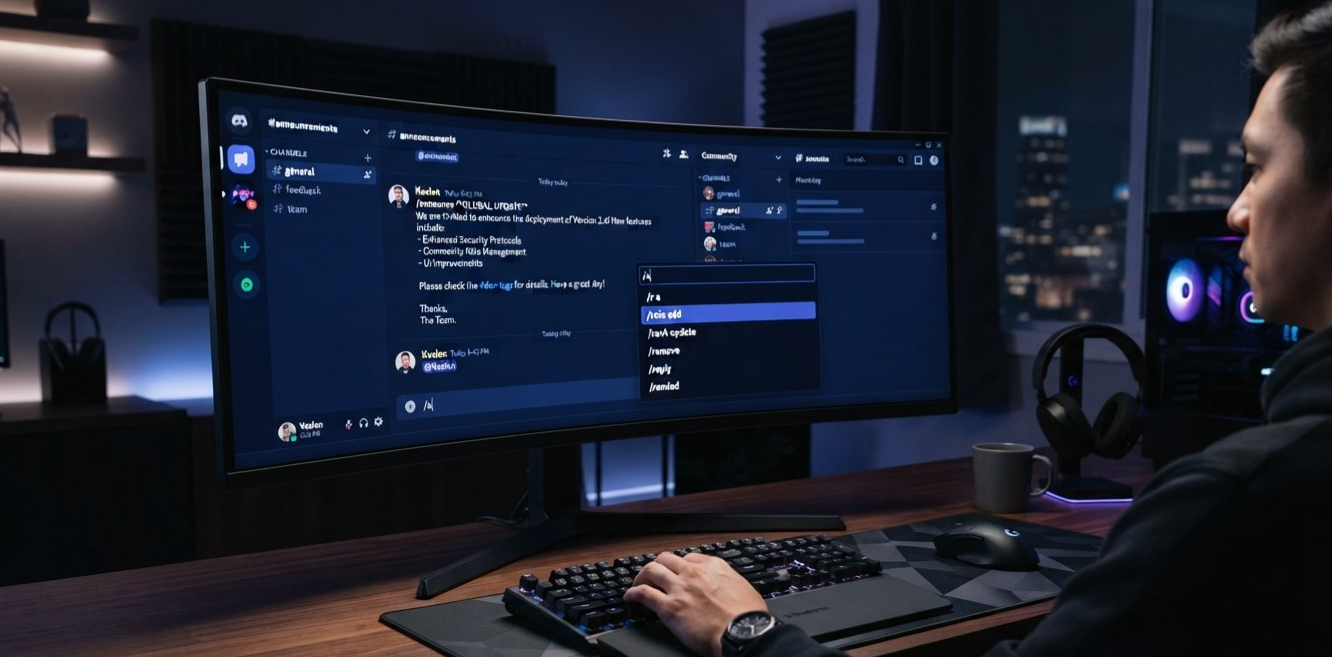
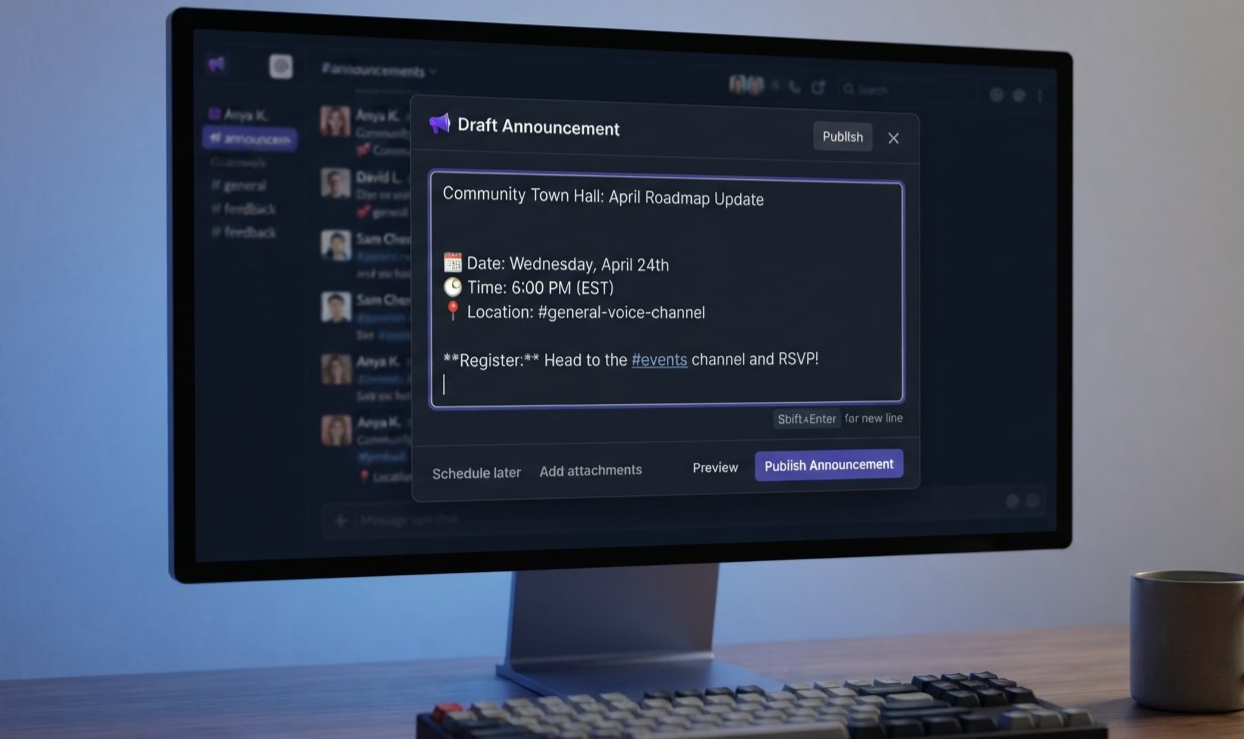
With multiline input, supported string options can accept text containing line breaks. The feature description identifies Shift+Enter as a way to insert a new line while entering the text. <Cite refs={["turn444621search2","turn444621search3"]}/>
Why line breaks matter
Imagine a community moderator preparing an announcement for an upcoming tournament.
A single-line version might look like this:
The tournament starts Saturday at 6 PM UTC. Register in #events. Read the rules before joining.
It contains the necessary information, but it is harder to scan. A multiline version can separate the details:
Weekend Tournament

The tournament starts Saturday at 6 PM UTC.

Register in #events and read the rules before joining.
The message is easier to read because each piece of information has room to breathe. The same idea applies to event descriptions, community notices, longer notes, and other text fields that support multiline input.
Better formatting before submission
The benefit is not simply that more characters can be typed. It is that the original structure of the text can be preserved.
Paragraph breaks can separate different ideas. Short lines can make instructions easier to scan. A longer description can feel organized before it is submitted.
That can be especially helpful for server teams that use bot commands to publish structured content rather than composing every announcement directly in the regular chat box.
An important distinction
Multiline input does not mean every slash-command option automatically becomes a large text editor. It applies to supported string options, and the command itself still determines what information it accepts.
A command asking for a short title may remain intended for a short title. A command designed to accept a longer description is where multiline support can be particularly useful.
The improvement gives command creators and users more flexibility without changing the basic purpose of slash commands.
3. Fuzzy Search: Find Commands Without Remembering Every Letter
The second major improvement makes command discovery more forgiving.
Discord's command picker helps users locate actions provided by apps and bots. As a server grows, the available commands can become harder to remember, especially when several apps offer similar tools.
Fuzzy search helps bridge that gap. Instead of requiring an exact sequence of characters, the search can match a command even when the user enters a partial or abbreviated pattern.
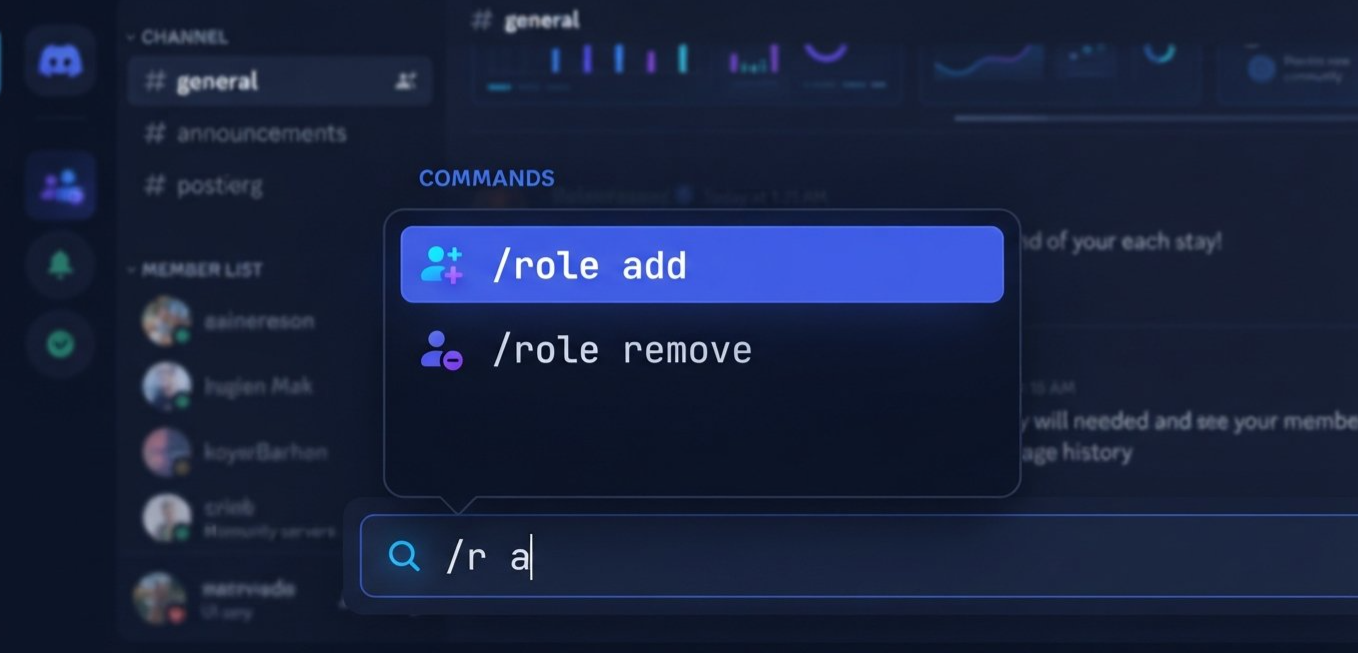
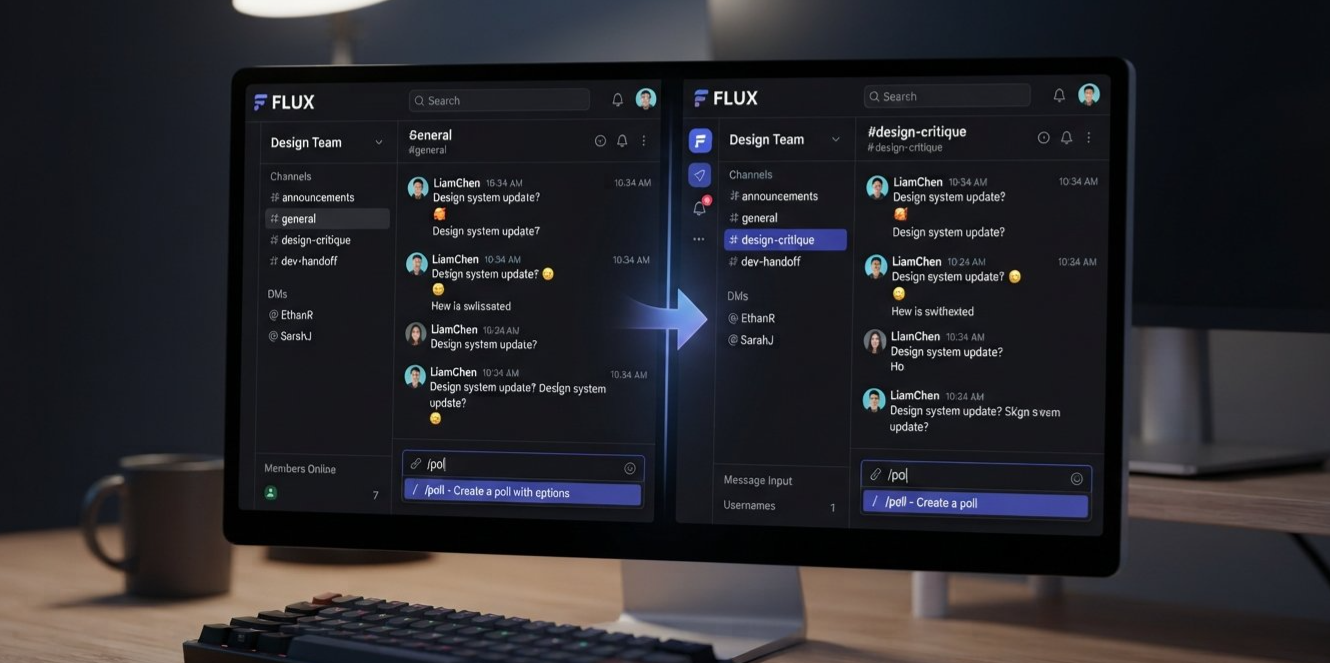
The example highlighted in the feature notes is straightforward: typing /r a can bring up /role add. <Cite refs={["turn444621search2","turn444621search3"]}/>
From exact typing to flexible matching
Consider a moderator who wants to add a role to a member. They remember the action is related to roles, and they know the command includes “add,” but they do not remember the exact full name.
With a more restrictive search, they may need to type the complete command name or try different variations.
With fuzzy autocomplete, the shorter input /r a can be enough to surface /role add.
That makes the command picker more useful as a discovery tool, rather than merely a list of commands you already know by heart.
Why this helps large servers
A small server might have a handful of bot commands. A larger gaming community, creator network, or support server can have many apps and administrative tools available.
In that environment, remembering every command name becomes less practical. Fuzzy matching reduces the pressure to memorize exact wording.
It can also help when users remember the general shape of a command but forget part of its name. Instead of starting over, they can try a shorter search and choose the appropriate result.
Fuzzy search is not the same as guessing blindly
Autocomplete suggestions are still suggestions. Users should review the selected command and its options before submitting it, particularly when the action affects server roles, permissions, or moderation.
For example, /role add and /role remove may look similar in a list, but they perform different actions. Faster discovery is useful only when users still select the intended command.
The feature reduces typing friction; it does not remove the need to understand what a command will do.
4. Remembered Commands Make Channel Switching Less Annoying
The third improvement is easy to overlook: the command being selected can be remembered when a user switches channels and returns. <Cite refs={["turn444621search2","turn444621search3"]}/>
This matters because Discord is a workspace as much as it is a chat app. Users frequently move between channels to check information, respond to questions, or coordinate with other members.
Imagine that a moderator starts preparing a command in one channel, then switches to another to check an event time. When they return, having their selected command remembered can make it easier to continue the task instead of selecting it again.
The improvement is particularly relevant to workflows that involve several steps. Users may need to check a member's details, verify a role, or read an instruction before finishing their command.
Small interruptions add up
One extra click is not a major problem on its own. But repeated interruptions can make a workflow feel slower than it needs to be.
Preserving command selection helps reduce that friction. It makes the interface feel more aware of what the user was doing, even as they navigate around the server.
The feature description confirms that command selection can be remembered across channel switches. It does not promise that every field, draft, or unsent value will always be preserved in every possible situation, so it is best not to assume that all command state is saved indefinitely.
5. Why These Changes Matter for Server Moderators
Slash commands are particularly valuable in communities where moderators need to perform repetitive administrative tasks.
Depending on the bots and apps installed, commands may help with assigning roles, publishing announcements, managing events, responding to support requests, or carrying out other server operations.
The new input and search improvements address two common problems: entering the right information and finding the right action.
Role management
A moderator who needs to add a role can benefit from fuzzy search when they remember the general command but not its full name.
The /r a example demonstrates how partial input can help surface /role add. The moderator still needs to select the correct member and role, and the bot must have the necessary permissions.
Community announcements
A bot command that accepts a longer string can be easier to use when the text includes several paragraphs. Multiline input allows supported fields to preserve line breaks rather than forcing the announcement into one continuous line.
This can help make instructions and event details more readable, provided the specific bot command accepts that kind of content.
Support and event workflows
Moderators often switch channels to gather context before completing a task. Remembered command selection can make that process less disruptive.
These improvements are not exclusive to moderators, but they are especially relevant to people who use commands frequently and work across several channels.
The common thread is efficiency. Better search saves time finding actions, multiline input makes longer text easier to prepare, and remembered selections reduce the need to repeat steps.
6. What Bot Developers Need to Know
The user-facing improvements are only part of the story. Multiline input also has implications for developers who build Discord bots and apps.
The developer-focused notes warn that string options can now contain newline characters. Code that previously assumed a string would always be a single line may need to handle that input more carefully. <Cite refs={["turn444621search2","turn444621search3"]}/>
Review assumptions about input
A string is not necessarily a single sentence or line of text. It may contain line breaks, paragraphs, or other formatting that the user deliberately entered.
Developers should review how command values are validated, stored, displayed, and passed to other systems. This is particularly important when user-provided strings are placed into fields or systems that expect single-line values.
For example, a bot might accept a description and then place it in an embed, write it to a database, or pass it to another service. Each destination has its own requirements, and developers should verify that the new input shape is handled appropriately.
Preserve formatting where appropriate
If line breaks are meaningful to the command, the bot should preserve them where the destination supports them.
If a particular field must be single-line, the developer should explicitly validate or normalize the input according to the command's intended behavior, rather than assuming that line breaks cannot appear.
The correct handling depends on the use case. A multiline announcement may need its paragraphs preserved, while a short identifier may need stricter validation.
Test command behavior
Developers should test commands with single-line input and multiline input, including text containing blank lines. They should also confirm how the output appears to users and whether downstream systems accept the value.
Discord's official application-command documentation describes the structure of slash commands and their options. Developers can use it as a reference when reviewing their implementations: Discord Application Commands Documentation. <Cite refs={["turn444621search0"]}/>
Fuzzy autocomplete still requires sensible selection
Fuzzy search changes how commands are found, not what a bot is authorized to do. Bot developers should continue to provide clear command names and descriptions so users can distinguish similar actions.
If a bot offers commands with potentially consequential effects, clear descriptions and appropriate permission checks remain important. A convenient picker should help users choose correctly, not obscure the difference between actions.
7. How the Update Changes Everyday Discord Use
The value of this update becomes clearer when the three changes are considered together.
| Everyday task | Before the improvement | With the improvement |
|---|---|---|
| Finding a role command | Users may need to remember more of the exact name | Fuzzy matching can surface /role add from /r a |
| Writing a longer announcement | A single-line field can make formatting awkward | Supported string options can accept line breaks |
| Checking another channel mid-task | Users may have to reselect the command on return | The selected command can be remembered |
| Building bot commands | Developers may assume input contains no line breaks | Developers should handle multiline string values where appropriate |
These changes do not eliminate every inconvenience. Users still need to understand commands, bots still need to validate input, and autocomplete still requires the correct selection.
What changes is the amount of unnecessary precision the interface demands. Users can search more naturally and prepare text in a format that suits the task.
That is what makes the update a meaningful quality-of-life improvement. It focuses on the everyday actions people repeat rather than adding complexity for the sake of novelty.
8. Frequently Asked Questions
What are the new Discord slash-command improvements?
The changes described in developer-focused notes include multiline input for string options, fuzzy command autocomplete, and remembering the selected command when switching channels. Related fixes also address mobile command-picker behavior. <Cite refs={["turn444621search2","turn444621search3"]}/>
How does multiline slash-command input work?
Supported string options can accept text with line breaks. The feature notes identify Shift+Enter as a way to insert a new line while entering text.
What does fuzzy search mean in Discord's command picker?
Fuzzy search lets the command picker match commands from partial or abbreviated input rather than requiring users to type the exact full command name.
Can typing /r a really find /role add?
That is the example given in the feature description. The picker can use the partial query to surface the relevant command, although the exact results can depend on which commands are available to the user.
Does multiline input work with every slash command?
Not necessarily. The change concerns string options that support multiline input. The command's design and the bot's implementation still determine how the input is used.
Why does multiline input matter to bot developers?
String values can contain newline characters, so developers should review code that assumes inputs are always single-line. Validation, storage, display, and downstream processing should all be checked where relevant.
Does fuzzy search change bot permissions?
No. Finding a command more easily does not grant new permissions or bypass the bot's access controls. The user and bot still need the required permissions for the action.
Where can developers learn more about slash commands?
Start with the official Discord Application Commands documentation, which explains command structure, options, and autocomplete behavior.
9. Final Verdict: Less Typing, Less Friction, Better Commands
Discord's multiline input and fuzzy autocomplete improvements are the kind of changes that make an established feature more pleasant to use.
Multiline string options give supported commands more room for announcements and longer descriptions. Fuzzy search helps users find commands even when they remember only part of the name. Remembered command selection makes switching between channels less disruptive.
For everyday users, the benefit is straightforward: less time searching and less awkward text entry. For moderators, it can make common administrative workflows smoother. For developers, the multiline change is also a reminder to handle user input according to what it can actually contain.
These are not replacements for well-designed bots, clear descriptions, or careful permission checks. They are improvements to the interface that connects people with those tools.
The best quality-of-life updates often work exactly this way. They do not ask users to learn an entirely new system. They remove small obstacles from a system people already use.
And when /r a is enough to find /role add, or a command can accept a properly formatted announcement, Discord feels a little more natural to work in.
Sources
Discord Application Commands Documentation
Official reference for slash-command structure, options, and autocomplete.Discord API Changes for Bot Developers: September 2026
Developer-focused summary describing multiline string input, fuzzy search, remembered command selection, and compatibility considerations.Slash Commands FAQ: Discord Apps and Activities
Official overview of command discovery and autocomplete in Discord.


Comments
Sign in to join the conversation
Sign inNo comments yet
Be the first to share your thoughts!