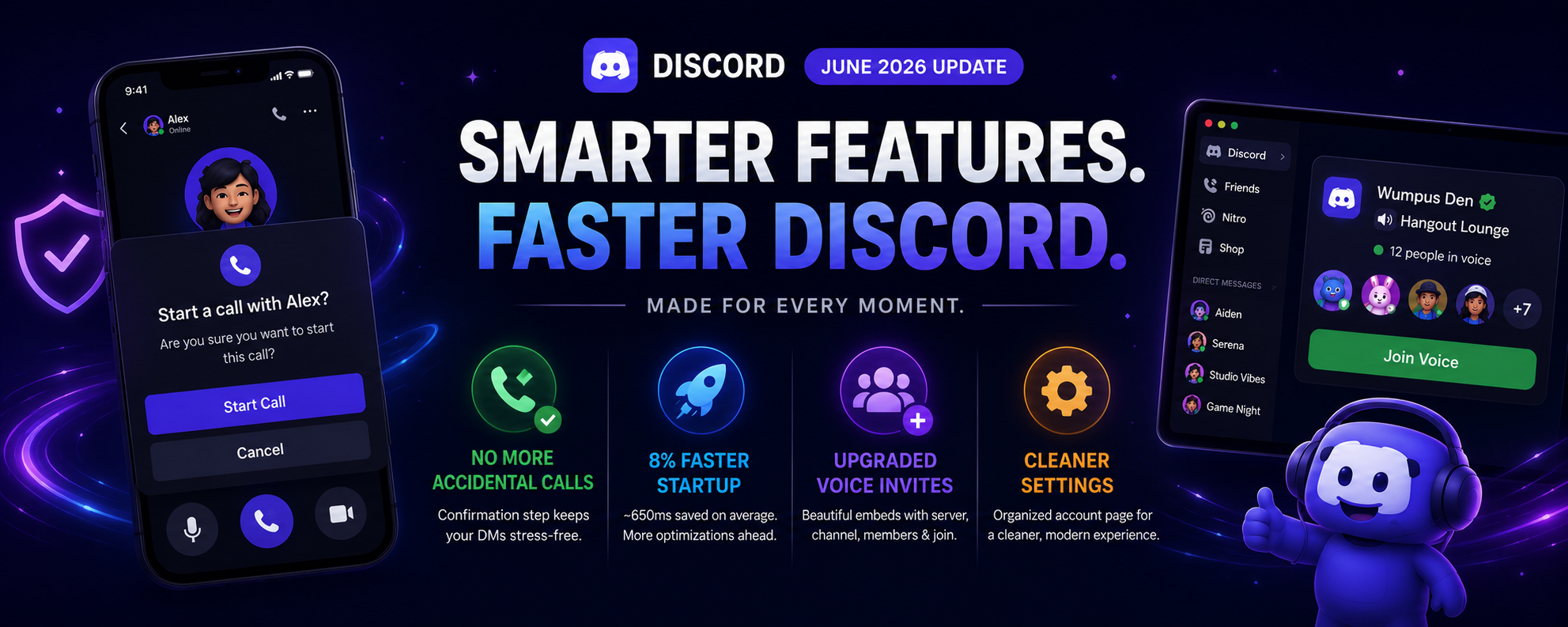

Discord's June 2026 update is packed with quality-of-life improvements that make the platform faster, cleaner, and more enjoyable to use. From preventing accidental mobile calls to improving desktop startup performance, this update focuses on the everyday features users interact with the most.
Here's everything you need to know about the latest Discord update.
The End of Accidental Calls
If you've ever accidentally tapped the call button in a Direct Message and immediately scrambled to cancel it, you're not alone.
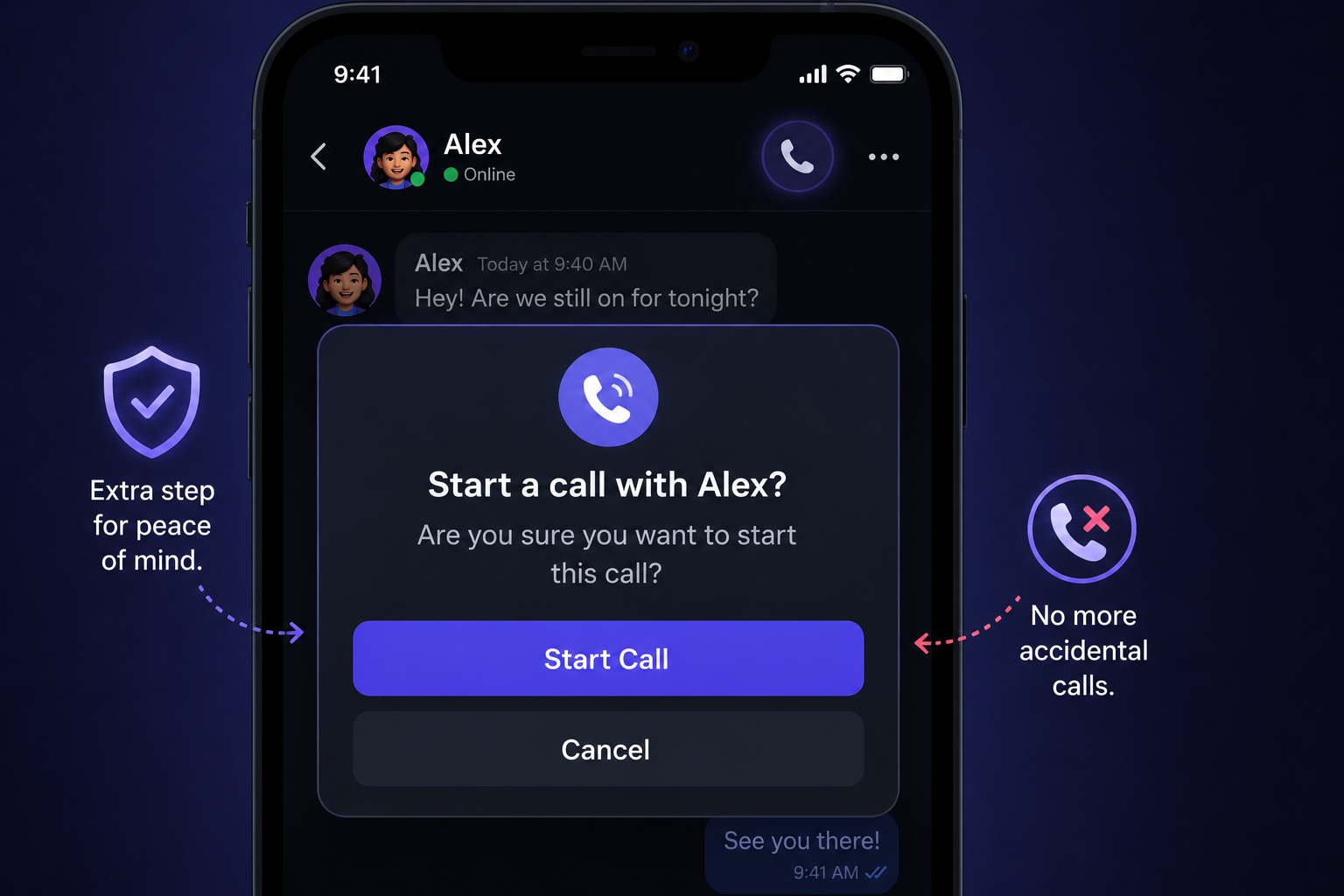
Discord has finally added a confirmation prompt for mobile users before placing a voice call.
Instead of calling immediately, you'll now see a confirmation dialog asking whether you actually want to start the call.
Benefits
- Prevents accidental calls
- Reduces awkward situations
- Makes mobile navigation safer
- Improves the overall messaging experience
Faster Desktop Startup Times
Discord has also improved desktop performance by optimizing the application's startup process.
According to Discord, the latest update delivers:
| Improvement | Result |
|---|---|
| Startup Speed | 8% Faster |
| Average Time Saved | Around 650ms |
While the improvement may seem small, launching Discord now feels noticeably quicker, especially for users who open the app multiple times each day.
Discord has also confirmed that additional performance optimizations are planned for future updates.
Upgraded Voice Invites
Sharing voice channels is now much more visually appealing.
Instead of sending a simple text link, Discord now generates a rich voice invite card containing useful information.
The new voice invite embeds display:
- Server name
- Voice channel name
- Current number of participants
- Member avatars
- One-click Join Voice button
These richer previews make it easier for friends to understand where they're joining before clicking the invite.

A Cleaner Account Settings Page
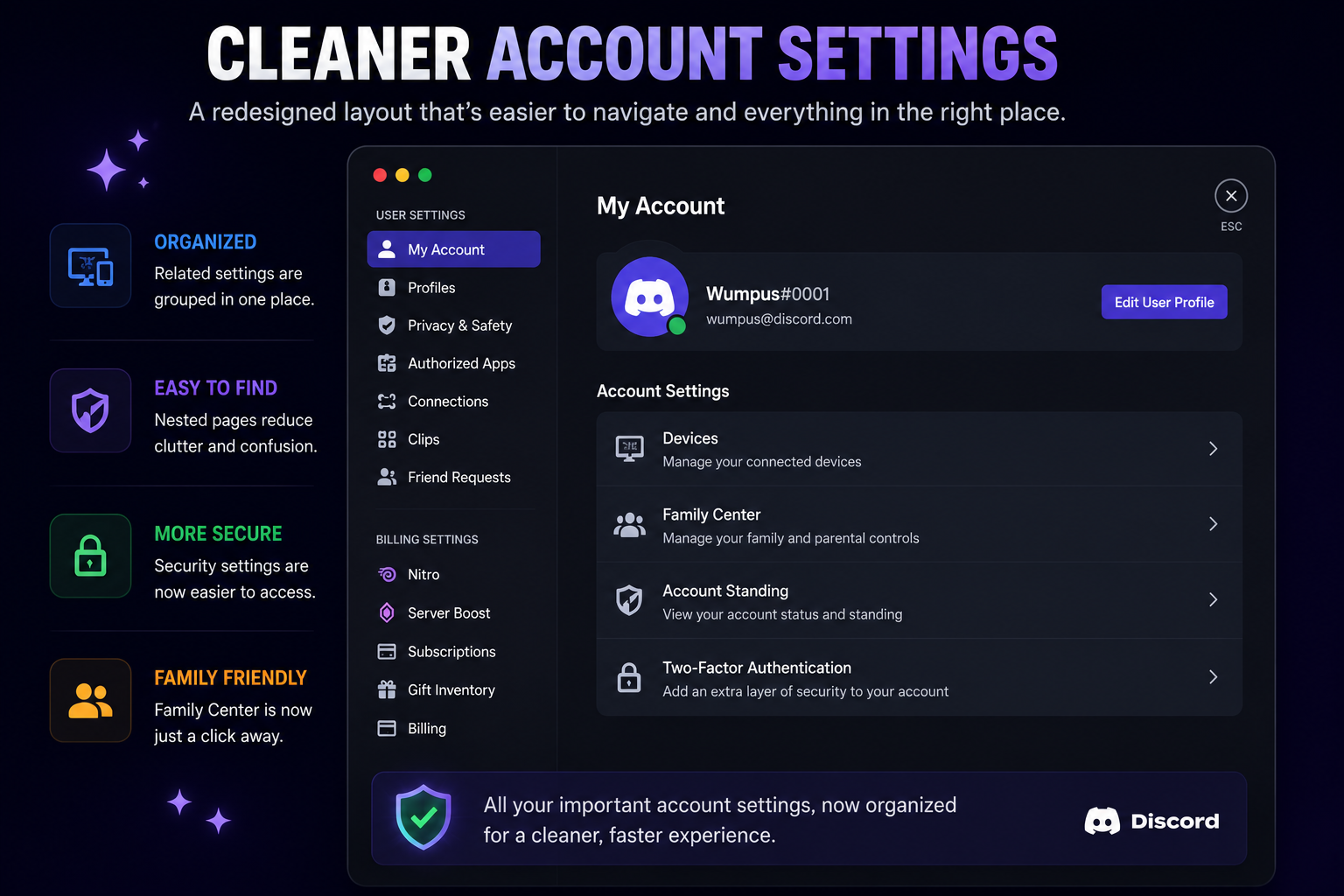
Discord continues to modernize its interface with a redesigned Account page.
Several previously separate sections have now been organized into nested menus, making settings easier to navigate.
The updated layout includes:
- Devices
- Family Center
- Account Standing
- Two-Factor Authentication
The redesign reduces clutter while giving the settings menu a cleaner and more consistent appearance.
Why This Update Matters
Although this update doesn't introduce major new social features, it significantly improves the overall Discord experience.
Highlights
✅ No more accidental mobile calls✅ Faster desktop startup
✅ Rich voice invite embeds
✅ Cleaner settings layout
✅ Better overall usability
These changes focus on everyday quality-of-life improvements that millions of Discord users will notice.
Frequently Asked Questions
1. Does the call confirmation only work on mobile?
Yes. The confirmation prompt is designed to prevent accidental calls on mobile devices.
2. How much faster is Discord now?
Discord reports approximately an 8% improvement in desktop startup times, saving around 650 milliseconds on average.
3. What information appears in the new voice invite embeds?
Voice invite cards display the server name, voice channel, participant count, member avatars, and a quick join button.
4. Has Discord changed the Account Settings page?
Yes. Several settings have been reorganized into cleaner, nested sections for easier navigation.
5. Are these features available to everyone?
The June 2026 update is rolling out broadly to Discord users on supported platforms.
Final Thoughts
Discord's June 2026 update focuses on making the app faster, cleaner, and more convenient to use.
Whether it's preventing accidental calls, improving startup performance, enhancing voice invites, or simplifying account settings, these updates streamline the everyday Discord experience without changing how you already use the platform.
If you haven't updated Discord recently, these improvements are well worth checking out.
Sources
- Official Discord Changelog
- Discord Desktop Client
- Discord Mobile App
- Discord Support Documentation


Comments
1Sign in to join the conversation
Sign in