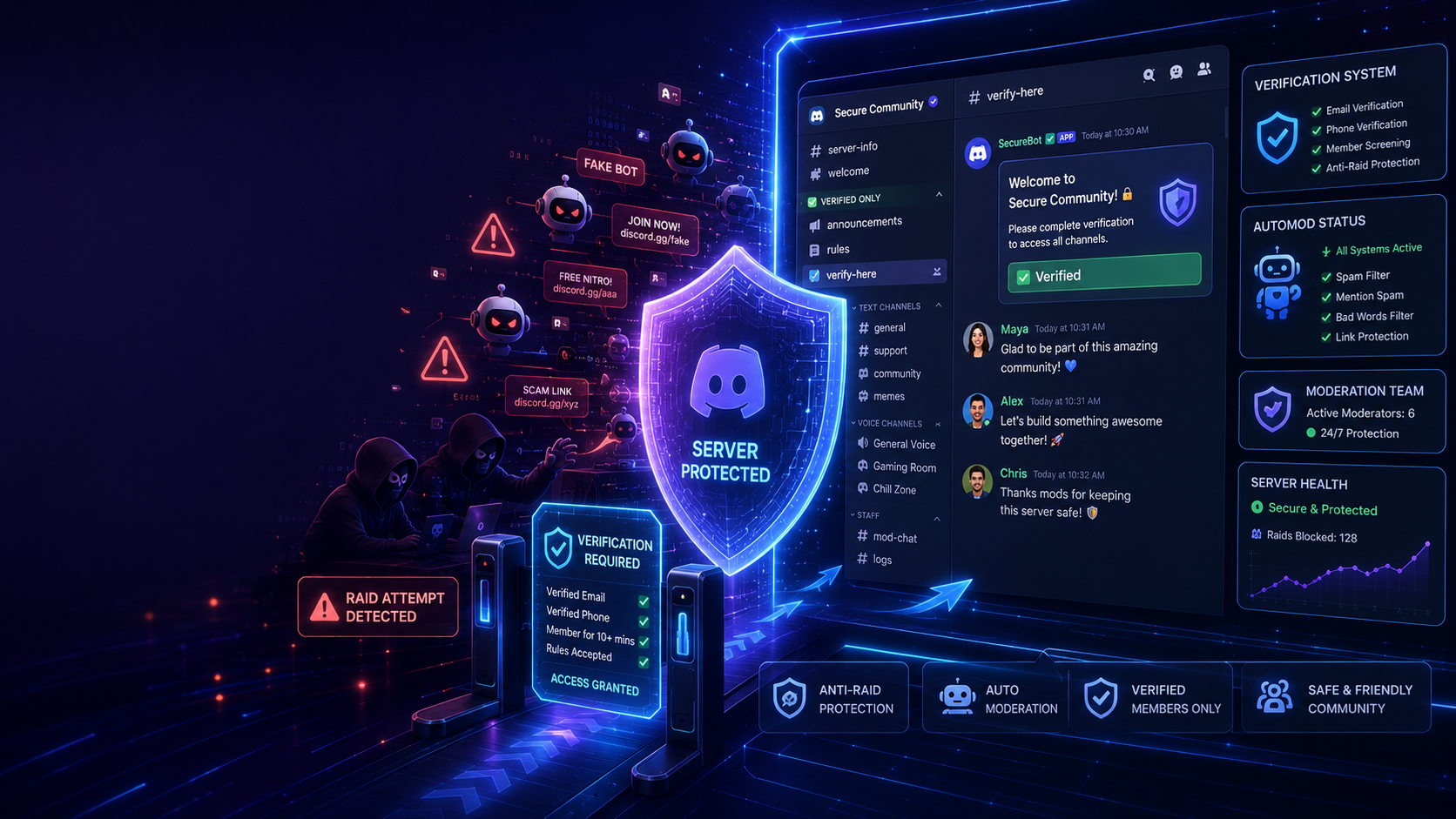

Discord servers continue to grow in popularity, but so do the threats that come with managing an online community. One of the biggest challenges server owners face is -Discord server raids**. These attacks often involve fake accounts, spam bots, malicious links, and disruptive users joining your server at the same time.
The good news is that Discord provides powerful security tools to help prevent raids before they happen. By setting up a proper verification system and combining it with moderation tools, you can keep your community safe while still providing a smooth experience for genuine members.
Why Every Discord Server Needs Verification
Verification acts as the first line of defense against spam and fake accounts.
Instead of allowing every new member to immediately access your server, Discord can require users to verify their account before sending messages or joining conversations.
Benefits include:
✔ Prevents spam bots
✔ Blocks fake accounts
✔ Reduces scam messages
✔ Makes moderation easier
✔ Creates a safer community
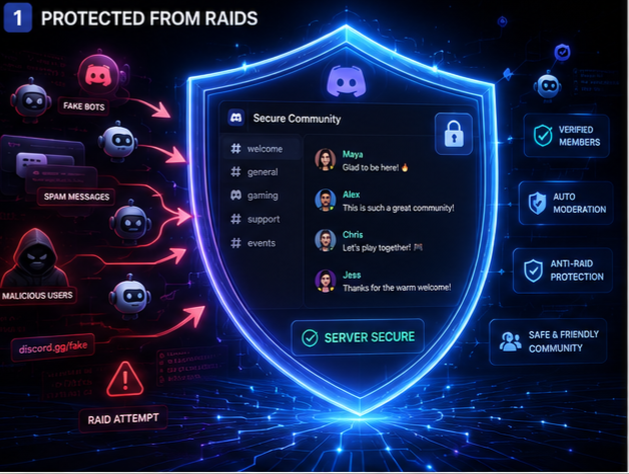
Choose the Right Verification Level
Discord offers multiple verification levels that control who can participate in your server.
You can choose between:
• None
• Low
• Medium
• High
• Highest
If your server is public, selecting **High** or **Highest** provides much stronger protection against raids and automated accounts.
| Verification Level | Best For | Security |
|---|---|---|
| None | Private Friends Server | ⭐ |
| Low | Small Communities | ⭐⭐ |
| Medium | Growing Communities | ⭐⭐⭐ |
| High | Public Servers | ⭐⭐⭐⭐ |
| Highest | Large Public Communities | ⭐⭐⭐⭐⭐ |
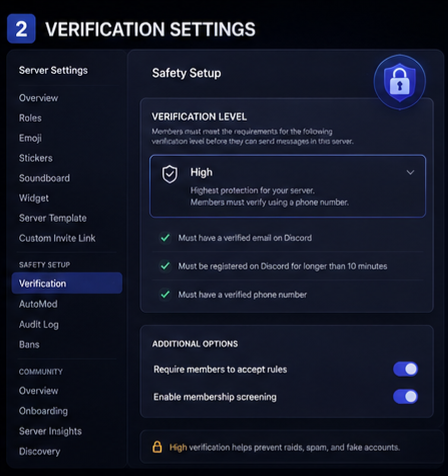
Enable Discord AutoMod
Discord's built-in **AutoMod** helps stop spam before moderators even see it.
AutoMod can automatically:
• Block spam messages
• Filter offensive language
• Prevent excessive mentions
• Detect suspicious links
• Reduce unwanted advertisements
This feature works 24/7 and significantly reduces the workload for your moderation team.
Create a Verification Channel
A dedicated **#verification** channel gives new members clear instructions before they gain access to the rest of your server.
Include:
• Community Rules
• Verification Steps
• Welcome Message
• Role Selection
• Important Announcements
A simple verification process keeps bots out while making genuine users feel welcomed.
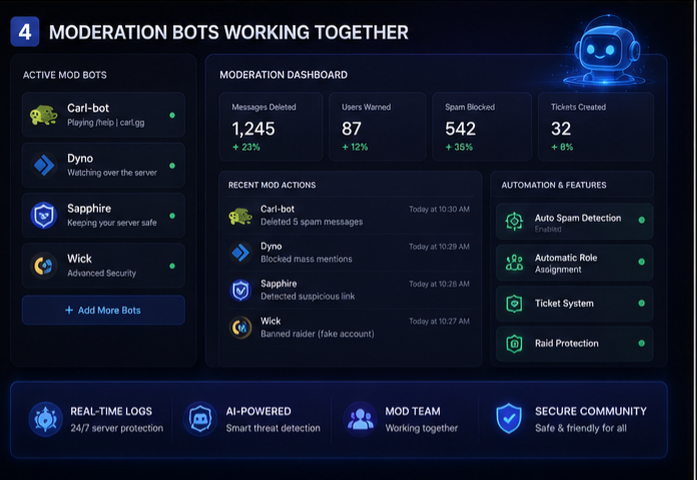
Use Moderation Bots
While Discord's built-in tools are excellent, moderation bots provide additional security.
Some of the most trusted bots include:
• Carl-bot
• Sapphire
• Dyno
• Wick
• Ticket Tool
These bots help detect suspicious behavior, log moderation actions, and automatically remove spam accounts.
| Tool | Purpose |
|---|---|
| Discord AutoMod | Blocks spam automatically |
| Carl-bot | Logging & moderation |
| Dyno | Auto moderation |
| Sapphire | Security & automation |
| Wick | Raid protection |
| Verification Channel | Stops fake users |
Manage Permissions Carefully
Many servers accidentally create security risks by giving new members too many permissions.
Before verification, avoid allowing members to:
• Create Invite Links
• Mention @everyone
• Upload Files
• Post External Links
• Manage Threads
Only grant additional permissions after members successfully complete verification.
Best Practices
A secure Discord server should follow these best practices:
✔ Enable Community Mode
✔ Turn on AutoMod
✔ Keep moderator permissions limited
✔ Review security settings regularly
✔ Remove inactive moderators
✔ Update moderation bots
✔ Monitor suspicious activity
✔ Keep server rules clear and visible
Common Mistakes
Many server owners unintentionally make their communities vulnerable.
Avoid these common mistakes:
❌ No verification system
❌ Too many Administrator roles
❌ Ignoring AutoMod
❌ Weak moderation policies
❌ Allowing everyone to chat immediately
❌ Never reviewing permissions
| Without Verification | With Verification |
|---|---|
| ❌ Spam bots join instantly | ✅ Fake accounts blocked |
| ❌ Scam links appear | ✅ AutoMod filters links |
| ❌ More moderator workload | ✅ Less manual moderation |
| ❌ Higher raid risk | ✅ Better server security |
| ❌ Poor member experience | ✅ Safe & organized community |
Final Thoughts
Protecting your Discord server isn't about making it difficult for people to join—it's about creating a safe environment where genuine members can enjoy meaningful conversations without worrying about spam or malicious users.
A combination of verification settings, AutoMod, moderation bots, and proper permission management creates one of the strongest defenses against Discord server raids. As your community grows, regularly review your security setup to ensure it continues to protect your members while maintaining a welcoming experience for new users.


Comments
Sign in to join the conversation
Sign inNo comments yet
Be the first to share your thoughts!