
🔥 Your Discord Support Channel Should Not Be a Search Engine
Every growing Discord community eventually faces the same problem.
Someone asks how to reset their password. Another person wants to know whether a subscription includes a particular feature. Someone else needs help troubleshooting an issue that has already been explained in the documentation.
And the support team answers the same questions all over again.
The frustrating part? Most of these answers already exist somewhere in the company's help center, FAQ pages, product guides, or troubleshooting articles.
The challenge is getting those answers to the people who need them without forcing them to leave Discord, open multiple browser tabs, and search through documentation themselves.
This is where help center AI integrated with Discord bots becomes useful.
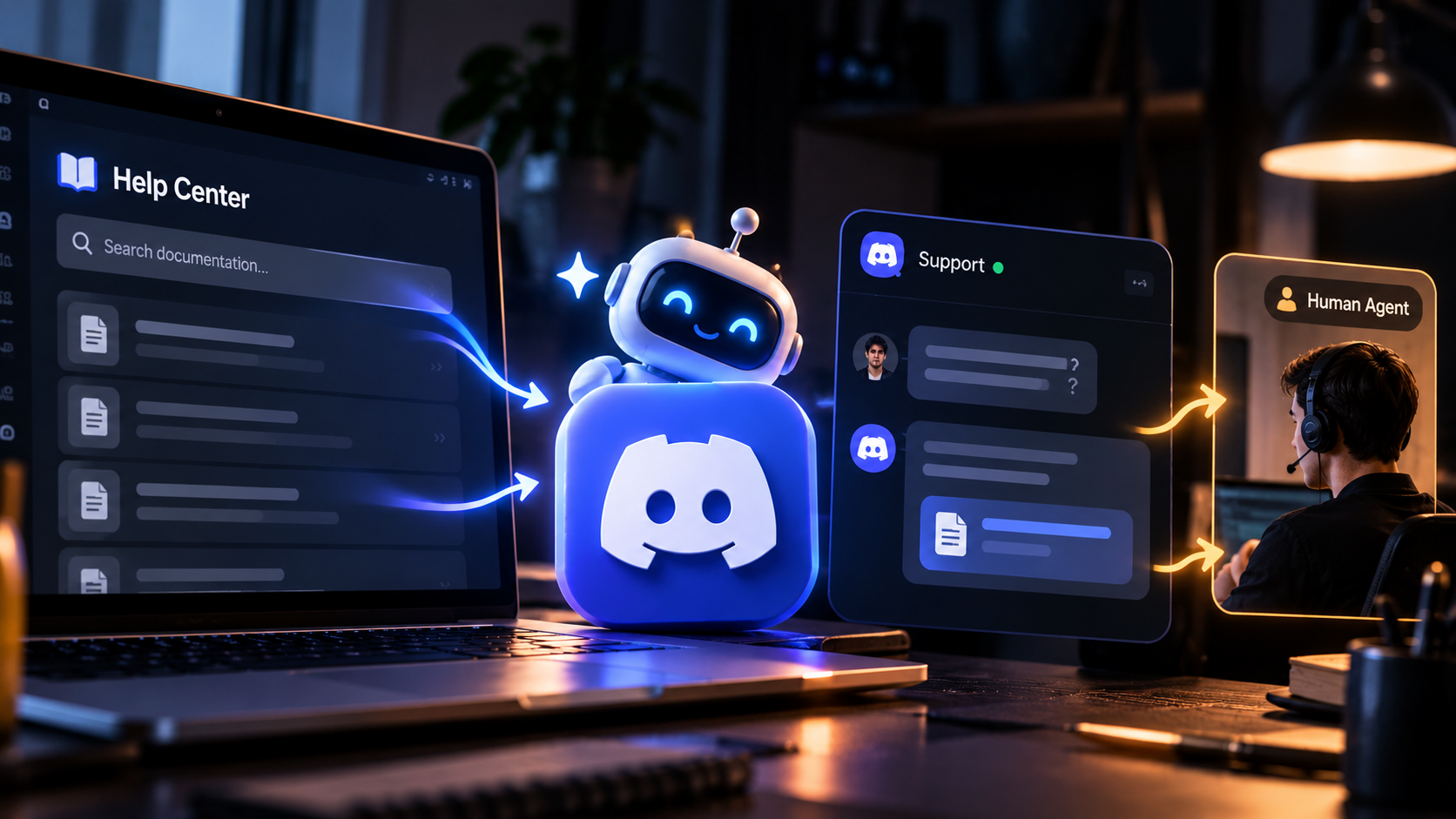
Instead of relying entirely on moderators or support agents, businesses can connect a Discord bot to an existing knowledge base. When someone asks a question in #get-support, the system retrieves relevant documentation and uses it to generate a helpful response.
The result is a support experience that feels faster, more accessible, and easier to scale.
🧠 How Does Help Center AI Actually Work?
The basic idea is straightforward. Your company already has the information. AI makes that information easier to access.
A traditional Discord support bot might respond to a command such as /faq with a predefined answer or a link to a help article.
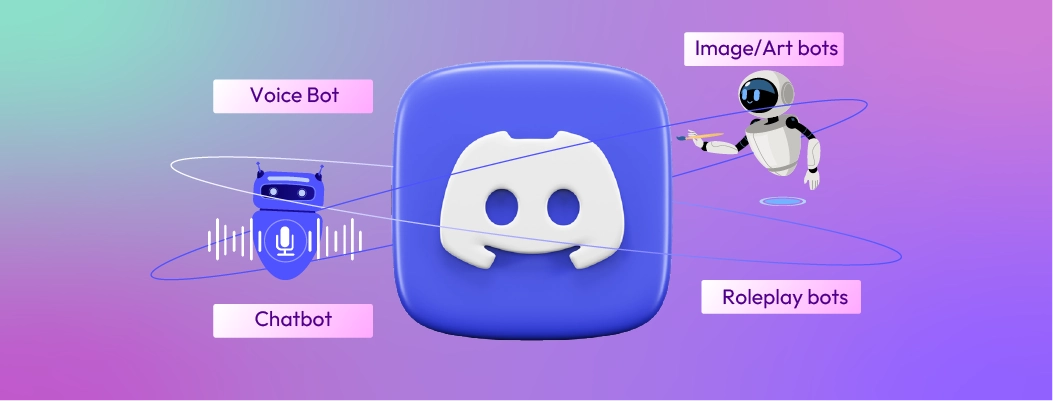
An AI enabled support bot can go further by interpreting a question written in natural language, finding relevant information across approved documents, and presenting a contextual answer.
For example, imagine a customer asks:
“I upgraded my subscription, but the premium features are still locked. What should I do?”
Instead of telling the customer to search the FAQ, the bot can retrieve the relevant subscription troubleshooting guide and summarize the recommended steps.
A common implementation uses retrieval augmented generation, often called RAG. The system searches a connected knowledge source for relevant passages and provides them to the language model as context for its answer.
The model should answer from that retrieved information rather than treating its general training as the company's official documentation.
For developers, Discord's official bot development documentation explains the foundation for creating applications that interact with server members. Its interactions documentation covers commands and other ways users can communicate with those applications.
⚙️ How the Integration Fits Together

A practical implementation connects four main components.
Discord #get support
A member asks a question
Discord support bot
Receives the request and identifies the question
Knowledge base retrieval
Searches approved help articles and documentation
Grounded AI response
Returns an answer with relevant source links or escalates the issue
The knowledge base might contain public help center articles, product documentation, troubleshooting guides, or approved internal resources.
Depending on the setup, those resources can be indexed in advance or searched through an external service when a question arrives. The right approach depends on the size of the documentation, how frequently it changes, and the tools already used by the business.
The key is that Discord becomes the place where customers ask questions, while the connected knowledge base remains the source of the answers.
📚 Connect the Documentation You Already Have
One of the biggest advantages of this approach is that businesses do not necessarily need to write an entirely new set of support answers.
They can start with their existing resources.
1. Help center articles
Public help centers often contain answers about account settings, billing, subscriptions, product features, and common errors.
These articles can provide the initial knowledge source for the bot.
2. Frequently asked questions
FAQs are particularly useful for repetitive questions. A bot can retrieve the relevant answer and explain it in a conversational way instead of returning a long list of links.
3. Technical documentation
Software companies can connect product guides, setup instructions, API documentation, and troubleshooting pages. This is especially helpful when users need a specific configuration step or explanation.
4. Internal support resources
Some businesses also maintain private troubleshooting guides and staff procedures. These require stricter access controls because information intended for employees should not automatically become visible to every Discord member.
A useful starting point is to connect a small, well maintained collection of documents, test the answers, and expand the knowledge base once the system performs reliably.
💬 What Should an Automated #Get Support Channel Look Like?
A good support bot should not turn the entire channel into an endless stream of automated messages.
It should make getting help easier.
Consider three common situations.
Member question | Ideal bot behavior |
|---|---|
How do I reset my password? | Provide the relevant steps and official guide |
Why is my subscription not active? | Retrieve troubleshooting instructions and explain the next steps |
My account was charged twice. Can you fix it? | Explain the available support process and direct the member to an authorized human agent |
The distinction matters. Some questions can be answered directly from documentation. Others involve private account information, payment records, or decisions that require human intervention.
The bot should recognize that difference instead of pretending every issue can be resolved automatically.
Businesses can also use Discord application commands, buttons, and forms to guide users through common support workflows. Discord's application commands documentation describes the available command system.
🛡️ Accuracy and Privacy Matter More Than Automation
An AI support bot that answers quickly but gives incorrect instructions can create more work than it saves.
That is why a reliable implementation needs clear rules.
Use approved sources. The bot should retrieve information from documentation the business has authorized it to use.
Show supporting links. When possible, include the original article so members can verify the answer or read the complete instructions.
Admit when information is missing. If the knowledge base does not contain a reliable answer, the bot should say so and offer an appropriate next step.
Protect private information. Do not expose customer records, private staff documents, credentials, or sensitive account details in public channels.
Provide human escalation. Billing disputes, account access problems, unusual technical failures, and complaints should have a clear path to a human support agent.
Discord also provides information about bot data access and visibility, which is worth reviewing when choosing or configuring a third party support application.
These safeguards are not optional extras. They help determine whether customers can trust the system.
📈 How Businesses Can Measure the Results
Automation should be evaluated by whether it improves the support experience, not simply by how many messages the bot sends.
Businesses can track several useful metrics:
First response time: How quickly members receive an initial answer.
Resolution rate: How often questions are resolved without human intervention.
Answer accuracy: Whether responses match the approved documentation.
Escalation rate: How frequently the bot needs to transfer a question to a human.
Customer satisfaction: Whether members find the answers useful.
Repeated questions: Which issues continue to appear despite existing documentation.
These measurements can reveal gaps in both the AI system and the knowledge base itself.
For example, a high escalation rate around subscription problems might indicate that the documentation is incomplete, the retrieval system is missing relevant articles, or the issue genuinely requires access to customer account data.
That insight can help the business improve its documentation instead of simply adding more automation.
🚀 The Future of Discord Customer Support
Discord has become more than a place for gaming communities. Software companies, creators, SaaS businesses, and product teams increasingly use community servers to communicate with their customers.
As those communities grow, manually answering every question becomes harder to sustain.
Connecting a help center to an AI enabled Discord bot offers a practical middle ground. Customers can get answers where they already spend time, while support agents can focus on complicated problems that require judgment, investigation, or personal attention.
The winning setup is not a bot that tries to replace every support interaction.
It is a system that finds the right documentation, explains it clearly, links to the original source, and knows when to bring in a human.
Existing Documentation → Knowledge Retrieval → Contextual AI Answer → Human Escalation When Needed
That is how a simple #get-support channel can become a more useful support system without forcing a business to rebuild its entire help center.
The smartest automation does not replace the knowledge your team has already created. It makes that knowledge easier for every customer to find.
🔗 Official Sources
1. Discord Developer Documentation
Covers the foundations for building Discord applications and bots.
2. Discord Interactions Overview
Explains how applications receive and respond to member interactions.
Comments
Sign in to join the conversation
Sign inNo comments yet
Be the first to share your thoughts!