

The Complete Wiki to Discord Predefined Wordlists
What Are Discord Predefined Wordlists?
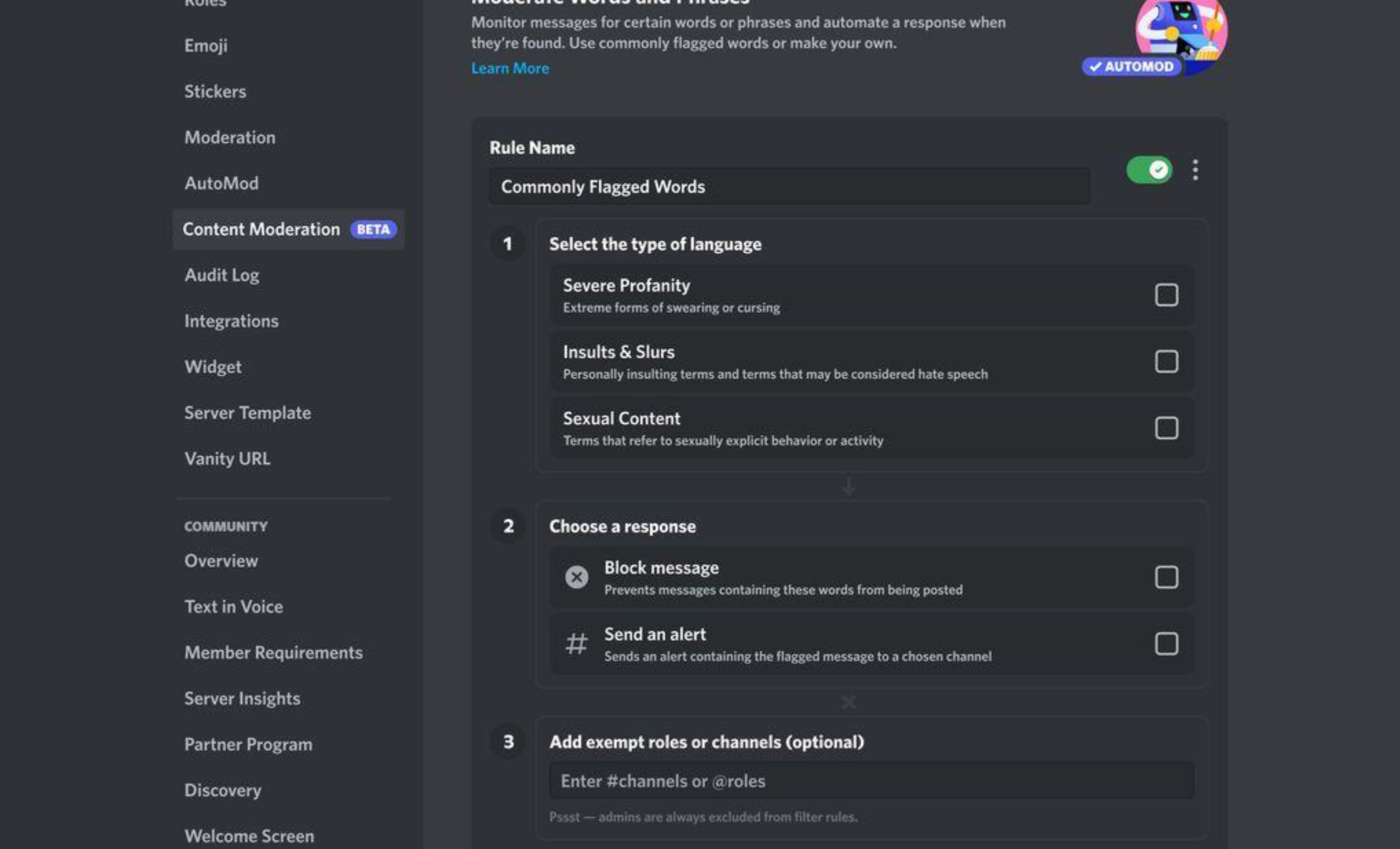
Discord AutoMod includes a Commonly Flagged Words filter with three ready-made wordlists:
- Insults and Slurs - covers personally insulting material, including terms that may be considered slurs or hate speech.
- Sexual Content - filters sexually explicit language.
- Severe Profanity - targets more extreme profanity while allowing milder forms of swearing.
The lists are maintained by Discord and are designed to provide a quick starting point for server moderation. Discord Support
How to Enable Them
Go to:
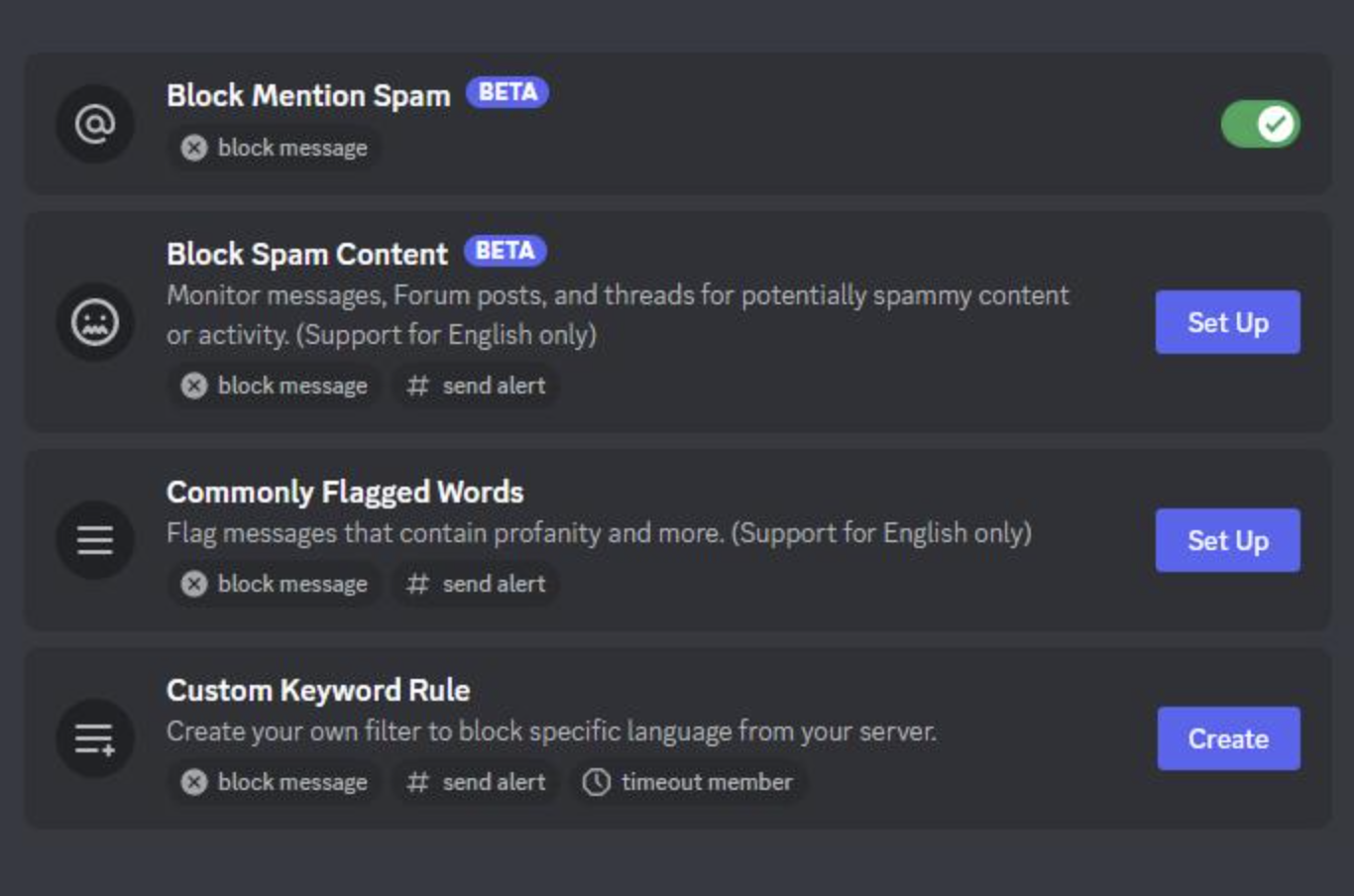
Server Settings → AutoMod → Commonly Flagged Words → Set Up
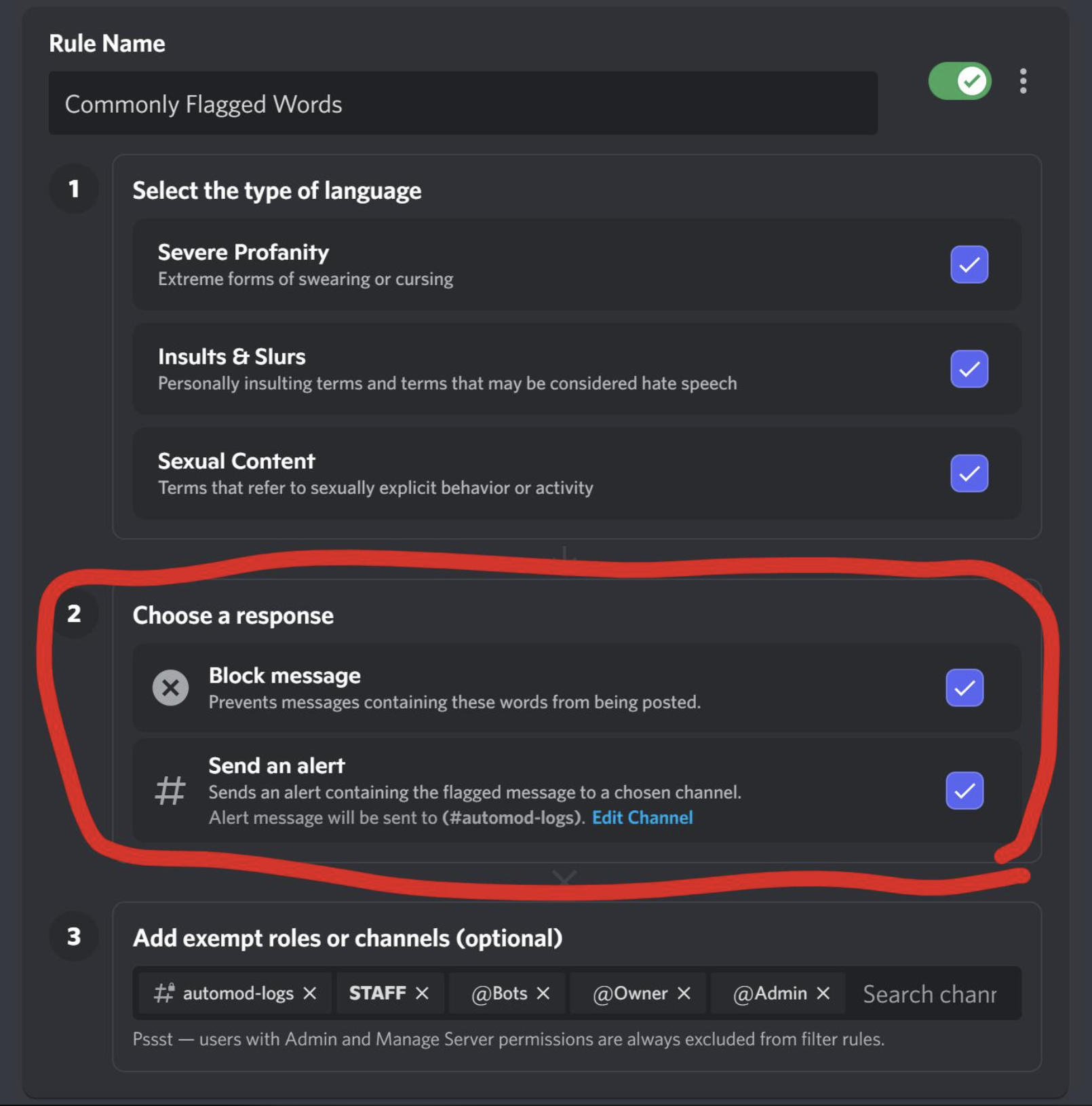
You can then select the predefined wordlists you want to use and configure what AutoMod should do when a message is flagged. Discord Support
Depending on your setup, AutoMod can block the message and/or send an alert to a moderator channel.
Can You Customize the Wordlists?
Yes. Discord lets you add exempt words to the predefined lists.
This is useful when a legitimate word or phrase is being caught by the filter but is acceptable in your particular community. Discord Support
You can also configure role and channel exemptions, allowing trusted moderators or specific channels to bypass the filter. Discord
Recommended Setup
For most communities:
- Enable Insults and Slurs.
- Enable Sexual Content if it fits your community rules.
- Enable Severe Profanity.
- Start with Block Message for clearly unacceptable content.
- Add moderator alerts if your team needs to review violations.
- Add exemptions only where there is a genuine moderation need.
Remember that AutoMod is a moderation tool, not a replacement for human judgment. Discord recommends using alerts for content that may require context instead of automatically blocking everything. Discord
Predefined vs Custom Wordlists
| Predefined Wordlists | Custom Keywords |
|---|---|
| Maintained by Discord | Maintained by server staff |
| Ready to enable | Must be created manually |
| Covers common categories | Can target server-specific terms |
| Can add exempt words | Full control over your keywords |
Quick Checklist
- Enable Commonly Flagged Words
- Select the required categories
- Configure the response
- Add moderator alerts if needed
- Review false positives
- Add exempt words where appropriate
- Use custom rules for server-specific terms
🎮 The Bottom Line
Discord's predefined AutoMod wordlists are the easiest way to add basic language moderation without manually creating a huge blocked-word list. Start with the categories your community actually needs, then use exemptions and custom rules to fine-tune the experience.
Comments
Sign in to join the conversation
Sign inNo comments yet
Be the first to share your thoughts!