
The Complete Wiki to Official Discord Profile Badges
Two small icons can look alike but mean very different things.
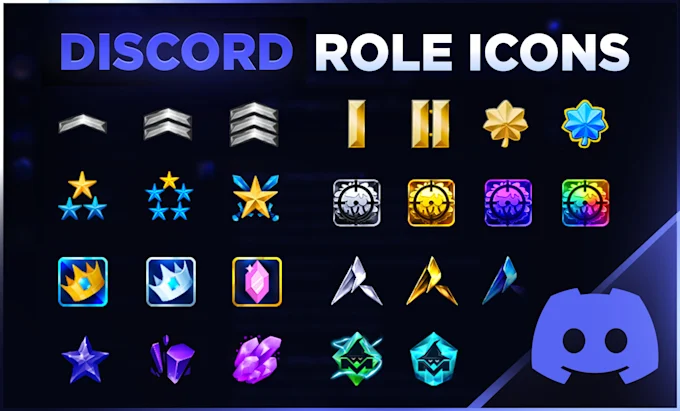
Official profile badges come from Discord. Role icons come from server admins.
Here is how to tell them apart. 🏅
📝 Note: Badge programs change often. Check your own profile card for the badges you currently hold.
Badges vs Role Icons at a Glance
| Feature | Official Profile Badge | Server Role Icon |
|---|---|---|
| Who issues it | Discord | Server admins with Manage Roles |
| Where it shows | Your profile card | Member list and chat in one server |
| Scope | Follows you across Discord | Only that server |
| Requirement | Nitro, Boosting, Quests or past programs | Server Boost Level 2 |
| Can you rearrange it | No, Discord sets the order | Hierarchy decides which icon shows |
Key fact: Official badges are attached to your Discord account, while role icons only exist inside one server.
Official Profile Badges Explained
Official badges are small icons on your profile card. They can reflect a subscription, server support, a Quest or a past Discord program.
- Nitro. Shows an active subscription.
- Server Booster. Shows you boost servers.
- Quests and Orbs. Earned through eligible Discord activities.
Hover over a badge to see its name and details. Discord controls the display order, so you cannot rearrange badges.
⚠️ Heads up: Several guides report that Discord removed the Active Developer badge on December 5, 2025, so it can no longer be earned.
Custom Role Icons Explained
Role icons are a server feature. A server needs Boost Level 2 to unlock custom role icons, and members with Manage Roles can set them.
Discord shows only one role icon in the member list and in chat. It uses the icon from the user’s highest role that has one.
🎭 Quick Role Icon Flow
⚙️ 1. Open Server Settings, then Roles
↓
✏️ 2. Edit a role and find Display
↓
🖼️ 3. Upload an image in Role Icon
↓
✅ 4. Check the member list for the result
💡 Tip: If a server loses Level 2, uploaded icons stay saved but stop displaying until the level returns.
How to Spot the Difference
Check where the icon appears. Badges sit on a profile card. Role icons appear next to a name in chat or in a server’s member list.
A role icon never proves official status. Any admin can upload any image, so treat unknown icons with care.
🔐 Reminder: Check the profile card for a badge before trusting a claimed staff or partner icon.
For official details, read Discord’s Custom Role Icons FAQ, the Server Boosting guide and the Custom Profiles guide. For a deeper list of badges, see this badge guide on discords.ai.
FAQ
Are role icons the same as badges?
No. Badges come from Discord. Role icons are set by a server.
Can I buy an official badge?
Not directly. Badges come from subscriptions, boosting, Quests and past programs.
Can I rearrange my badges?
No. Discord sets the display order.
What server level unlocks role icons?
Server Boost Level 2.
How many role icons show next to a name?
One. Discord uses the icon from the highest role that has one.
Who can set role icons?
Server members with the Manage Roles permission.
Where is the official role icon guide?
Read Discord’s Custom Role Icons FAQ.
Where do I learn about profile customization?
See Discord’s Custom Profiles guide.
Comments
Sign in to join the conversation
Sign inNo comments yet
Be the first to share your thoughts!