

Discord DM privacy and safety alerts give users tools to manage unsolicited messages, control contact permissions, and identify potentially unwanted communications. These features are especially useful for people who participate in large public servers or receive messages from unfamiliar accounts.
Discord provides several built-in safety controls, including message request handling, direct message privacy settings, and spam filtering. Together, these features help users decide which conversations they want to engage with and which messages require caution.
This guide covers message requests, native spam filters, direct message permissions, suspicious links, and practical ways to maintain a safer Discord inbox.
Discord DM Privacy and Safety: Overview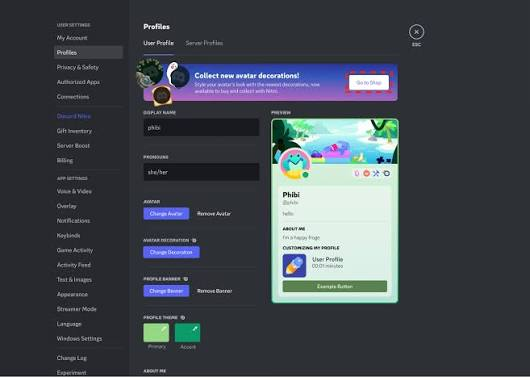
Direct messages, commonly called DMs, allow Discord users to communicate privately without posting in a public server channel. However, receiving messages from unfamiliar users can expose people to unwanted promotions, phishing attempts, scams, harassment, and automated spam.
Discord's privacy and safety features help manage these risks by controlling incoming messages and identifying certain categories of potentially unwanted content.
Two important concepts are Message Requests and spam filtering. Message requests can separate eligible messages from people a user does not directly know, while spam filters can detect and divert certain messages identified as spam.
These features serve different purposes. Message requests help manage unfamiliar contacts, whereas spam filtering helps identify unwanted messages. Neither feature guarantees that every suspicious message will be detected.
Setting and Background
Discord began as a communication platform for gaming communities but has expanded into communities focused on education, entertainment, technology, hobbies, and professional collaboration.
As public servers grew, users increasingly needed ways to distinguish legitimate conversations from unwanted contact. Public community participation can make it easier for unfamiliar people to discover a user's profile and attempt to start a conversation.
Discord's privacy settings address this challenge by allowing users to restrict direct messages, review messages from unfamiliar contacts, and manage how suspicious communications are handled.
The available options and their precise names can change as Discord updates its applications. Users should review the current Privacy & Safety or Content & Social settings in their version of Discord to confirm which controls are available.
Characters and Key Elements
Discord Users
Users control their personal privacy preferences, including available direct message permissions and message request settings. They can also block individual accounts, report suspicious behavior, and avoid engaging with unwanted messages.
Server Members
Members of shared servers may be able to contact one another depending on the server's configuration and each user's privacy settings. Being part of the same server does not mean every member should automatically be trusted.
Server Administrators and Moderators
Administrators and moderators manage community safety through moderation tools, membership controls, and server rules. However, they do not control every user's personal DM privacy settings or private conversations.
Discord's Safety Systems
Discord's built-in safety systems help identify certain unwanted messages and suspicious activity. Depending on the feature and configuration, messages may be filtered, separated into requests, or presented with warnings.
These systems assist users but cannot identify every scam, impersonation attempt, or malicious link.
Gameplay, Features, and Major Details
1. Understanding Message Requests
Message Requests provide a way to manage certain direct messages from people who are not already established contacts.
Instead of treating every unfamiliar message like a regular conversation, Discord can place eligible messages in a separate request area. This gives users an opportunity to review the sender before deciding whether to accept the conversation.
Key benefits include:
- Reduced Inbox Clutter: Keeps certain unfamiliar conversations separate from regular DMs.
- Sender Review: Gives users an opportunity to assess an unfamiliar account before engaging.
- Greater Control: Allows users to decide whether to accept or ignore eligible requests.
- Improved Safety: Helps users avoid immediately interacting with unsolicited messages.
Message Requests should not be treated as proof that a message is safe. A malicious sender may still attempt to manipulate the recipient into clicking a link or sharing personal information.
2. How to Manage Message Requests
Users can review their message request preferences and incoming requests through Discord's available DM interface and privacy settings.
To manage message requests:
- Open Discord.
- Navigate to User Settings.
- Look for the Privacy & Safety or Content & Social settings section.
- Review the available direct message and message request controls.
- Adjust the options according to your preferred level of privacy.
- Open the message request area when you want to review unfamiliar contacts.
The exact menu names and placement may vary between desktop and mobile versions.
When a request arrives, review the sender's profile and message carefully. If the message appears suspicious, avoid clicking links, downloading files, or sharing sensitive information.
Accepting a request may allow the conversation to continue through the normal DM interface. If the sender appears abusive or fraudulent, ignoring, blocking, or reporting the account may be more appropriate.
3. Configuring Direct Message Privacy
Discord provides controls that help users determine whether members of shared servers can send them direct messages.
To review these settings:
- Open User Settings.
- Navigate to the available privacy or content settings.
- Find the option related to direct messages from server members.
- Enable or disable the relevant permission according to your preference.
- Review individual server privacy options when applicable.
Depending on the current interface, users may be able to manage this permission globally or adjust it for individual servers.
Allowing DMs from server members can make it easier for friends and community members to contact you. However, it can also increase exposure to unsolicited messages.
Restricting DMs from server members can reduce unwanted contact, although it may also prevent legitimate community members from reaching you privately.
Users should choose the configuration that best fits their participation in public servers and their need for private communication.
4. Using Discord's Native Spam Filter
Discord includes built-in safety mechanisms designed to identify certain unwanted or suspicious messages. Available filtering options can vary by account, application version, and the type of communication being processed.
Spam filtering helps reduce exposure to unwanted messages without requiring users to install an external filtering tool.
Depending on the feature, messages identified as spam may be redirected to a separate area or handled differently from ordinary DMs.
Important considerations include:
- Automated Detection: Discord uses platform-level systems to identify certain messages that may be spam.
- Inbox Management: Filtering can reduce the number of unwanted messages appearing alongside regular conversations.
- Safety Warnings: Some suspicious interactions may trigger additional warnings or protective prompts.
- User Review: Users should still evaluate unfamiliar senders and messages before interacting.
Native spam filtering is not a guarantee that every fraudulent message will be caught. Scammers may use new accounts, altered wording, or convincing impersonation techniques to evade detection.
Users should therefore combine filtering with sensible privacy settings and careful handling of unfamiliar messages.
5. Recognizing Spam and Suspicious DMs
Spam messages often follow recognizable patterns. Learning these signs can help users identify suspicious communications even when automated filtering does not catch them.
Common warning signs include:
- Unsolicited Promotions: Messages advertising suspicious giveaways, services, or cryptocurrency opportunities.
- Unrealistic Rewards: Claims that the recipient has won a prize without entering a legitimate competition.
- Urgent Requests: Messages pressuring users to act immediately or risk losing an account or reward.
- Suspicious Links: URLs that lead to unfamiliar websites or imitate legitimate login pages.
- Unexpected Attachments: Files sent by unknown accounts without a clear explanation.
- Credential Requests: Attempts to obtain passwords, authentication codes, or account recovery information.
- Impersonation: Accounts pretending to represent Discord staff, server administrators, friends, or popular creators.
A message that uses a familiar name or profile picture is not necessarily legitimate. Always assess the actual account and the context of the conversation.
6. Blocking and Reporting Suspicious Accounts
Blocking and reporting are important additional protections when message requests and spam filters are not enough.
Blocking: Prevents the blocked account from contacting you normally through Discord's supported interaction features. It is useful for persistent unwanted messages, harassment, or suspicious contact.
Reporting: Allows users to alert Discord to messages or accounts that may violate platform rules. Reports can help the platform review potentially abusive or fraudulent behavior.
To respond to a suspicious DM:
- Avoid clicking links or downloading attachments.
- Open the relevant conversation or the sender's profile.
- Use the available menu to locate the block or report option.
- Follow the prompts for the action you want to take.
- If you have already shared credentials, secure your account immediately.
Reporting a message does not necessarily result in an immediate account suspension. Discord reviews reports according to its policies and enforcement processes.
7. Protecting Your Account from DM Scams
Privacy settings are most effective when combined with good account security practices.
Users should never share their Discord password or authentication codes with someone who contacts them unexpectedly. They should also avoid signing in through links sent by unfamiliar accounts.
Recommended precautions include:
- Enable multi-factor authentication where available.
- Use a strong, unique password.
- Review active sessions and account security settings when suspicious activity occurs.
- Verify unusual requests through a trusted communication channel.
- Avoid downloading unexpected files from strangers.
- Keep Discord and the device's operating system updated.
- Be cautious of offers involving free Nitro, prizes, or exclusive rewards that require account credentials.
If an account appears compromised, change its password, review security settings, and follow Discord's official account recovery guidance.
8. Managing Privacy Across Desktop and Mobile
Discord supports privacy controls across desktop and mobile applications, but the interface and notification behavior may differ.
Desktop:
- Open User Settings to review privacy and safety controls.
- Review message requests and suspicious DMs.
- Adjust available direct message permissions.
- Block or report unwanted contacts.
Mobile:
- Open the Discord app and access User Settings.
- Locate the relevant privacy and content controls.
- Review incoming message requests through the DM interface.
- Use the conversation menu to access available blocking and reporting actions.
If a message request or setting is not visible, check whether the application needs updating and consult Discord's current support documentation.
Technology and Development
Discord's DM privacy and safety features combine user-configurable permissions with platform-level systems designed to reduce unwanted communication.
Message request handling helps separate certain conversations from regular DMs, while automated spam detection can identify some messages that appear to be unwanted or suspicious. Blocking and reporting provide additional tools for responding to specific accounts or messages.
These mechanisms address different stages of the safety process: privacy settings limit exposure, filtering helps identify unwanted messages, and user actions provide ways to manage or report problematic interactions.
Automated systems have limitations. Spam can resemble legitimate communication, while malicious messages may be written to appear trustworthy. As a result, Discord's safety tools work best when users also exercise caution and protect their account credentials.
Platforms and Availability
Discord's direct messaging and privacy features are available across its supported applications, although the precise controls may differ by platform and version.
- Windows: Manage DMs, review requests, and configure available privacy settings.
- macOS: Access direct messages, blocking tools, and safety controls.
- Linux: Use the supported Discord application to manage conversations and available settings.
- Web Browser: Access Discord's web interface and supported DM privacy features.
- Android: Review direct messages, message requests, and available privacy options.
- iOS and iPadOS: Manage conversations and supported account safety controls.
Discord is available through its official website and supported application downloads. Feature availability may vary as the platform updates its interface and safety systems.
Why Discord DM Privacy and Safety Alerts Matter
DM privacy and safety controls are important because direct messages can be used for both genuine communication and malicious activity. Users who participate in public servers may encounter spam, phishing attempts, impersonation, or unwanted contact from unfamiliar accounts.
Message requests create an additional opportunity to evaluate unfamiliar conversations before engaging. Spam filtering can reduce exposure to certain unwanted messages, while blocking and reporting help users respond to suspicious activity.
These tools are particularly useful for people who participate in large gaming communities, creator servers, public discussion groups, and other active online spaces.
Ultimately, safer messaging depends on combining Discord's built-in protections with informed decisions. Users should understand that a message reaching their inbox does not automatically make it trustworthy, and a message that passes through a spam filter is not guaranteed to be safe.
What to Know at a Glance
| Detail | Information |
|---|---|
| Platform | Discord |
| Main Purpose | Managing DM privacy and unwanted messages |
| Key Features | Message requests, spam filtering, blocking, reporting |
| Privacy Controls | Direct message permissions and available server-level settings |
| Spam Protection | Built-in detection and filtering mechanisms |
| Supported Devices | Desktop, browser, Android, and iOS |
| External Tools Required | No additional tool required for built-in controls |
| Release Date | Not applicable to this settings guide |
🎮 The Bottom Line
Discord DM privacy and safety alerts help users maintain greater control over their private conversations. By managing message requests, reviewing direct message permissions, using native spam filtering, and blocking suspicious accounts, users can reduce unwanted contact and improve their overall messaging experience.
However, automated filtering cannot detect every scam, and message requests do not guarantee that an unfamiliar sender is harmless. Users should remain cautious with suspicious links, unexpected attachments, and requests for passwords or authentication codes.
The best approach combines Discord's built-in privacy tools with strong account security habits, allowing users to enjoy their communities while keeping unwanted messages and potential scams under control.
Comments
Sign in to join the conversation
Sign inNo comments yet
Be the first to share your thoughts!