
The Complete Wiki to Meme Soundboards
What Is a Meme Soundboard?
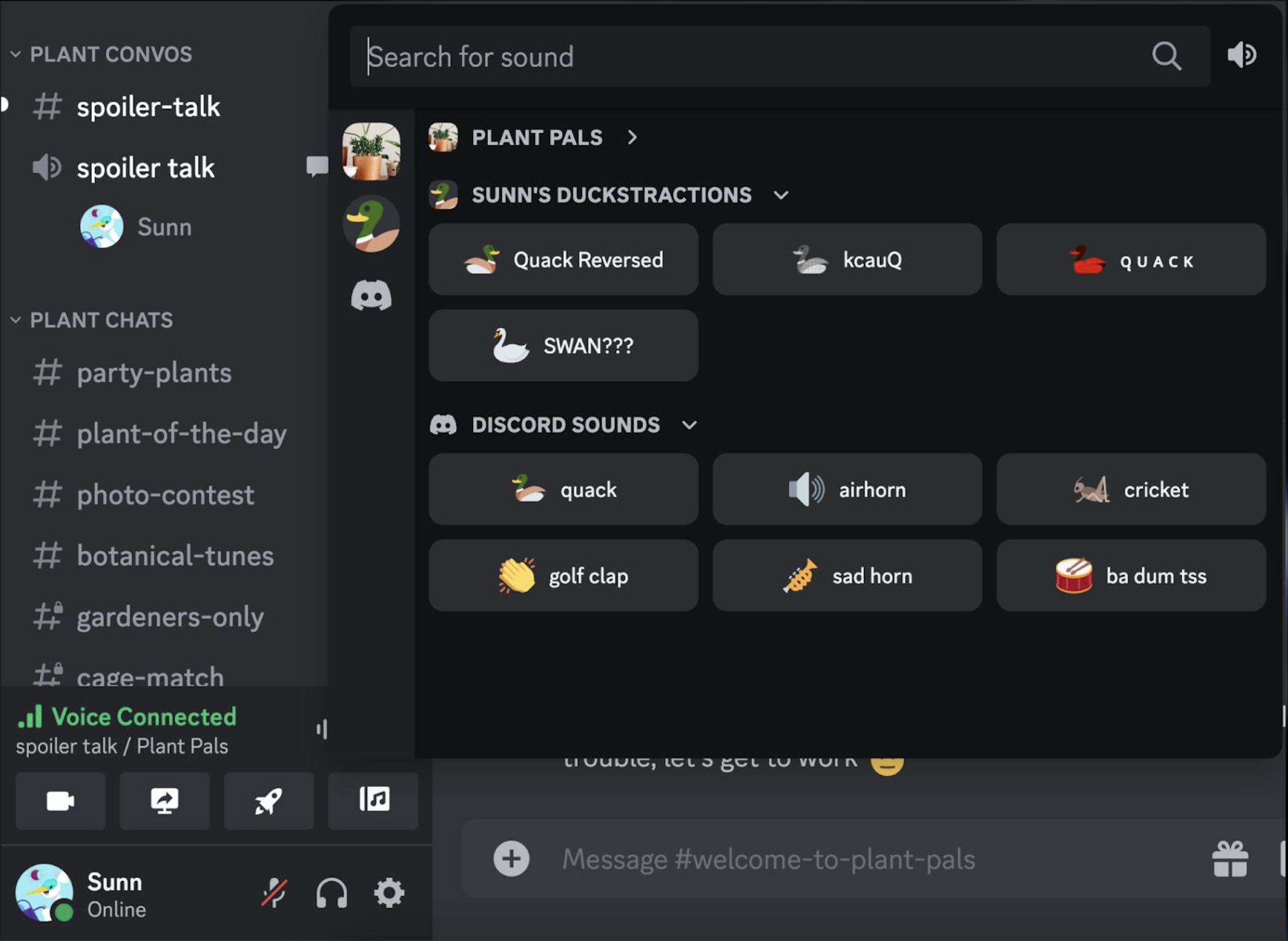
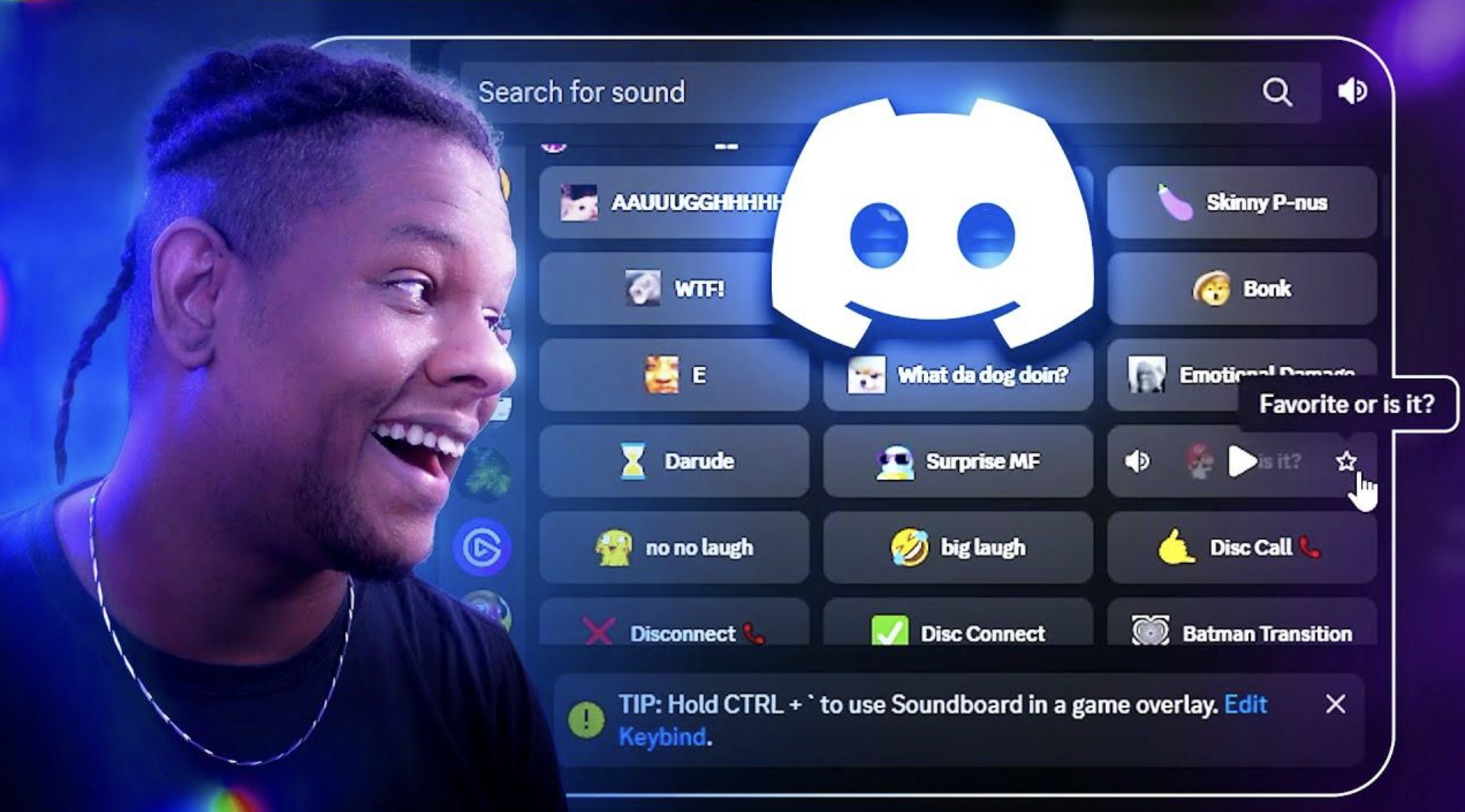
A meme soundboard is a collection of short audio clips you can trigger while you're hanging out in a Discord voice channel.
Think cartoon slap sounds, dramatic hits, air horns, funny reactions, and viral meme audio.
Discord's Soundboard lets users play short sounds that everyone in the voice channel can hear.
🔊 Popular Meme Sounds
Some of the funniest choices are:
- Cartoon slap
- Vine boom
- Air horn
- Record scratch
- Crowd gasp
- Bruh sound
- Dramatic impact
- Windows-style error sound
- Funny laugh
- Game reaction sounds
Keep clips short so they work as quick reactions rather than taking over the entire conversation.
How to Upload a Meme Sound
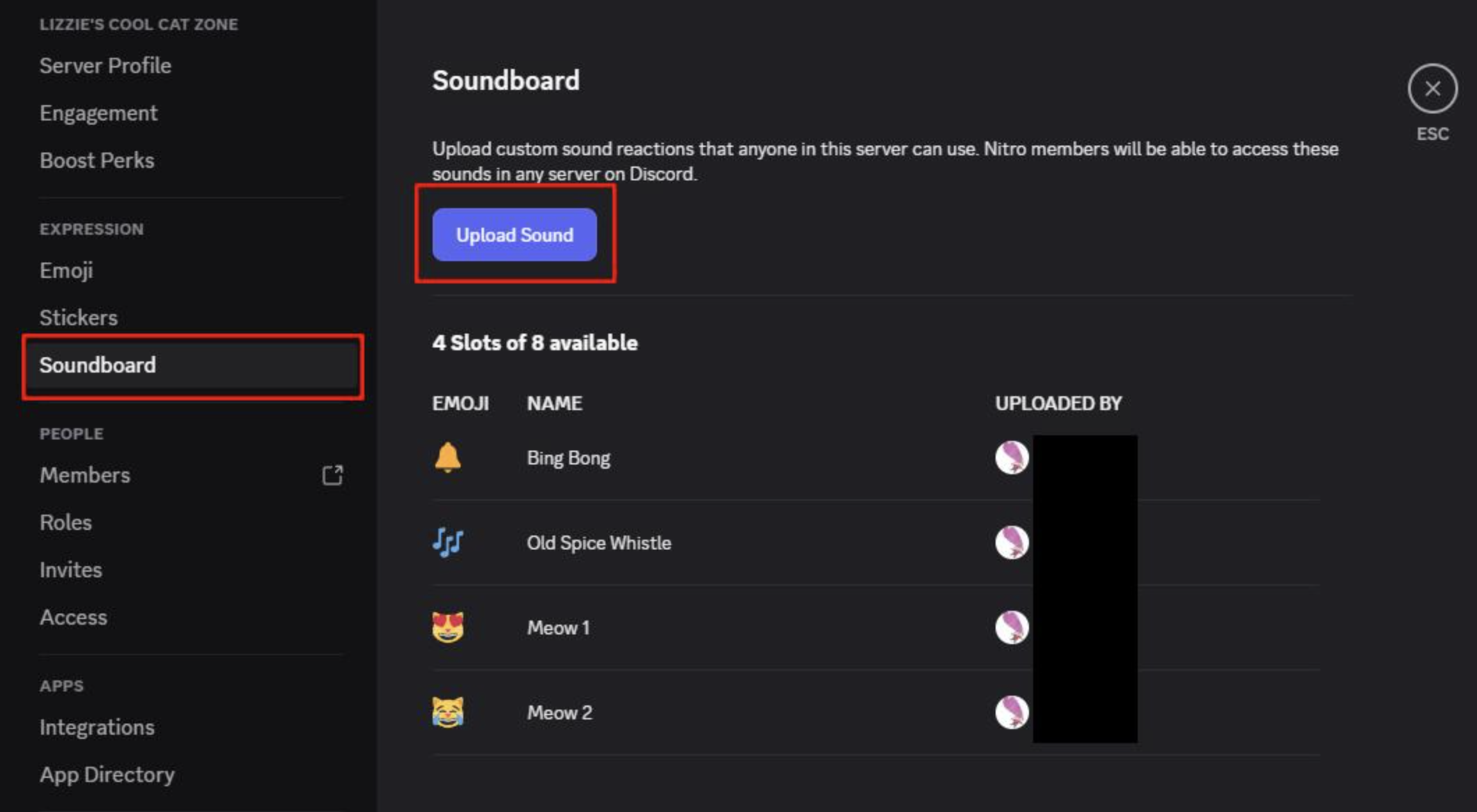
If you have permission to manage the server's Soundboard:
Server Settings → Soundboard → Upload Sound
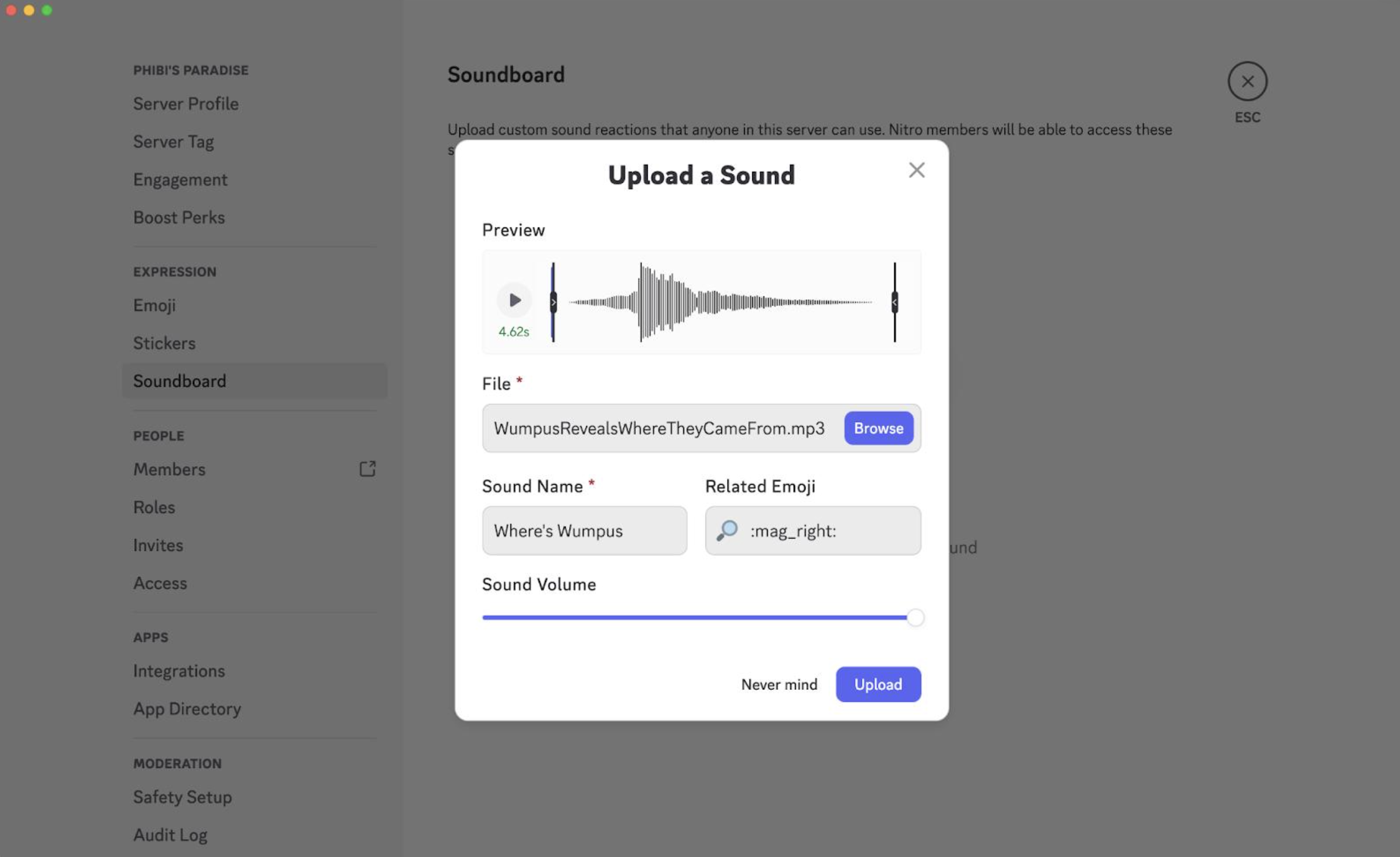
Discord supports custom Soundboard uploads. Custom sounds can be MP3 files up to 512 KB and 5 seconds long.
Give the sound an easy name and choose an emoji so you can find it quickly.
🎮 When to Use Them
The best meme sounds are usually about timing.
Use a cartoon slap after your friend makes a terrible play.
Use a dramatic impact when someone says something completely unexpected.
Use a record scratch when the conversation suddenly takes a weird turn.
Good timing > spamming.
Don't Overdo It
Soundboards are funny until the same sound plays 20 times in a row.
Avoid constantly triggering sounds during serious conversations, competitive matches, or when people ask you to stop.
The goal is to make your friends laugh, not make them leave the voice channel.
🎮 The Bottom Line
A good Discord meme soundboard is basically a shortcut to instant reactions.
Pick a few recognizable sounds, keep them short, and save the best ones for the perfect moment.
Comments
Sign in to join the conversation
Sign inNo comments yet
Be the first to share your thoughts!