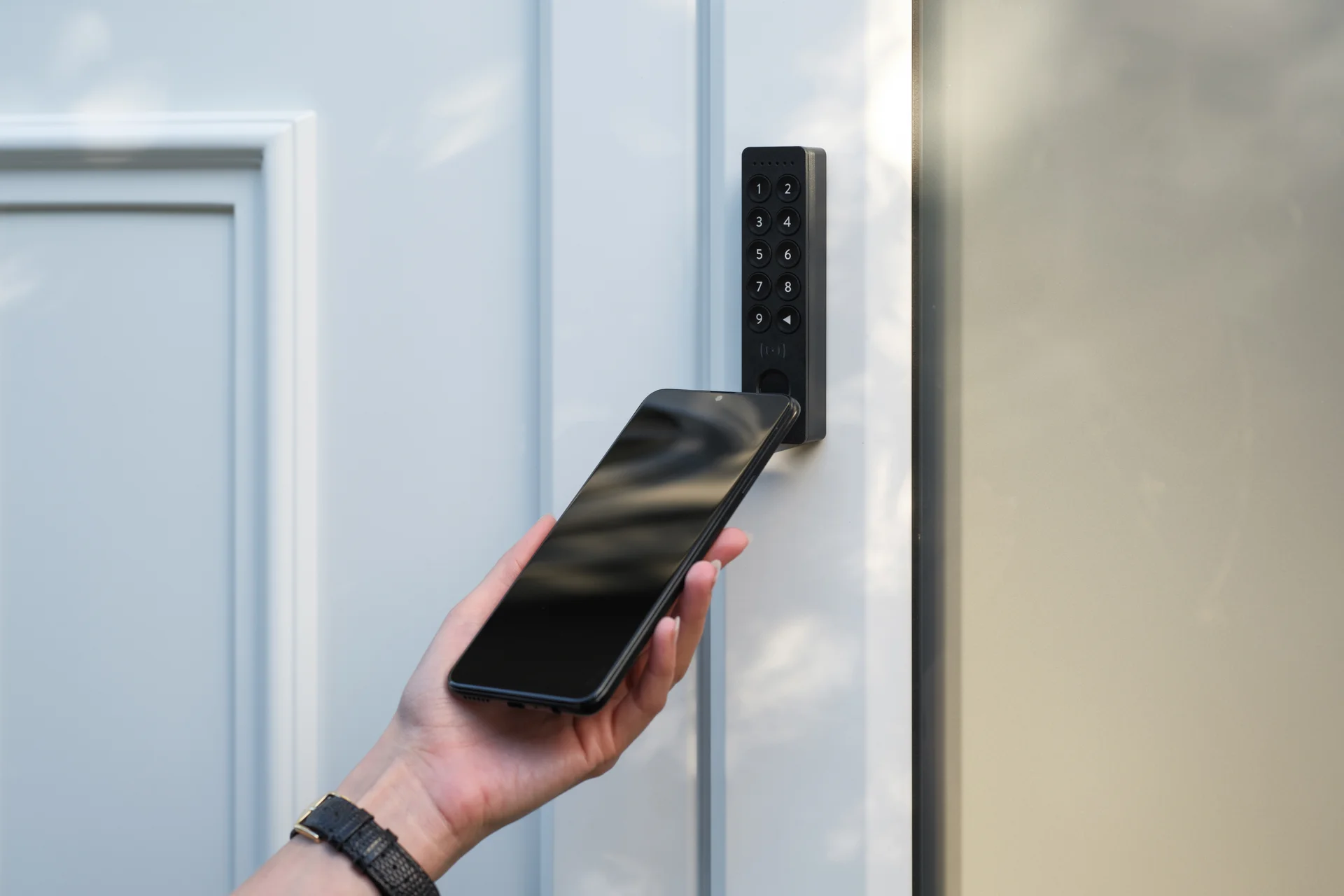

The Complete Wiki to Nuki Keypad 2 NFC Smart Locks
Tap your phone. Unlock your door.
That is the promise.
Here is how to install it, and what its security record really looks like.
📝 Quick Note
Security details come from public advisories and news reports. Check Nuki's own pages for the latest firmware and fixes.
🧭 On This Page
Overview
The Keypad 2 NFC adds tap, fingerprint and code entry to a compatible Nuki Smart Lock. Nuki calls it the first Aliro certified keypad for homes.
It works with the Smart Lock Ultra, Smart Lock Pro (5th generation) and Smart Lock Go.
| Spec | Details |
|---|---|
| Unlock methods | Apple Home Key, Samsung Digital Home Key, Tap to Unlock, fingerprint, access code |
| Storage | 20 fingerprints, 35 tap keys, 200 codes |
| Power | 4 AAA batteries included, 12 months or more |
| Connectivity | Bluetooth Low Energy and NFC |
| Weather rating | IP54 splash resistant |
| US price | $179 alone, $289 with a Smart Lock |
Home Key modes need a Matter hub. Nuki App mode needs only an NFC phone and no hub.
Installation
Nothing needs to be wired. Batteries power the keypad.
🔧 Quick Install Flow
🧼 1. Clean the door frame until it is free of dirt and grease
↓
📍 2. Choose a spot within Bluetooth range of your lock
↓
🔩 3. Mount with the adhesive pad, or use two anchors and M3.5 x 30 mm screws (not included)
↓
📲 4. In the Nuki app, open Manage devices, then Keypad
↓
👆 5. Follow the prompts to pair it and add fingerprints and codes
For full steps, see Nuki's official mounting instructions.
Security Track Record
Key fact: I found no published CVE for the Keypad 2 NFC itself, but older Nuki products had a batch of flaws patched in 2022.
NCC Group reported 11 vulnerabilities across Nuki's Smart Lock, Bridge, Opener, Keypad and Fob. Nuki was informed in April and shipped patches in July.
| Issue | Affected | Status |
|---|---|---|
| Weak Bluetooth access control | Smart Lock 2.0 and 3.0 | Fixed in later firmware |
| Exposed debug test points | Original Keypad, Fob | Fixed in Keypad 1.9.2 |
| No TLS certificate checks | Smart Lock 3.0, Bridge | Fixed in later firmware |
| Buffer overflow in HTTP API | Bridge v1 and v2 | Fixed in 1.22.0 and 2.13.2 |
Nuki's CEO told Forbes there have been no security incidents in ten years. He credits local credential storage and fast fixes.
Nuki also says every unlock method uses end to end encryption, with data stored locally and the cloud optional.
Real World Issues
Not every problem is a hack.
In April 2026, one owner on Nuki's developer forum reported that all fingerprints and codes vanished from a Keypad 2 NFC on firmware 2.4.11.
A Nuki team member said the codes may simply not display in the app, and that a lock restart fixed it for some. Nuki was testing a new beta.
Physical security is the other weak spot. One reviewer noted there is no extra lock holding the keypad, so anyone can pull it off its holder.
A stolen keypad is useless without the PIN, but vandalism is still possible.
How to Lock It Down
- Keep the lock and keypad firmware updated.
- Avoid obvious codes like 1234.
- Delete old guest codes and unused fingerprints.
- Mount the keypad close to the lock for a stable Bluetooth link.
If you use a Bridge, update it too. The 2022 HTTP flaw needed access to your local network.
For more reading, see the SecurityWeek report and Nuki's launch announcement. If you want to talk smart home security with other fans, you can browse tech communities on discords.ai.
FAQ
Does it work with any Nuki lock?
No. It needs a Smart Lock Ultra, Pro (5th generation) or Go.
Can I mount it without drilling?
Yes. The adhesive pad works, or you can use screws.
Is the Keypad 2 NFC hackable?
No public vulnerability is listed for it, but no connected device is risk free.
Comments
Sign in to join the conversation
Sign inNo comments yet
Be the first to share your thoughts!