
The Complete Wiki to the Fitbit Air
Google's screen free tracker has arrived in India.
No display. No buttons. No distractions.
Here is how to set it up and get the most out of it.
📝 Quick Note
Prices and features come from Google's launch details and early reviews. Check the Google Store India listing before you buy.
🧭 On This Page
Overview
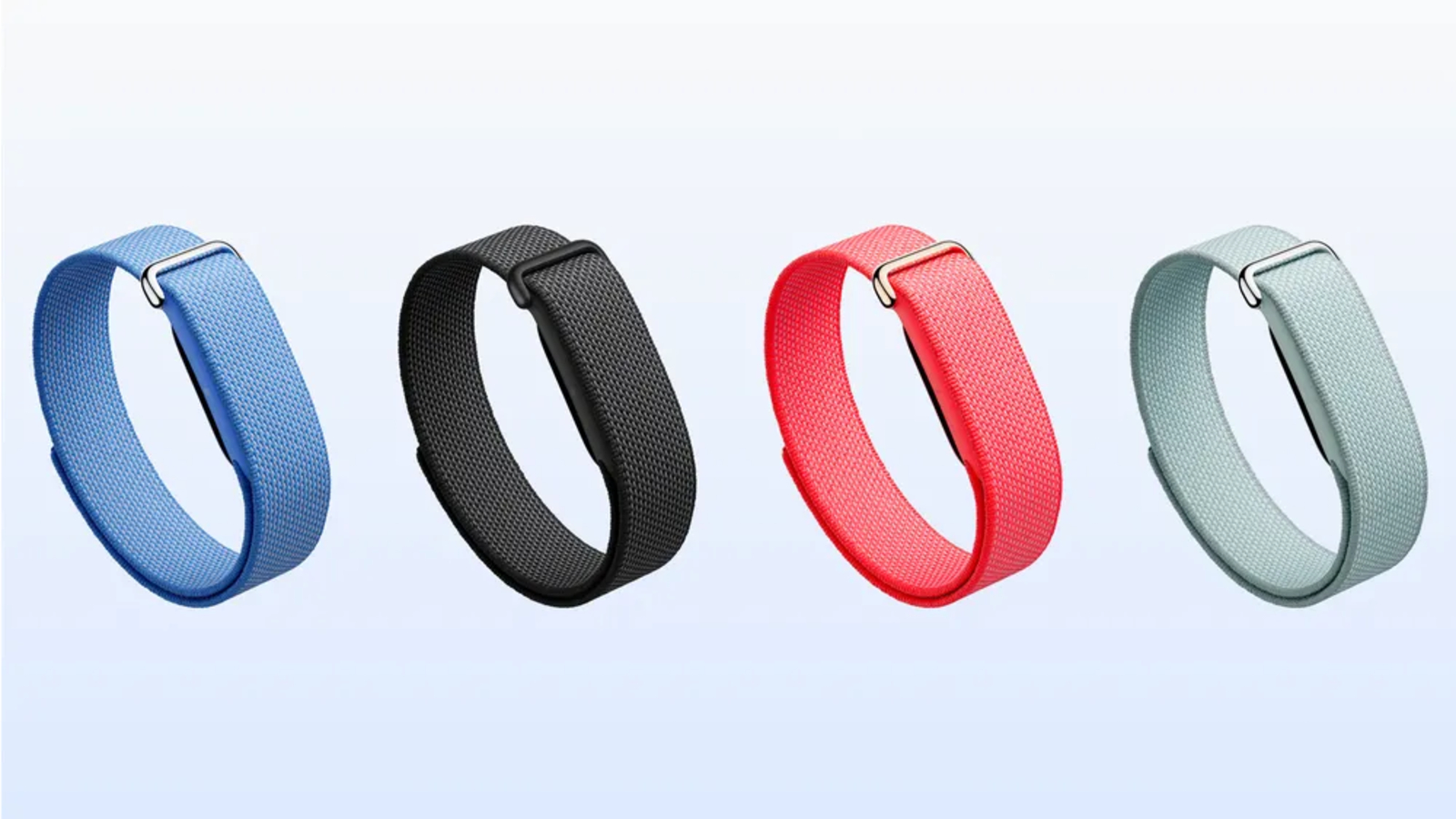
The Fitbit Air is Google's smallest and lightest tracker. A small pebble clips into an interchangeable band, much like a Whoop style band.
It was unveiled globally in May 2026 and reached India on October 2.
The device has no screen, no buttons and no apps. All your data lives in the Google Health app on your phone.
Key fact: Basic tracking works without a subscription. You only pay for the optional Google Health Premium coaching.
Key Specs
| Spec | Fitbit Air |
|---|---|
| Display | None |
| Controls | No buttons or on device apps |
| Sensors | Heart rate, resting heart rate, HRV, SpO2 |
| Health alerts | Irregular rhythm notifications, sleep stages |
| Battery | Up to 7 days |
| Fast charge | 5 minutes for about 24 hours of use |
| Connectivity | Bluetooth 5.0, works with Android and iPhone |
| Bands | Performance Loop in the box, Active and Elevated Modern sold separately |
| Colors | Obsidian, Berry, Lavender, Fog |
| Premium trial | 3 months of Google Health Premium |
Step by Step Setup
🛠️ Quick Setup Flow
📱 1. Install or update the Google Health app
↓
🔑 2. Sign in with your Google account
↓
🔌 3. Pair over Bluetooth and install any firmware update
↓
⌚ 4. Tell the app which wrist you wear it on
↓
🎁 5. Redeem your 3 month Premium trial
↓
🌙 6. Wear it for a couple of days so it can calibrate
The Google Health app is the new name of the Fitbit app. If you already have Fitbit installed, it updates into Google Health, so you do not need to reinstall.
A firmware update may appear during setup. It needs the tracker on its charger, so keep it nearby.
Tips After Setup
Turn On Health Alerts
Open Connections in the Google Health app, then Fitbit Air, then Google Health reminders and alerts.
Switch on the high and low heart rate alerts and the irregular rhythm alert.
Adjust Vibration
Since there is no screen, the tracker taps your wrist for alerts. Go to Connections, then Fitbit Air, then Device preferences, then Vibration to tune it.
Start Workouts Manually for GPS
Activities detected automatically will not show GPS data. For a mapped run or ride, start the session yourself in the app.
Google also suggests a simple routine for people who already own a Pixel Watch. Wear the watch by day and switch to the lighter Fitbit Air at night for sleep tracking.
Price and Where to Buy in India
The Fitbit Air costs ₹13,999 in India. For comparison, it sells for $99 in the United States.
You can buy it from the Google Store, Flipkart, Croma, Reliance Digital and Vijay Sales.
At launch, eligible HDFC and ICICI Bank cards get ₹1,000 cashback, and no cost EMI is available for up to 12 months.
After the free trial ends, Premium is a paid plan. It reportedly costs $9.99 a month in the United States, so check the app for Indian pricing before you renew.
For more details, read the Gizmochina launch report and the Android Central setup guide. If you want to talk wearables with other fans, you can browse tech communities on discords.ai.
FAQ
Do I need a smartphone?
Yes. You need a phone, a Google account and the Google Health app to set up and use it.
Do I need a subscription?
No. Tracking is free. Premium adds the Gemini powered Health Coach, plus extra Fitness and Sleep tabs.
Does it work with iPhone?
Yes. It connects to both iPhone and Android phones over Bluetooth.
Comments
Sign in to join the conversation
Sign inNo comments yet
Be the first to share your thoughts!