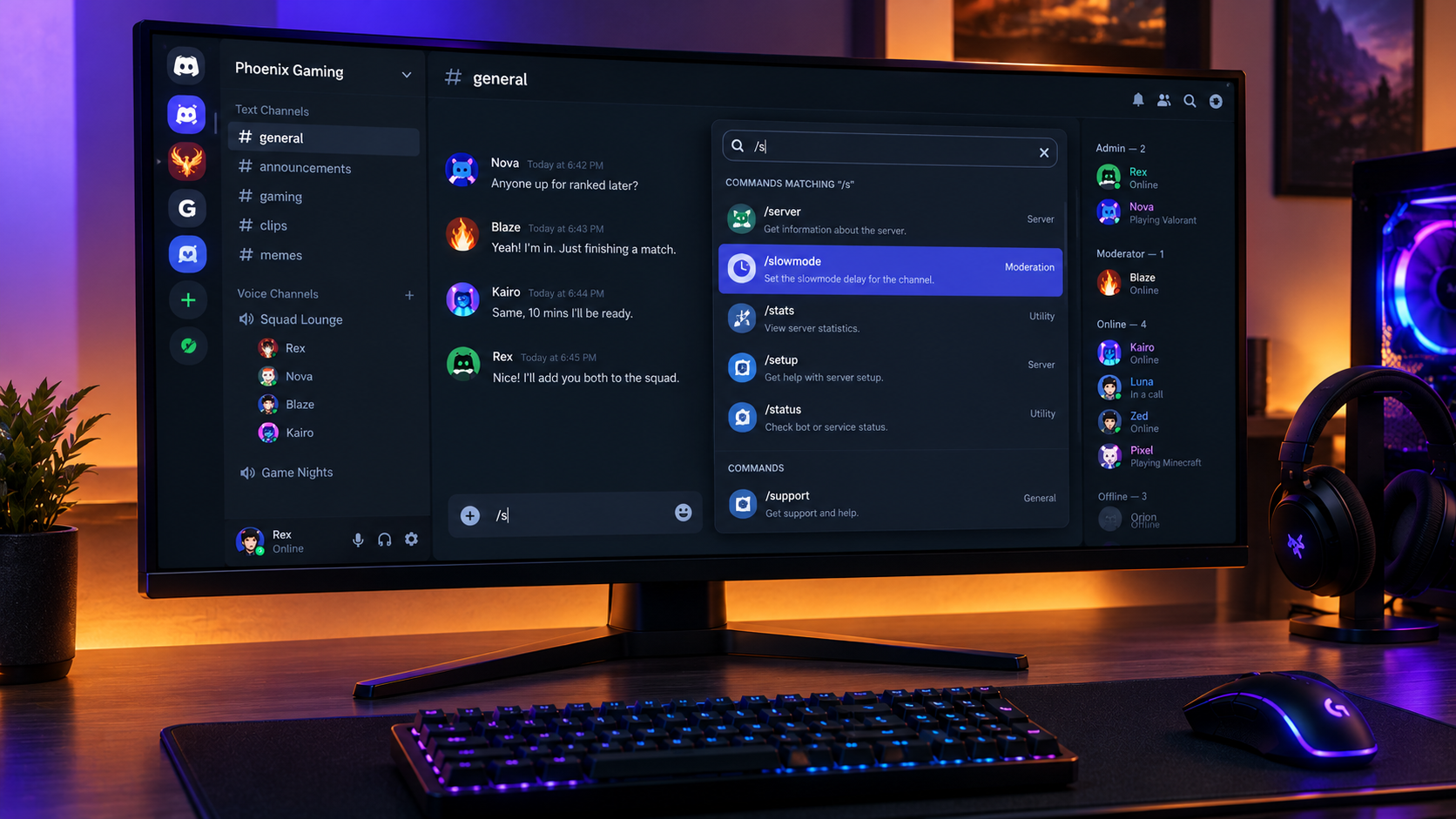

The Complete Wiki to Discord Slash Command Fuzzy Search
Finding the right bot command can become frustrating when a Discord server uses multiple apps with long command lists. Slash-command autocomplete helps users browse available commands without memorizing every name, but searching becomes even more convenient when a system can recognize imperfect or incomplete queries.
This guide explains Discord slash-command fuzzy search, how it differs from standard autocomplete, how to use the existing command picker, and what users should know about the reported ability to skip letters while searching.
Important: Discord officially documents a command picker that filters commands as users type. However, the specific behavior of skipping letters to find commands has not been verified in the official documentation referenced for this article. It should not be treated as a confirmed, universally available Discord feature without additional release notes or an in-app test.
Quick Facts
| Feature | Details |
|---|---|
| Platform | Discord |
| Main function | Discover and select slash commands |
| Existing search | Filters commands as you type |
| Autocomplete | Helps fill supported command options |
| Fuzzy search | A matching method that can tolerate imperfect input |
| Availability of skip-letter matching | Not confirmed as a general Discord feature |
| Main benefit | Potentially faster command discovery |
What Is Discord Slash Command Fuzzy Search?
Fuzzy search is a search technique that finds likely matches even when a query does not exactly match the full name. Depending on the implementation, a fuzzy search system may tolerate typos, partial words, or characters that are missing from a query.
For example, imagine a server has a moderation bot with a command named /slowmode.
A conventional search may work best when you enter a matching sequence such as slow or slowmode. A fuzzy matcher could potentially recognize a less exact query such as slwmode, depending on its matching rules.
A more permissive skip-letter search might also recognize selected letters that appear in the command name without requiring every letter to be entered in order. The exact results depend on how the search algorithm is designed.
These examples explain the concept. They are not a guarantee that Discord's built-in command picker accepts these specific queries.
How Discord's Existing Slash Command Search Works
Discord introduced slash commands to make app and bot interactions easier to discover. Instead of memorizing a bot's text-command syntax, users can type / to open the command picker and browse available commands.
Discord's official documentation describes the picker as a searchable list that filters commands while users type. It also supports selecting commands and using autocomplete for supported input values.
How to Find a Command
Open a Discord server or channel where the relevant bot or app is available.
Click the message composer and type
/.Browse the commands displayed in the picker.
Enter part of the command name to narrow the list.
Select the correct command and complete any required options.
Review the command before submitting it.
The commands available to you depend on the apps installed in that server, the command's configuration, and your permissions.
How Skip-Letter Search Could Improve Command Discovery
If a command picker supports fuzzy matching, users may not need to enter the entire command name precisely. The potential benefits include:
1. Faster Searching
Typing a short query can be quicker than entering a long command name, especially when the server uses several bots.
2. Fewer Spelling Problems
Fuzzy matching can help find likely results when a user mistypes a command, provided the search algorithm is designed to tolerate those errors.
3. Easier Command Discovery
New members may not know the exact names of commands for moderation, music, games, or server utilities. More flexible search could help them discover relevant options.
4. Better Navigation in Large Servers
Servers with several apps may have overlapping command names. Search tools that rank relevant matches clearly can make the picker easier to navigate.
These are potential benefits of fuzzy search, not confirmation that every benefit is currently implemented in Discord's native command picker.
Fuzzy Search vs. Standard Autocomplete
Although these terms are related, they describe different functions.
| Capability | Standard command filtering | Fuzzy search | Autocomplete |
|---|---|---|---|
| Main purpose | Narrow a command list | Find approximate matches | Suggest or complete an input |
| Exact or partial input | Commonly supported | Depends on the algorithm | Depends on the field |
| Handles typos | Not necessarily | Often, if designed for it | Not necessarily |
| Skips letters | Not established by filtering alone | Possible in some implementations | Not its defining function |
| Suggests users, roles, or channels | Not its main role | Not its main role | Supported for applicable command options |
Discord's official slash-command documentation confirms command filtering and autocomplete for supported values. These should not be confused with a separately confirmed skip-letter matching feature.
Does Discord Currently Support Skip-Letter Fuzzy Search?
Discord's documented command picker filters commands as users type, and its slash-command system supports autocomplete for applicable command options. However, the official sources referenced here do not establish that a new, platform-wide feature allows users to skip letters when searching for commands.
If you see this behavior in your own client, it could be part of a limited rollout, a client-specific change, or behavior provided by another search interface. Confirming which explanation applies would require a reliable announcement or a reproducible test.
How to Check It Yourself
Open Discord on the client where you noticed the behavior.
Type
/and note the available commands.Search for a command using its normal beginning letters.
Try a second query with selected letters omitted.
Compare the suggestions and repeat with another command.
Check whether the behavior occurs on another client or device.
If the incomplete query consistently returns the expected command, record the client, app version, and example query. This helps distinguish a genuine interface change from ordinary partial matching or a bot-specific behavior.
Troubleshooting Slash Command Search
If a command does not appear in the picker, fuzzy matching is not necessarily the issue. Try these checks first.
The Command Is Missing
Confirm that the bot or app is installed in the server.
Check whether the command is available in the current channel.
Ask a server administrator whether command permissions or app settings restrict access.
Check the app's documentation to confirm that the command exists.
Search Results Are Unexpected
Start with
/and search using the command's exact beginning.Remove extra characters and try a shorter query.
Select the correct app if several bots offer similar commands.
Restart or update the client if the picker appears to be malfunctioning.
Autocomplete Does Not Show the Expected Option
Some command options support autocomplete while others use fixed choices or different input types. The app developer determines how many command options behave, so autocomplete may not be available for every field.
Why Slash Commands Matter for Discord Communities
Slash commands make bot features easier to discover and provide a structured way to submit actions. They also help users understand required inputs before a command is sent.
For moderators, they can make routine tasks easier to access. For community members, they reduce the need to memorize bot-specific text syntax. For developers, they provide a standardized interaction system with defined options and validation.
A reliable fuzzy-search system could make this experience even more convenient, particularly in servers that rely on many bots. Its exact availability and matching rules, however, should be verified before describing it as an official Discord rollout.
Frequently Asked Questions
What is Discord slash-command fuzzy search?
It refers to searching for commands using approximate input rather than requiring an exact match. Some fuzzy-search implementations tolerate typos or missing letters, but the precise behavior depends on the search system.
Can I skip letters when searching for Discord commands?
Discord officially documents filtering commands as you type. The specific ability to skip letters and still find a command is not confirmed as a general feature in the official sources cited here.
How do I open the Discord command picker?
Type / in the message composer of a server or channel where commands are available. You can then browse the list and filter it by typing.
Is autocomplete the same as fuzzy search?
No. Autocomplete suggests or completes values as you enter them. Fuzzy search attempts to find relevant matches even when the query differs from the target.
Why can I not see a specific slash command?
The command may not exist, the app may not be installed, or permissions and channel restrictions may prevent it from appearing. Some commands may also be configured differently by their developers.
Does fuzzy search work on Discord mobile?
The standard slash-command system is available on supported mobile clients. However, the availability of the specific skip-letter matching behavior across Android, iOS, and desktop has not been confirmed here.
Official Sources
Discord, Slash Commands Are Here!
https://discord.com/blog/slash-commands-are-hereDiscord, Welcome to the New Era of Discord Apps
https://discord.com/blog/welcome-to-the-new-era-of-discord-appsDiscord Apps and Activities, Slash Commands FAQ
https://support-apps.discord.com/hc/en-us/articles/26501837786775-Slash-Commands-FAQDiscord, Slash Command Permissions
https://discord.com/blog/slash-commands-permissions-discord-apps
Final Verdict
Discord's slash-command picker already makes bot features easier to find through searchable command lists and supported autocomplete. Fuzzy search that tolerates skipped letters could be a useful improvement, particularly for users navigating large command lists, but it should not be presented as a confirmed platform-wide update without official documentation or reproducible evidence.
For now, users can type /, filter commands by name, select the correct app, and use autocomplete where it is supported. If Discord formally introduces skip-letter fuzzy matching, its release notes and client behavior will establish how it works and which platforms support it.
Comments
Sign in to join the conversation
Sign inNo comments yet
Be the first to share your thoughts!