
Discord Roles & Permissions Matrix
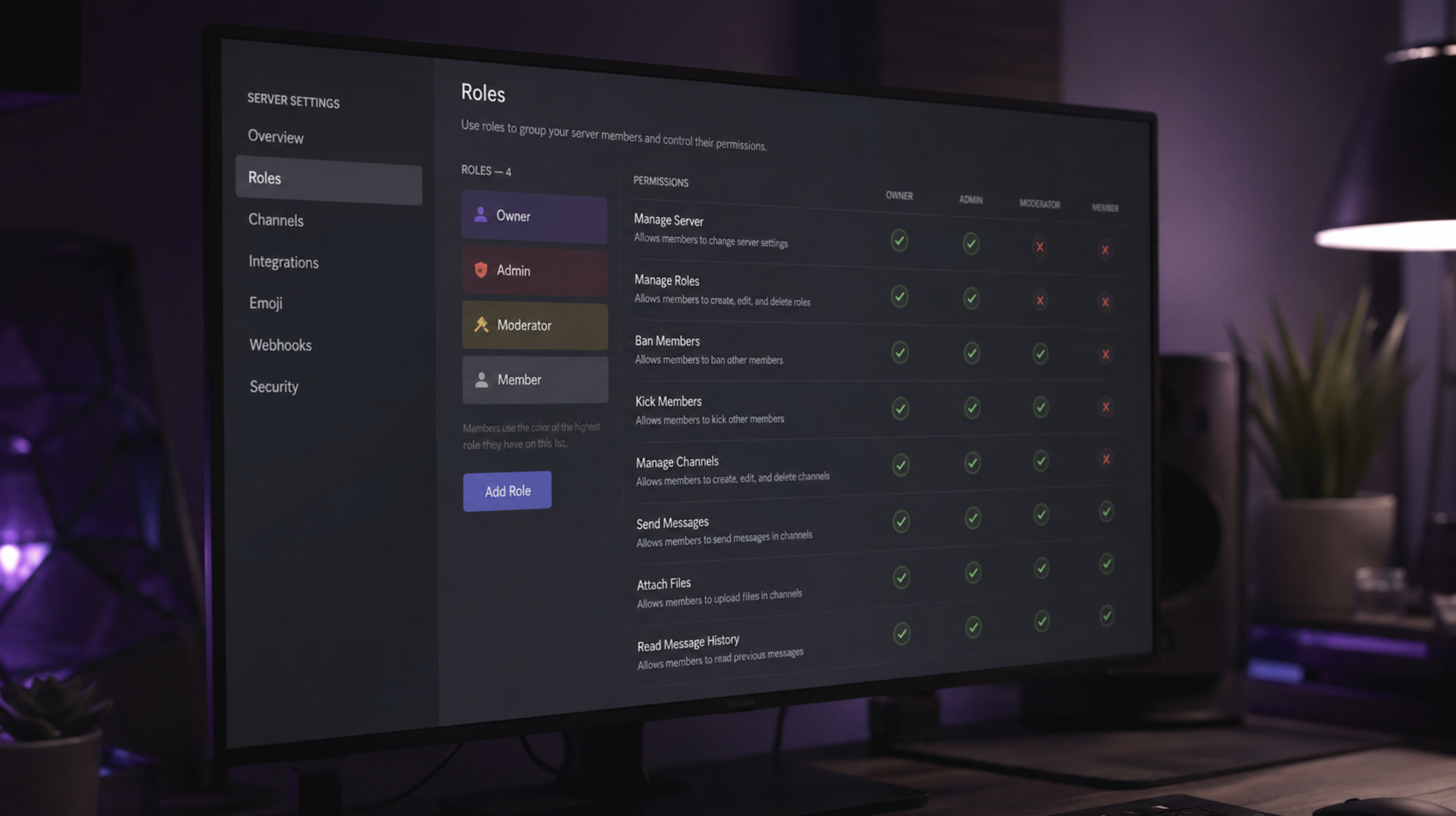
Discord roles control what members can see and do on a server. Setting permissions correctly helps keep the server organized and reduces the risk of unwanted actions.
Quick Setup
| Role | Typical Access |
|---|---|
| Owner | Full server control |
| Admin | Server management |
| Moderator | Moderation and member management |
| Member | Basic server access |
| Guest | Limited access |
How to Set Up Roles
- Open Server Settings.
- Go to Roles.
- Create a role and give it a clear name.
- Set only the permissions that role needs.
- Move important roles higher in the role list.
- Test the permissions with a normal member account.
Security Tips
Give members only the permissions they need. Be careful with Administrator, Manage Server, and Manage Roles permissions.
FAQ
What is the most powerful Discord permission?
Administrator gives a role access to almost every server permission, so it should be given carefully.
Can Discord roles have different permissions?
Yes. Each role can have its own set of permissions.
Can members have multiple roles?
Yes. A member can have several roles, with permissions combined based on Discord's role system.
Related Topic: Discord Server Setup