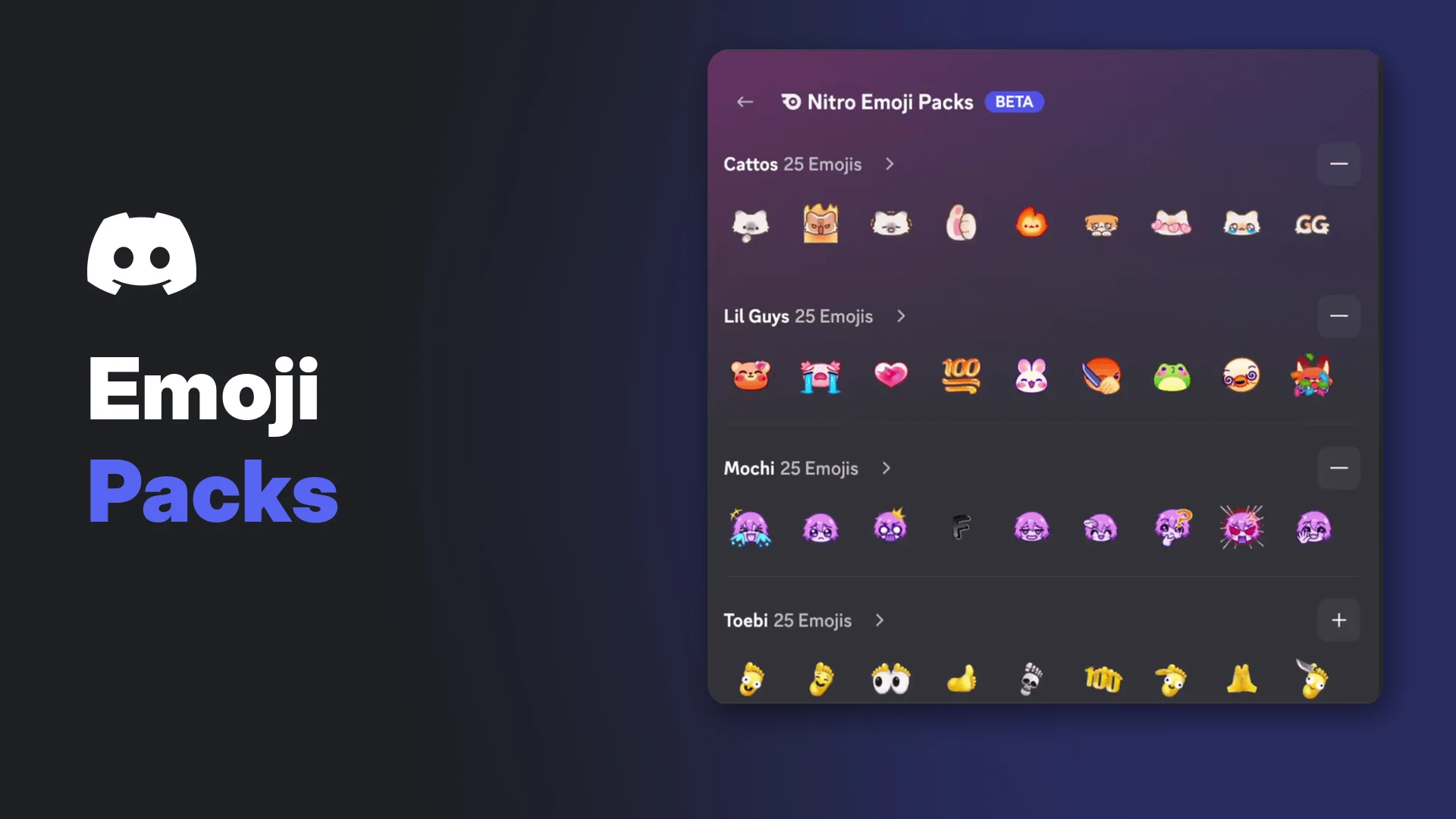

Discord Nitro Emoji Packs are five collections of exclusive emojis that come with a Nitro subscription. Each pack has 25 emojis, so Nitro members get 125 animated emojis right in the emoji picker, without joining servers to collect them first.
Discord says the emojis are made just for Nitro and "you can't find them anywhere else on Discord." This page covers the five packs, who can use them right now, how to use them on desktop and mobile, and what people without Nitro see.
At a glance - 5 packs, 25 emojis each, 125 in total - Included with Nitro, no separate purchase - Currently an experiment for select Nitro subscribers - Send and react on desktop; view only on mobile for now - Everyone in the chat can see them, with or without Nitro
Key Information
| Detail | Summary |
|---|---|
| What it is | 5 packs of exclusive emojis for Nitro |
| Emojis | 25 per pack, 125 in total |
| Cost | Included with Nitro at no extra cost |
| Status | Experiment, not widely available yet |
| Who has access | Select Nitro subscribers, including free trial users |
| Desktop | Send messages and react |
| Mobile | View only during the experiment |
| Where they work | Messages and reactions |
🎨 The 5 Discord Nitro Emoji Packs
Discord lists the five packs as:
- Cattos
- Lil Guys
- Mochi
- Toebi
- Skelly
Each pack has its own personality, so you can pick the style that suits you. According to Discord, every emoji was designed by hand by its in-house artists or by creative partners.
The Nitro Emoji Packs view inside the emoji picker. Image: Discord.
🔒 Who Can Use Nitro Emoji Packs
Nitro Emoji Packs are currently an experiment and aren't widely available. During the experiment, Discord says they're available to select Nitro subscribers, including people on a free trial of Nitro.
You don't buy or unlock the packs separately. All five come with your Nitro subscription.
Discord's help article refers only to Nitro. It doesn't say whether Nitro Basic subscribers get the packs, so check your own emoji picker if you're on Nitro Basic.
If your Nitro subscription ends, you lose access to the packs. Emojis you already sent from them will still show in chat.
💻 How to Use Nitro Emoji Packs on Desktop
During the experiment, desktop is where you can send and react with these emojis.
Send an emoji in a message
- Select the emoji icon on the right side of the message bar to open the emoji picker.
- Select the plus icon at the top of the picker's left sidebar. Hovering over it shows View Nitro Emojis.
- To see every emoji in a pack, select the arrow next to the pack's name.
- Choose an emoji to add it to your message, then send as usual.
React to a message
- Hover over the message, then select the Add Reaction icon (smiley face) on the right.
- Select the plus icon at the top of the reaction picker's left sidebar.
- Choose an emoji from any pack. Your reaction appears under the message right away.
Add or remove a pack from your picker
Packs are opt-in. Adding one puts its emojis in your main emoji picker, so you don't need to open the Nitro Emoji Packs view every time.
- Open the emoji picker and select the plus icon at the top of the left sidebar.
- Select the plus button (Add to picker) next to the pack you want. It changes to a minus button once the pack is added.
- To remove a pack, select the minus button next to it.
Added packs appear in your main emoji picker with a Remove option. Image: Discord.
Know the emoji you want? Type its name in the emoji picker search bar to find it fast.
📱 Using Nitro Emoji Packs on Mobile
On mobile, the packs are view only during the experiment. You can see the emojis when other people send them in messages or use them as reactions.
You can't select or send them from the mobile emoji picker yet, even if you have access on desktop.
Nitro Emoji Pack emojis showing in a mobile chat. Image: Discord.
What Users Without Nitro See
People without Nitro still see Nitro Emoji Packs when others send them in chat or use them as reactions. To learn more about an emoji and how to get it with Nitro:
- Desktop: Hover over the emoji.
- Mobile: Tap the emoji in a message, or long-press a reaction.
Hovering over a pack emoji shows where it comes from. Image: Discord.
Emoji Packs vs Server Custom Emojis
Nitro already lets you use custom emojis from any server anywhere you have permission. Emoji Packs are a separate, Discord-made set.
| Nitro Emoji Packs | Server custom emojis | |
|---|---|---|
| Who makes them | Discord's artists and partners | Server owners and members with the right permission |
| How you get them | Included with Nitro | Join the server that uploaded them |
| Need to join a server | No | Yes, to use them in that server |
| Use in other servers | Yes, with Nitro | Only with Nitro or Nitro Basic |
| Available elsewhere on Discord | No, exclusive to Nitro | Depends on the server |
| Managed from | The Nitro Emoji Packs view | Server Settings, Emoji tab |
Server emojis also follow each server's permission settings. Our Discord roles and permissions guide explains how those permissions work.
Nitro also includes 2 Server Boosts. See our Discord Boost guide for what they unlock.
Frequently Asked Questions
Do I need to buy Discord Nitro Emoji Packs separately?
No. All five packs come with your Nitro subscription at no extra cost.
Where can I use Nitro Emoji Packs?
In messages and as reactions, like other custom emojis that come with Nitro.
Are all the packs added to my emoji picker automatically?
No. Adding and removing each pack is opt-in from the Nitro Emoji Packs view.
Can I use Discord Nitro Emoji Packs on mobile?
Not yet. During the experiment, you can send and react on desktop, and only view them on mobile.
Can friends without Nitro see the emojis I send?
Yes. Everyone in the conversation can see them, whether they have Nitro or not.
What happens if my Nitro ends?
You lose access to the packs. Emojis you already sent will still show.
Were these emojis made with AI?
No. Discord says every emoji was designed by hand by its in-house artists or creative partners.
Only get Nitro through Discord itself. Our post on the fake giveaway epidemic covers the "free Nitro" scams to avoid.
Summary
Discord Nitro Emoji Packs are five packs of 25 exclusive emojis (Cattos, Lil Guys, Mochi, Toebi and Skelly) included with Nitro. They're an experiment for select Nitro subscribers right now. On desktop, open them with the plus icon in the emoji or reaction picker, and add packs to your main picker if you use them often. On mobile they're view only for now, and everyone in a chat can see them, with or without Nitro.
Sources
- Discord Help Center: How to Use Nitro Emoji Packs, checked 11 November 2026
- Discord Help Center: What are Nitro & Nitro Basic?, checked 11 November 2026
- Discord Help Center: How to Add Custom Emojis on Discord, checked 11 November 2026
Comments
Sign in to join the conversation
Sign inNo comments yet
Be the first to share your thoughts!