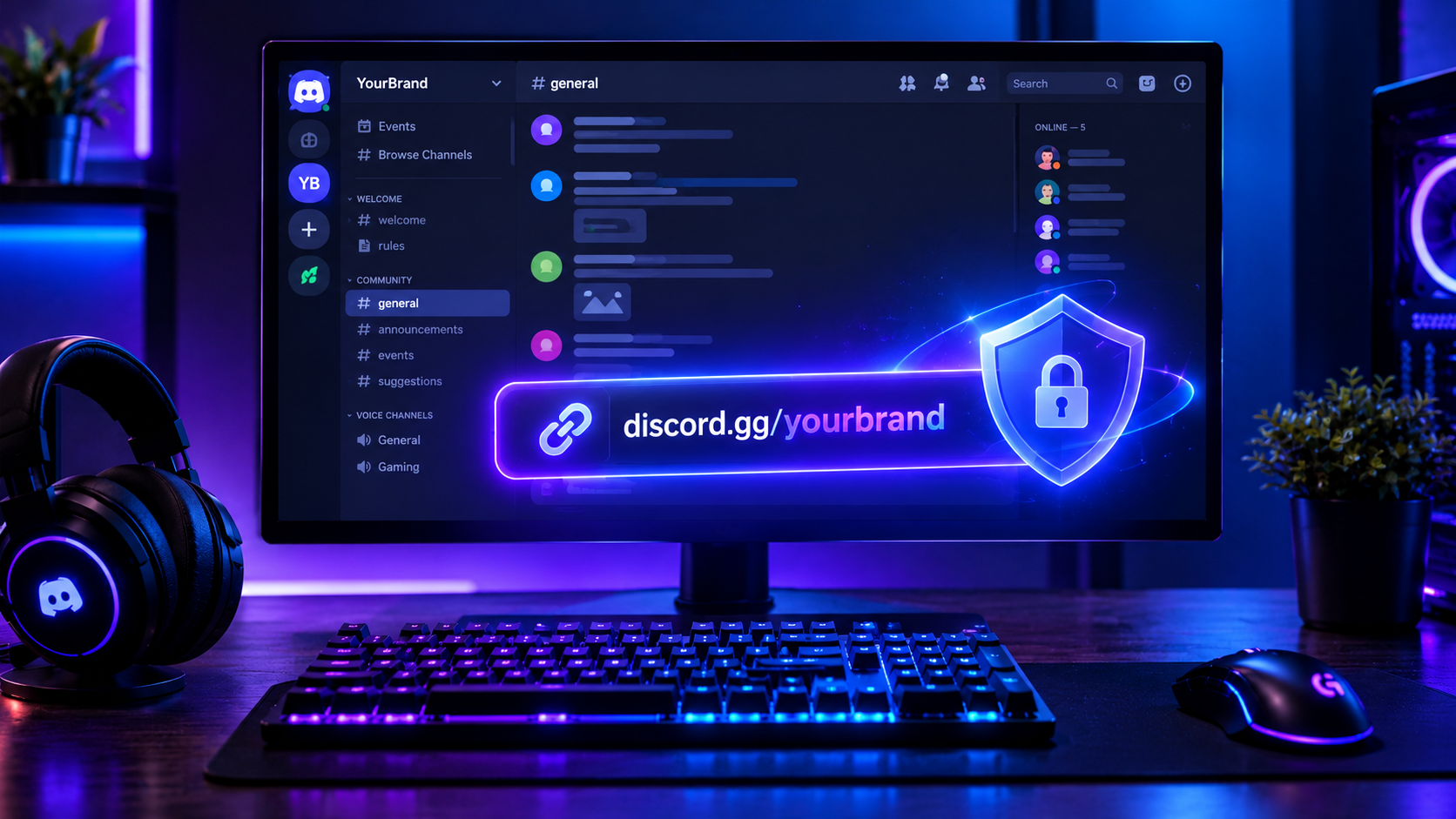

The Complete Wiki to Discord Custom Vanity URLs
A memorable Discord invite link can become an important part of a community's identity. Instead of sharing a random invite code, eligible servers can use a branded address such as discord.gg/yourbrand.
For gaming communities, creator fan servers, businesses, and online groups, a custom vanity URL makes invitations easier to remember and helps keep branding consistent across social media, websites, videos, and other platforms.
However, a custom URL is not an unconditional permanent reservation. Discord's requirements can change, and a server that loses eligibility can lose its vanity link. That creates a potential risk: people who continue using an old link could end up somewhere unexpected if the link is later claimed by another community.
This wiki explains how custom invite links work, how to configure one, and what server owners can do to reduce the risk of losing their branded URL.
Quick Facts
| Feature | Details |
|---|---|
| Official feature name | Custom Invite Link |
| Example format | discord.gg/yourbrand |
| Standard eligibility | Server Boost Level 3, subject to Discord's current rules and any applicable exceptions |
| Level 3 requirement | 14 Server Boosts under Discord's standard boost-level system |
| Allowed characters | Lowercase letters, numbers, and hyphens |
| Maximum slug length | 25 characters |
| If required boosts are lost | Discord says the custom link is lost after 30 days without the required boost status |
| Can availability be guaranteed? | No. Discord Support does not confirm whether a particular slug is available in advance |
| Can Discord remove a link? | Yes, including in cases of abuse or intellectual property conflicts |
Requirements and availability can vary if Discord changes its systems or offers the feature through a limited experiment. Check the current official documentation before making decisions based on eligibility.
1. What Is a Discord Custom Vanity URL?
A Discord custom vanity URL is a personalized invite address that replaces the randomly generated code used by a standard Discord invitation.
For example:
Standard invite:
discord.gg/a1B2c3D4Branded invite:
discord.gg/yourbrand
The branded version is easier to say aloud, remember, print on promotional material, and include in a creator's video description.
Why vanity URLs matter
Brand recognition: A link that matches your community name makes your invitations look consistent and recognizable.
Simpler promotion: Members can remember and share a short address without copying a long or random-looking code.
Cross-platform consistency: The same URL can be published on your website, social profiles, YouTube descriptions, streaming pages, and community announcements.
Trust and discoverability: A recognizable URL can help people identify the intended community, although the URL alone is not proof that a server is official or safe.
The main point is that the vanity URL is more than a cosmetic setting. It can become a key part of a community's public identity.
2. Who Can Claim a Custom Vanity URL?
Discord's official Custom Invite Link documentation describes the feature as available to servers that reach Server Boost Level 3. Under the standard boost-level system, Level 3 requires 14 Server Boosts.
Eligibility may also depend on feature availability for your server and Discord's current policies.
Before planning a vanity URL around a particular server, open Server Settings and check the available boost perks. Do not assume that having Discord Nitro personally automatically grants your server a custom invite link.
Is Discord Nitro enough?
No, not by itself. A user's personal Nitro subscription and a server's boost eligibility are different things. The server must satisfy the applicable requirements for the custom invite feature.
Can you reserve a URL before reaching Level 3?
You should not count on reserving a slug in advance. Discord's support documentation says it cannot confirm a custom invite's availability beforehand. You must check availability through the actual configuration process when your server is eligible.
3. How to Set Up a Discord Vanity URL
Once your server is eligible, use the following process.
Step 1: Open Server Settings
Open Discord on desktop or in a browser, navigate to the server you own or manage, and select the server name at the top of the channel list.
Choose Server Settings.
Step 2: Open Boost Perks
Find the Boost Perks section and locate Custom Invite Link. The precise layout may change as Discord updates its interface.
If the option is unavailable, confirm the server's boost status and check Discord's current eligibility requirements.
Step 3: Choose your branded slug
Enter the text you want after discord.gg/.
Discord's published requirements allow up to 25 characters, using lowercase letters, numbers, and hyphens.
Good examples include:
discord.gg/yourbranddiscord.gg/your-communitydiscord.gg/yourgamehub
Avoid unnecessary punctuation, complicated spellings, or names that are difficult to communicate verbally.
Step 4: Save and test the link
Select Save Changes, then test the resulting invitation in a private browser window or with an account that is not already in your server.
Confirm that the link opens the intended community and that newcomers can access at least one appropriate text channel.
Important: Discord says a custom invite link will not work if no text channel is viewable by the @everyone role. Review your channel permissions if the invitation becomes invalid.
4. What Happens If Your Server Loses Boosts?
This is the most important part of vanity URL management.
Discord's Custom Invite Link FAQ states that if a server no longer has enough boosts to maintain the feature, it will lose its custom invite link after 30 days.
That window gives server owners time to address a drop in boosts, but it should not be treated as a guaranteed permanent reservation or as a reason to ignore the problem.
The boost-loss timeline
Stage 1: Your server loses required boost status.
A boost may expire, be moved, or be removed. Your server's eligibility can be affected.
Stage 2: Monitor the grace period.
Discord's current documentation describes a 30-day period before the custom invite link is lost when the required boost status is not maintained. Check the server's actual status and any notices shown in Discord.
Stage 3: The vanity link is lost.
If eligibility is not restored within the applicable period, the old custom URL can stop pointing to your community.
Stage 4: The old URL may become a risk.
Discord's safety guidance warns that malicious communities may claim a lost vanity URL. People clicking the old address from outdated posts, videos, websites, or social profiles could then be directed to a different server.
For that reason, losing a vanity URL is not just a technical inconvenience. It can create a brand impersonation and community-safety risk.
5. Can You Protect a Vanity URL If Boost Levels Drop?
There is no guaranteed setting that permanently locks a standard boost-based vanity URL to your server after you lose eligibility. The best strategy is to maintain eligibility where possible and prepare a fallback before a link is lost.
Keep enough boosts allocated to the server
Track your server's boost count and the status of its perks. Do not wait until the final days to discover that the vanity URL is at risk.
If your community depends heavily on the branded address, consider whether the ongoing boost cost is justified by the value of your public links and audience traffic.
Assign responsibility for boost monitoring
Make one or more trusted administrators responsible for checking boost status. Establish an internal reminder well before the expected end of any grace period.
Avoid depending on a single member's boosts without a backup plan. Members can cancel subscriptions, leave the server, or reassign their boosts.
Maintain a fallback invite
Create a separate, reliable invite link that can be used if the vanity URL becomes unavailable. Keep it somewhere administrators can quickly retrieve it.
A fallback invite will not preserve ownership of the vanity slug, but it gives you an alternative destination for your audience.
Keep a list of every public location using your vanity URL
Record where the branded link has been published, including:
YouTube video descriptions and channel pages
Twitch or streaming profiles
Website headers and footers
Social media biographies
Reddit posts and pinned comments
Partner pages, community directories, and promotional graphics
This makes it easier to replace outdated links if your URL changes.
Do not assume the old slug will remain yours
Discord's documentation does not promise that a lost URL will stay reserved for your server. Avoid relying on informal claims that a particular slug is permanently locked or impossible for another server to use.
6. How to Protect Your Brand From a Hijacked Invite
Discord's safety guidance specifically warns that old vanity URLs can be claimed by malicious communities after a server loses or changes its link. Use the following precautions to reduce that risk.
Keep official links updated
If your vanity URL changes, replace it everywhere you control. Update the most visible and highest-traffic locations first, including your website, channel descriptions, pinned posts, and social profiles.
Remove outdated references when possible.
Publish an official backup destination
Maintain an official page on a website or social account that you control. Use it to direct people to your current Discord invitation.
For example, a page such as yourwebsite.com/community can be easier to update than dozens of separate promotional posts. It is not a substitute for owning the vanity URL, but it provides a central place to publish the current invite.
Tell your community about changes
If the link changes, publish a clear announcement through trusted channels. Ask moderators and community partners to update their links, too.
Encourage members to verify the server name, owner, and official links before joining a community through an unfamiliar invitation.
Protect the server itself
Keep administrator permissions restricted to trusted people, secure the accounts that manage your server, and review suspicious messages that attempt to redirect members to unofficial communities.
A vanity URL helps with branding, but it does not prevent phishing, impersonation, or malicious invitations on its own.
Avoid buying or selling vanity URLs
Discord's platform manipulation policy prohibits buying or selling custom server invite links. Do not try to secure a branded slug through unofficial marketplaces or transactions. Use Discord's supported features and follow its current policies.
7. Naming Tips for a Strong Vanity URL
Choosing a good slug at the start can make a branded link easier to maintain.
Keep it short: Aim for a name that is easy to say and type.
Match your public brand: Use your established community or creator name when available.
Avoid confusing characters: A link that people can mishear or mistype is less useful.
Use hyphens sparingly: A hyphen can improve readability, but too many make the link cumbersome.
Think long term: Choose a name that will still fit if your community expands beyond one game, creator, or topic.
Respect trademarks: Do not choose a slug that impersonates another company, creator, or community. Discord may remove custom links in cases involving abuse or intellectual property conflicts.
8. Troubleshooting Discord Vanity URLs
The Custom Invite Link option is missing
Check the server's current boost level and the eligibility requirements shown in Discord. Feature availability may differ between servers or change over time.
Discord says the slug is already taken
Try another variation of your brand name. Discord Support says it cannot verify a slug's availability in advance.
The link has become invalid
Check whether the server still meets the feature's requirements and whether at least one text channel is visible to @everyone. Also review any recent changes to the invite configuration.
The server lost boosts
Check the current boost status immediately. Discord documents a 30-day period before loss of the custom link when the required boost status is not maintained. Do not wait until the last moment to arrange a fallback.
Someone else appears to be using your former link
Treat this as a potential impersonation risk. Update all public links you control, announce the correct invite through official channels, and report relevant abuse to Discord where appropriate. Do not assume the former slug can automatically be reclaimed.
Frequently Asked Questions
Does Discord vanity URL ownership last forever?
Not unconditionally. Discord describes the custom invite as lasting while the server maintains the required boost status. The link can also be removed in cases of abuse or intellectual property conflicts.
How many boosts are required for a vanity URL?
Discord's standard Server Boost Level 3 requires 14 Server Boosts. Confirm current eligibility in Server Settings because Discord can change feature requirements or availability.
How long do I have after losing boosts?
Discord's Custom Invite Link FAQ says the vanity URL is lost after 30 days if the server no longer has the boosts required to maintain it.
Can another server claim my old vanity URL?
A lost URL may become available for another server. Discord's safety guidance warns that malicious communities can claim old vanity URLs, which is why outdated public links should be replaced quickly.
Can I permanently reserve a vanity URL without maintaining boosts?
The standard boost-based feature does not provide a guaranteed permanent reservation after eligibility is lost. Do not rely on the slug remaining unavailable to others.
Does Discord Nitro automatically give my server a vanity URL?
No. Personal Nitro and server boost eligibility are separate. Your server must meet the applicable requirements for the feature.
Can Discord remove my custom invite link?
Yes. Discord's official documentation says custom invite links can be removed if Discord discovers abuse or an intellectual property conflict.
What is the safest backup if I lose the link?
Maintain a fallback invite and a website or official social page that you control. Update all public references to the current invitation and notify members through trusted channels.
Final Verdict
A Discord custom vanity URL is a valuable branding tool, but it should not be treated as an asset that is permanently protected regardless of server status.
The most reliable approach is to maintain the required boosts, monitor eligibility, prepare a backup invite, and keep a record of every public link. If the vanity URL becomes unavailable, update your official destinations quickly and warn your community about outdated links.
The key lesson is simple: securing a branded discord.gg link is only part of the job. Keeping the community's public invitations accurate and trustworthy is what protects members from confusion and potential impersonation.
Official Sources
Discord Support, Custom Invite Link
Discord Support, Server Boosting FAQ
Discord Safety, Protecting Against Scams on Discord
Discord Safety, Platform Manipulation Policy Explainer
Comments
Sign in to join the conversation
Sign inNo comments yet
Be the first to share your thoughts!