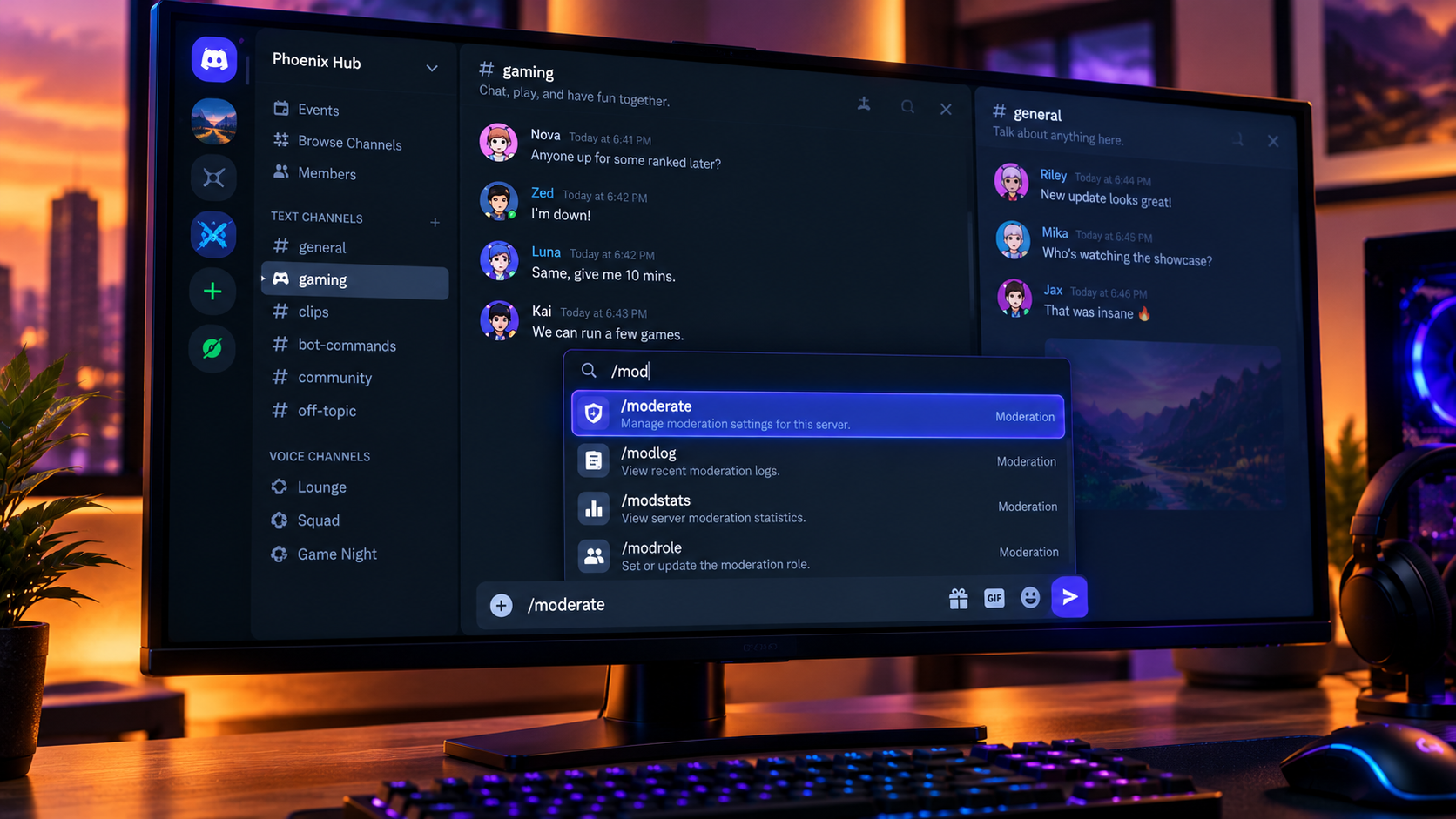

The Complete Wiki to Discord Command Memory
Discord's slash commands make it easier to interact with bots without memorizing every command. But when you're writing a command and switch to another channel, what happens when you return? Does Discord remember the command you selected, or do you need to start again?
Discord Command Memory describes the idea of retaining a selected command or unfinished command input when navigating between channels. Discord already documents features that make frequently used and recent commands easier to access. However, the specific behavior of restoring a selected command after switching channels should be verified against the current client, as it is not confirmed as a universal feature in the official sources referenced here.
Quick Facts
| Feature | Details |
|---|---|
| Platform | Discord |
| Related feature | Slash-command picker |
| Existing convenience | Frequently used and recent commands |
| Main purpose | Reduce repeated command selection |
| Cross-channel input restoration | Not confirmed as universal behavior |
| Potential benefit | Faster workflows with bots and apps |
What Is Discord Command Memory?
Command memory is a convenient name for an interface behavior that preserves a user's previous command selection or input state. Rather than searching for a command again, the client could restore the unfinished selection when the user returns to the original channel.
For example, imagine you're preparing a moderation command in #mod-chat. You select a bot command, switch to #general to check a message, and then return to #mod-chat.
If the client preserves the command state, you could continue where you left off instead of reopening the command picker and finding the same command again.
This is the intended concept, not a guarantee that every Discord client currently restores command input this way.
How Discord's Existing Command Picker Works
Discord's official documentation explains that typing / opens the command picker, where you can browse available slash commands. The picker also helps users access commands they use frequently.
Discord's May 2022 app update described several command-discovery conveniences:
Frequently used commands: Commonly used commands can appear near the top of the picker.
Recent commands: Recently used commands are easier to find.
App filtering: Users can navigate to commands belonging to a particular app.
Autocomplete: Supported command inputs can offer suggestions as users type.
These features help users find commands more quickly, but remembering a previously selected command is different from listing commands that were used recently.
Official source: https://discord.com/blog/welcome-to-the-new-era-of-discord-apps
Does Discord Remember Your Selected Command When Switching Channels?
The distinction is between remembering a command in the picker and preserving an unfinished command in the message input.
Recent-command memory helps you locate a command you used before.
Input-state memory would restore the command you had selected or were composing after navigating away.
Draft preservation refers to retaining unfinished text in a message composer.
These behaviors are related, but one does not prove that the others are supported.
The official sources referenced for this article document recent and frequently used command access, but they do not confirm that a selected slash command is always restored after switching channels. Availability may depend on the current client version or a specific rollout.
How to Test Command Memory
You can check the behavior in your own Discord client without sending a command.
Open a channel where a bot or app has available slash commands.
Type
/and select a command.If the command requires additional options, begin filling them in.
Switch to another channel.
Return to the original channel and inspect the message input.
Check whether the command and its selected options remain available.
Repeat the test with a different command and, if possible, another client such as desktop or mobile. Record your Discord version and platform if the result changes.
Important: Do not press Enter or submit the command unless you intend to run it.
What If Your Command Selection Disappears?
If Discord clears the command when you return to a channel, try these steps:
Check the input field: The command may have been cleared when focus changed.
Open the picker again: Type
/and look for the command in the frequently used or recent section.Check app availability: A command may not be available in every server or channel.
Review permissions: Server or channel permissions can affect which commands appear.
Update Discord: Install the latest version available for your platform if the interface behaves unexpectedly.
Report reproducible issues: Include your platform, app version, and steps to reproduce the behavior when contacting Discord Support.
Do not assume that a disappearing command means the bot is broken. The command may simply not have been preserved by the interface.
Why Command Memory Matters
Preserving unfinished commands could be useful for moderators, community managers, and members who frequently use bots. It could reduce repeated navigation and help users complete multi-step workflows with fewer interruptions.
For example, a moderator preparing a slowmode command might need to check another channel before submitting it. Restoring the previous selection could save time and reduce repetitive typing.
Still, command convenience must not come at the cost of accidental execution. A well-designed interface should preserve useful input without unexpectedly submitting commands or applying actions.
Frequently Asked Questions
What is Discord Command Memory?
It is a descriptive term for retaining previously selected commands or unfinished command input. It is not established here as the official name of a standalone Discord feature.
Does Discord remember recently used commands?
Discord has documented a command picker that makes frequently used and recent commands easier to access. This is different from restoring an unfinished command after changing channels.
Will my selected slash command return when I switch channels?
That specific behavior is not confirmed as universal in the official documentation referenced here. You can test it in your own client by selecting a command, switching channels, and returning.
Is command memory the same as saving a message draft?
No. Draft preservation concerns unfinished message text, while command memory concerns a selected or composed slash command. They may behave differently.
What should I do if my command disappears?
Open the command picker again, search for the command, and check whether the app is available in that channel. If the behavior appears to be a bug, record your client version and report the steps to reproduce it.
Official Sources
Discord, Welcome to the New Era of Discord Apps
https://discord.com/blog/welcome-to-the-new-era-of-discord-appsDiscord, Permission to Slash, Granted: Introducing Slash Command Permissions
https://discord.com/blog/slash-commands-permissions-discord-appsDiscord Support Center
https://support.discord.com/hc/en-us/
Final Verdict
Discord's slash-command picker already helps users find frequently used and recent commands, making bot interactions easier to navigate. Remembering an unfinished command after switching channels would be a useful extension of that experience, but the exact cross-channel restoration behavior should not be presented as a confirmed universal feature without official documentation or reproducible testing.
For now, users can rely on the command picker to rediscover available commands and test their client to see whether selected input is preserved between channels.
Comments
Sign in to join the conversation
Sign inNo comments yet
Be the first to share your thoughts!