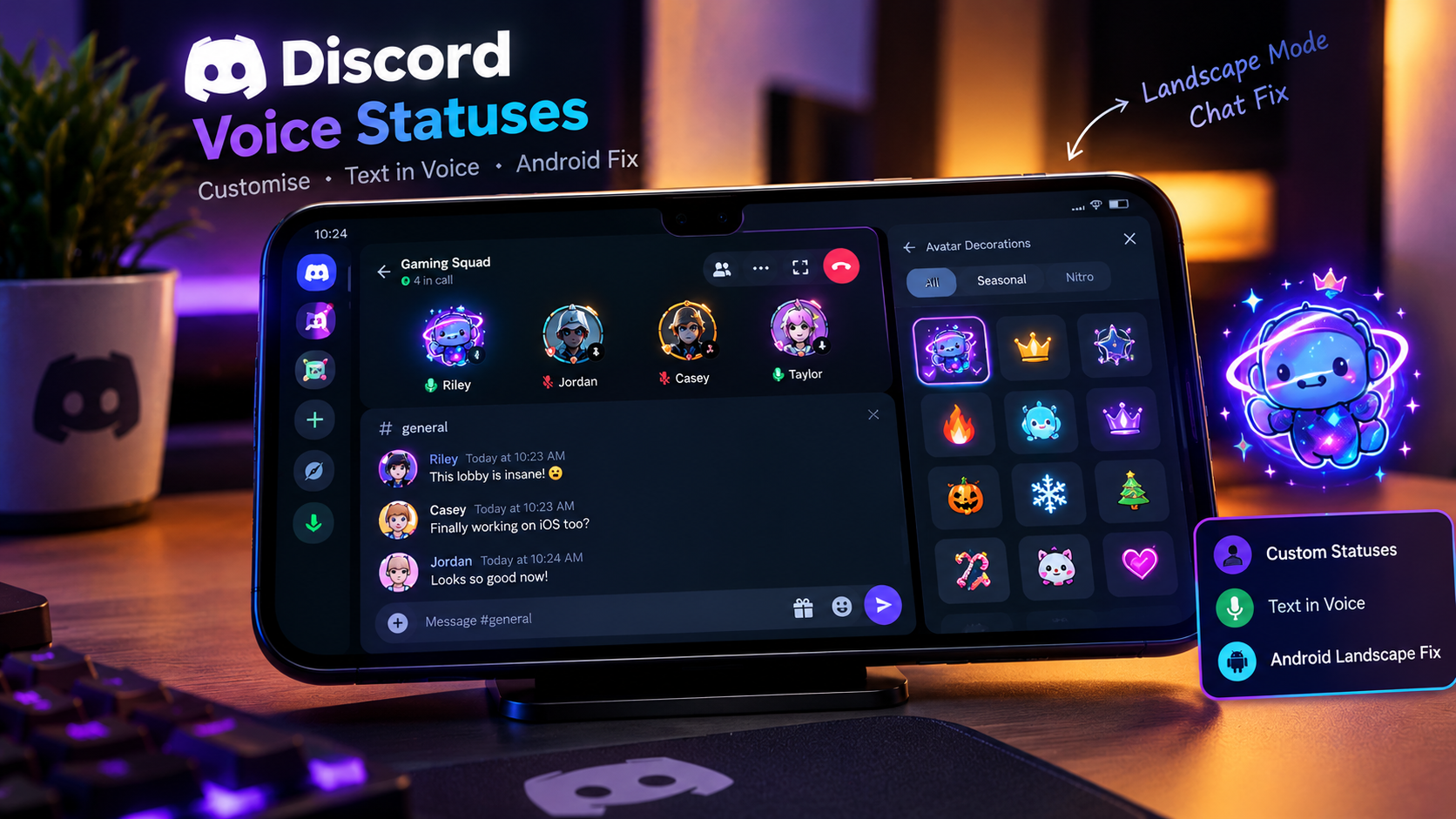

The Complete Wiki to Customizing Discord Voice Statuses
Discord gives users several ways to communicate their availability and activity, from custom profile statuses to voice-channel status labels and messages sent during a call. On Android, the experience can become more complicated when the phone is rotated into landscape mode, especially during video calls or when the device has a camera cutout.
Discord has published multiple fixes related to mobile voice and landscape layouts. Its July 7, 2026 patch notes address an Android issue where returning from an in-app link or forum post in landscape mode could leave the chat occupying the full screen, hiding the channel and server lists. Earlier, its February 3, 2025 notes addressed opening text chat during an ongoing voice-channel video call in landscape orientation. These are related usability improvements, not confirmation that every camera-notch or text-positioning issue has been fixed.
This guide explains the different status features, how to customize them, and what Android users can do if text or controls appear incorrectly positioned.
Quick Facts
| Detail | Information |
|---|---|
| Platform | Discord desktop and mobile |
| Mobile focus | Android |
| Main features | Custom status, voice-channel status, Text in Voice |
| Relevant display mode | Landscape orientation |
| Recent relevant fix | July 7, 2026 Android landscape layout fix |
| Earlier related fix | February 3, 2025 landscape voice-call text chat fix |
| Camera-notch behavior | Depends on device, system layout, and app version |
What Are Discord Voice Statuses?
The phrase “voice status” can refer to several different things in Discord. Understanding the difference helps you customize the right setting.
1. Custom User Status
A custom status is a short message displayed on your profile to tell friends what you are doing or how you feel. You can add text and, where supported, an emoji.
For example, you might use:
“Gaming with friends”
“In a ranked match”
“Recording, replies later”
“Listening to the squad”
A custom status is not the same as a voice-channel label. It communicates your activity or availability rather than describing the entire voice channel.
2. Voice Channel Status
A voice-channel status is associated with a voice channel and can help explain what is happening there. Depending on the server and available interface, it may communicate the activity or purpose of the conversation.
For example, a gaming group might use a status such as “Ranked matches” to make the session easier to identify.
The exact controls available can differ between desktop and mobile. If you cannot find a particular option in the Android interface, check the current desktop client or Discord's official support documentation.
3. Text in Voice
Text in Voice lets participants communicate through text while using a voice-channel experience. It is useful when someone needs to share a link, send a quick message, or communicate without interrupting the conversation.
This feature is particularly relevant to landscape mode because the interface must accommodate the call, text messages, navigation controls, and the on-screen keyboard within a limited amount of space.
How to Customize Your Discord Custom Status
To change your personal status on mobile:
Open Discord on your Android device.
Navigate to your profile.
Find the option to set or edit your custom status.
Enter a short message and select an emoji if you want one.
Set an expiration time if that option is available.
Save your changes.
Your custom status can help friends understand what you are doing, but it does not automatically change your microphone, camera, or voice-channel settings.
Tip: Keep status text short. It is easier to read in compact profile areas, member lists, and mobile interfaces.
How to Use Text in Voice on Android
Text in Voice is helpful when you want to keep a written conversation going without leaving a voice session.
Join a voice channel that supports the relevant text-chat interface.
Look for the text-chat control associated with the channel or call.
Open the conversation panel.
Send a message, link, or other supported content.
Return to the call view when you want to focus on the speakers.
The precise placement of these controls can change between Discord app versions and device layouts.
Why Landscape Mode Matters
When an Android phone rotates horizontally, the available vertical space decreases. Discord must rearrange the channel list, text panel, call controls, and video tiles to fit the display.
A problem can occur if a panel takes over the screen or navigation elements become hidden after switching between a link, forum post, and chat. That is the kind of landscape navigation issue Discord specifically documented in its July 2026 patch notes.
Android Landscape-Mode Fixes Explained
Discord's mobile interface has received several fixes relevant to text chat and voice calls.
July 7, 2026: Landscape Navigation Fix
Discord documented a bug where returning from an in-app link or forum post in landscape mode could leave the chat occupying the entire screen, hiding the server and channel lists.
The fix targeted the layout and navigation state after returning to Discord content. It was not specifically described as a universal fix for camera-notch positioning.
February 3, 2025: Text Chat During a Voice Call
Discord's February 2025 patch notes documented a fix for opening text chat during an ongoing voice-channel video call on a mobile device in landscape orientation.
This is directly relevant to users who want to read or send messages while remaining in a call.
Important: These patch notes describe specific bugs. They do not guarantee that every Android model, camera cutout, aspect ratio, or display configuration will behave identically.
Official references:
How to Troubleshoot Text Under the Camera Notch
If text chat appears crowded, clipped, or awkwardly positioned near your Android phone's camera cutout, try the following steps.
1. Update Discord
Open the Google Play Store and check whether a newer version of Discord is available. Fixes may arrive through app updates, and Discord notes that some patch changes can take time to roll out across platforms.
2. Rotate the Phone and Reopen the Panel
Switch between portrait and landscape orientation. Close the text panel and open it again after rotating the phone.
This can help if the interface has not recalculated its layout correctly after the orientation change.
3. Return to the Voice Channel
If you opened an external link or forum post during a session, return to the original voice channel and reopen Text in Voice. This is particularly relevant to the landscape navigation issue described in Discord's July 2026 patch notes.
4. Check Display and Font Settings
Android's display size, font size, and manufacturer-specific full-screen settings can affect how apps fit around cutouts and screen edges.
If the problem appears only with unusually large display or font settings, temporarily return those settings to their defaults and test Discord again.
Menu names vary by Android manufacturer, so there is no single setting path that applies to every phone.
5. Restart Discord
Fully close and reopen the app. If the problem persists, restart the phone and test the same call again.
6. Report the Remaining Bug
If text consistently appears underneath the camera cutout or is clipped in landscape mode, report it through Discord's official support channels. Include your phone model, Android version, Discord app version, and a screenshot that shows the layout problem.
A screenshot can help distinguish a Discord layout bug from a device-specific display configuration issue.
Best Practices for Clear Voice Statuses
A well-chosen status makes it easier for friends to understand what you are doing without adding clutter.
Keep it brief: Short statuses are easier to scan on mobile.
Use clear wording: “In a call” or “Gaming with friends” communicates more than a vague message.
Avoid unnecessary symbols: Too many emoji can make compact labels harder to read.
Separate status from chat: Use your custom status to describe your activity and Text in Voice for messages that need a response.
Update the app regularly: Mobile fixes and interface improvements can depend on the version installed.
Frequently Asked Questions
Can I customize my Discord voice status on Android?
You can set a custom user status on mobile. Other voice-related labels and controls depend on the particular feature and permissions available to your account or server.
Is a custom status the same as Text in Voice?
No. A custom status is a short message associated with your profile. Text in Voice is a chat experience connected to a voice session.
Did Discord fix Android landscape-mode chat issues?
Discord documented a fix on July 7, 2026, for a landscape navigation problem that could hide server and channel lists after returning from an in-app link or forum post. A separate February 2025 fix addressed opening text chat during an active voice-channel video call in landscape mode.
Does the latest fix guarantee that text will appear correctly beneath every camera notch?
No. The documented fixes address specific layout problems. Camera cutouts, screen proportions, Android display settings, and app versions can still affect how an interface appears.
Why does the chat panel sometimes fill the whole screen?
Discord documented an Android landscape-mode bug that could leave chat occupying the full screen after returning from certain in-app destinations. Updating Discord and reopening the channel may help if a similar issue persists.
Should I reinstall Discord if the text layout is broken?
Try updating and restarting the app first. Reinstallation is a later troubleshooting option, not a confirmed fix for every camera-notch or landscape-layout issue.
Final Verdict
Custom statuses, voice-channel labels, and Text in Voice serve different purposes, but they all contribute to a clearer Discord experience. For Android users, landscape mode adds another challenge because the app must fit chat, navigation, and call controls into a shorter screen.
Discord's published fixes show continued work on mobile landscape navigation and text chat during calls. However, users should not assume that these updates resolve every camera-notch alignment problem. Keeping Discord updated, reopening the chat after rotating the phone, and reporting persistent layout issues are practical ways to troubleshoot the experience.
Comments
Sign in to join the conversation
Sign inNo comments yet
Be the first to share your thoughts!