
The 'User-Installed App' Revolution: Why Discord Bots Are Leaving the Server
Discord Is Quietly Changing What a "Bot" Means
For years, the basic Discord bot model was simple.
A developer built a bot.
A server owner invited it.
The bot joined the server.
Then everyone in that server could use it.
That model worked extremely well, but it also created a major barrier.
You needed permission from someone who controlled the server.
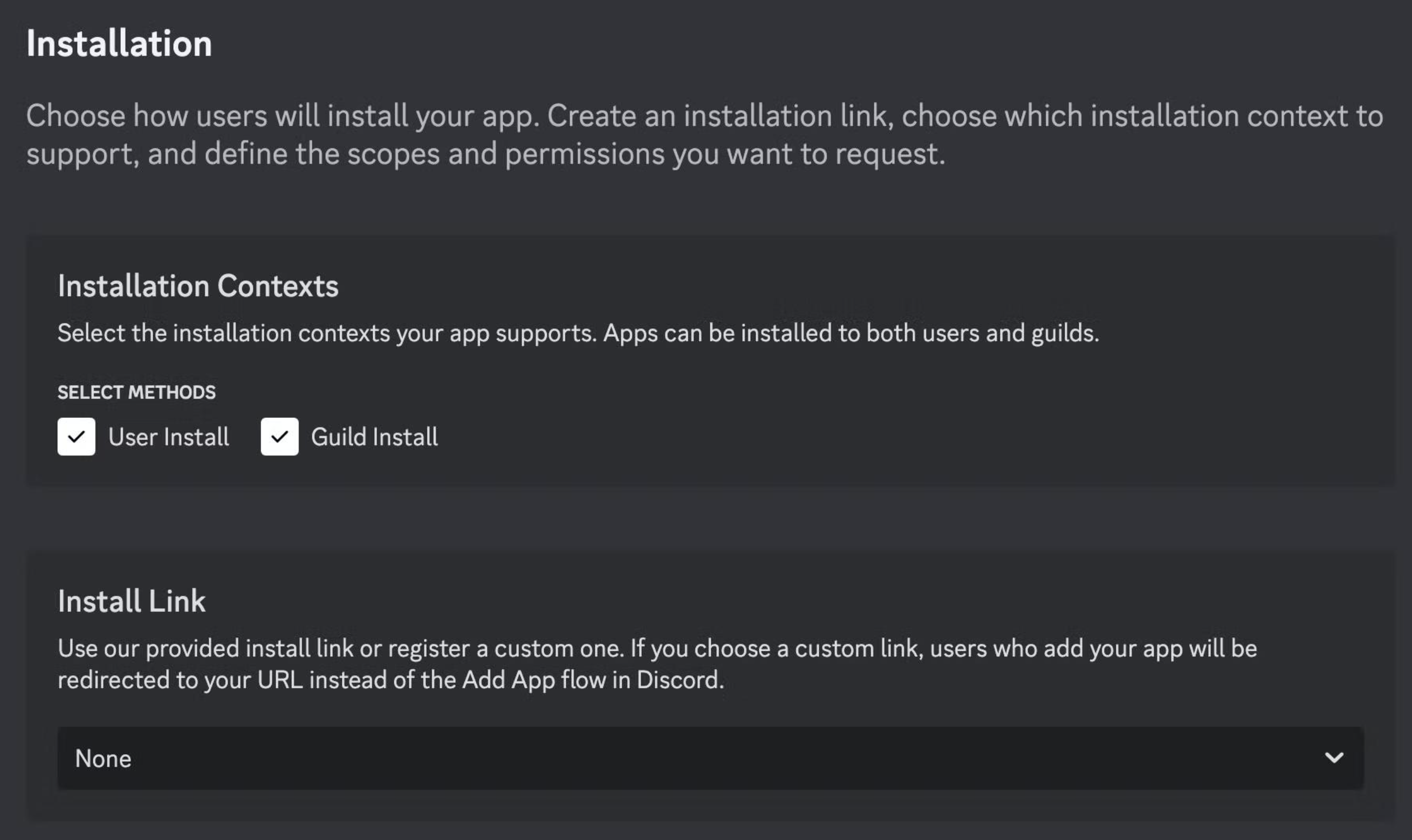
Discord has been steadily moving away from that model with user-installed apps.
Supported apps can now be installed directly to a user's Discord account rather than being added to a specific server. Once installed, the app can be used across the user's servers, DMs, and group chats, depending on its capabilities. Discord Support
That changes the distribution model completely.
Instead of:
Developer → Server Admin → Server Members
Discord is increasingly enabling:
Developer → User
And that could be one of the biggest changes to the Discord app ecosystem in years.
What Are User-Installed Apps?
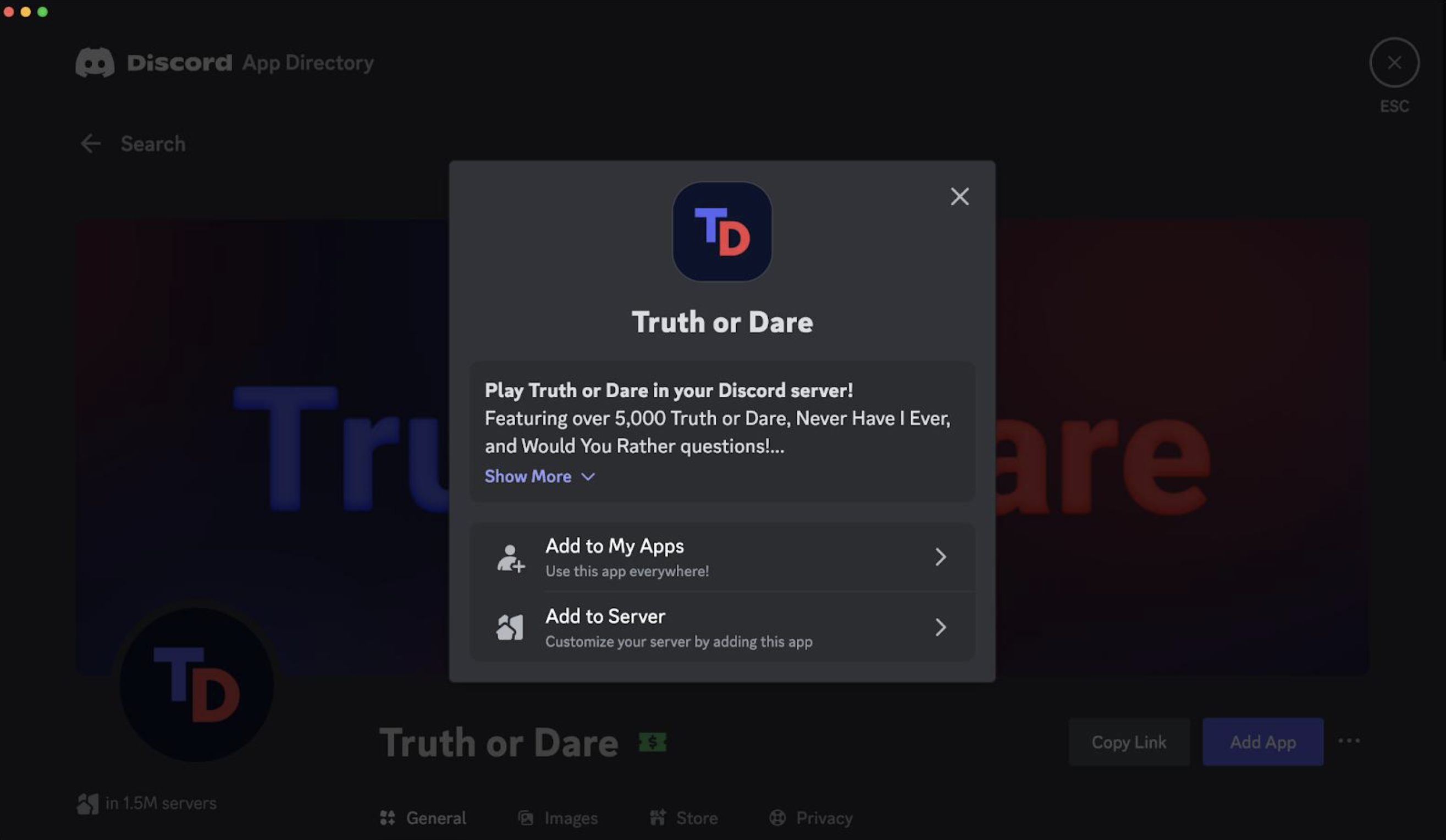
A user-installed app is an app that you authorize for your own Discord account rather than installing it into a server.
There are still two different models.
Server-installed app
A server owner or someone with the Manage Server permission adds the app.
The app becomes available within that server and can have permissions to perform actions there.
It also appears as an app/bot member of the server. Discord Support
User-installed app
You install the app to your own account.
The app can then be available for you across your servers, DMs and group chats where supported. Discord Apps
The difference sounds small.
It isn't.
The Admin Invite Is No Longer Always Necessary
Imagine you're in a Discord server where you aren't an administrator.
You find an image-editing app you want to use.
Under the traditional bot model, you'd have to:
- Find the bot.
- Ask an admin to add it.
- Wait for the admin.
- Give the bot the required permissions.
- Finally use it.
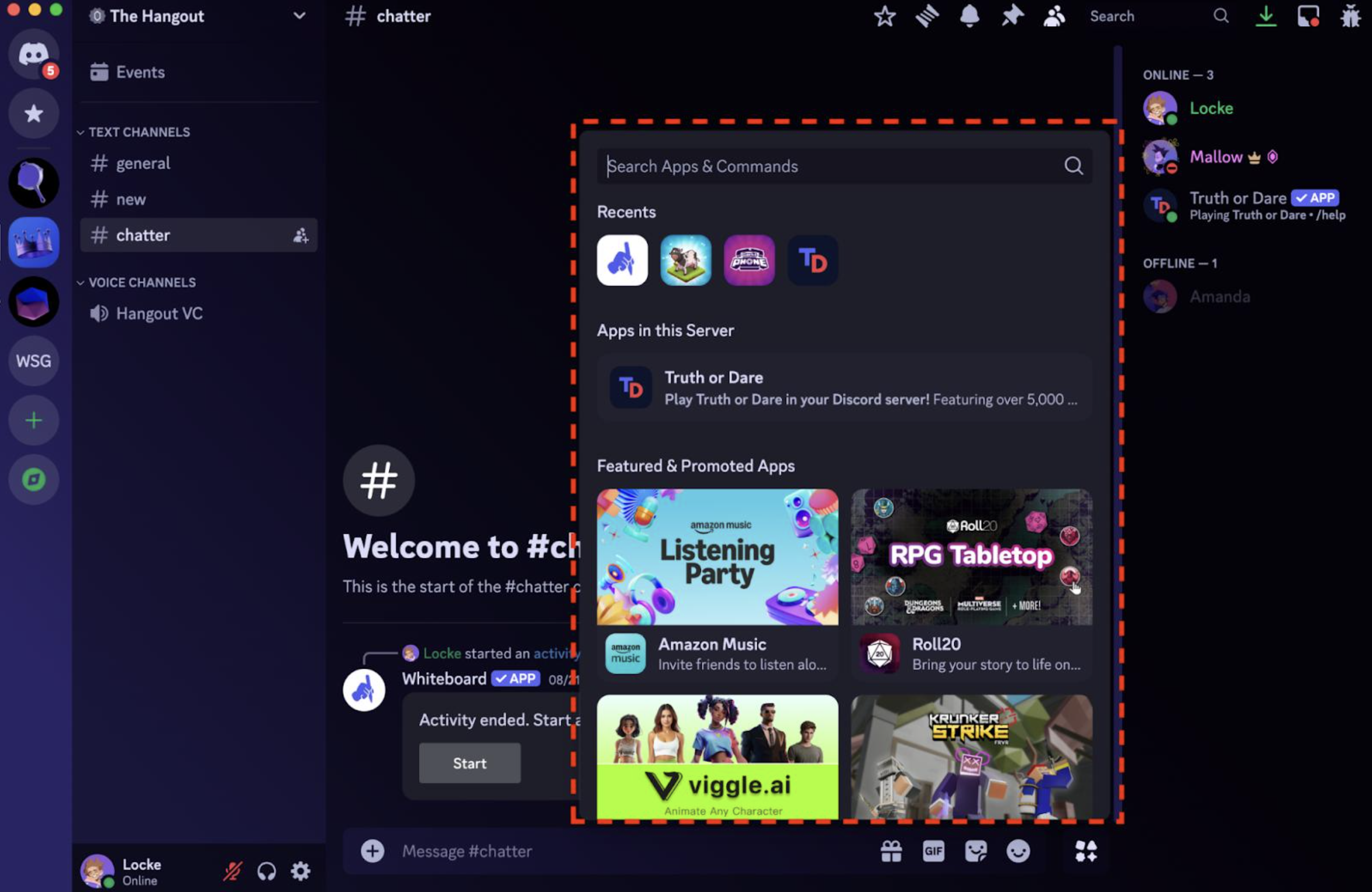
With a supported user-installed app, you can authorize the app to your own account instead.
Now you can use its supported commands without asking the server owner to install a bot for the entire community. Discord explicitly describes account-installed apps as being available across the user's servers, DMs and group chats. Discord Support
That makes apps feel much more like personal tools than traditional server bots.
Commands Can Follow You Everywhere
This is where the model becomes especially interesting.
Suppose you install an app that provides:
- Image editing
- Translation
- Productivity tools
- AI utilities
- Games
- Polls
- Media tools
- Other chat-based commands
You don't necessarily need the app installed separately in every server.
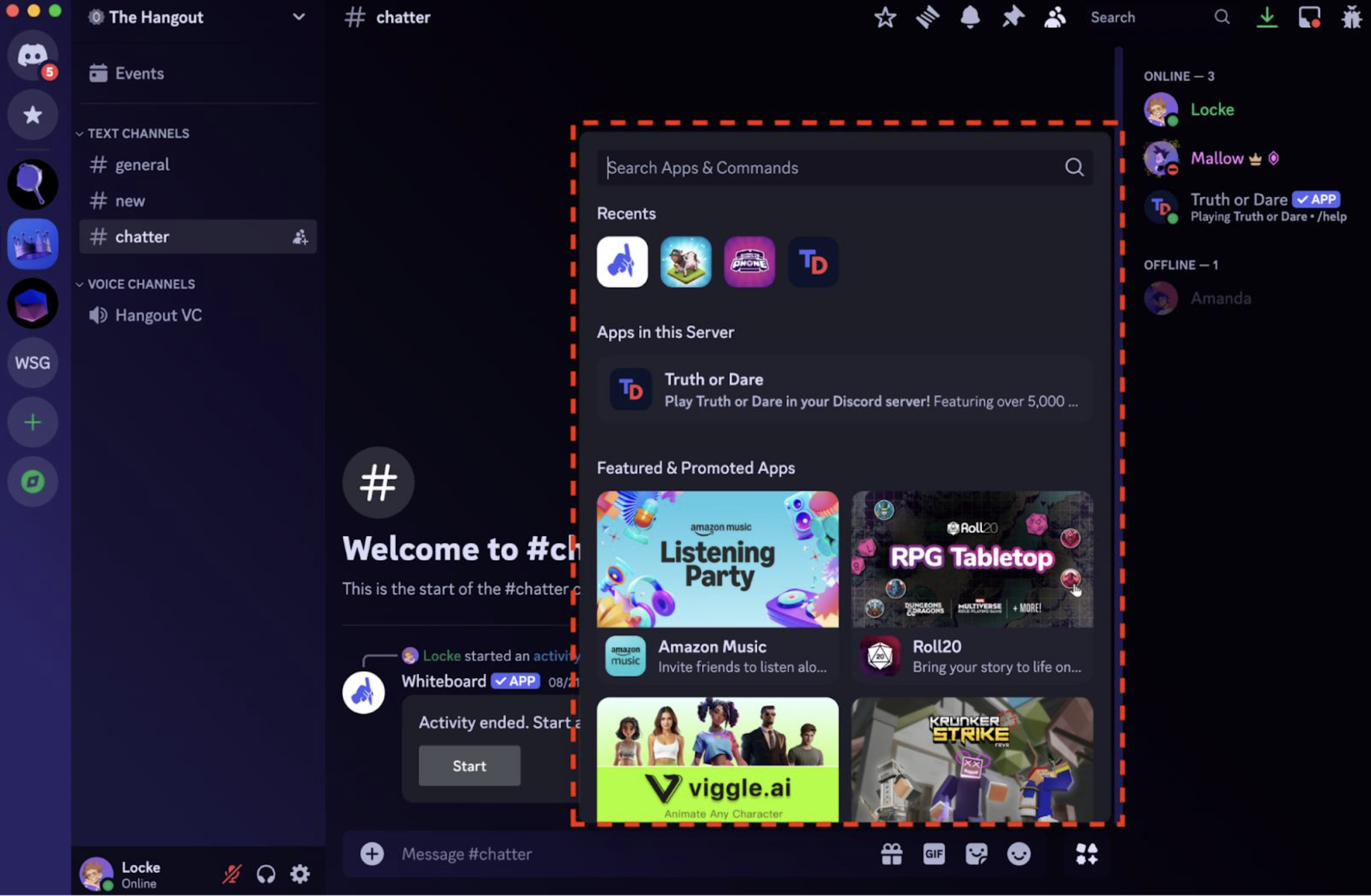
You can access supported commands through Discord's App Launcher, slash-command interface, or context menus. Discord Support
For example:
You install App X
        ↓
App X is attached to your account
        ↓
You join Server A
        ↓
Use App X
        ↓
You join Server B
        ↓
Use App X again
        ↓
Open a DM
        ↓
Use App X there too
That's a fundamentally different distribution model from traditional bots.
And Then There Are Activities
User-installed apps aren't only about commands.
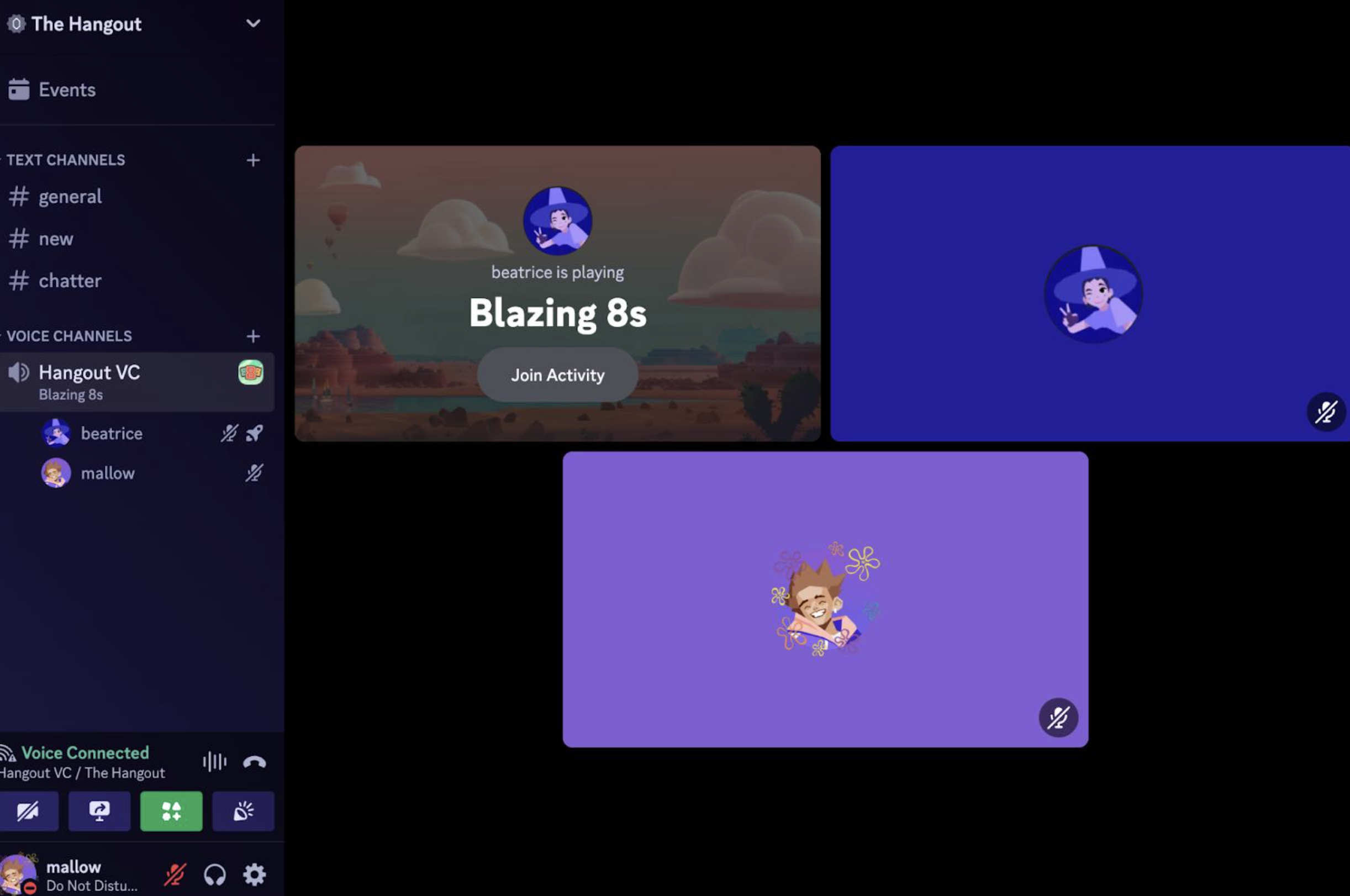
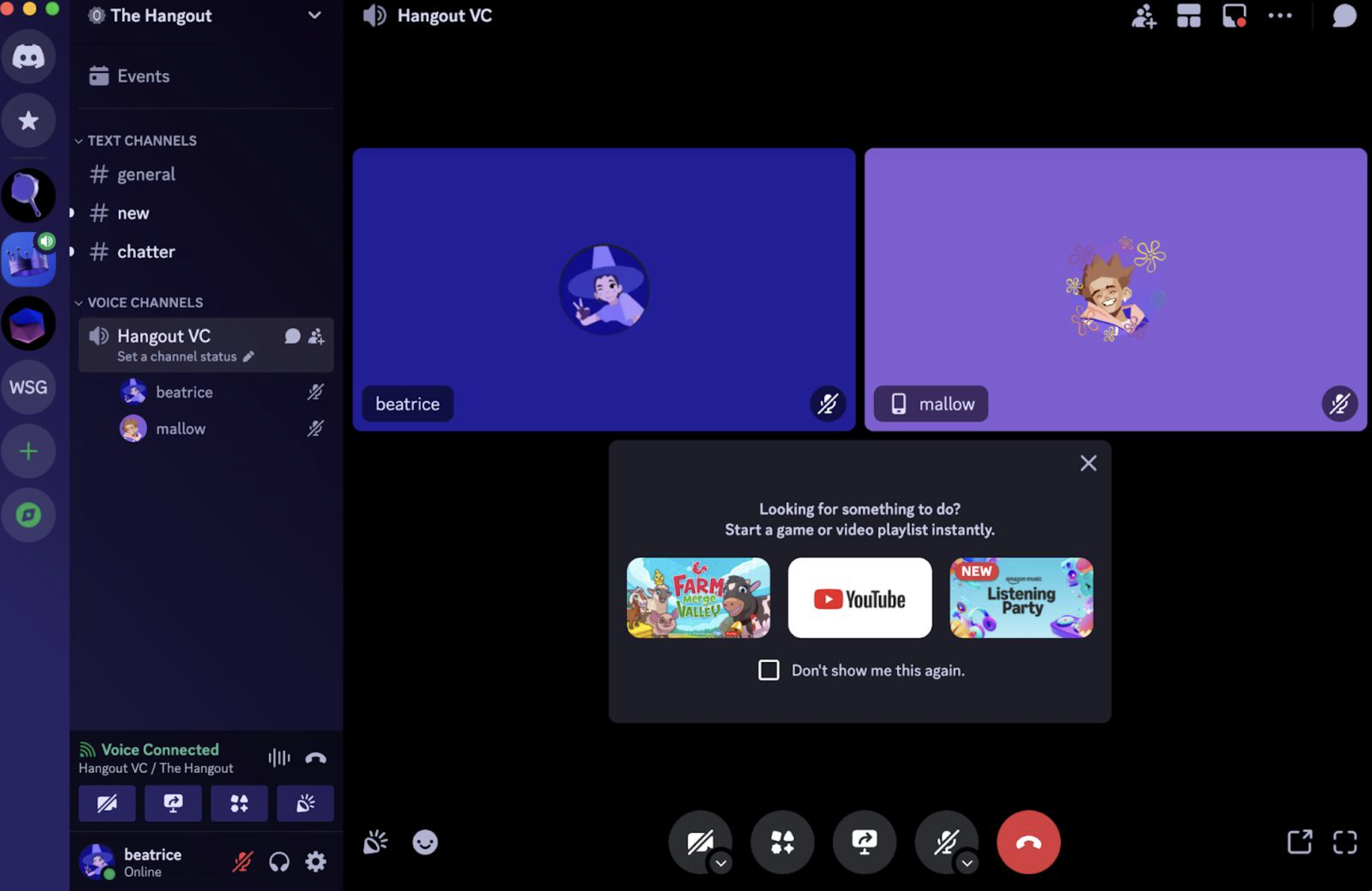
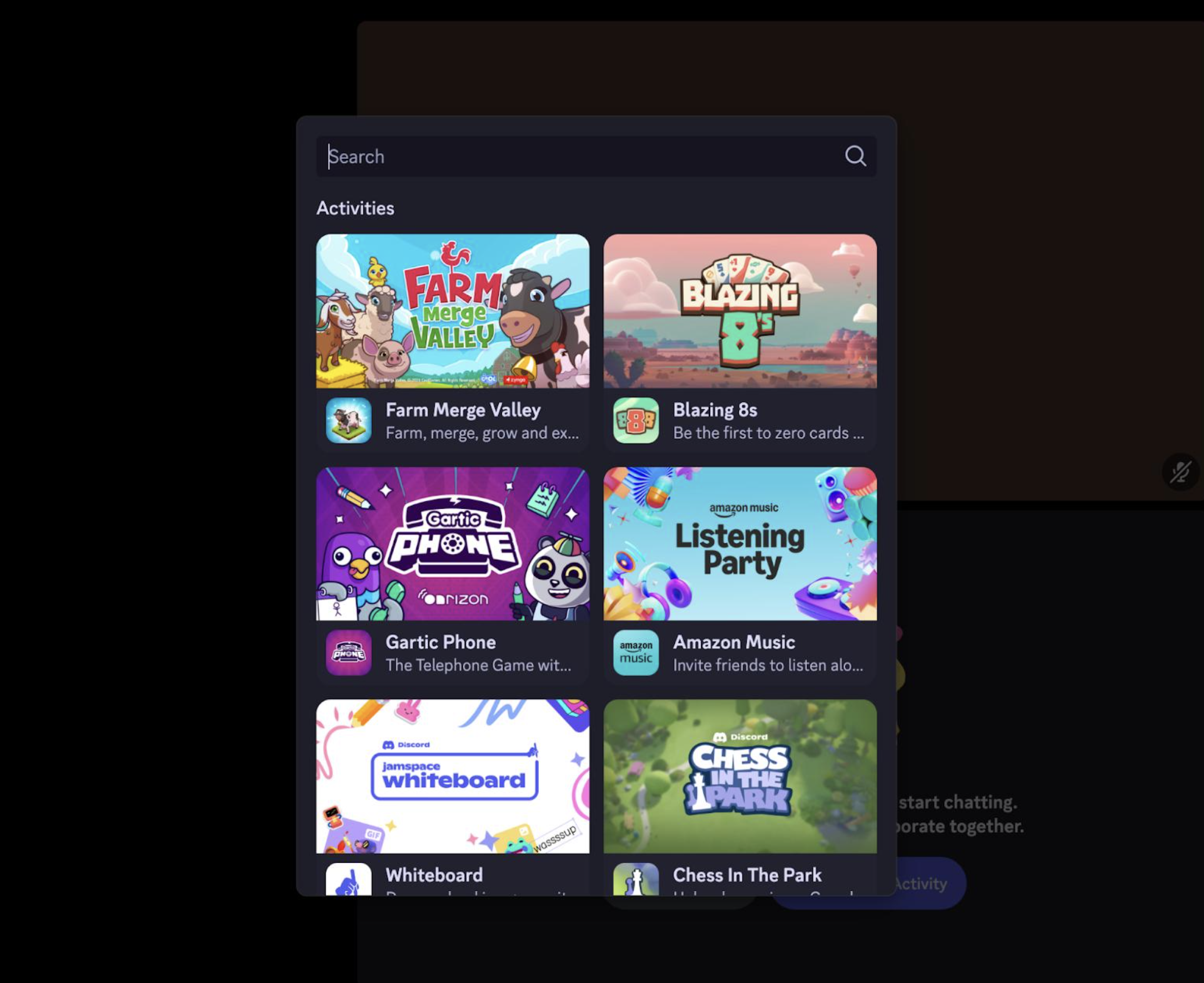
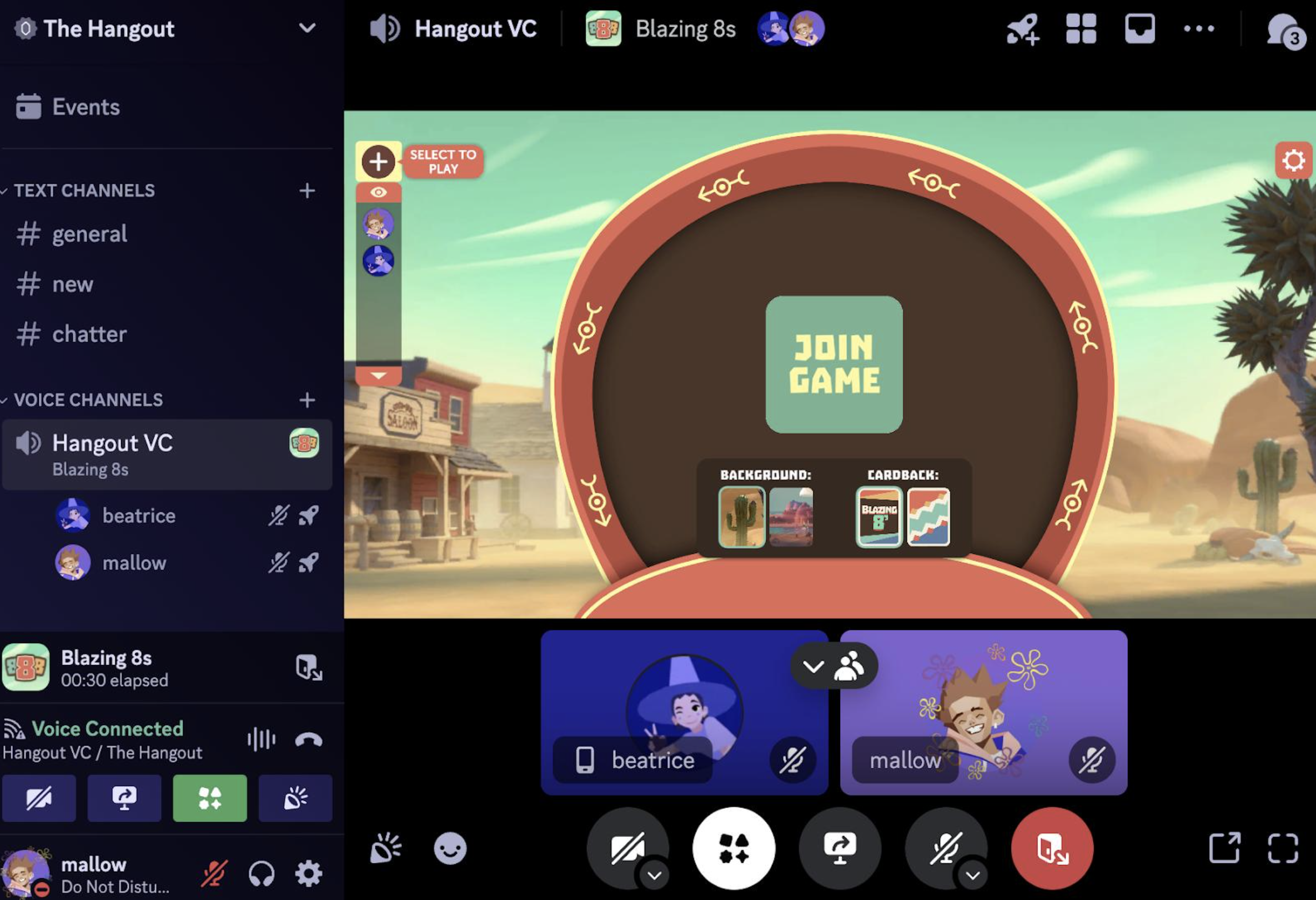
Discord's Activities let apps provide interactive experiences inside Discord, including games, quizzes, collaborative tools and other shared experiences. They can be launched from text chats or voice calls. Discord Support
That means an app can become something you do together, rather than simply something you issue commands to.
For example:
Traditional bot:
/poll What should we play?
Activity:
Launch a game directly in the conversation and invite your friends.
Discord has been building toward this model for years, but user-installed apps make the distribution side much more interesting.
Why Discord Wants This
There is an obvious problem with the traditional bot ecosystem.
Every server is a separate distribution problem.
A developer might build an amazing app, but getting it into thousands of servers means convincing thousands of administrators to install it.
User-installed apps remove much of that friction.
A developer can potentially reach an individual user without convincing an entire community to adopt the application.
That is a much more consumer-oriented model.
Discord itself has described the ability to add supported apps to an account as a way to use them across any server or DM on Discord. Discord
Discord Is Turning the App Launcher Into an App Store
This is probably the bigger story.
The App Launcher isn't just a convenient menu anymore.
It's becoming a discovery layer for Discord's application ecosystem.
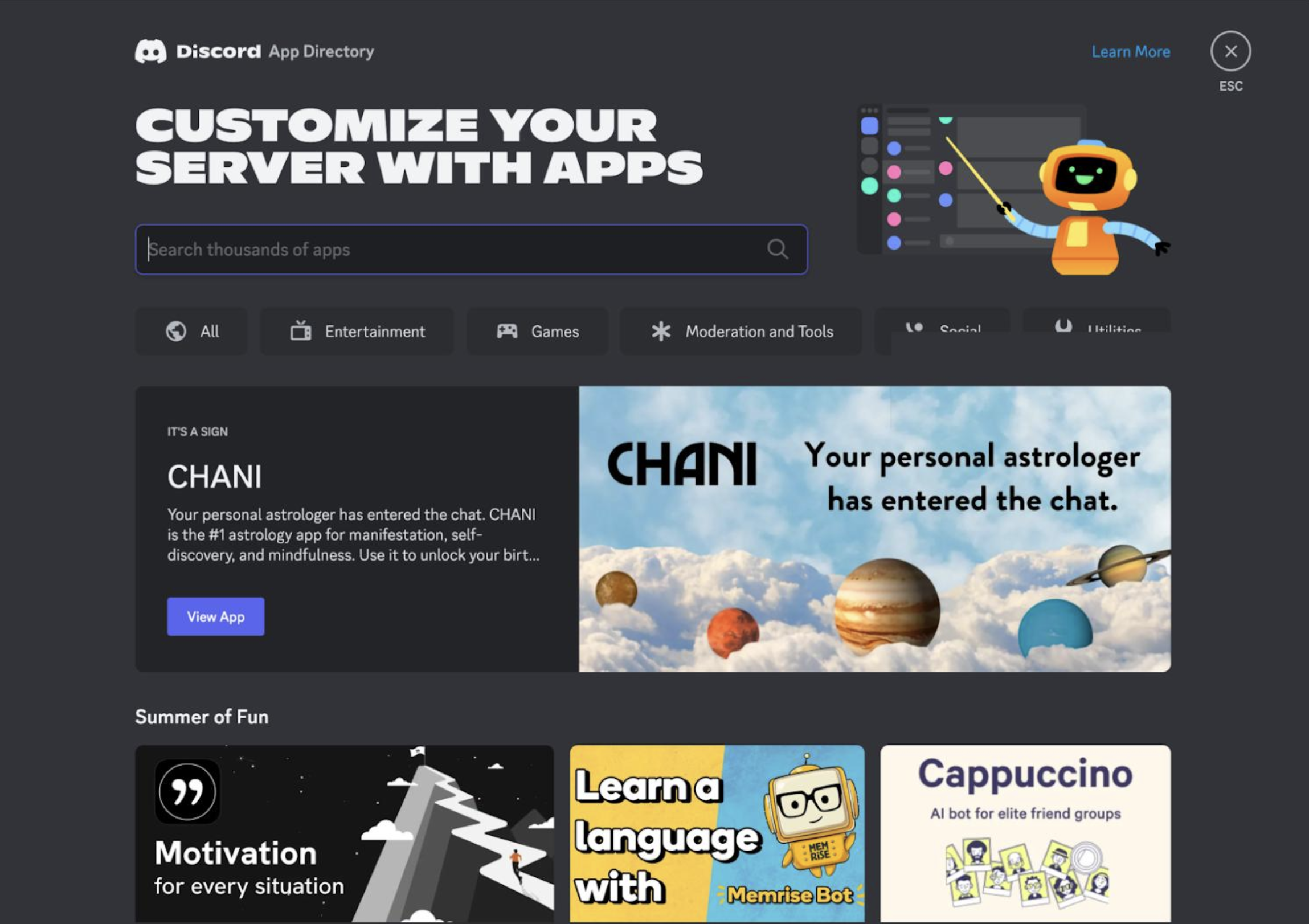
Users can discover apps, authorize them and then access their commands or Activities from Discord's interface. Discord also has an App Directory for discovering available apps. Discord Support
That creates a much more familiar consumer software model:
Discover → Install → Use
instead of:
Find bot → Generate invite → Ask admin → Configure permissions → Use
The difference could significantly lower the barrier for smaller developers.
But User-Installed Apps Aren't All-Powerful
There's an important catch.
A user-installed app does not simply receive the same permissions as a server-installed bot.
Discord says account-installed apps cannot access general information about the server or DMs, and they don't receive permissions to take actions in those spaces beyond responding to user interactions. They also can't access information about server members who haven't interacted with the app. Discord Support
That limitation is intentional.
It creates a separation between:
"I installed this app for myself."
and:
"My server administrator installed this bot for everyone."
The second model can have considerably broader server permissions.
Server Owners Still Have Control
This doesn't mean server admins have lost control.
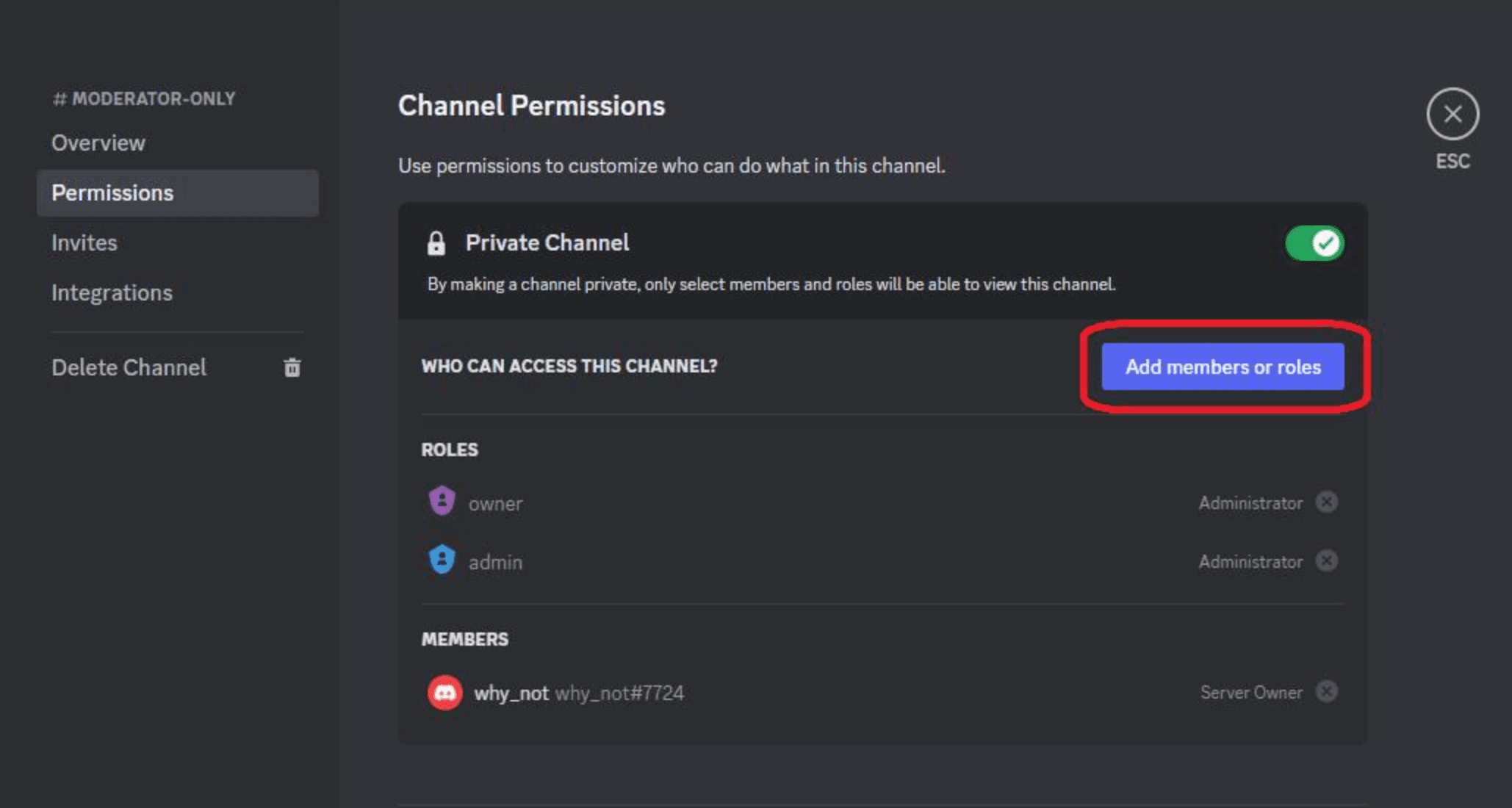
Discord provides an Use External Apps permission that allows server owners and moderators to control whether members can use their own account-installed apps in the server. Discord Apps
There are also separate controls for:
- Use External Apps
- Use Application Commands
- Use Activities
- Specific command permissions
- Bot permissions
So a server can decide how much of this ecosystem it wants to allow.
For example, a server could allow normal server-installed bots while restricting external apps.
The Moderation Model Is Different Too
This creates an interesting moderation challenge.
A server-installed bot is effectively part of the server.
A user-installed app isn't.
Discord's documentation says external apps aren't installed directly to the server and therefore don't appear in the server's Server Settings → Integrations like server-installed apps do. Discord Apps
That changes how moderators need to think about them.
The app isn't necessarily something the server administrator chose to add.
It's something an individual member brought with them.
What Does This Mean for Bot Developers?
This is where the change becomes much more important.
Developers shouldn't automatically think:
"I need to build a better bot."
They should increasingly ask:
"Does my app actually need to be a server bot?"
If your application provides a personal utility, user-installed apps can make much more sense.
Good candidates include:
Personal productivity tools
Things like reminders, converters or task utilities don't necessarily need server-wide permissions.
Image tools
A user might want to edit an image they received in a DM without asking a server administrator to install an image bot.
AI tools
Personal AI commands can potentially work wherever the user needs them.
Games and Activities
These can be launched when friends are already together rather than requiring a permanent bot presence.
Utility commands
Translation, formatting, searching and other lightweight functions can naturally follow the user.
The Bot Isn't Dead
The headline might make it sound like Discord is getting rid of bots.
It isn't.
Server-installed apps are still extremely important.
A moderation bot, for example, needs server permissions to manage roles, delete messages, moderate members or perform other administrative actions.
A server-wide welcome system also makes more sense as a server-installed application.
So the future probably isn't:
Bots disappear.
It's:
Bots become one type of Discord app.
The New Split: Server Apps vs User Apps
The Discord ecosystem is increasingly looking like this:
| Server-installed | User-installed | |
|---|---|---|
| Installation | Server admin | Individual user |
| Requires Manage Server | Yes | No |
| Available across user's DMs | No | Yes, where supported |
| Server-wide functionality | Strong | Limited |
| Server permissions | Can have them | No general server permissions |
| Personal utilities | Possible | Excellent fit |
| Moderation | Excellent fit | Not designed for it |
| Activities | Supported | Supported where available |
The important word is supported.
Not every app offers every capability when installed to a user account. Discord explicitly warns that account-installed apps may not have all the same capabilities as server-installed apps. Discord Support
Why This Could Be Huge for Smaller Developers
The traditional Discord bot ecosystem rewards distribution.
If an app isn't installed in many servers, it can be difficult to grow.
But user installation changes the equation.
A developer could build one genuinely useful application and market it directly to users.
A user sees it.
They install it.
They start using it.
Their friends encounter it.
And the application can potentially spread without every new community requiring an administrator to approve an installation.
That's much closer to the way mobile apps and browser extensions spread.
Discord is effectively making the individual user another entry point into its app ecosystem.
What Happens Next?
The interesting question is how far Discord takes this model.
If more developers design apps specifically around personal installations, we could see fewer applications behaving like permanent server members.
Instead, Discord could become a place where users carry their own collection of apps with them.
Your apps.
Your commands.
Your Activities.
Your tools.
Available wherever you happen to be on Discord.
At the same time, server-installed apps will continue to handle the things that require community-wide permissions and administration.
The two models can coexist.
And that's probably exactly where Discord is heading.
🎮 The Bottom Line
Discord isn't killing bots.
It's changing the center of gravity.
The old model was built around the server:
"Ask an admin to install my bot."
The newer model is built around the user:
"Install this app to your account and use it wherever Discord lets you."
Supported user-installed apps can now work across servers, DMs and group chats, while Activities can bring interactive experiences directly into conversations and calls. Discord Support
For developers, that's a huge opportunity.
The next generation of Discord apps may not need to live inside a server at all.
Do you think user-installed apps will eventually become more important than traditional Discord bots?
Comments
Sign in to join the conversation
Sign inNo comments yet
Be the first to share your thoughts!