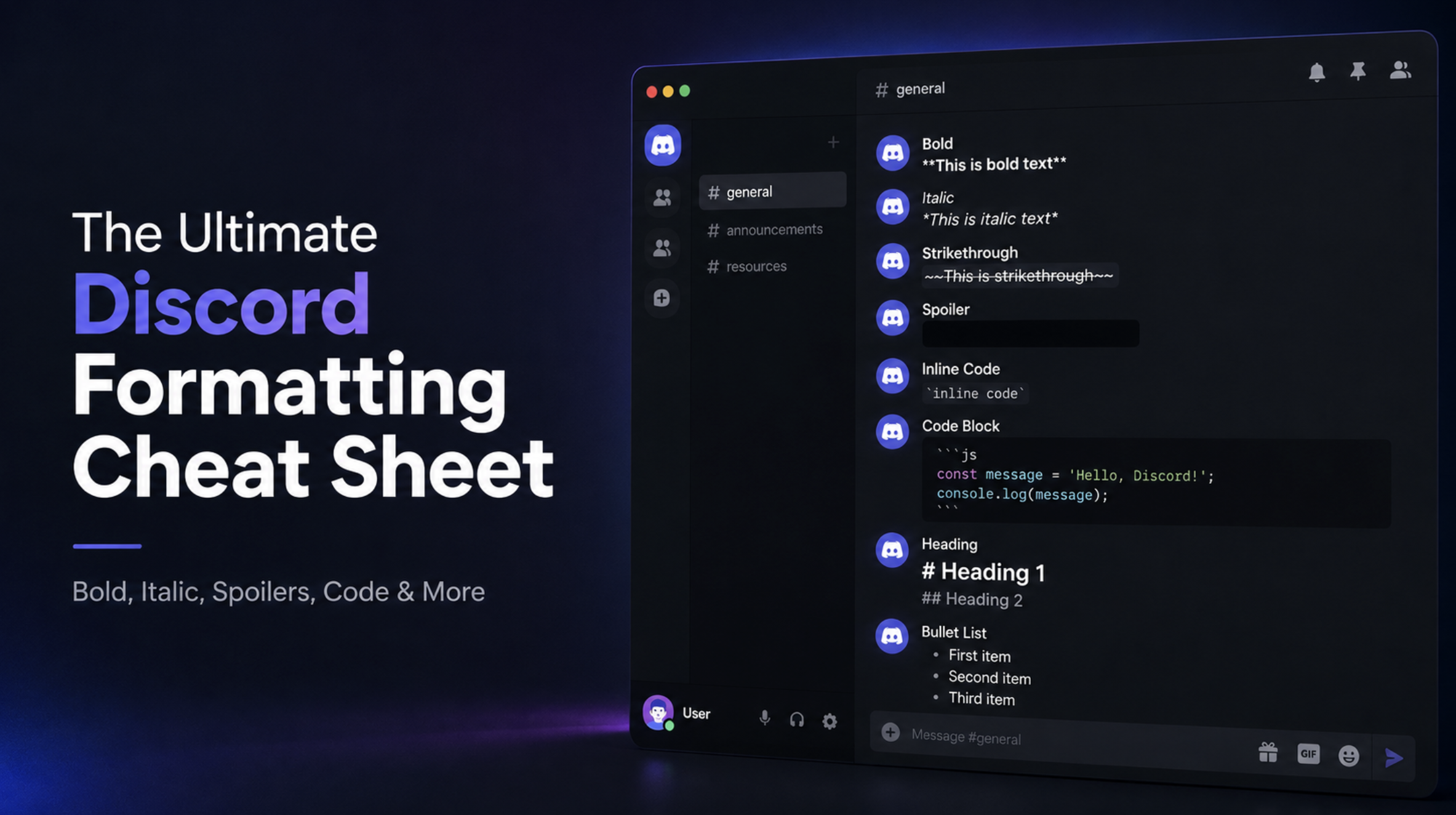

The Ultimate Discord Formatting Cheat Sheet: Bold, Italic, Spoilers, Code & More
Focus keyword: Discord text formatting
Secondary keywords: Discord Markdown, Discord formatting, Discord Markdown cheat sheet, how to bold in Discord, Discord spoiler tag, Discord code block
The Ultimate Discord Formatting Cheat Sheet
Discord messages don't have to look plain.
You can make text bold, italic, crossed out, add spoilers, create lists, and even format code.
The good thing is that you don't need another app to do it.
Discord uses Markdown for most of its text formatting. You simply add a few characters around your text, and Discord changes how it looks.
This guide covers the most useful Discord formatting tricks in one place.
So, if you're looking for a quick Discord Markdown cheat sheet, bookmark this page.
Discord Formatting Cheat Sheet
Here's a quick look at the most common options.
| Format | What to Type | Result |
|---|---|---|
| Bold | **text** | text |
| Italic | *text* | text |
| Underline | __text__ | Underline |
| Strikethrough | ~~text~~ | |
| Bold + Italic | ***text*** | text |
| Spoiler | ` | |
| Inline code | `text` | text |
| Blockquote | > text | Quoted text |
| Bullet list | - text | • text |
Discord officially supports these Markdown options, along with headings, subtext, masked links, lists, code blocks, and block quotes.
How to Bold Text on Discord
Want to make something stand out?
Use two asterisks on each side of your text.
**This is bold**
It will appear as:
This is bold
This is useful for:
- Important announcements
- Server rules
- Event names
- Warnings
- Important words
For example:
**Server Rules**
How to Italicize Text on Discord
Italic text is just as easy.
Put one asterisk on each side.
*This is italic*
You can also use underscores:
_This is italic_
It works well when you want to add emphasis without making the entire message bold.
How to Underline Text on Discord
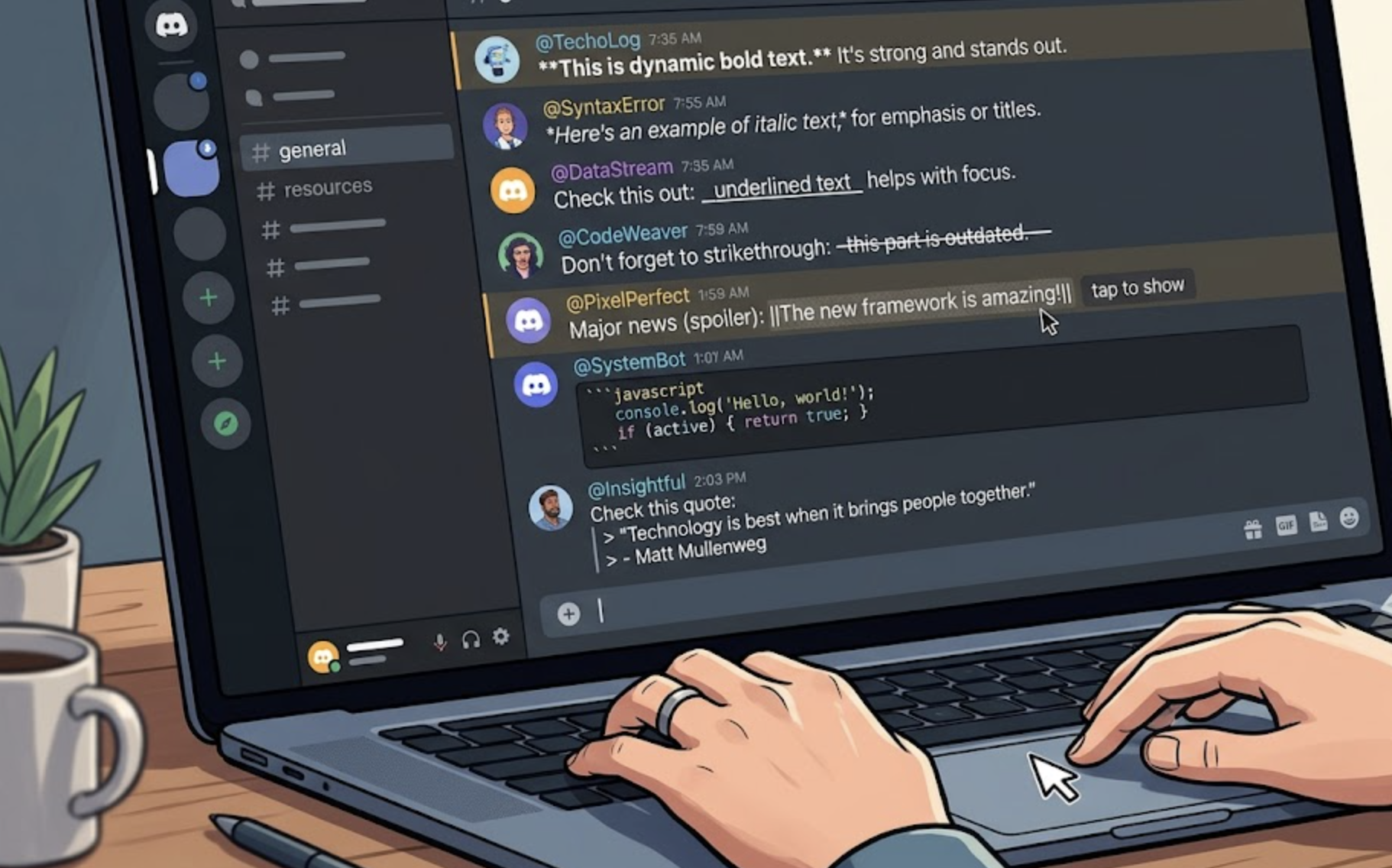
Want to underline something?
Use two underscores before and after the text.
__This is underlined__
You'll get:
This is underlined
You can also combine formatting.
For example:
__**Important**__
This gives you bold underlined text.
How to Strikethrough Text
Strikethrough is useful when you want to show that something has been removed or changed.
Use two tilde symbols.
~~This text is crossed out~~
The result looks like:
This text is crossed out
It's especially useful for:
- Updated announcements
- Old prices
- Changed event times
- Jokes
- Editing messages
How to Hide Spoilers on Discord
This is one of the most useful Discord formatting tricks.
Use two vertical bars on both sides of your text.
||This is a spoiler||
Discord will hide the text until someone clicks it.
You can use spoiler formatting for:
- Movie spoilers
- Game endings
- Anime discussions
- New episode information
- Surprise announcements
Discord also lists spoilers as another type of formatting and uses || around the text.
How to Create Code on Discord
Discord also has formatting options for developers.
For a short piece of code, use one backtick on each side.
`console.log("Hello");`
It will appear as:
console.log("Hello");
This is called inline code.
It's useful when you're talking about:
- Commands
- Variables
- File names
- Short code snippets
- Discord bot commands
How to Create a Code Block
For multiple lines of code, use three backticks.
Put three backticks before the code and three after it.
function hello() {
console.log("Hello!");
}
Code blocks are much easier to read than putting a long piece of code into a normal message.
Discord officially supports multi-line code blocks using three backticks.

How to Make Blockquotes
Blockquotes are useful when you want to highlight someone's message or quote something.
Start your line with >.
> This is a blockquote
You can also create a larger blockquote using >>>.
>>> This is a multi-line blockquote.
You can keep writing here.
Discord supports both single-line and multi-line blockquotes.
How to Create Lists on Discord
You can create simple bullet lists using - or *.
For example:
- First item
- Second item
- Third item
You can also create numbered lists:
1. First item
2. Second item
3. Third item
Remember to leave a space between the list symbol and your text. Discord specifically notes this in its formatting guide.
Quick Discord Markdown Cheat Sheet
If you only want the important commands, save this section.
**Bold**
*Italic*
__Underline__
~~Strikethrough~~
***Bold Italic***
||Spoiler||
`Inline code`
> Blockquote
- Bullet list
1. Numbered list
That's most of what you'll need for everyday Discord messages.
How to Add Headings
Discord also supports headings.
Use # before your text.
For example:
# Server Rules
You can make smaller headings with more # symbols:
## Important Rules
### Voice Chat Rules
Headings are useful for longer messages, guides, and server announcements.
How to Add Subtext
Discord supports smaller-looking text called subtext.
Use -# before your text:
-# This is smaller text.
It's useful for adding small notes under an announcement.
For example:
**Server Event**
-# Starts Friday at 8 PM
This keeps extra information visible without making it the main focus.
How to Create Hidden Links
You can also add a link behind normal text.
The basic format is:
[Click here](https://example.com)
This is called a masked link.
It can make long URLs look much cleaner in announcements and guides.
For example:
[Join our website](https://www.discords.ai/)
How to Combine Discord Formatting
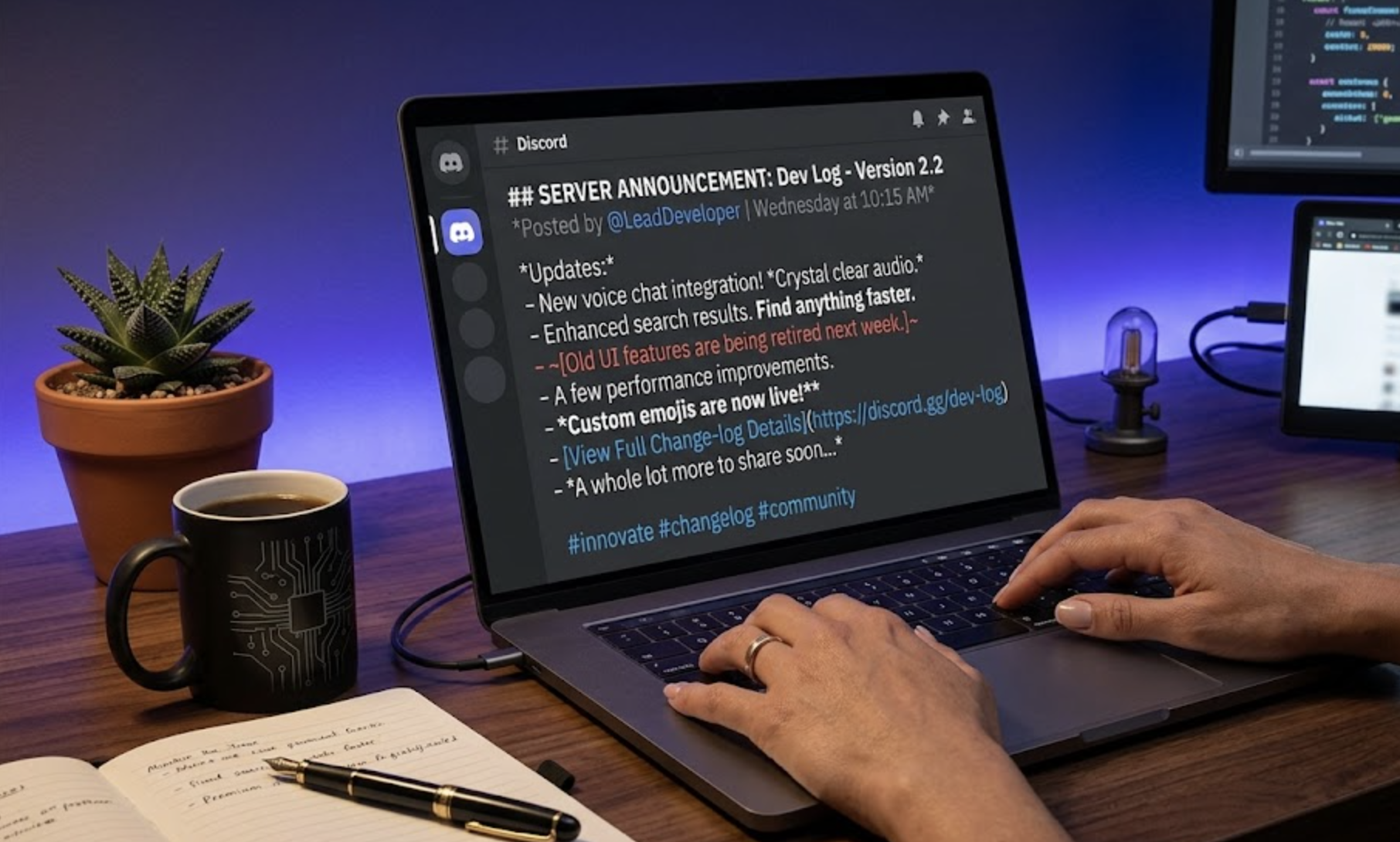
You don't have to use only one format at a time.
You can combine different styles.
For example:
***Important Announcement***
This creates bold and italic text.
You can also combine underline and bold:
__**Important Rule**__
This is useful for important server announcements.
Just don't overdo it.
Too much formatting can make a message harder to read.
Best Discord Formatting for Server Rules
If you're writing server rules, keep them simple.
For example:
# Server Rules

**1. Be respectful**
Treat everyone with respect.

**2. No spam**
Don't send repeated messages.

**3. No advertising**
Don't promote other servers without permission.

__Breaking these rules may result in a warning or ban.__
This is much easier to read than putting everything into one large paragraph.
Best Formatting for Discord Announcements
Announcements should also be easy to scan.
Try something like:
# 🎮 Community Tournament

**Date:** Saturday
**Time:** 8 PM
**Prize:** $100

> Registration is now open!

||The tournament code will be shared shortly before the event.||
You can see how different formatting styles help separate the important information.
Common Discord Formatting Mistakes
Formatting is easy once you know the basics, but a few mistakes are common.
Forgetting closing symbols
This:
**Hello
won't work as expected.
You need:
**Hello**
Using the wrong symbol
A backtick and an apostrophe aren't the same.
Code uses:
`code`
Forgetting spaces in lists
Use:
- Item
instead of:
-Item
Using too much formatting
You don't need every sentence to be bold, italic, and underlined.
Keep important parts easy to spot.
Complete Discord Markdown Cheat Sheet
Save this if you use Discord often:
| What You Want | Type This |
|---|---|
| Bold | **text** |
| Italic | *text* |
| Underline | __text__ |
~~text~~ | |
| Bold + Italic | ***text*** |
| Spoiler | ` |
Inline code | `text` |
| Code block | Three backticks |
| Blockquote | > text |
| Multi-line quote | >>> text |
| Bullet list | - text |
| Numbered list | 1. text |
| Heading | # text |
| Smaller heading | ## text |
| Subtext | -# text |
| Masked link | [text](URL) |
Discord's official formatting guide covers these Markdown options and provides examples for using them in messages. Discord Markdown Text 101
Quick Tips for Better Discord Messages
You don't need complicated formatting to make a good Discord message.
Keep these tips in mind:
- Use bold for important information.
- Use headings for longer messages.
- Use bullet points for lists.
- Use spoilers for sensitive information.
- Use code blocks for longer code.
- Use blockquotes when quoting someone.
- Keep announcements short.
- Don't mix too many formatting styles.
Good formatting should make a message easier to read, not harder.
Frequently Asked Questions
How do I make text bold on Discord?
Put two asterisks before and after your text.
**bold text**
How do I hide spoilers on Discord?
Put two vertical bars around the text.
||spoiler text||
How do I make text italic on Discord?
Use one asterisk on each side.
*italic text*
How do I cross out text on Discord?
Use two tilde symbols.
~~crossed out text~~
Can I use multiple formatting styles together?
Yes. Discord lets you combine several formatting styles, such as bold, italic, and underline.
How do I format code on Discord?
Use one backtick for short code and three backticks for a larger code block.
Does Discord use Markdown?
Yes. Discord uses Markdown-style formatting for many of its text formatting features. Discord's official Markdown guide
Final Thoughts
Discord formatting is pretty simple once you know the basic symbols.
You don't need to remember everything.
For everyday messages, bold, italic, spoilers, lists, and code blocks will cover most situations.
If you manage a Discord server, headings and clean formatting can also make announcements and rules much easier to follow.
Bookmark this cheat sheet and come back whenever you forget a command.

Comments
Sign in to join the conversation
Sign inNo comments yet
Be the first to share your thoughts!