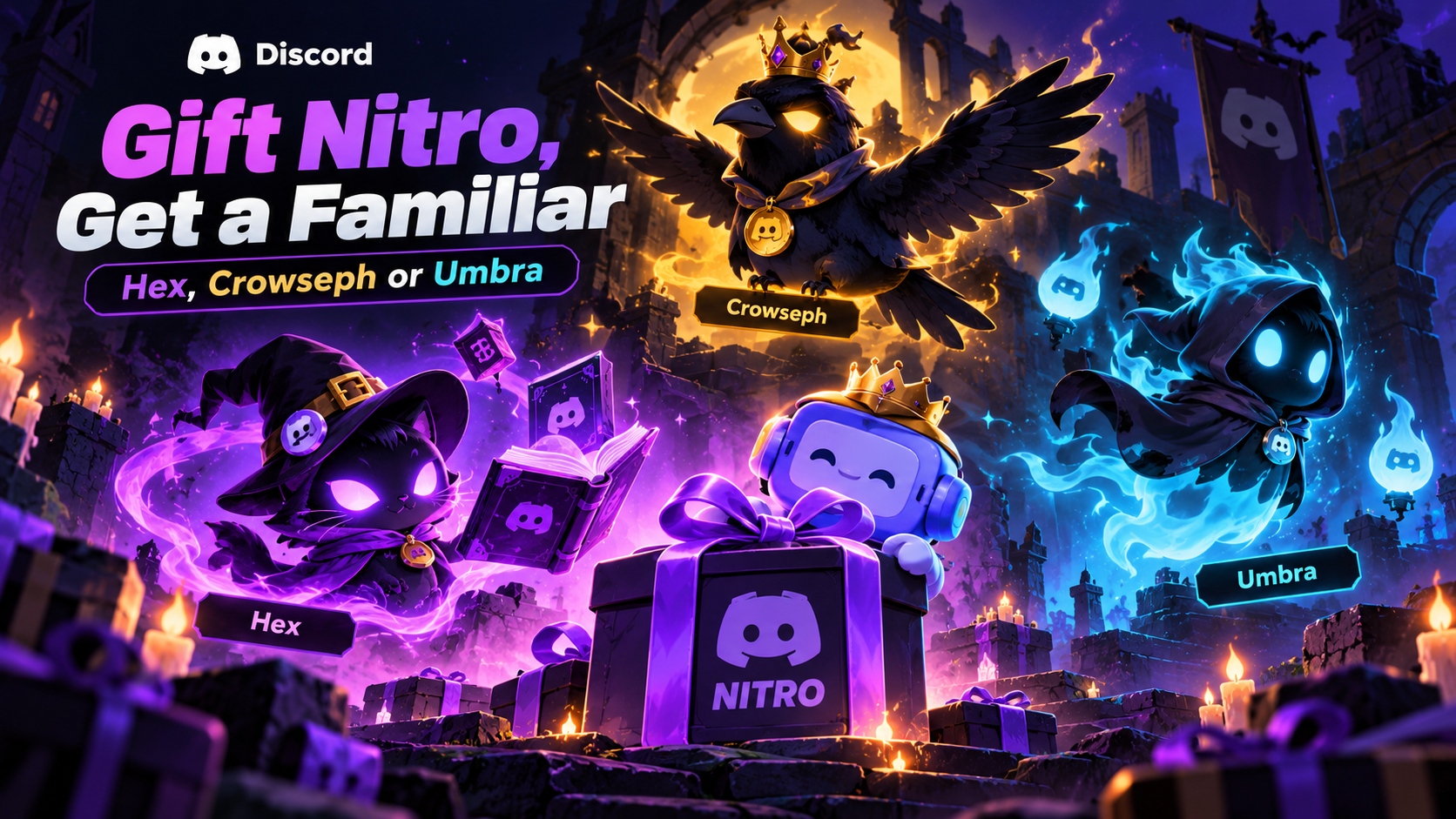

Gift Nitro, Get a Familiar: Hex, Crowseph or Umbra
Halloween on Discord is not just about changing your profile colours or finding a new seasonal decoration. This year, the platform is giving Nitro gifters a chance to bring a little supernatural company to their profiles.
Discord's Halloween 2026 promotion introduces three familiar Avatar Decorations: Hex, Crowseph and Umbra. Gift an eligible Discord Nitro subscription to another user during the promotion, and you can unlock one of these creatures for your own profile.
The best part is that the familiar you claim is yours to keep. Unlike time-limited Quest decorations, this promotion describes the familiar reward as a permanent collectible.
There is one important detail to know before you buy anything: Discord's Halloween blog and Help Center show different end dates. The blog mentions November 3, while the Help Center lists November 2, 2026. To avoid leaving your gift until the last minute, the safest approach is to complete the purchase by November 2 and confirm that the promotion banner appears during checkout.
Here is how the promotion works, what makes each familiar different, and what to check before sending Nitro to a friend.
1. What Is the Halloween 2026 Nitro Gifting Promotion?
Discord's Halloween promotion rewards eligible users who gift Nitro to another person. Instead of giving the recipient a subscription and receiving nothing in return, a qualifying gift can also unlock a Halloween-themed Avatar Decoration for the person sending it.
The three available familiars are Hex, Crowseph and Umbra. You can choose from the familiar decorations when your gift qualifies for the promotion.
According to Discord's Help Center, the promotion runs from October 1 through November 2, 2026. The official blog describes the campaign as running until November 3, which creates a small but important deadline discrepancy.
The Help Center also explains that you do not need to have an active Nitro subscription yourself to participate. The key requirement is gifting an eligible Nitro subscription to another user.
This is a gifting promotion, not a Quest that asks you to play a game or watch a video. You should check the promotion banner during checkout before completing your purchase.
Official sources:
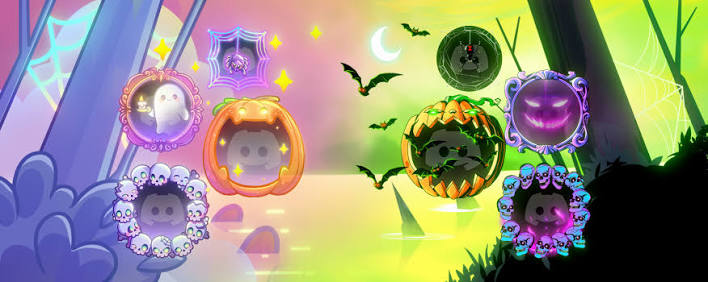
2. Meet the Three Familiars
Each familiar has its own personality and visual style. Whether you prefer a classic Halloween animal, a gothic bird or something more mysterious, the promotion offers three distinct looks.
Hex: The Black Cat
Hex is the feline member of the group. Black cats have long been part of Halloween imagery, but Hex brings that familiar spooky aesthetic directly to your Discord profile.
Choose Hex if you prefer a classic witchy look, dark fantasy styling and a companion that fits naturally into a Halloween-themed avatar.
Crowseph: The Black Crow
Crowseph brings a darker, more gothic atmosphere to the promotion. The crow fits the traditional imagery of haunted forests, moonlit skies and mysterious spellcasters.
For users who prefer a dramatic profile aesthetic, Crowseph is the bird to look for.
Umbra: The Void-Like Fox
Umbra is described by Discord as a void-like fox. The name and design suggest a more otherworldly character than a conventional Halloween animal.
If your profile already uses dark colours, mystical artwork or fantasy themes, Umbra could be the most distinctive match.
Which familiar should you choose?
| Familiar | Appearance | Best fit for |
|---|---|---|
| Hex | Black cat | Classic Halloween and witchy profiles |
| Crowseph | Black crow | Gothic and dark fantasy aesthetics |
| Umbra | Void-like fox | Mysterious, magical profile themes |
These are cosmetic choices, so there is no gameplay advantage attached to any familiar. Pick the design you want to display on your profile.
3. How to Get a Familiar Avatar Decoration
The process is straightforward, but make sure the promotion is visible before purchasing Nitro.
Step 1: Open Discord
Open the official Discord desktop app or mobile app and sign in to the account you want to use for gifting.
Step 2: Start gifting Nitro
Navigate to the Nitro gifting flow. Discord allows Nitro gifts to be purchased through supported areas of the app, including direct messages and the Nitro page.
You can read the official instructions in the Discord Nitro Gifting Help Center.
Step 3: Check the promotion banner
Before confirming the purchase, look for a banner or message confirming that your gift qualifies for the Halloween familiar promotion.
This check matters. Discord's Help Center says that if you do not see the promotion banner, your account may not currently be eligible for the offer.
Do not assume that every Nitro purchase automatically qualifies.
Step 4: Purchase an eligible Nitro gift
The Help Center specifies that monthly or annual Nitro gifts qualify. Nitro Basic gifts and Server Boost purchases do not count toward this promotion.
Complete the purchase only after reviewing the gift details and confirming the promotional eligibility message.
Step 5: Choose your familiar
Once your gift qualifies, follow the on-screen instructions to select one familiar Avatar Decoration from Hex, Crowseph or Umbra.
Step 6: Find the decoration on your profile
After claiming the reward, open your profile editor and look for the familiar in your Avatar Decorations. Select it and apply it to your profile.
The precise interface can differ between desktop and mobile, so follow the prompts displayed in your version of Discord.
4. Important Eligibility Rules
Before gifting Nitro, review the conditions that determine whether you receive a familiar.
You do not need Nitro yourself
Discord's Help Center says an active Nitro subscription is not required for the person sending the gift. You need to make a qualifying Nitro gift during the promotion period.
Only eligible Nitro gifts count
Monthly and annual Nitro gifts qualify according to the promotion's Help Center guide. Nitro Basic and Server Boost purchases do not count.
You can collect all three familiars
Discord says you can gift Nitro up to three times during the promotion to collect all three familiar decorations. Each qualifying gift lets you claim a familiar, subject to the promotion's rules. After you have claimed all three, you cannot earn additional rewards through this campaign.
The recipient's subscription status can affect the gift
If the recipient already has an active subscription or a different subscription tier, Discord says the new gift may be applied as account credit instead. Review the recipient's circumstances and Discord's gift terms before purchasing.
Watch for the eligibility message
The checkout banner is an important confirmation step. If it does not appear, do not assume you will receive a decoration after the purchase.
For the complete rules, refer to the official Halloween Nitro gifting FAQ.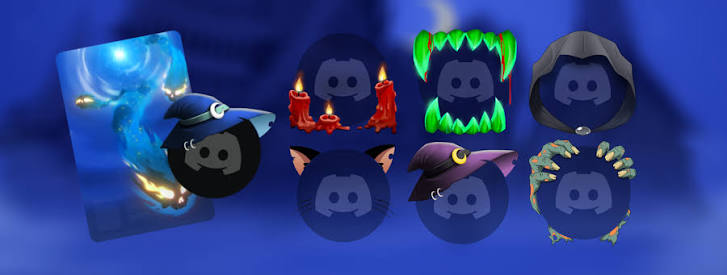
5. Why November 2 Is the Safer Deadline
Here is the detail that deserves attention before the campaign ends.
Discord's Halloween blog says the Nitro gifting promotion runs until November 3, 2026. However, the Help Center lists the promotion period as October 1 through November 2, 2026.
Because the official pages do not give the same end date, it is risky to wait until November 3 and assume the reward will still be available.
Our recommendation is simple: complete your eligible Nitro gift by November 2, 2026.
Treat November 2 as the conservative planning deadline, not as a resolution of Discord's conflicting published dates. The exact cutoff time and time zone should be checked in the current promotion details if Discord provides them.
If you plan to collect all three familiars, leave enough time to make each qualifying gift and claim each reward before the promotion closes.
Official references:
6. Are the Familiar Decorations Permanent?
Yes. Discord describes the familiar Avatar Decoration earned through this promotion as yours to keep.
That distinction makes the reward different from some Quest-earned decorations that have a limited usage period. Once you have successfully claimed one of these familiar decorations, you can use it as a profile cosmetic according to Discord's applicable decoration rules.
Remember that the promotion itself is time-limited even though the claimed reward is permanent. You must qualify for and claim the familiar while the campaign is active.
If you want more than one familiar, you will need to make additional qualifying gifts, up to the promotion's limit of three gifts for collecting all three decorations.
Official background: Discord Avatar Decorations FAQ
7. Troubleshooting a Missing Reward
If you gifted Nitro but cannot find your familiar, check these possibilities.
The checkout banner did not appear
The gift may not have qualified for the promotion. Discord says eligible gifts show a banner during checkout. Check the Help Center's eligibility rules before making another purchase.
You gifted Nitro Basic or bought Server Boosts
These purchases do not qualify for the familiar promotion. The offer requires an eligible monthly or annual Nitro gift.
You cannot find the familiar selection prompt
Return to the official promotion instructions and check the claim flow for your device. If Discord displays an error such as “Unknown Gift Code,” its Help Center says the gift does not qualify for the promotion.
The decoration is not visible on your profile
Open your profile editor and inspect the available Avatar Decorations. Restart Discord if necessary, and check the official instructions if the item is still missing.
The deadline has passed
The promotion is limited-time. If it has ended, do not assume that a new Nitro gift will still award a familiar. Check the current official promotion page for any updates.
Avoid third-party websites that claim they can manually add decorations or unlock rewards in exchange for account credentials.
8. Frequently Asked Questions
Do I need Discord Nitro to get a familiar?
No. Discord says you do not need an active Nitro subscription yourself. You need to gift an eligible Nitro subscription to another user during the promotion period.
Which familiars can I choose?
You can choose Hex, the black cat; Crowseph, the black crow; or Umbra, the void-like fox.
Can I collect all three decorations?
Yes. Discord says you can gift Nitro up to three times during the promotion to collect all three familiars. Once all three have been claimed, you cannot earn additional rewards through this campaign.
Does Nitro Basic count?
No. The official Help Center says Nitro Basic gifts and Server Boost purchases do not qualify. Eligible monthly or annual Nitro gifts are required.
Are the decorations permanent?
Discord describes these familiar decorations as yours to keep after you claim them.
What is the promotion's end date?
Discord's blog says November 3, 2026, while the Help Center lists November 2, 2026. To avoid missing out, complete your qualifying gift by November 2.
What if the person receiving Nitro already has a subscription?
Depending on their subscription status and tier, the gift may be applied as account credit. Review Discord's gifting information before purchasing.
Can I claim a decoration without seeing the promotion banner?
Do not assume so. Discord says the checkout banner confirms eligibility. If you do not see it, your gift may not qualify for the reward.
Final Thoughts
Discord's Halloween 2026 Nitro gifting promotion adds a collectible twist to sending a friend a subscription. Gift eligible Nitro and you can claim Hex, Crowseph or Umbra as a permanent Avatar Decoration for your own profile.
The three familiars offer different styles, from Hex's classic black-cat look to Crowseph's gothic crow aesthetic and Umbra's otherworldly fox design. If you want to collect the full set, Discord allows up to three qualifying gifts during the campaign.
Just do not leave the purchase until the final moment. The official blog and Help Center list different end dates, so the safest move is to complete your gift by November 2, 2026, and check the eligibility banner before confirming the purchase.
A good Halloween gift for a friend can come with a little supernatural company for your own profile, too.
Comments
Sign in to join the conversation
Sign inNo comments yet
Be the first to share your thoughts!