

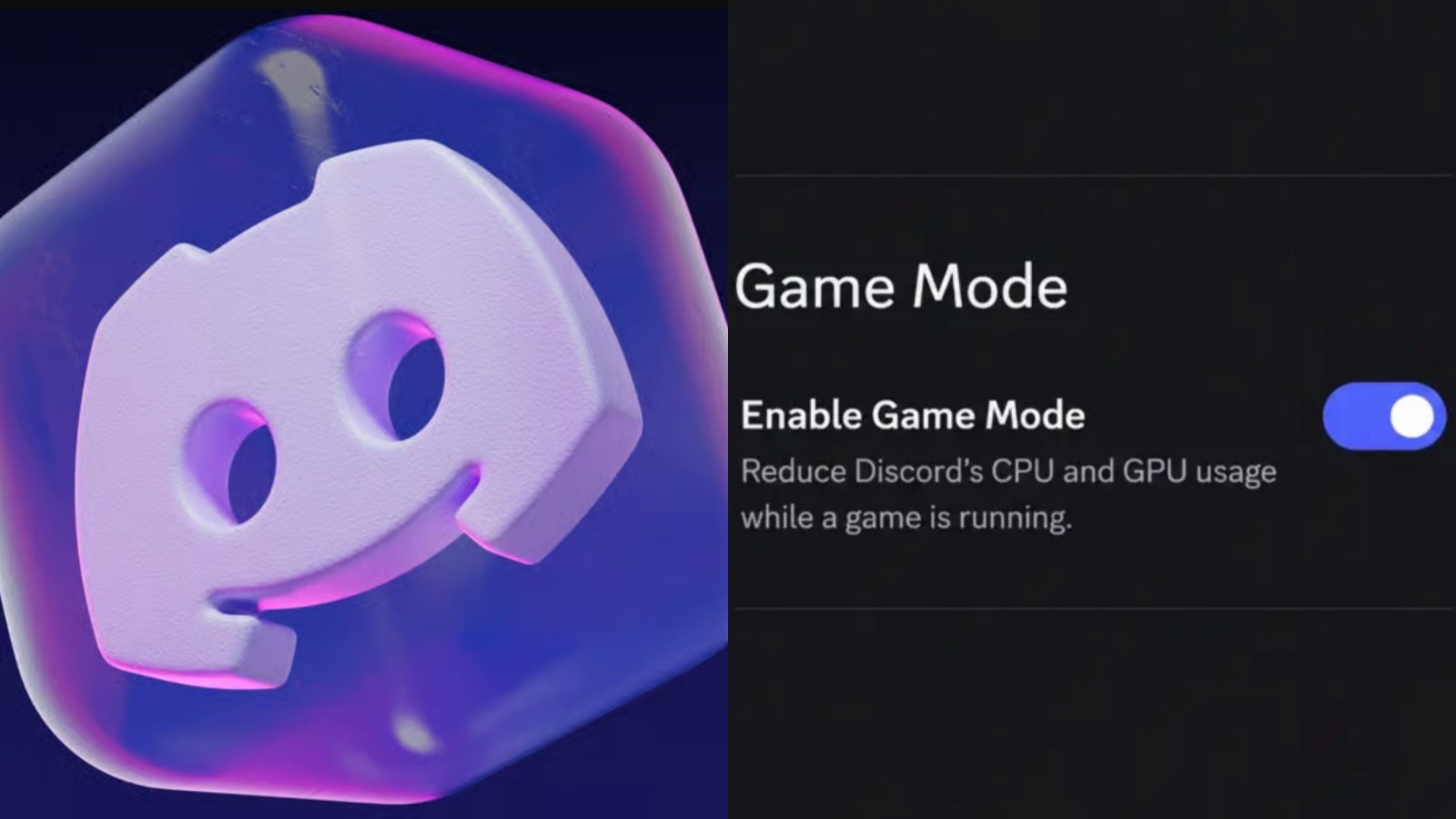
Discord Game Mode is an experimental feature for the Discord desktop client designed to make Discord less resource-intensive while users are gaming.
The feature is associated with reports of a hidden “Enable Game Mode” toggle discovered through Discord's client code. Its reported purpose is to reduce CPU and GPU usage by limiting animations, visual effects, and other background activity while a game is running.
Here's everything you need to know about Discord Game Mode, its leaked code, hardware acceleration, CPU resource allocation, and expected behavior.
Story / Overview / Main Topic
Discord Game Mode is not a separate game or standalone application. Instead, it is a proposed lightweight operating mode for Discord itself.
When Game Mode is active, Discord can reduce some of the work normally performed by the desktop application. This includes lowering visual effects and animations that consume processing resources.
The main idea is simple: if Discord uses fewer system resources while a game is running, more resources remain available for the game.
The feature is particularly relevant for PCs where demanding games are running alongside Discord voice chat, streaming, overlays, screen sharing, and other background applications.
Setting / Background
Discord is designed to operate continuously alongside games. Its desktop application uses a Chromium/Electron-based architecture that divides different functions into multiple processes.
This architecture allows Discord to handle voice communication, rendering, GPU operations, notifications, overlays, and other features simultaneously.
However, those functions can consume CPU, GPU, memory, and other system resources. Game Mode is intended to address this issue by reducing unnecessary Discord activity during gameplay.
The feature is therefore part of a broader trend toward optimizing background applications rather than simply increasing hardware performance.
Characters / Key People
Discord Engineering
Discord's engineering teams are responsible for the desktop application's performance, architecture, and optimization work.
Their work includes improvements to Electron, rendering, memory management, and CPU utilization. Game Mode fits into this wider effort to make Discord operate efficiently alongside demanding applications.
Discord Previews
Discord Previews is associated with tracking experimental Discord features and changes.
The discovery of the Game Mode toggle helped bring attention to the feature before a broad public rollout. Because the information came from client-side code, the exact final implementation can still change.
Gameplay / Features / Major Details
Game Detection: Game Mode is designed to recognize when a game is running and adjust Discord's behavior accordingly.
Reduced Animations: Discord can reduce or limit animations while Game Mode is active.
Reduced Visual Effects: Certain interface effects can be disabled or scaled back to reduce rendering workload.
Lower CPU Usage: Reducing background activity can decrease the amount of CPU processing Discord requires.
Lower GPU Usage: Limiting graphical effects can also reduce Discord's GPU workload.
Gaming-Focused Operation: The feature is intended to keep Discord functional while making it less demanding during gameplay.
Automatic Behavior: Game Mode is designed around changing Discord's behavior while gaming rather than permanently modifying the application.
Leaked Backend Code and Client-Side Discovery
The term “leaked backend code” can be confusing when discussing Discord Game Mode.
The Game Mode discovery is more accurately described as an examination of Discord's client-side code and experimental feature data. This can reveal hidden settings, feature names, interface elements, and intended functionality.
That does not necessarily mean that Discord's private server-side backend source code was leaked.
Client-side code can contain references to features that have not yet been officially announced. Developers can also leave experimental toggles or configuration values inside software during testing.
For Game Mode, the important discovery is the existence of an experimental mechanism intended to reduce Discord's resource consumption while gaming.
The final feature can still change before becoming widely available.
Technology / Development
Discord's desktop application uses Electron and Chromium technologies. This allows Discord to provide a feature-rich desktop environment while separating different application functions into multiple processes.
Hardware Acceleration
Hardware acceleration is a separate Discord setting from Game Mode.
When hardware acceleration is enabled, Discord can use the GPU for certain graphical operations rather than relying entirely on the CPU.
Disabling hardware acceleration can sometimes help with particular graphics, streaming, or compatibility problems, although it can also change how Discord handles graphical workloads.
Game Mode should therefore not be considered a replacement for the hardware acceleration toggle.
The two settings address different aspects of Discord's performance:
Hardware Acceleration: Determines how certain graphical workloads are processed.
Game Mode: Attempts to reduce Discord's overall workload while gaming.
CPU Resource Allocation
One of the most interesting aspects of Game Mode is its relationship with CPU resource allocation.
Current information does not establish that Discord directly assigns specific CPU cores to games or reserves a fixed percentage of CPU capacity for them.
Instead, the expected approach is more indirect.
By reducing Discord's own workload—such as animations, effects, rendering activity, and background processing, the system has more CPU capacity available for other applications.
This distinction is important. Game Mode should be understood primarily as a resource-reduction feature, rather than a dedicated CPU scheduler.
Platforms and Availability
Discord Game Mode is associated with the desktop version of Discord and is being treated as an experimental feature.
Availability may depend on Discord's client version, testing group, and eventual rollout strategy.
Potentially relevant Discord desktop platforms include:
Windows
macOS
Linux
The feature is primarily relevant to PC gaming because desktop computers provide the environment where Discord and demanding games commonly run simultaneously.
There is no established indication that the same Game Mode functionality applies to Discord's mobile applications.
Why It Matters
Discord Game Mode is significant because Discord is often used at the same time as resource-intensive PC games.
A typical gaming session may involve Discord voice chat, the Discord overlay, screen sharing, streaming, notifications, animations, and other features running in the background.
Even relatively small reductions in background resource usage can be useful on systems where CPU or GPU resources are heavily utilized.
The feature is also interesting from a technical perspective because it demonstrates a different approach to optimization. Rather than attempting to directly control how much CPU power a game receives, Discord can reduce the amount of processing it performs itself.
The leaked client-side discovery also gives users an early look at how Discord may approach gaming-focused optimization before the feature becomes broadly available.
🎮 The Bottom Line
Discord Game Mode is an experimental desktop feature designed to make Discord lighter while users play games.
Its reported approach focuses on reducing animations, visual effects, and other background workloads rather than directly assigning CPU cores or processor capacity to games.
Hardware acceleration remains a separate setting, while the discovered client-side code provides an early indication of how Discord could optimize its desktop application for gaming.
For PC gamers who keep Discord running alongside demanding titles, Game Mode could become an important performance-focused feature if Discord proceeds with a full release.