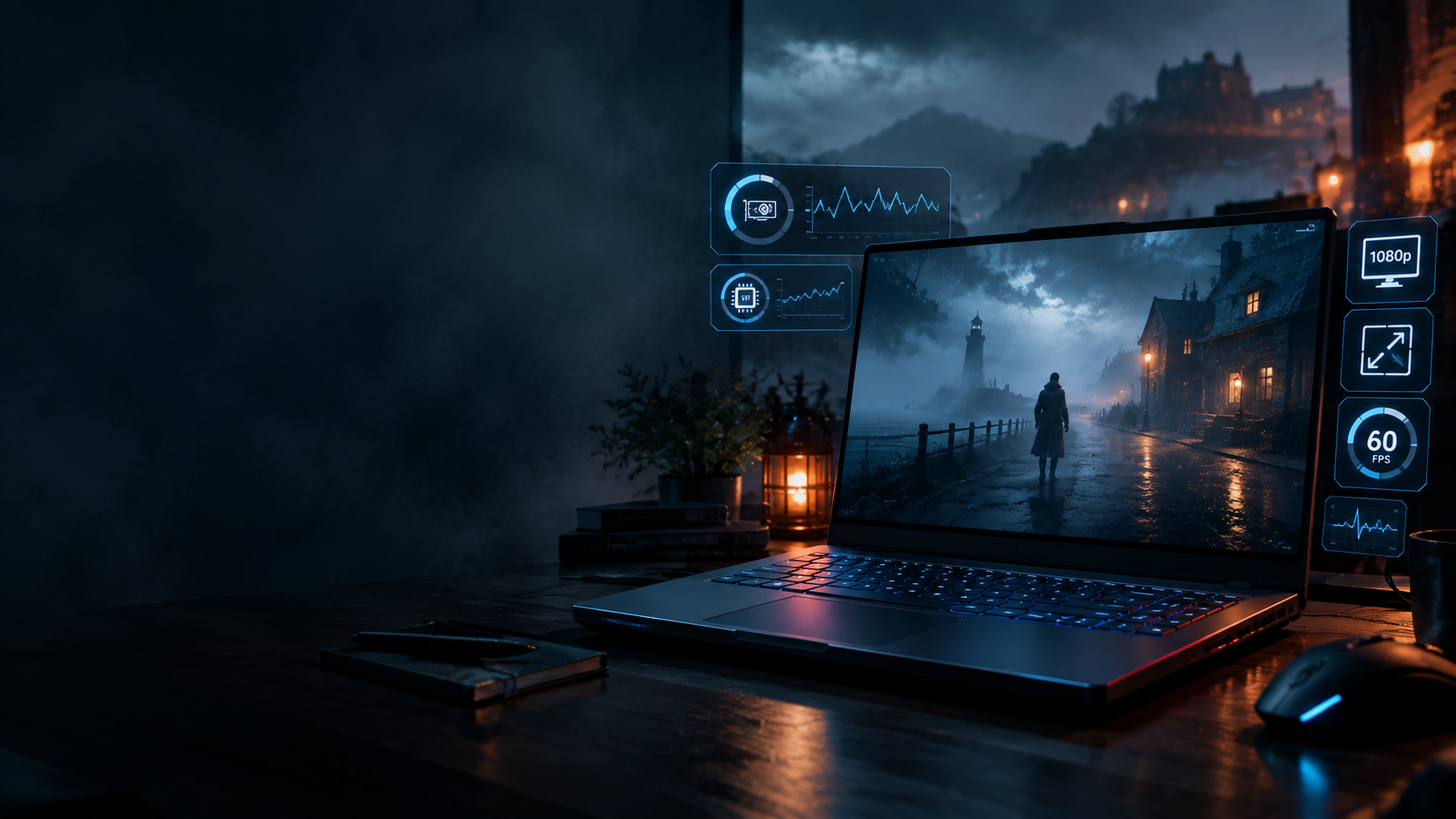

Silent Hill: Townfall PC Optimization: Best RTX 3050 Settings Before Launch
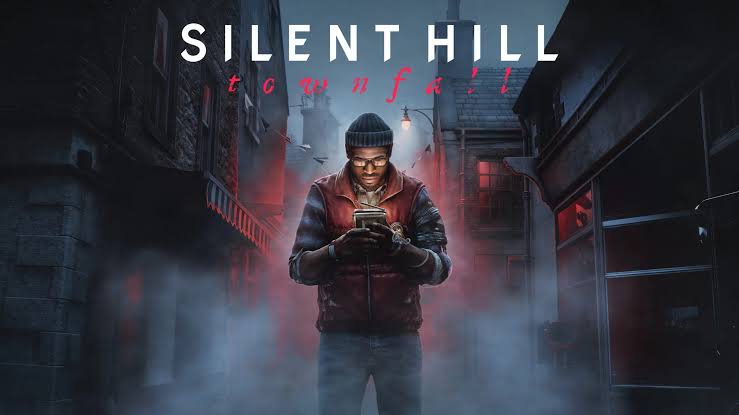
Silent Hill: Townfall is almost here, and PC players using older RTX 3050 laptops are going to have one obvious question before September 24: can this hardware actually deliver a smooth experience?
For owners of machines such as the MSI GF63 Thin, the answer is going to depend heavily on how aggressively the game uses its GPU, CPU, VRAM and streaming systems.
There is one important reality check before we get into the settings.
The official PC requirements currently list an RTX 2060 Super or Radeon RX 6600 as the minimum GPU. That configuration is intended for Low settings at 1080p and 30FPS. The recommended specification moves all the way up to an RTX 3080 or RX 7800 XT for High settings at 4K and 30FPS using an upscaling mode.
That means an RTX 3050 laptop is technically below the published minimum.
So this is not a guide promising a guaranteed 60FPS on every RTX 3050 machine.
Instead, this is the practical Silent Hill: Townfall PC optimization profile to try if you're running an RTX 3050 laptop and want the best possible combination of image quality, frame pacing and performance.
For an MSI GF63 Thin or similar 4GB RTX 3050 laptop, the goal should be simple: start at 1080p, reduce the settings that cost the most performance, use upscaling where available and avoid unnecessary visual effects.
────────────────────────────────────────
Silent Hill: Townfall RTX 3050 Settings at a Glance
If you want to skip straight to the recommended configuration, start here.
| Setting | RTX 3050 Starting Point |
|---|---|
| Resolution | 1920×1080 |
| Display Mode | Fullscreen |
| Upscaling | DLSS Quality |
| DLSS fallback | Balanced |
| Texture Quality | Medium |
| Shadow Quality | Medium |
| Volumetric Effects | Low / Medium |
| Effects Quality | Medium |
| Reflections | Low |
| View Distance | Medium |
| Motion Blur | Off |
| Film Grain | Off |
| Chromatic Aberration | Off |
| Ray Tracing | Off |
| V-Sync | Off |
| FPS Limit | 60 |
| Windows Power Mode | Best Performance |
| Laptop Power | AC adapter |
| Game Storage | SSD |
The important part is not simply choosing Low everywhere.
Silent Hill is built around atmosphere, fog, lighting and environmental detail. Destroying those settings can make the game look significantly worse without necessarily solving every frame-time problem.
The better approach is to target the expensive settings first.
────────────────────────────────────────
────────────────────────────────────────
What the Official Requirements Mean for RTX 3050 Owners
The first thing to understand is that the RTX 3050 is not listed in the official minimum specification.
Steam currently lists:
Minimum:
Windows 11 x64
Ryzen 5 3600 or Intel Core i7-8700K
16GB RAM
RTX 2060 Super or RX 6600
DirectX 12
75GB storage
The stated minimum target is 1080p at 30FPS on Low settings.
The recommended specification jumps to 32GB RAM and an RTX 3080 or RX 7800 XT, with a 4K/30FPS High target using DLSS, FSR or TSR Balanced.
That tells us something important about the game's intended performance profile.
Townfall is not being marketed as an ultra-light horror game that should comfortably run at 60FPS on entry-level gaming hardware.
For RTX 3050 users, optimization will therefore be about finding the right compromises.
────────────────────────────────────────
Why the MSI GF63 Thin Is a Special Case
The MSI GF63 Thin was sold in multiple configurations, so two machines carrying the GF63 Thin name can have different CPUs, memory configurations and power behavior.
That matters when you're comparing performance results online.
A laptop RTX 3050 is also not necessarily identical to a desktop graphics card with the same name. Laptop implementations can operate at different power levels depending on the machine.
This means an RTX 3050 GF63 Thin with good cooling and dual-channel RAM may behave differently from another RTX 3050 laptop with a lower power limit or single-channel memory.
Before changing anything in the game, check:
Your exact CPU
Your RTX 3050 VRAM amount
RAM capacity
Whether RAM is running in dual channel
Available SSD space
GPU temperatures
CPU temperatures
Laptop performance mode
NVIDIA driver version
These factors can matter just as much as the graphics preset.
────────────────────────────────────────
The Best 1080p Settings for RTX 3050 Laptops
1. Keep the Resolution at 1920×1080
Do not start by rendering the game at 1440p.
The RTX 3050 is already going to have enough work to do at 1080p, particularly in dense fog, heavily lit environments and scenes with lots of effects.
If your laptop uses a 1080p display, native 1920×1080 should be the starting point.
2. Start With DLSS Quality
If the final PC version offers DLSS, RTX owners should begin with Quality mode.
The objective is to reduce the internal rendering workload while retaining a reasonably sharp image.
If the game does not maintain your desired performance level, switch to Balanced.
Don't immediately jump to an aggressive Performance mode.
In a game built around dark environments and atmospheric fog, excessive image reconstruction can make distant objects and fine environmental detail look noticeably softer.
3. Set Textures to Medium
This is particularly important on 4GB RTX 3050 laptops.
Texture quality primarily affects VRAM consumption rather than raw GPU processing in the same way some lighting effects do.
High textures can therefore create problems if the game's memory requirements exceed what your GPU can comfortably handle.
Medium is the sensible starting point.
If the final build proves surprisingly efficient, High textures can be tested afterward.
4. Shadows at Medium
Shadow quality is one of the first settings worth reducing.
Medium should preserve enough environmental depth while taking some pressure off the GPU.
If you're still struggling, shadows can be lowered further.
5. Volumetric Fog at Low or Medium
This is potentially one of the most important settings in a Silent Hill game.
Fog is part of the visual identity, but volumetric effects can also be expensive.
Start at Medium.
If outdoor scenes or dense fog sections cause major frame-time spikes, move it to Low.
You may lose some atmospheric density, but the trade-off can be worthwhile if it produces a smoother experience.
────────────────────────────────────────
────────────────────────────────────────
Turn These Settings Off First
Some graphics options add visual processing without providing much competitive or gameplay value.
For an RTX 3050 system, these are easy places to save performance.
Motion Blur: Off
Disable it.
It can make camera movement look softer and can make lower frame rates feel less clear.
Film Grain: Off
Film grain is a stylistic effect.
Removing it produces a cleaner image and makes the game's natural lighting and fog easier to see.
Chromatic Aberration: Off
If available, disable it.
The effect can introduce artificial color fringing around edges and does not provide a meaningful performance benefit worth keeping on an already constrained laptop.
Ray Tracing: Off
If ray tracing appears in the final PC version, leave it disabled on an RTX 3050 laptop if performance is the priority.
An RTX 3050 is already below the published minimum GPU specification, so adding expensive ray-traced effects would make little sense for this hardware class.
────────────────────────────────────────
How to Approach the 60FPS Target
Here's where things get interesting.
Don't simply select Low and assume that will automatically create a stable 60FPS.
The official minimum target is 30FPS on Low with an RTX 2060 Super or RX 6600.
That means 60FPS on an RTX 3050 laptop is not something the published requirements guarantee.
Instead, treat 60FPS as a target that needs to be tested on your specific machine.
Use this order:
Step 1
Start at 1080p.
Step 2
Enable DLSS Quality if available.
Step 3
Set textures and shadows to Medium.
Step 4
Reduce volumetric fog.
Step 5
Lower reflections and effects.
Step 6
Switch DLSS from Quality to Balanced if necessary.
Step 7
Only then consider reducing the internal render resolution.
This approach keeps the game's important visual elements intact for as long as possible.
────────────────────────────────────────
The Biggest Stuttering Fixes to Try Before Launch
A high average FPS number does not automatically mean smooth gameplay.
You can have an average of 60FPS and still experience noticeable stuttering if frame times are inconsistent.
For Townfall, there are several things worth doing before blaming the graphics preset.
Install the Game on an SSD
The official PC requirements call for 75GB of storage.
More importantly for a modern game, your installation should be on an SSD rather than an old mechanical hard drive if you have the choice.
Asset streaming and loading behavior can be affected by storage performance.
Keep Enough Free Space
Don't completely fill your system drive.
Windows, temporary files, shader caches and game updates all need working space.
Update Your NVIDIA Driver
Install the latest stable NVIDIA driver available for your RTX 3050 before launch.
If NVIDIA releases a Game Ready driver specifically around Townfall's launch, that is the driver worth testing first.
Close Background Programs
Before launching the game:
Close unnecessary browser tabs
Stop large downloads
Close unused launchers
Disable unnecessary overlays
Stop background recording software
Close applications consuming large amounts of RAM
This is especially useful on machines with 16GB or less system memory.
Plug the Laptop Into AC Power
Never benchmark your gaming laptop on battery.
Laptop power management can significantly reduce GPU and CPU performance when the machine is unplugged.
Use Performance Mode
If your MSI laptop provides a performance-focused profile through MSI Center or the system's power settings, use it while testing the game.
However, don't blindly choose the most aggressive thermal mode if temperatures become excessive.
A laptop that runs extremely hot can eventually throttle, defeating the purpose of the higher power profile.
────────────────────────────────────────
────────────────────────────────────────
Don't Start Editing Engine.ini on Day One
You will probably see PC optimization posts recommending dozens of configuration changes shortly after launch.
Some may help.
Some may do nothing.
Some can make the game look worse.
And some may become outdated after the developer releases patches.
Unless a configuration change is documented for Townfall specifically, don't assume a random Unreal Engine command from another game will solve your stuttering.
Start with the settings provided by the developer.
Then test the game.
Only after you understand where the performance problem is should you start experimenting with advanced configuration changes.
That gives you a much easier way to reverse problems if something goes wrong.
────────────────────────────────────────
────────────────────────────────────────
What If 60FPS Still Isn't Stable?
This is where you should stop fighting the hardware.
If the RTX 3050 cannot maintain 60FPS after using sensible settings, don't keep destroying the game's image quality just to make the number appear on screen.
Try a lower frame-rate cap.
A stable 45FPS or 30FPS experience can feel considerably better than a game constantly jumping between 38, 52, 67 and 45FPS.
The correct target depends on your laptop's actual performance.
If your machine can maintain 60FPS in most areas but occasionally dips during heavy scenes, a frame cap can also help make the experience feel more consistent.
The important thing is frame pacing.
Not the biggest number in the FPS counter.
────────────────────────────────────────
Best Silent Hill: Townfall Settings for an MSI GF63 Thin
Here's the profile I would use as the first launch-day test.
| Setting | Recommended |
|---|---|
| Resolution | 1920×1080 |
| Fullscreen | On |
| Upscaling | DLSS Quality |
| DLSS fallback | Balanced |
| Textures | Medium |
| Shadows | Medium |
| Volumetrics | Low/Medium |
| Effects | Medium |
| Reflections | Low |
| View Distance | Medium |
| Motion Blur | Off |
| Film Grain | Off |
| Chromatic Aberration | Off |
| Ray Tracing | Off |
| V-Sync | Off |
| FPS Cap | 60 |
| Power Mode | Performance |
| Battery | AC connected |
| Storage | SSD |
Start there.
Don't change ten things simultaneously.
Test the game.
Then change one or two settings at a time.
That way you'll know exactly what is actually helping.
────────────────────────────────────────
────────────────────────────────────────
RTX 3050 vs the Official Minimum
There is an important distinction between "the game might run" and "the game is officially supported at this performance level."
The RTX 3050 Laptop GPU is below the RTX 2060 Super listed in Townfall's minimum requirements.
Therefore, the settings in this guide should be viewed as an experimental optimization profile for owners who already have an RTX 3050 laptop.
They are not a replacement for the game's official hardware requirements.
That distinction matters because launch-day patches can change performance significantly.
The first few days after release will also provide much better real-world information about shader compilation, traversal stutter, VRAM usage and individual laptop performance.
────────────────────────────────────────
September 24 Launch-Day Checklist
Before launching Silent Hill: Townfall, go through this list.
Hardware
Laptop connected to AC power
Adequate cooling
SSD installation
Enough free storage
16GB RAM or more
Dual-channel RAM if supported
Software
Latest Windows updates
Latest stable NVIDIA driver
Updated MSI system software
Unnecessary background applications closed
Game Settings
1920×1080
DLSS Quality
Medium textures
Medium shadows
Low/Medium volumetrics
Low reflections
Motion blur Off
Film grain Off
Chromatic aberration Off
Ray tracing Off
60FPS cap
Testing
Test indoor and outdoor areas
Watch frame-time behavior
Check GPU temperature
Check VRAM usage
Test for several minutes before changing settings
Change one setting at a time
────────────────────────────────────────
A Note About the September 24 Release
KONAMI officially announced Silent Hill: Townfall for September 24, 2026 on PlayStation 5, Steam and Epic Games Store.
The Digital Deluxe Edition includes 48-hour early access.
For standard PC players, September 24 is therefore the main launch date to prepare around.
That also means the first public performance data from RTX 3050 systems will be much more useful than theoretical benchmarks before the final build is widely tested.
────────────────────────────────────────
FAQ
Can an RTX 3050 laptop run Silent Hill: Townfall?
The RTX 3050 is below the game's officially listed minimum GPU, which is an RTX 2060 Super or Radeon RX 6600. The actual experience on an RTX 3050 will therefore depend on the final game's optimization and your specific laptop configuration.
Can I get 60FPS on an MSI GF63 Thin?
A locked 60FPS result is not guaranteed by the official requirements. The best approach is to start with 1080p, DLSS Quality, Medium textures and shadows, reduced volumetric effects and ray tracing disabled.
What is the most important setting to lower?
Start with volumetric effects, shadows and reflections.
These are better candidates for performance reductions than immediately destroying texture quality.
Should I use DLSS Quality or Balanced?
Start with Quality.
If the frame rate is still too low, switch to Balanced.
Should I use Low settings?
Not immediately.
Medium settings with targeted reductions can often preserve a much better-looking image than selecting Low across the board.
Should I enable ray tracing?
No, not if performance is your priority on an RTX 3050 laptop.
Is 16GB RAM enough?
The official minimum specification lists 16GB RAM, while the recommended specification lists 32GB.
For an RTX 3050 laptop, 16GB is a sensible baseline, but a properly configured 32GB system can provide more headroom for Windows and background applications.
Does installing Townfall on an SSD matter?
Yes. The official requirements call for 75GB of storage, and using an SSD is preferable for a modern PC game.
Is 60FPS officially supported on RTX 3050?
No specific RTX 3050 60FPS target is listed by KONAMI. The official minimum target is 1080p/30FPS on Low with an RTX 2060 Super or RX 6600.
────────────────────────────────────────
Final Verdict
The RTX 3050 is entering Silent Hill: Townfall from an awkward position.
It is popular in gaming laptops, including machines such as the MSI GF63 Thin, but it sits below the game's officially published minimum GPU.
That doesn't automatically mean the game will be unplayable.
It simply means RTX 3050 owners should approach launch day with realistic expectations.
Start at 1080p.
Use DLSS Quality if available.
Keep textures and shadows around Medium.
Reduce volumetric effects and reflections.
Disable unnecessary post-processing.
Keep ray tracing off.
Make sure the laptop is plugged in, cool and running from an SSD.
Then test.
If 60FPS is stable, great.
If it isn't, don't sacrifice the entire visual presentation just to chase a number. A stable lower frame rate with consistent frame pacing can make for a much better horror experience than an unstable 60FPS target.
And because Townfall's final PC performance will only become clear once the launch build is in players' hands, the most important optimization tool on September 24 may simply be patience: update the game, update the driver, test the actual build and tune from there.
────────────────────────────────────────
INTERNAL LINK IDEAS
Add these naturally inside the Discords.ai article where relevant:
Discords.ai Gaming Guides
Discords.ai PC Gaming Guides
Discords.ai Technology Wiki
Discords.ai Gaming News
────────────────────────────────────────
OFFICIAL SOURCES
KONAMI: SILENT HILL: Townfall release announcement
Steam: SILENT HILL: Townfall PC system requirements
Epic Games Store: SILENT HILL: Townfall
MSI: GF63 Thin specifications
Comments
Sign in to join the conversation
Sign inNo comments yet
Be the first to share your thoughts!