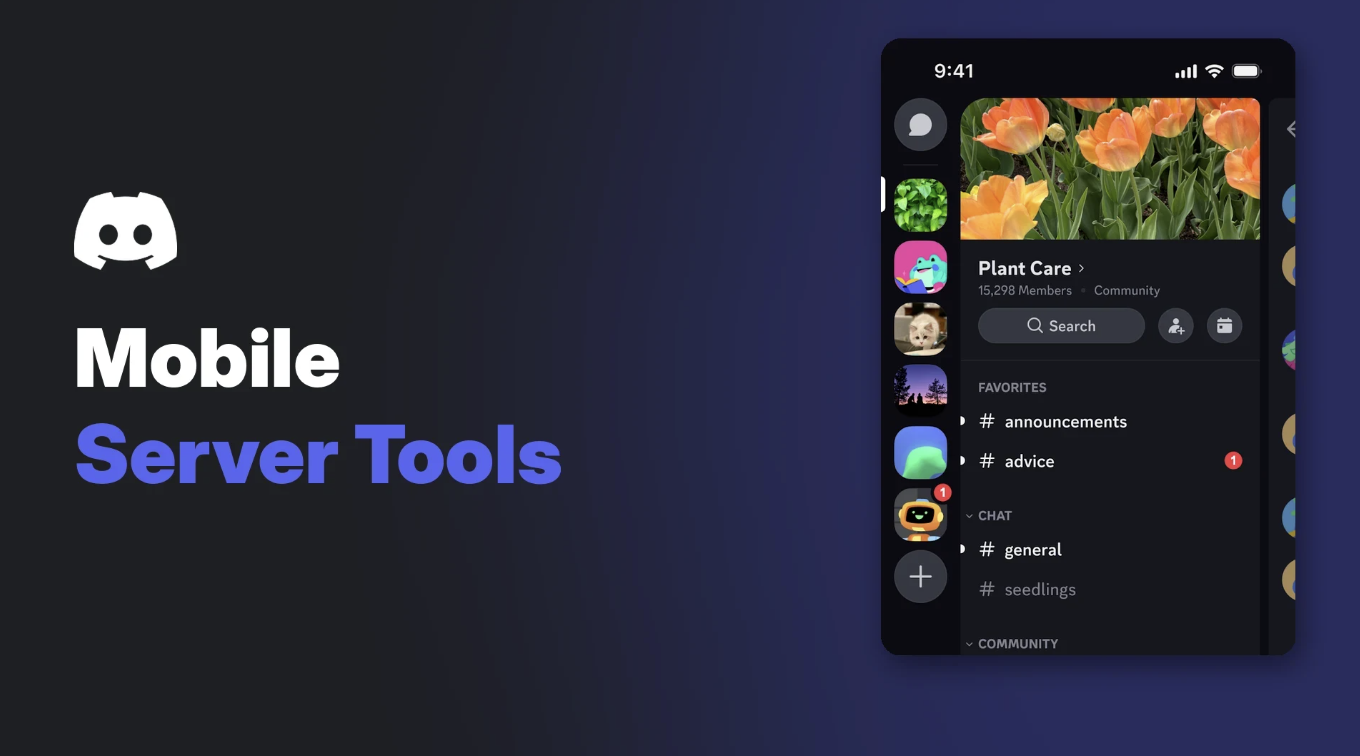

Discord mobile server settings just got a lot more useful. According to Discord's patch notes dated 9 November 2026, the phone app now has four admin tools that were long stuck on desktop: role icon uploads, AutoMod, Server Templates and Server Insights.
The way it happened is unusually human. Discord says someone on social media asked one of its engineers to add role icon uploads on mobile, and he did. A second engineer then added the other three, which the notes call "long missing mobile parity features".
This post covers what changed, what Discord has and hasn't documented yet, and why it matters if you run a server from your phone.
At a glance - Source: Discord Patch Notes, 9 November 2026 (Server Administration section). - New on mobile: role icon uploads, AutoMod, Server Template and Server Insights. - Timing: the post went up nine days ago, so this is not a brand new change. The notes say role icon uploads arrived about a month before the post, with no exact date. - iOS or Android: the notes just say mobile. They don't split it by platform. - Rollout caveat: Discord says listed changes may still be reaching individual platforms. - Help centre: several articles still describe these tools as desktop only.
🔍 What Changed in Discord Mobile Server Settings
Discord publishes monthly patch notes on its blog. The 9 November 2026 edition has a Server Administration section, and its first entry is the one admins will care about.
Here is the short version, compared with what Discord's own help articles say.
| Feature | Before (help centre wording) | Now (9 Nov 2026 patch notes) | iOS / Android |
|---|---|---|---|
| Role icon uploads | Icons could only be managed on desktop | Uploading role icons added on mobile | Not specified |
| AutoMod | Rule changes could not be made on mobile | Listed as added on mobile | Not specified |
| Server Templates | Desktop and browser only; no template creation on mobile | Listed as added on mobile | Not specified |
| Server Insights | Help centre lists desktop menus and the Developer Portal only | Listed as added on mobile | Not specified |
Two details are worth flagging. The previous patch notes, dated 6 October 2026, already mentioned an iOS fix for Unicode emoji role icons in role settings and an iOS fix for AutoMod's mention spam settings. So some of these screens seem to have existed on phones in part before November.
What the November notes add is the clear statement that uploads, AutoMod, templates and Insights are now on mobile. They don't say exactly which parts of each tool made the jump.
The Discord mobile app's server view, where admins now have more tools to hand. Image: Discord.
🧩 The Four Tools, Briefly
We already have deeper guides on some of these, so this is just enough to know what each one does on your phone.
Role icons
Role icons are small images or emoji shown next to a member's name in chat and in the member list. They are a Level 2 Server Boosting perk, and you need the Manage Roles permission to set them. Discord's help centre says uploaded icons should be 64x64 pixels and no larger than 256KB.
The help centre's FAQ still says mobile support had not been built yet when the feature launched on desktop. The November notes say uploads have now arrived.
Custom role icons in the member list and on a profile card. Image: Discord.
If you're planning which roles get icons, our Discord roles and permissions guide covers how to structure the hierarchy first. And because icons depend on boosts, the Discord boost guide explains what Level 2 unlocks.
AutoMod
AutoMod is Discord's built-in filter. It can block mention spam, suspected spam, commonly flagged words and your own custom keyword lists. Members with Manage Server or Administrator can create and edit rules.
AutoMod's rule list in Server Settings on desktop. Image: Discord.
Our Discord AutoMod setup guide walks through each rule type and sensible starting settings.
Server Templates
A Server Template copies a server's channels, roles and permissions into a link that anyone can use to start a new server. Generating one needs Manage Server. Messages and members are not part of the template.
A shared Server Template link as it appears in chat. Image: Discord.
Server Insights
Server Insights shows growth, engagement and audience data for your server. Access sits behind the View Server Insights permission, and Discord's FAQ describes it as a feature for Community servers.
Server Insights on desktop, shown in Discord's help centre. Image: Discord.
📱 How to Find Them on Mobile
This is the gap in the story. Discord's patch notes confirm the features but don't give step-by-step mobile paths, and the help centre hasn't published any yet.
What is documented is where they sit on desktop:
- Open your server's name, then select Server Settings.
- Roles holds role icons, under the role's Display settings.
- AutoMod sits in the Moderation group.
- Server Template sits near the top of the settings list.
- Server Insights sits in the Community group.
On a phone, the natural place to look is the same Server Settings menu, reached from the server's name. We haven't been able to confirm the exact mobile layout from an official source, so treat that as a starting point rather than a documented path.
If you can't see a tool, update the app first. Then check your permissions, since every one of these features is locked to specific roles.
🚧 What Is Still Desktop Only?
Discord hasn't published a list of admin features that remain desktop only after this update. The honest answer is that it isn't documented.
What we can say is that several help articles still carry older wording:
- The AutoMod FAQ says AutoMod rules cannot be updated on mobile.
- The Custom Role Icons FAQ says icons can only be managed on desktop.
- The Server Templates article says creating a template isn't possible on mobile.
- The Raid protection guide says Report Raid is only available on the desktop client.
The first three now conflict with the patch notes. When that happens, the patch notes are the newer source, but expect some features to vary by app version while the rollout finishes.
The same patch notes also include two smaller admin changes. Members with Manage Messages can now delete Raid Alert messages on iOS and Android. And on iOS, a message blocked by AutoMod no longer counts against a channel's slowmode timer.
🧠 Why This Matters for Server Owners
Moderation rarely waits until you're at a desk. A spam wave at midnight or a bad word slipping past your filter used to mean opening a laptop, or asking a co-admin who had one nearby.
With AutoMod on mobile, you can react from wherever you are. That matters most for small teams, where one owner often handles everything.
Role icons and templates are less urgent but still handy. You can tidy up roles during a commute, or grab a template link for a friend without hunting for a computer.
Insights on mobile helps with quick check-ins. Seeing whether an event brought in new members, or whether a channel has gone quiet, no longer needs a full desktop session.
❓ FAQ
When did these Discord mobile server settings arrive?
Discord announced them in its patch notes dated 9 November 2026. Role icon uploads were added about a month before that post. Discord gives no exact ship date for AutoMod, Server Templates or Server Insights on mobile.
Are they on both iOS and Android?
The patch notes just say mobile. They don't confirm iOS and Android separately, so check your own app.
Why can't I see AutoMod on my phone?
Update Discord first, since changes may still be rolling out. You also need Manage Server or Administrator to manage AutoMod rules.
Do I still need boosts for role icons on mobile?
Discord hasn't said anything has changed. Role icons are documented as a Level 2 Server Boosting perk.
Does the help centre explain the mobile steps?
Not yet. As of 18 November 2026, the relevant help articles still describe these tools as desktop only.
🎮 The Bottom Line
Discord mobile server settings now cover four tools that admins have wanted on phones for years: role icon uploads, AutoMod, Server Templates and Server Insights. The confirmation comes straight from Discord's 9 November 2026 patch notes.
The documentation hasn't caught up, and Discord doesn't say which platforms or app versions you need. Update your app, check your permissions, and look in Server Settings.
Which admin task are you most likely to handle from your phone now?
Sources
- Discord Blog: Discord Patch Notes, November 9, 2026
- Discord Blog: Discord Patch Notes, October 6, 2026
- Discord Support: AutoMod FAQ
- Discord Support: Custom Role Icons FAQ
- Discord Support: Server Templates
- Discord Support: Server Insights FAQ
- Discord Support: How to Protect Your Server from Raids 101
- Discord Support: New Mobile App Updates and Layout



Comments
Sign in to join the conversation
Sign inNo comments yet
Be the first to share your thoughts!