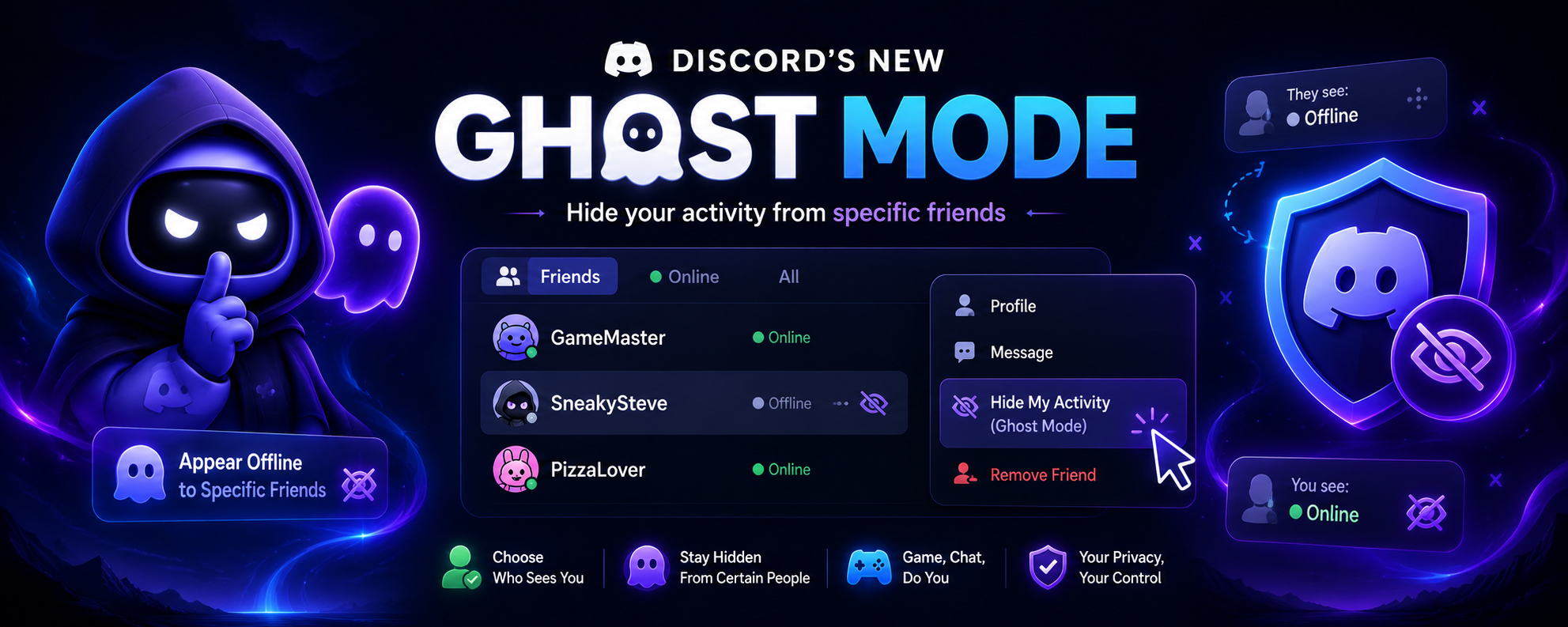

Keeping your online privacy on Discord has always been an all or nothing choice. If you wanted to avoid a particular person, you had to appear offline to everyone even the friends you actually wanted to talk to.
That changes with Discord's latest privacy feature, Selective Visibility, which the community has quickly nicknamed Ghost Mode. Rolling out with the July 2026 update, the feature lets you hide your online presence from specific friends while remaining visible to everyone else.
If you've ever wished you could game, chat, or relax without certain people knowing you're online, here's everything you need to know.
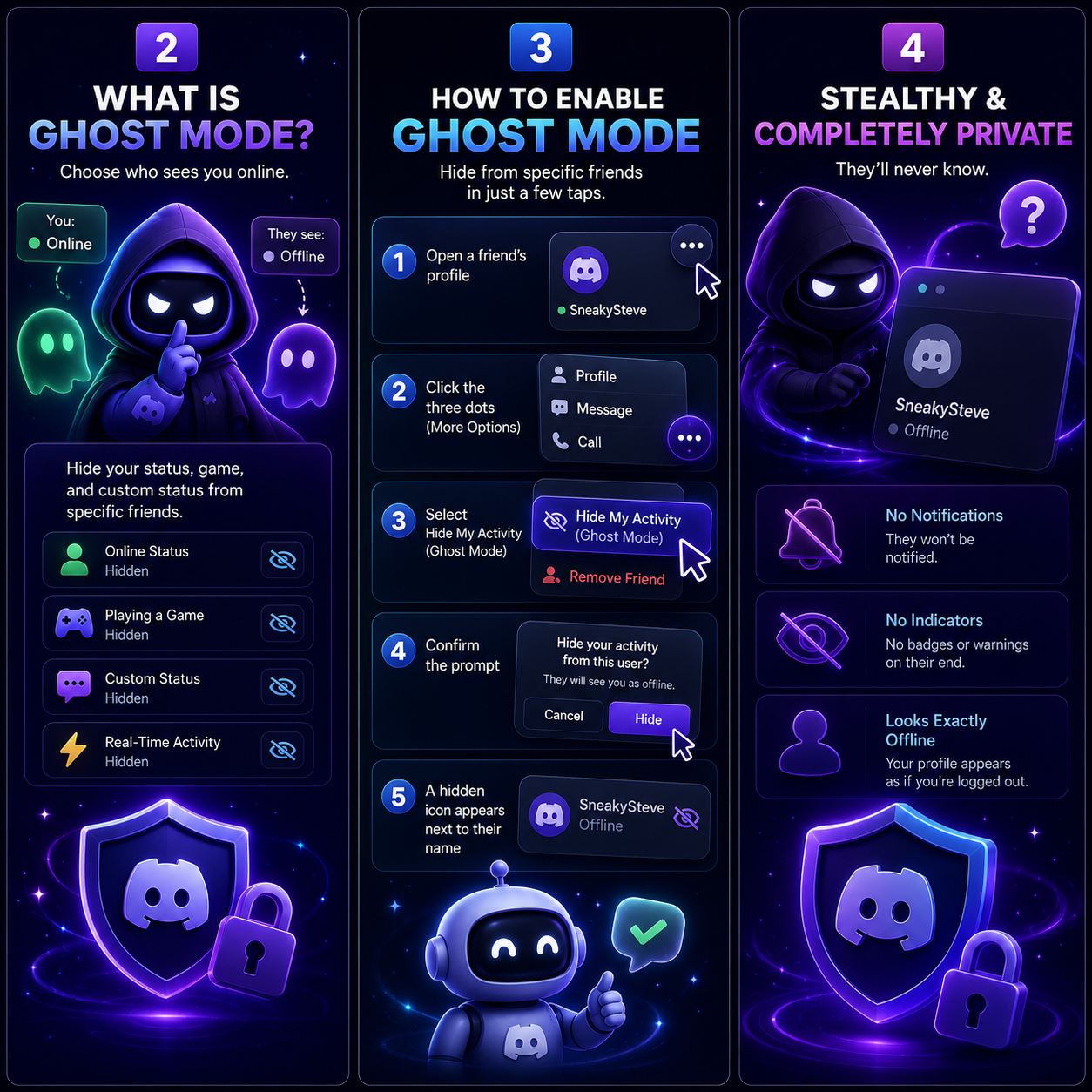
What Is Ghost Mode?
Ghost Mode, officially called Selective Visibility, gives you granular control over who can see your activity.
Instead of using a single Online or Invisible status for your entire account, you can choose individual friends who will always see you as offline.
Once someone is added to your Ghost list, they won't be able to see:
🟢 Your online status🎮 The game you're currently playing
💬 Your custom status
⚡ Your real-time activity
From their perspective, your account simply appears to be offline.
Why This Feature Matters
Many Discord users have experienced the same situation you open Discord for a quick gaming session or to chat with close friends, and someone immediately sends you messages the moment your green status indicator appears.
Until now, your options were limited:
- Set your entire account to Invisible
- Block the person
- Remove them from your friends list
None of those solutions were ideal.
Ghost Mode finally offers a middle ground by allowing you to stay visible to the people you want while remaining hidden from specific individuals.
How to Enable Ghost Mode
If the feature has reached your account, enabling it only takes a few moments.
- Open your Friends List or visit the profile of the friend you want to hide from.
- Click the three-dot (More Options) menu.
- Select Hide My Activity (Ghost Mode).
- Confirm the prompt.
After enabling it, you'll notice a small crossed out eye icon next to that person's name, indicating that your activity is hidden from them.
If you ever want to restore visibility, repeat the same steps and select Unhide My Activity.
Will They Know You've Enabled Ghost Mode?
No.
Discord has designed the feature to be completely discreet.
The other user:
- Won't receive a notification.
- Won't see any warning or badge.
- Won't know they've been added to your Ghost list.
Instead, your profile simply appears exactly as it would if you were genuinely offline or using Invisible mode.
A Better Balance Between Privacy and Socializing
Ghost Mode is one of Discord's most practical privacy improvements in years.
Rather than forcing users to disconnect from everyone, it provides a more flexible approach to managing online visibility.
Whether you're:
- Playing games uninterrupted
- Working on a project
- Testing a bot
- Taking a break from certain conversations
Ghost Mode gives you more control over who can see your activity without affecting your experience with everyone else.
Final Thoughts
Discord's new Ghost Mode (Selective Visibility) makes online privacy significantly more flexible. Instead of choosing between being fully online or completely invisible, you can now decide exactly who sees your activity.
For users who value privacy without sacrificing social interactions, this update is one of the most useful additions Discord has introduced.
As the feature continues rolling out globally, it has the potential to become a favorite among gamers, creators, and anyone who prefers a little more control over their online presence.


Comments
1Sign in to join the conversation
Sign in