
The Ultimate Guide to Discord AutoMod: Automated Server Protection
Keeping a Discord server safe and clean can quickly become overwhelming, especially as your community grows. Spam, scam links, harassment, and unwanted content can appear at any time, making moderation a full-time job.
Thankfully, Discord's built-in AutoMod system helps automate much of this work. It can detect rule-breaking messages, block harmful content, and alert moderators before problems escalate.
Here's everything you need to know about configuring Discord AutoMod and protecting your server.
What Is Discord AutoMod?
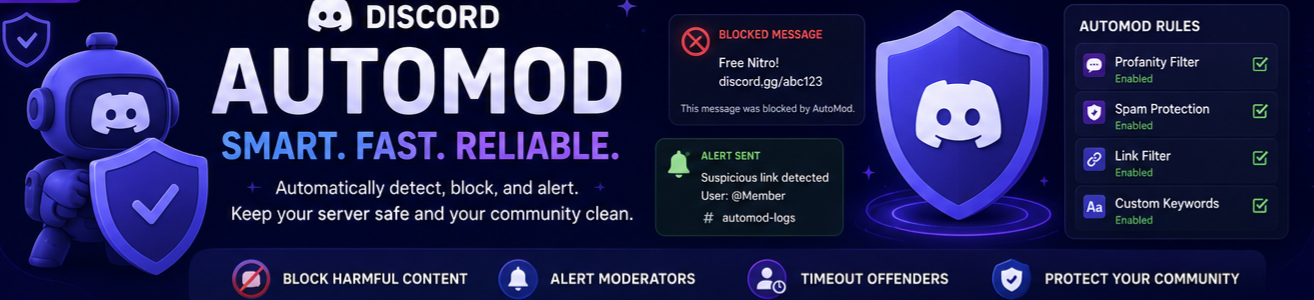
Discord AutoMod is a built-in moderation system designed to automatically detect and block unwanted messages.
It works across:
- Text channels
- Threads
- Forum channels
- Text chat inside voice channels
When AutoMod detects a rule violation, it can automatically:
🚫 Block the message🔔 Send an alert to moderators
⏳ Timeout the user
AutoMod acts as your server's first line of defense, helping moderators handle issues before they spread.
How to Enable Discord AutoMod
To access AutoMod:
- Open Server Settings.
- Click AutoMod under the Moderation section.
- Create a new rule.
- Configure actions and filters.
- Save and enable the rule.
Only users with Manage Server or Administrator permissions can configure AutoMod.
Core AutoMod Filters
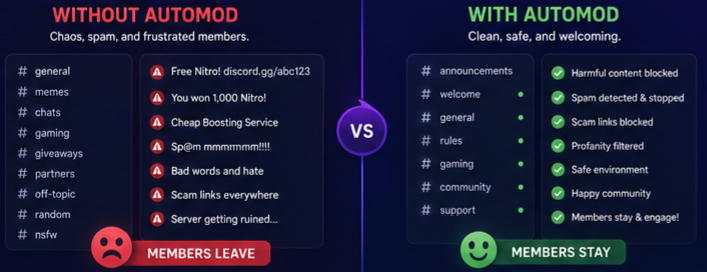
Discord AutoMod uses several types of rules to protect your community.
1. Commonly Flagged Words
Discord maintains built-in lists of severe profanity, slurs, and harmful language.
Simply enable the categories you want to filter.
Benefits:
- No setup required
- Continuously updated by Discord
- Great starting point for new servers
2. Custom Keyword Rules
You can create your own blocklists by adding specific words or phrases.
This is useful for:
- Blocking server advertisements
- Stopping spam campaigns
- Preventing community-specific insults
- Restricting certain topics
Examples:
- "free nitro"
- "discord.gg/"
- offensive terms
- scam phrases
3. Spam and Link Filters
AutoMod can also protect against:
- Excessive messages
- Repeated characters
- Suspicious links
- Invite spam
You can even block all links except those from approved websites.
Advanced Filtering with Regular Expressions (Regex)
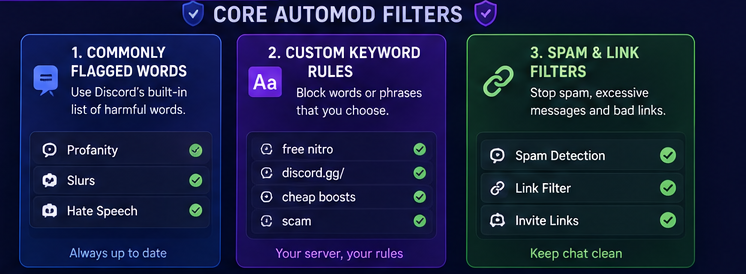
Some users try to bypass filters by:
- Replacing letters with numbers
- Adding special characters
- Using unusual formatting
For example:
- "n1tr0"
- "fr33 n1tro"
- "d1sc0rd"
Simple keyword filters may miss these messages.
This is where Regular Expressions (Regex) become powerful.
Regex allows AutoMod to detect patterns rather than exact words.
What Can Regex Be Used For?
Regex can help block:
- Hidden Discord invite links
- Emoji spam
- Scam messages
- Obfuscated profanity
- Repeated character abuse
- Fake Nitro giveaways
The good news is that you don't need to be a programmer.
The Discord community has created many open-source Regex libraries and generators that you can simply copy and customize.
Best Practices for Setting Up AutoMod
Use a Dedicated Logging Channel
Create a private moderation channel, such as:
#automod#mod-logs
#security-logs
This allows moderators to review:
- Blocked messages
- False positives
- Repeat offenders
Layer Your Moderation
AutoMod should not be your only moderation tool.
For the best protection, combine:
- AutoMod
- Human moderators
- Moderation bots
- Verification systems
Keep Rules Updated
Scammers constantly change their methods.
Review your:
- Keyword lists
- Regex rules
- Whitelisted links
- Spam settings
on a regular basis.
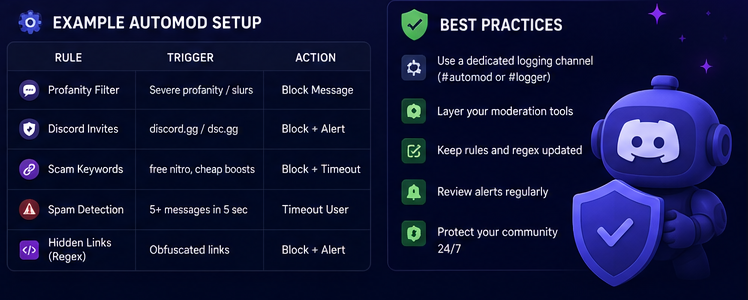
Example AutoMod Setup
| Rule | Action |
|---|---|
| Profanity | Block Message |
| Discord Invites | Block + Alert |
| Scam Keywords | Block + Timeout |
| Excessive Spam | Timeout User |
| Hidden Links | Block + Alert |
This setup provides excellent protection for most communities.
Why Discord AutoMod Matters
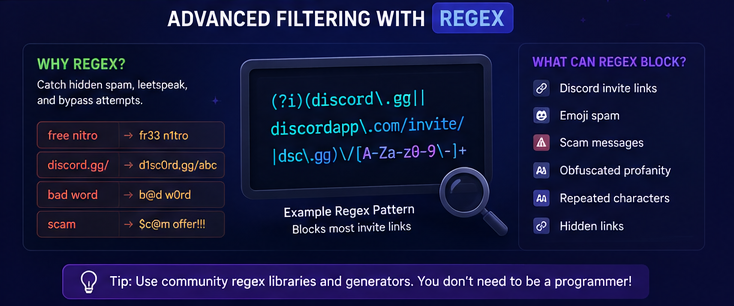
Benefits of AutoMod include:
✅ Less manual moderation
✅ Faster response to spam
✅ Better community safety
✅ Reduced moderator workload
✅ Protection against scams
✅ Cleaner chat experience
For medium and large servers, AutoMod is one of the most important security features available.
Frequently Asked Questions
1. Is Discord AutoMod free?
Yes. AutoMod is completely free and available to all Discord servers.
2. Can AutoMod timeout users?
Yes. Rules can automatically apply timeouts to users who break them.
3. Does AutoMod work in threads?
Yes. AutoMod works in text channels, threads, and text chat within voice channels.
4. Can I block Discord invite links?
Yes. Custom keyword rules and Regex can block invite links.
5. Do I need coding knowledge for Regex?
No. Many Regex templates and generators are available online that you can use without programming experience.
Final Thoughts
Discord AutoMod is one of the most powerful built-in moderation tools available to server owners.
By combining keyword filters, spam detection, link blocking, and advanced Regex patterns, you can significantly reduce moderator workload while keeping your community safe.
Whether you run a small gaming server or a massive online community, setting up AutoMod should be one of your first moderation priorities.
Sources
- Discord Support Documentation
- Discord AutoMod Documentation
- Discord Desktop Client
- Discord Moderator Academy