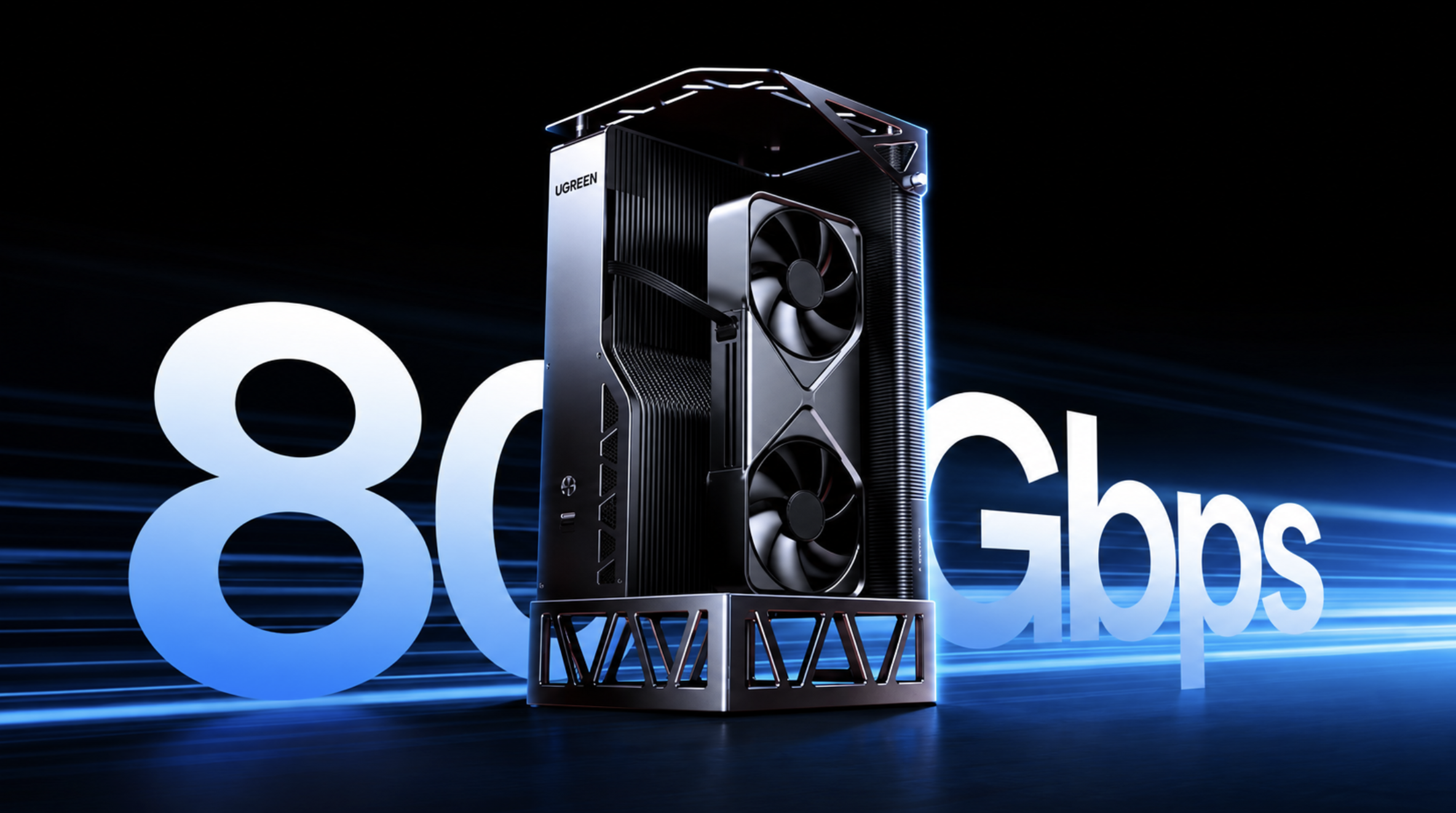

⚡ UGREEN LinkStation Pro eGPU Dock: Why Thunderbolt 5 is a Game Changer
External GPUs have always had one frustrating limitation: the graphics card can be incredibly powerful, but the connection between the laptop and GPU can hold it back.
UGREEN's new LinkStation Pro is designed to attack exactly that problem.
Announced in September 2026, the updated eGPU dock replaces the original LinkStation's 40Gbps USB4 connection with Thunderbolt 5, offering up to 80Gbps of link bandwidth and up to 64Gbps of PCIe 4.0 x4 bandwidth for the GPU. It also keeps OCuLink as an alternative high-bandwidth connection.
And then there is the other big number: 850W.
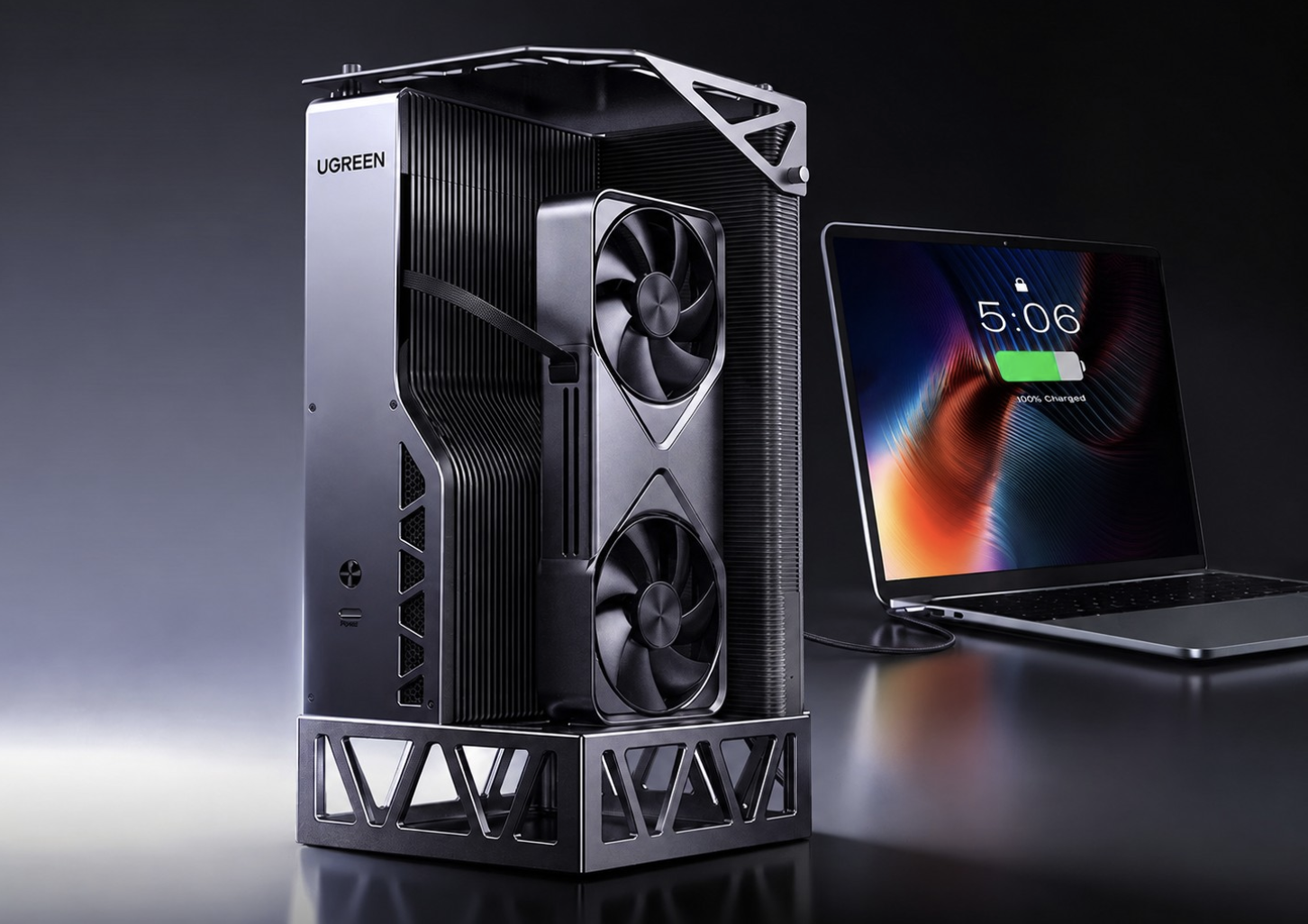
The LinkStation Pro combines that power supply with support for full-size desktop graphics cards, up to 140W laptop charging and three Thunderbolt 5 ports.
The result is an eGPU enclosure that looks much more like a desktop GPU expansion platform than a traditional laptop accessory.
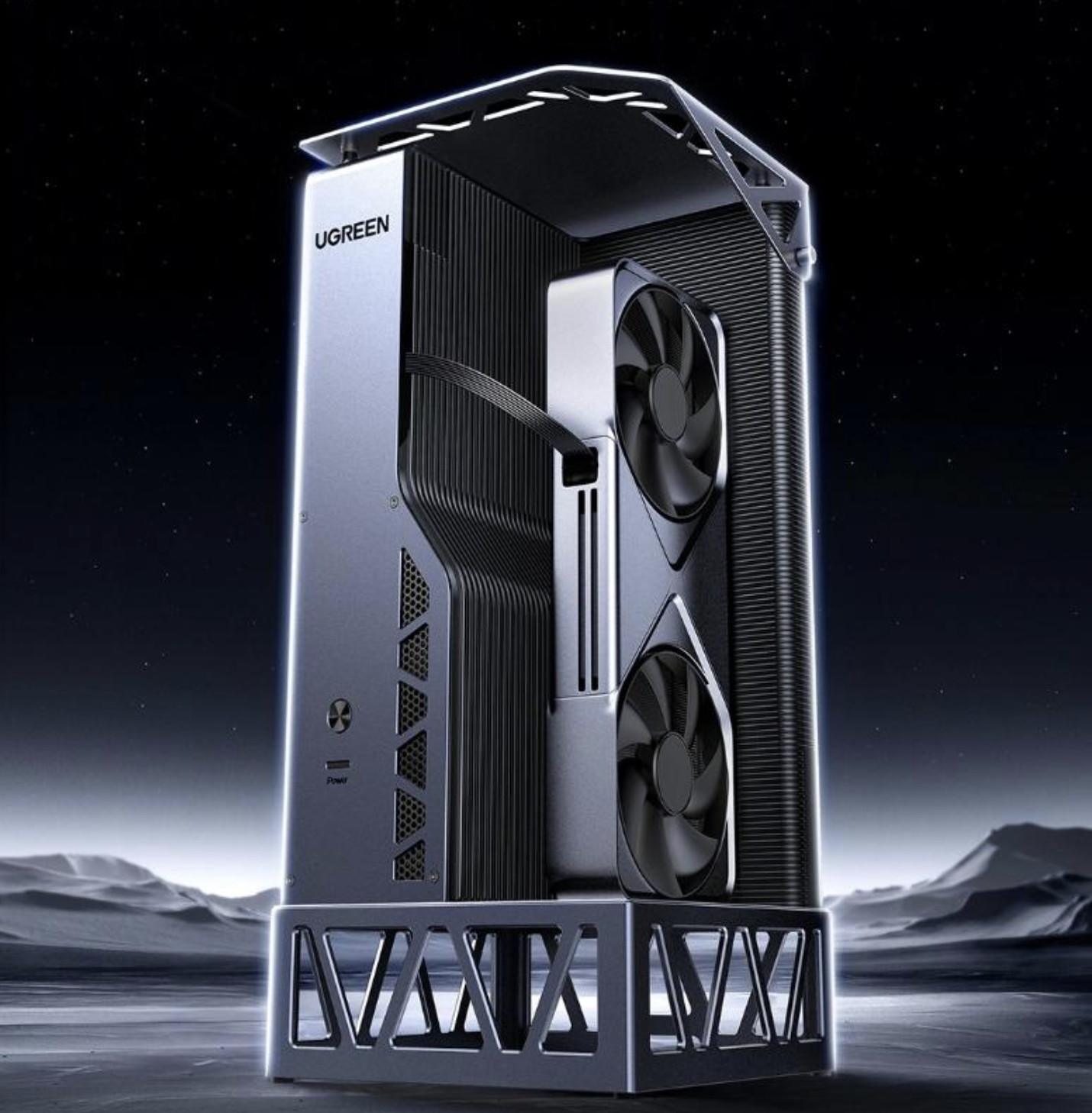
🚀 Thunderbolt 5 Is the Biggest Upgrade
The original LinkStation used USB4 at 40Gbps.
The new Pro model moves to Thunderbolt 5 at up to 80Gbps, effectively doubling the headline connection bandwidth. UGREEN also says the GPU can receive up to 64Gbps through a PCIe 4.0 x4 connection over Thunderbolt 5.
That matters because an eGPU isn't communicating with the host computer over a direct internal PCIe slot.
Every frame, asset transfer and workload that needs to move between the computer and external GPU has to cross that external connection.
With older USB4-based eGPU setups, that connection could become a limiting factor, particularly when pairing the enclosure with a powerful desktop GPU.
Thunderbolt 5 doesn't eliminate every eGPU limitation, but it gives the GPU a substantially wider highway to work with.
🔌 USB4 vs Thunderbolt 5
The difference becomes easier to understand when looking at the previous LinkStation.
| Feature | LinkStation | LinkStation Pro |
|---|---|---|
| Host connection | USB4 | Thunderbolt 5 |
| Headline bandwidth | 40Gbps | 80Gbps |
| GPU PCIe bandwidth | Up to 40Gbps class connection | Up to 64Gbps |
| OCuLink | Yes | Yes |
| Integrated PSU | 850W | 850W |
| Laptop charging | Up to 100W | Up to 140W |
| GPU size | Full-size | Up to 370mm length |
| Thunderbolt ports | - | 3 |
The important improvement isn't simply the number printed on the box.
Thunderbolt 5 also increases PCIe bandwidth compared with previous Thunderbolt generations, which is particularly relevant for external GPUs and high-speed storage.
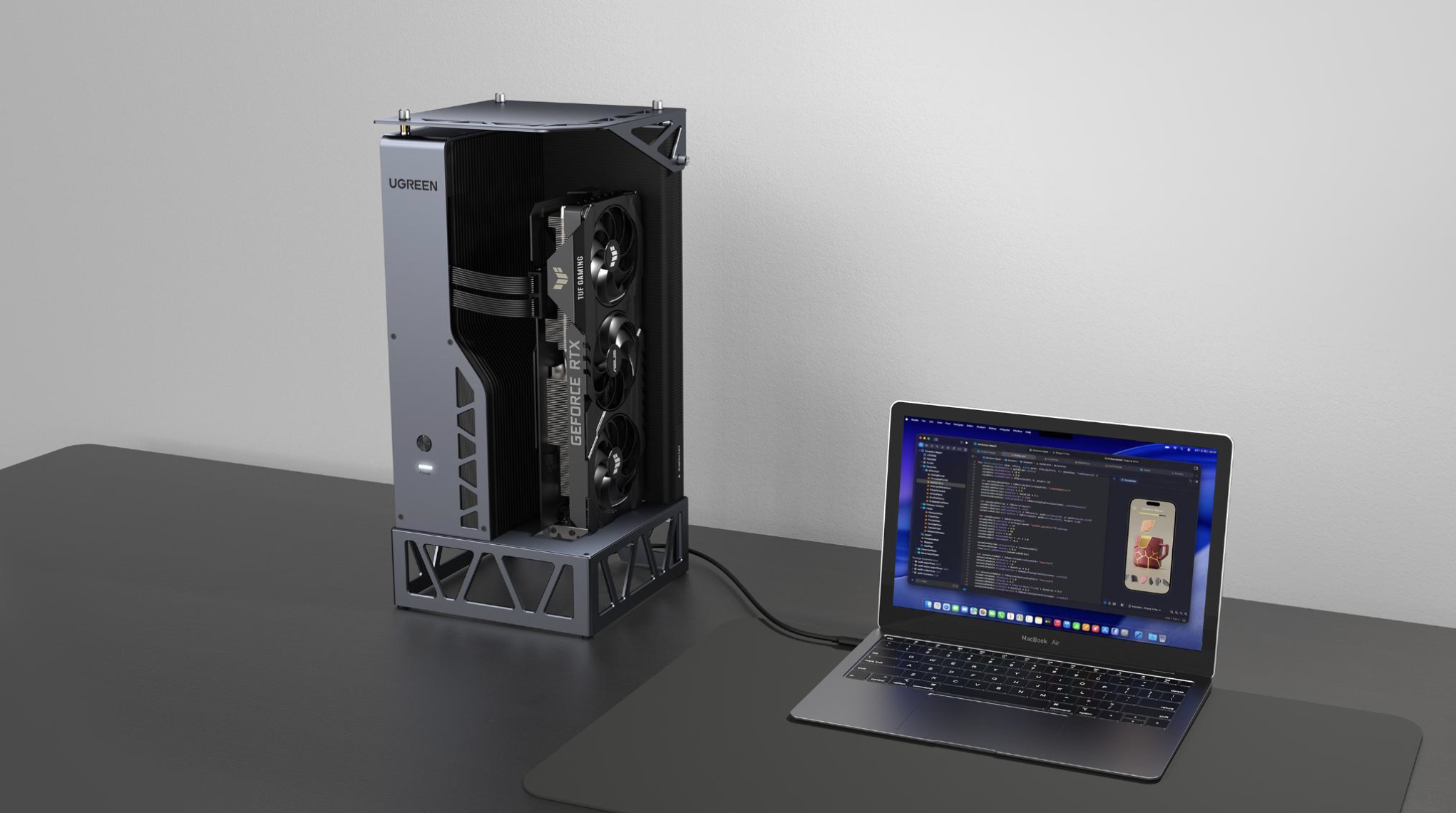
🎮 Why This Matters for Gaming
An external RTX 5090-class GPU connected to a laptop sounds incredible on paper.
But an eGPU doesn't behave exactly like the same GPU installed directly into a desktop motherboard.
The external connection introduces a bandwidth constraint.
That's why Thunderbolt 5 is interesting.
UGREEN says the LinkStation Pro can allocate up to 64Gbps directly to the GPU, bringing its Thunderbolt 5 connection closer to the 64Gbps OCuLink connection also available on the dock.
However, it is important not to interpret that as "80Gbps Thunderbolt equals desktop PCIe performance."
Real-world eGPU performance still depends on the laptop, CPU, GPU, drivers, game engine, display connection and workload.
The connection is simply becoming less restrictive.
🧠 OCuLink Is Still Here
Interestingly, UGREEN hasn't abandoned OCuLink.
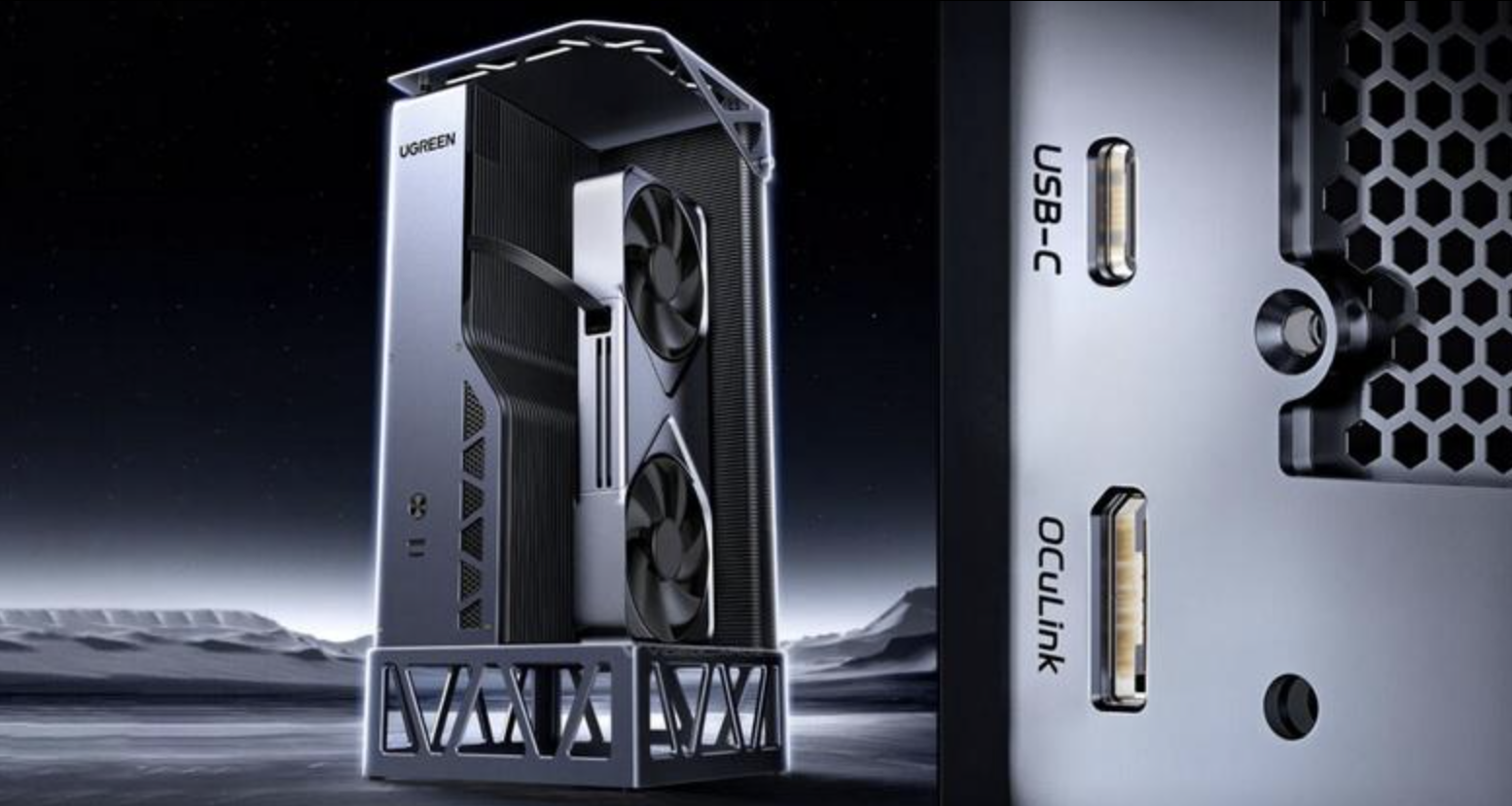
The LinkStation Pro provides both Thunderbolt 5 and OCuLink, giving users two different ways to connect the external GPU. OCuLink provides up to 64Gbps through PCIe 4.0 x4.
That gives the dock an unusual advantage.
A Thunderbolt 5 laptop can use the convenient single-cable connection, while compatible systems with OCuLink can use the dedicated PCIe connection.
For desktop-style eGPU setups, having both options makes the LinkStation Pro considerably more flexible.
🔥 The 850W Power Supply Changes the Equation
The LinkStation Pro isn't just a GPU box with a small external adapter.
It includes an 850W ATX 3.1 power supply inside the enclosure.
It also includes a 12V-2x6 connector designed for newer high-end graphics cards, while the enclosure supports GPUs up to approximately 370mm long and 155mm tall.
That gives the dock enough power headroom for powerful desktop GPUs without requiring users to buy a separate PSU.
For someone running a high-end GPU from a laptop or mini PC, that could make the setup considerably cleaner.
⚡ 140W Laptop Charging
The Pro model also improves the dock's role as a desktop replacement.
Its Thunderbolt 5 connection supports up to 140W Power Delivery, compared with 100W on the previous LinkStation.
That means a compatible laptop can potentially receive power while simultaneously handling GPU data through the same connection.
For a desk setup, that's a big deal.
One cable can handle the external GPU connection and laptop charging instead of turning the desk into a collection of separate power and data cables.
🖥️ More Than Just an eGPU
UGREEN has also added more connectivity.
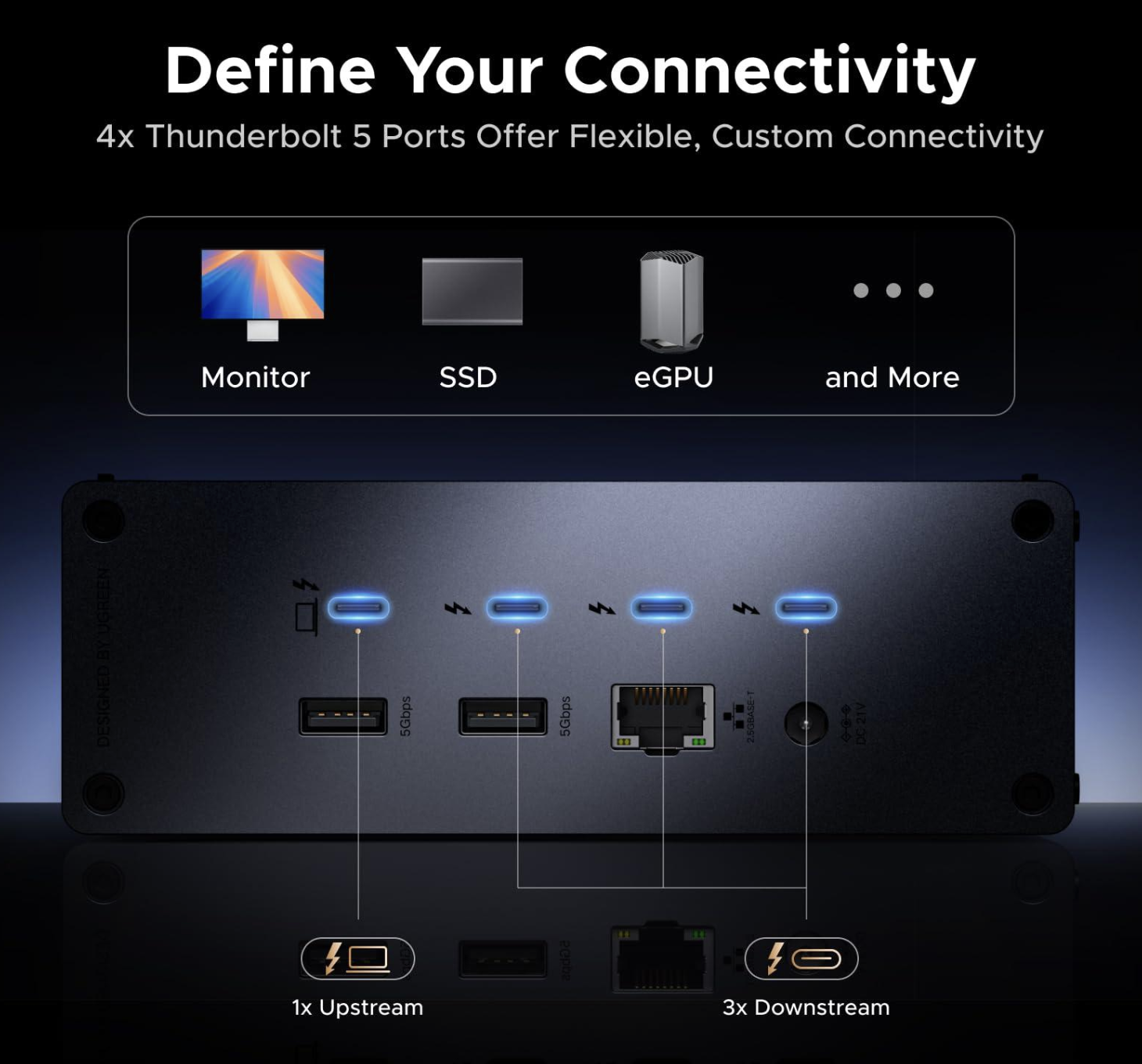
The LinkStation Pro has three Thunderbolt 5 ports, allowing compatible devices to be daisy-chained, along with a USB-A 3.2 port for peripherals.
It still isn't a fully loaded desktop dock, though.
There is reportedly no built-in Ethernet port or M.2 slot, so users looking for an all-in-one docking station may still need additional accessories.
That makes its primary purpose clear: this is fundamentally an eGPU platform first.
🧪 Does Thunderbolt 5 Actually Beat OCuLink?
This is where things get interesting.
UGREEN's supplied benchmark material reportedly shows Thunderbolt 5 performing competitively with OCuLink in certain workloads, although results vary depending on the benchmark and GPU. VideoCardz reported UGREEN figures showing Thunderbolt 5 ahead in Time Spy Extreme while OCuLink remained faster in Port Royal.
These are vendor-provided results, not independent testing.
So it would be premature to say that Thunderbolt 5 universally beats OCuLink.
The more important point is that Thunderbolt 5 is narrowing the performance gap while offering something OCuLink traditionally doesn't: a more versatile, widely integrated USB-C connection.
💻 Compatibility Still Matters
Thunderbolt 5 doesn't magically turn an older laptop into a Thunderbolt 5 machine.
A Thunderbolt 5 dock can work with older Thunderbolt and USB4 systems, but the connection will operate according to the capabilities of the host. UGREEN itself notes that a Thunderbolt 4 host connected to a Thunderbolt 5 dock remains limited to 40Gbps.
So if you're buying the LinkStation Pro specifically for its maximum performance, you need a Thunderbolt 5-capable host.
Otherwise, you're paying for bandwidth your current machine cannot fully use.
🌍 Availability and Price
The LinkStation Pro has launched in China, where reports put its price around 2,999 yuan, or roughly $450 at the reported exchange rate.
Global availability has not yet been officially detailed by UGREEN.
That makes the international price an important unanswered question.
At around $450 before adding a GPU, this is already a serious investment. If the global price rises significantly, buyers will have to weigh it against other eGPU solutions and OCuLink platforms.
🔗 Official UGREEN Website
For official product announcements and future availability information, check UGREEN's official website.
🎮 The Bottom Line
The UGREEN LinkStation Pro is interesting because Thunderbolt 5 finally gives eGPUs a much wider connection than the 40Gbps USB4 link used by the previous LinkStation.
The combination of 80Gbps Thunderbolt 5, up to 64Gbps PCIe bandwidth, OCuLink, an integrated 850W ATX 3.1 PSU and 140W laptop charging makes it one of the more ambitious eGPU docks we've seen.
But Thunderbolt 5 doesn't completely remove the limitations of external GPUs. Performance will still depend heavily on the host system and workload, and independent testing of the LinkStation Pro is still needed.
What it does provide is something older USB4 enclosures struggled to offer: a much less restrictive connection between a laptop and a desktop-class GPU.
For people building a high-end laptop-plus-eGPU setup, that could make Thunderbolt 5 the first genuinely meaningful connectivity upgrade in years.
Would you consider pairing a laptop with a desktop GPU through Thunderbolt 5, or would you still choose a traditional desktop or OCuLink setup?

Comments
Sign in to join the conversation
Sign inNo comments yet
Be the first to share your thoughts!