

The 2026 Guide to Cleaning Your Discord: Bulk-Leaving DMs and Pruning Members
Discord Finally Gave Us Better Cleanup Tools
Discord servers and DM lists have a way of getting messy.
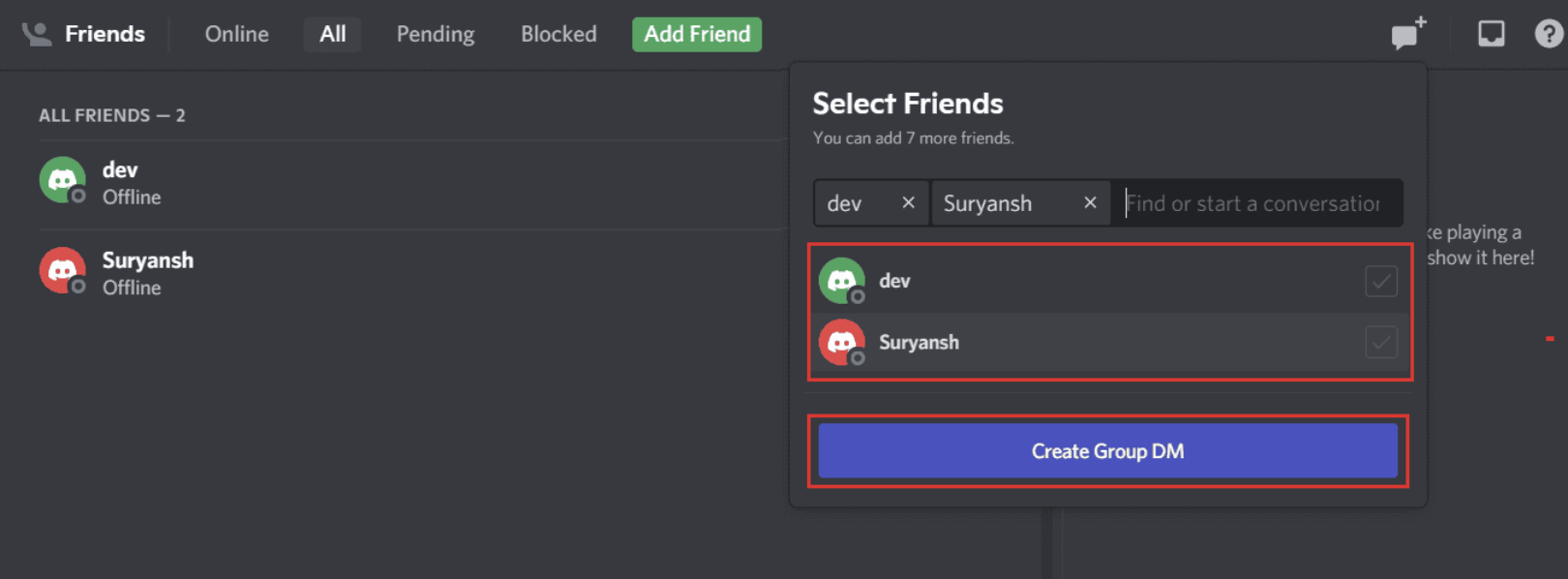
You join a few group DMs for a game night, college project, community event, or random conversation. Months later, most of those chats are completely dead, but they're still sitting in your DM list.
Servers have a similar problem. Over time, communities collect inactive members who haven't logged in or participated for weeks or months.
Discord's latest updates tackle both problems from different sides.
Users can now bulk-leave inactive group DMs, while server owners can enable a new setting that restricts member pruning to server admins. Discord
Here's what both features actually do and when you should use them.
What Is Bulk-Leaving Group DMs?
The new bulk-leave feature is designed for users who have accumulated a long list of inactive group conversations.
Discord specifically describes the feature as a way to leave multiple inactive group DMs at once rather than opening each conversation individually. Discord
Think of it as cleaning your DM list without having to perform the same action 20 or 30 times.
Why This Is Useful
You might have old group DMs from:
- Gaming sessions
- College projects
- Events
- Old friend groups
- Temporary communities
- One-time collaborations
- Group conversations that simply stopped being active
Instead of keeping all of them around, you can now clear out the inactive ones in bulk.
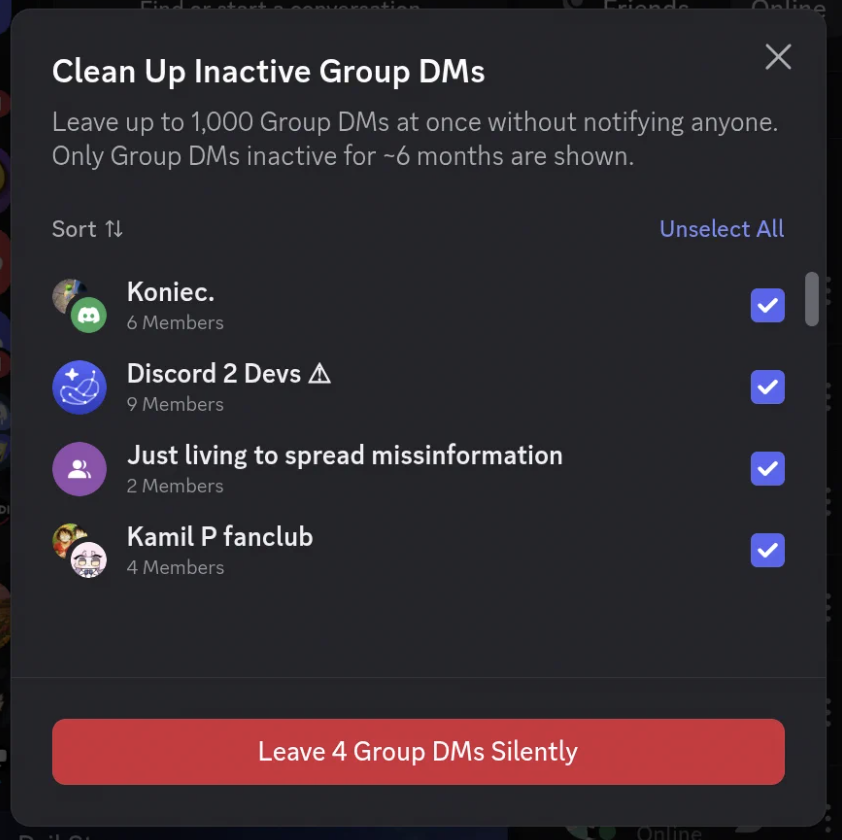
How to Leave Inactive Group DMs in Bulk
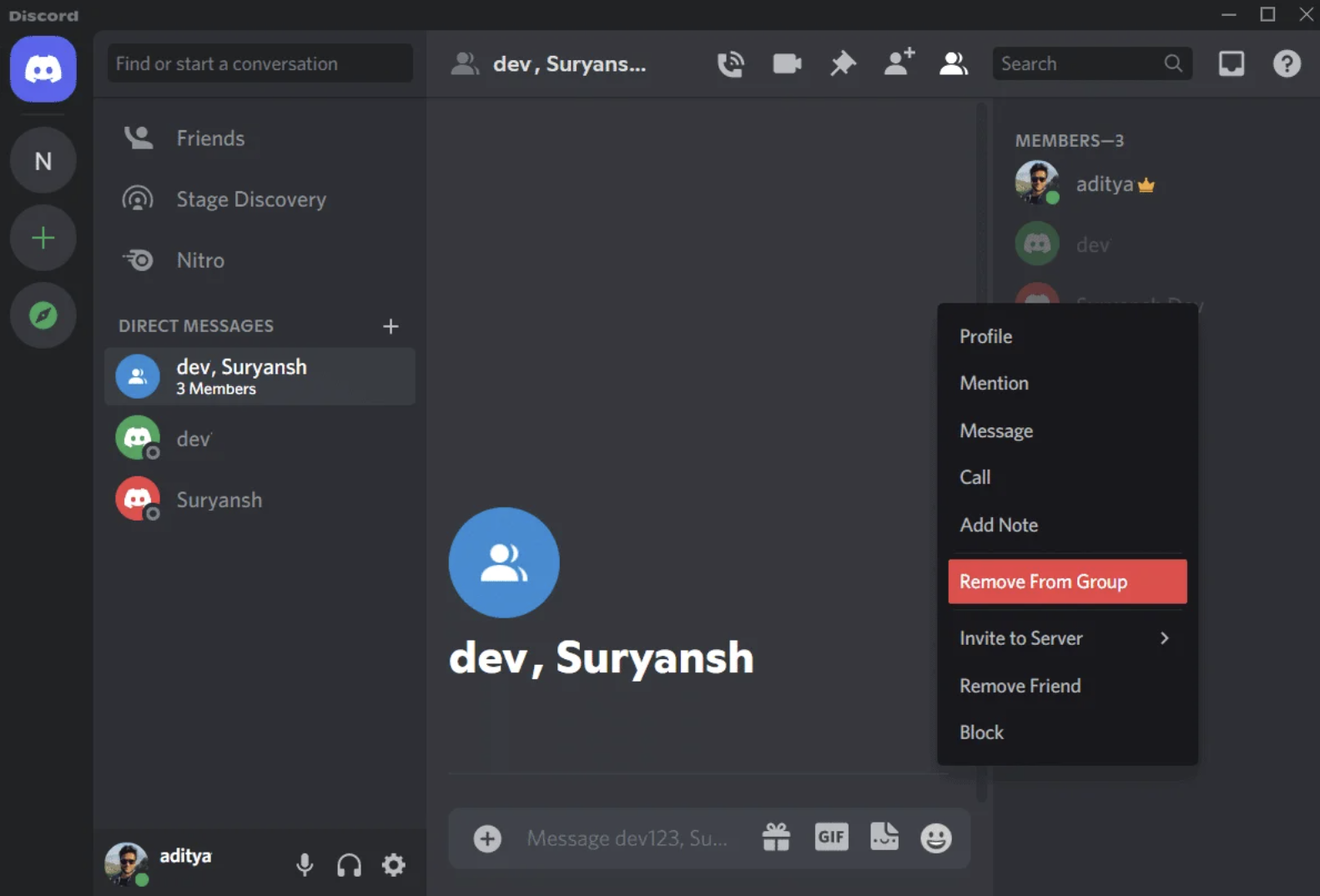
Discord's regular Group DM controls still allow you to leave a group individually.
On desktop, you can:
- Find the Group DM in your DM list.
- Right-click the conversation.
- Select Leave Group.
- Confirm your choice.
On mobile, open the Group DM, tap its name, open the settings menu and select Leave Group. Discord Support
The new bulk-cleanup option simply makes this process practical when you have a lot of old group DMs.
One Important Thing to Remember
Leaving a Group DM removes it from your DM list and stops you from receiving messages from that conversation.
If you want to return later, an existing member needs to add you back. Discord Support
So don't bulk-leave a conversation just because it hasn't been active for a few days.
What Does "Inactive" Mean?
This is one area where you should be careful.
Discord's new feature is specifically aimed at inactive group DMs that haven't seen a message in a while. Discord
That doesn't necessarily mean a conversation is permanently dead.
An old group chat could suddenly become useful again because someone plans a reunion, gaming session, trip, project or event.
So before cleaning everything out, quickly check whether any of the conversations are still relevant to you.
What Is Discord Member Pruning?
Now let's move from your personal DM list to server management.
Pruning is Discord's tool for removing inactive members from a server in bulk.
Instead of manually kicking hundreds of inactive accounts one by one, pruning allows a server to remove members who haven't been active on Discord for a selected period. Discord Support
For large communities, this can save moderators a huge amount of time.
How Discord Pruning Normally Works
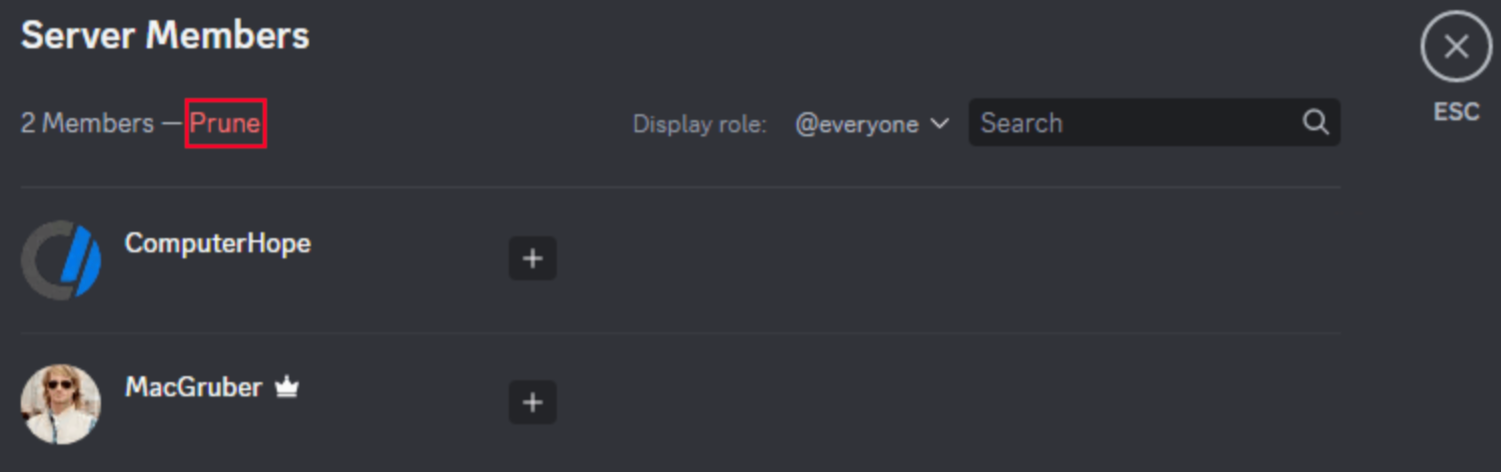
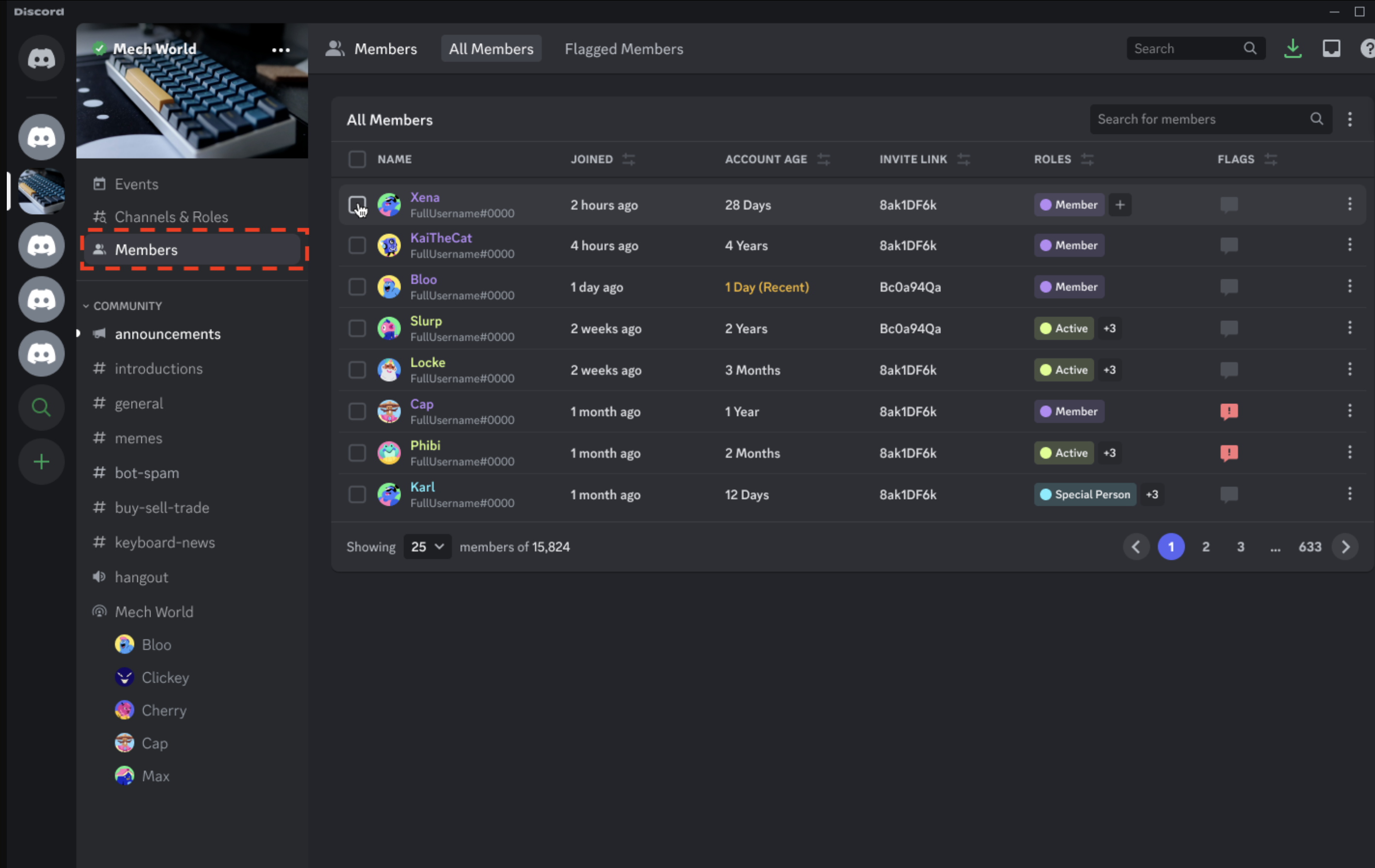
Discord's Members page includes a Prune option.
Depending on the available settings, server managers can select an inactivity period and see how many members would be affected before actually running the prune. Discord's documentation describes options such as 7-day and 30-day inactivity periods, with the ability to include specific roles. Discord Support
The basic workflow is:
Server → Members → Prune → Select inactivity period → Review → Prune
That sounds simple, but there's an important problem.
Pruning can remove a large number of members at once.
That's where Discord's new permission control comes in.
The New Admin-Only Pruning Toggle
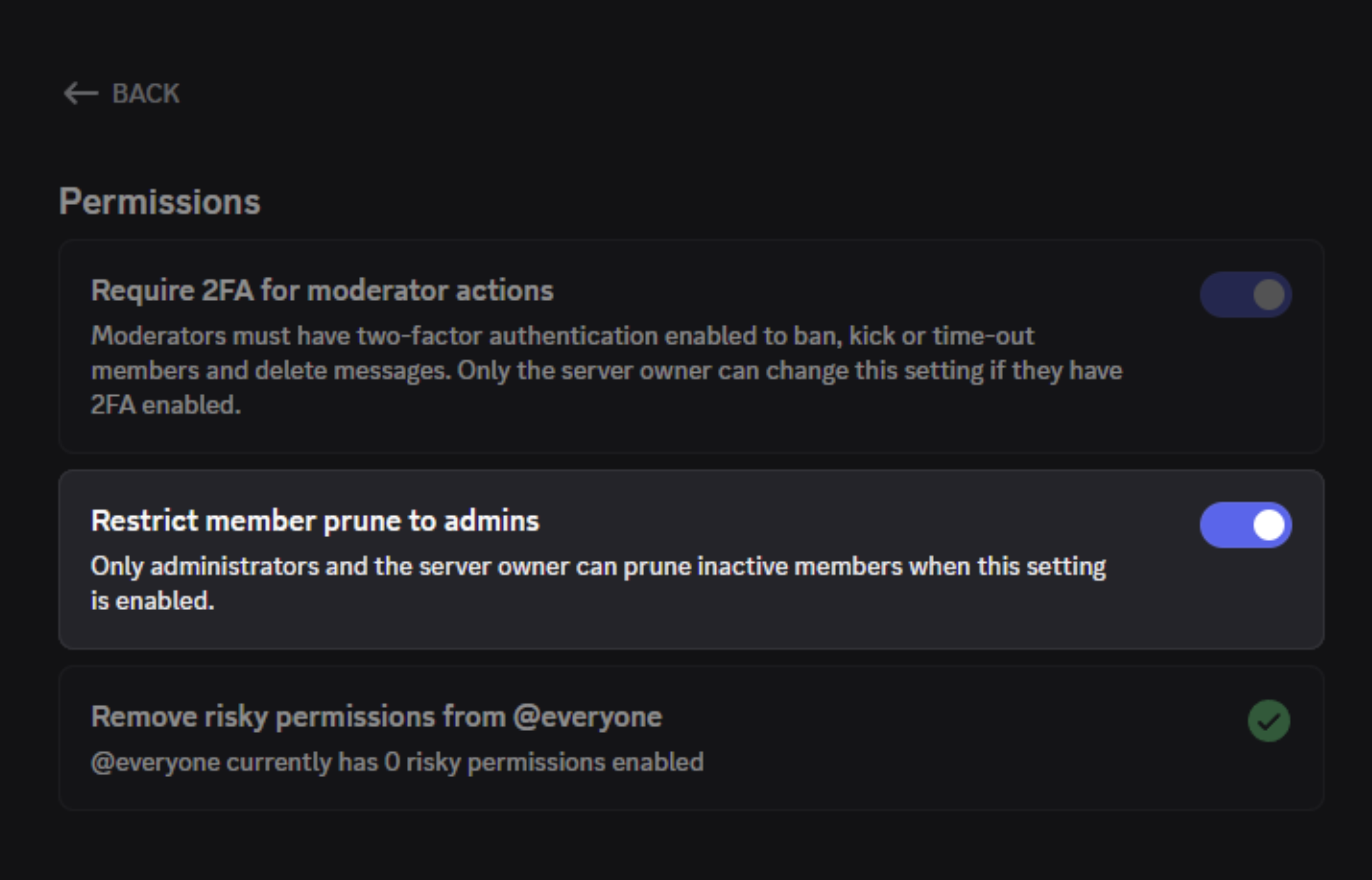
Discord has introduced a new toggle that allows server owners to restrict pruning to server administrators.
Previously, pruning was tied to existing moderation permissions, including the ability to manage the server and kick members.
Discord says the new toggle lets servers restrict pruning specifically to server admins, instead of relying on the combination of Manage Server + Kick Members permissions. Discord
This gives server owners much tighter control over one of the most powerful bulk moderation actions.
Why This Matters
Imagine you have a server with:
50,000 members
Your moderation team might have several people with permission to kick members.
That doesn't necessarily mean everyone on that team should be able to remove hundreds or thousands of inactive users at once.
Pruning is different from kicking one problematic member.
A single mistake can affect a huge portion of your community.
The new toggle lets server owners make a simple distinction:
Moderators can handle everyday moderation, while admins control large-scale member cleanup.
That's a much safer setup for bigger communities.
How to Think About Pruning Permissions
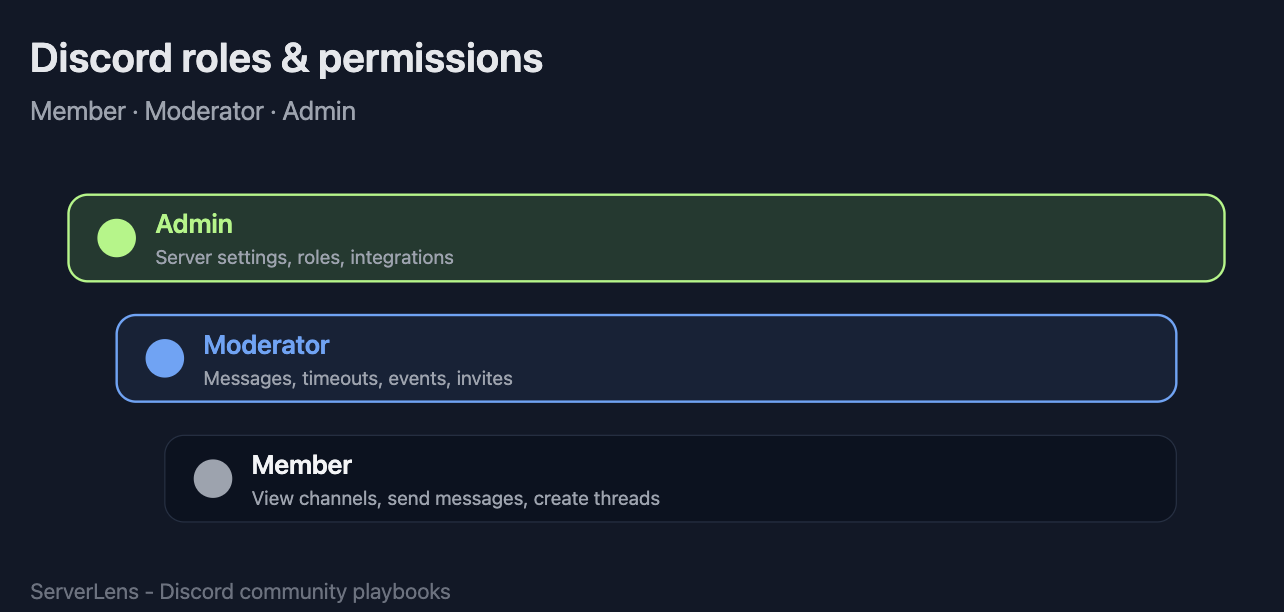
A good Discord permission structure should generally follow the principle of least privilege.
In simple terms:
Give people only the permissions they actually need.
For example:
| Role | Normal Moderation | Bulk Pruning |
|---|---|---|
| Helper | Limited | ❌ |
| Moderator | ✅ | Depends on server settings |
| Senior Moderator | ✅ | Depends on server settings |
| Admin | ✅ | ✅ |
| Server Owner | ✅ | ✅ |
The exact permissions available to each role depend on how your server is configured.
Discord's new toggle simply gives owners another layer of control over who can perform pruning. Discord
When Should You Prune a Discord Server?
Pruning isn't something you should run randomly.
It makes the most sense when your server has accumulated a large number of inactive accounts.
Good examples include:
After a major growth period
If your server gained thousands of members during an event or promotion, many of those users may never return.
Before a major community event
Cleaning inactive members can give you a better picture of your genuinely active community.
When your server has accumulated years of inactive accounts
Older servers can have huge numbers of people who joined once and never came back.
During a community restructuring
If you're rebuilding channels, roles and moderation systems, pruning can be part of a broader cleanup.
Don't Treat Pruning Like a "Delete Inactive People" Button
This is probably the most important part of the guide.
Inactive doesn't automatically mean unwanted.
Someone may not have posted recently but could still consider your server their community.
Before pruning, consider:
- How long has the server been inactive?
- Is the server still growing?
- Are inactive members useful for future events?
- Are there important roles that should be protected?
- Do you have a clear reason for removing them?
- Have you communicated the cleanup to members?
Discord's pruning system can also account for specific roles when configuring who gets included. Discord Support
For a large community, that's worth checking before pressing the final button.
Bulk-Leaving DMs vs. Pruning Members
These two features sound similar because both are about cleaning up inactive accounts and conversations.
But they're fundamentally different.
| Feature | Bulk Leave DMs | Member Pruning |
|---|---|---|
| Who uses it? | Individual users | Server management |
| What gets removed? | Your Group DM participation | Inactive server members |
| Main purpose | Clean your DM list | Clean server membership |
| Affects other users? | Mostly no | Yes |
| Risk level | Low | Much higher |
| Best for | Personal cleanup | Community management |
The first is basically decluttering your Discord account.
The second is community administration.
Discord Is Slowly Making Cleanup More Practical
These changes might not look as exciting as a completely new Discord feature.
But they're the kind of quality-of-life improvements that become extremely useful once you've been using Discord for years.
Your DM list gets crowded.
Servers accumulate inactive members.
Moderation teams grow.
And suddenly, small management tasks become massive jobs.
Discord's 2026 updates are addressing that problem from multiple directions.
The bulk DM feature cleans up your personal conversations, while the admin-only pruning option gives server owners more control over large-scale member cleanup. Discord
What You Should Do Now
If your DM list is a mess:
Look through the new bulk-leave option and remove genuinely inactive Group DMs you no longer need.
If you run a Discord server:
Review who currently has access to pruning and decide whether it makes sense to restrict that action to administrators.
If you manage a large community:
Don't treat pruning as routine housekeeping. Make it a deliberate administrative action and review the affected members before confirming.
🎮 The Bottom Line
Discord's latest cleanup features aren't flashy, but they're practical.
Bulk-leaving helps ordinary users get rid of years of inactive Group DMs without manually leaving them one by one.
Admin-only pruning gives server owners another layer of protection against accidental or overly broad member removal.
Together, they address two different kinds of Discord clutter: your personal conversations and your community's membership list.
And for anyone who's been using Discord for years, both are probably overdue.
What do you think?
Would you use Discord's new bulk-leave feature to clean up your old Group DMs, or do you think Discord should give users even more control over inactive conversations?



Comments
Sign in to join the conversation
Sign inNo comments yet
Be the first to share your thoughts!