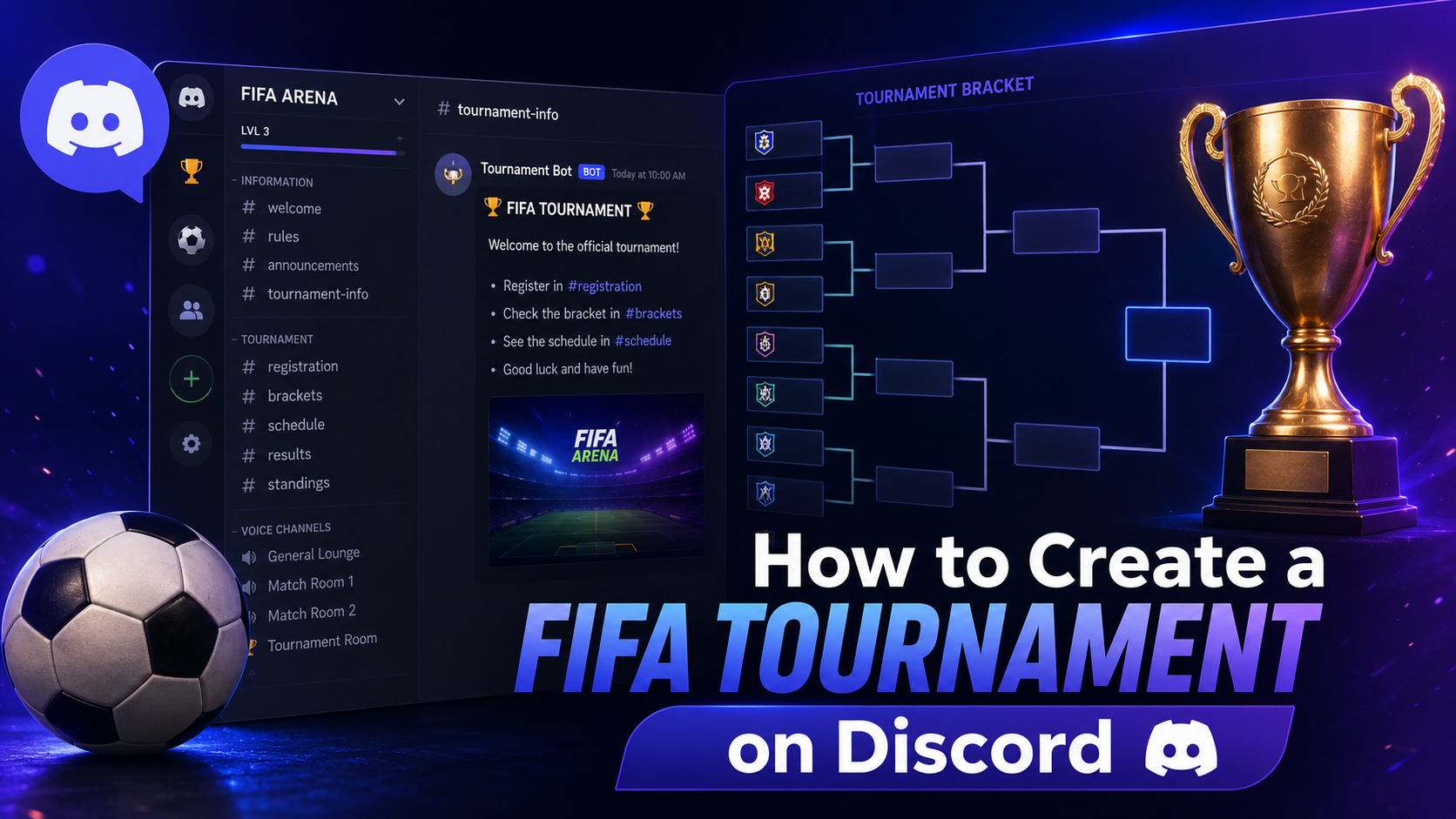

How to Create a FIFA Tournament on Discord (Complete Guide)
Whether you're hosting a friendly FIFA competition among friends or running a large EA SPORTS FC community with hundreds of players, Discord is one of the best platforms for organizing tournaments.
With voice channels, custom roles, announcement channels, and tournament bots, Discord makes it easy to manage registrations, communicate with players, and keep your event organized.
In this guide, you'll learn everything you need to create a professional FIFA tournament on Discord—from setting up your server to announcing the winner.
Why Use Discord for FIFA Tournaments?
Discord offers everything tournament organizers need in one place.
Benefits include:
Free to use:
* Voice and text communication
* Easy player registration
* Match scheduling
* Role management
* Tournament announcements
* Live score updates
* Community engagement
Whether you're hosting a 16-player event or a 512-player championship, Discord can scale with your community.
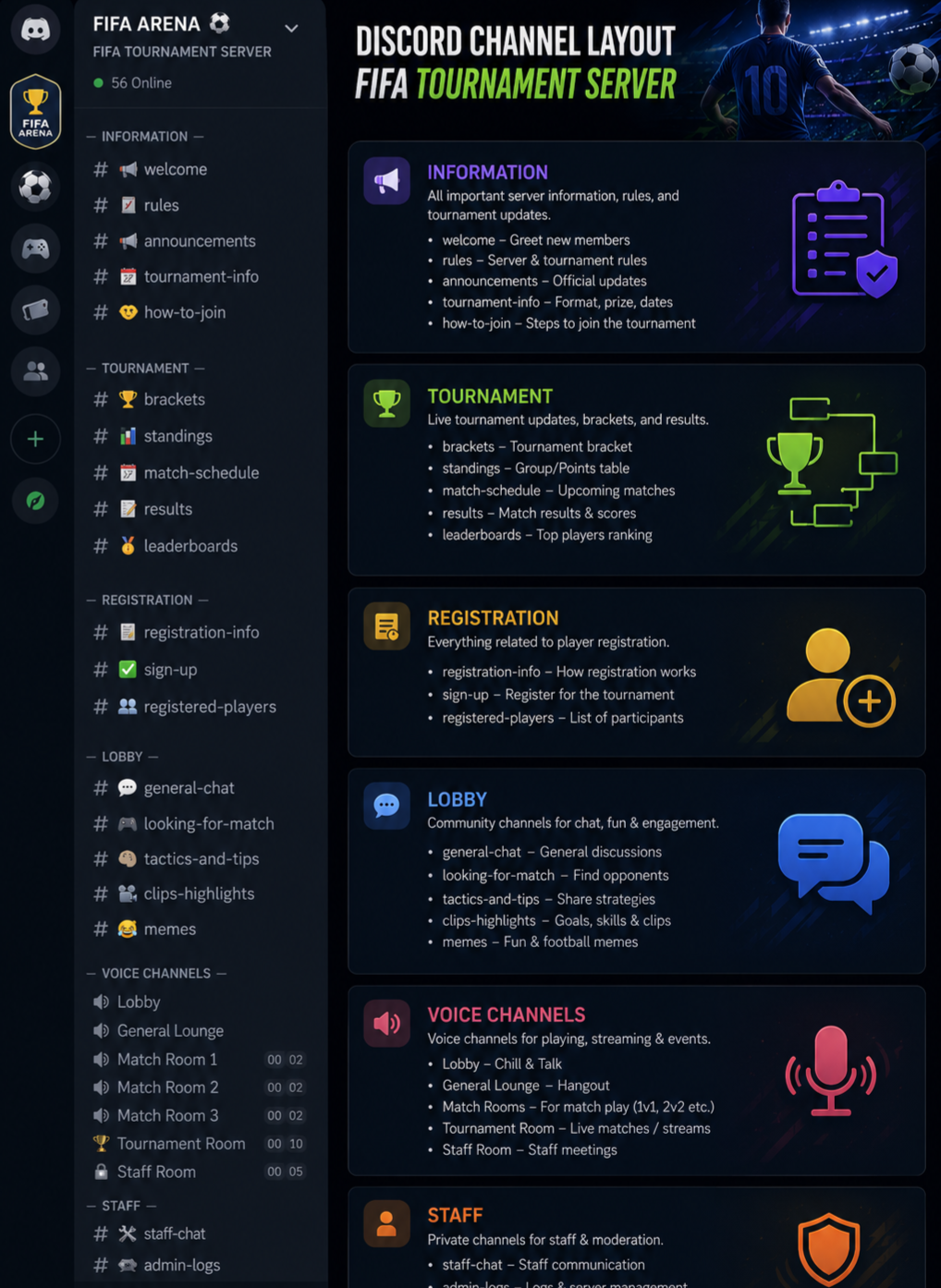
Step 1: Create Your Discord Server
If you don't already have one, create a dedicated server for your tournament.
Recommended channels:
📢 announcements
📜 rules
📝 registration
📅 match-schedule
🏆 results
🎥 live-streams
💬 general-chat
🎮 voice-chat
Organizing channels properly helps participants quickly find the information they need.
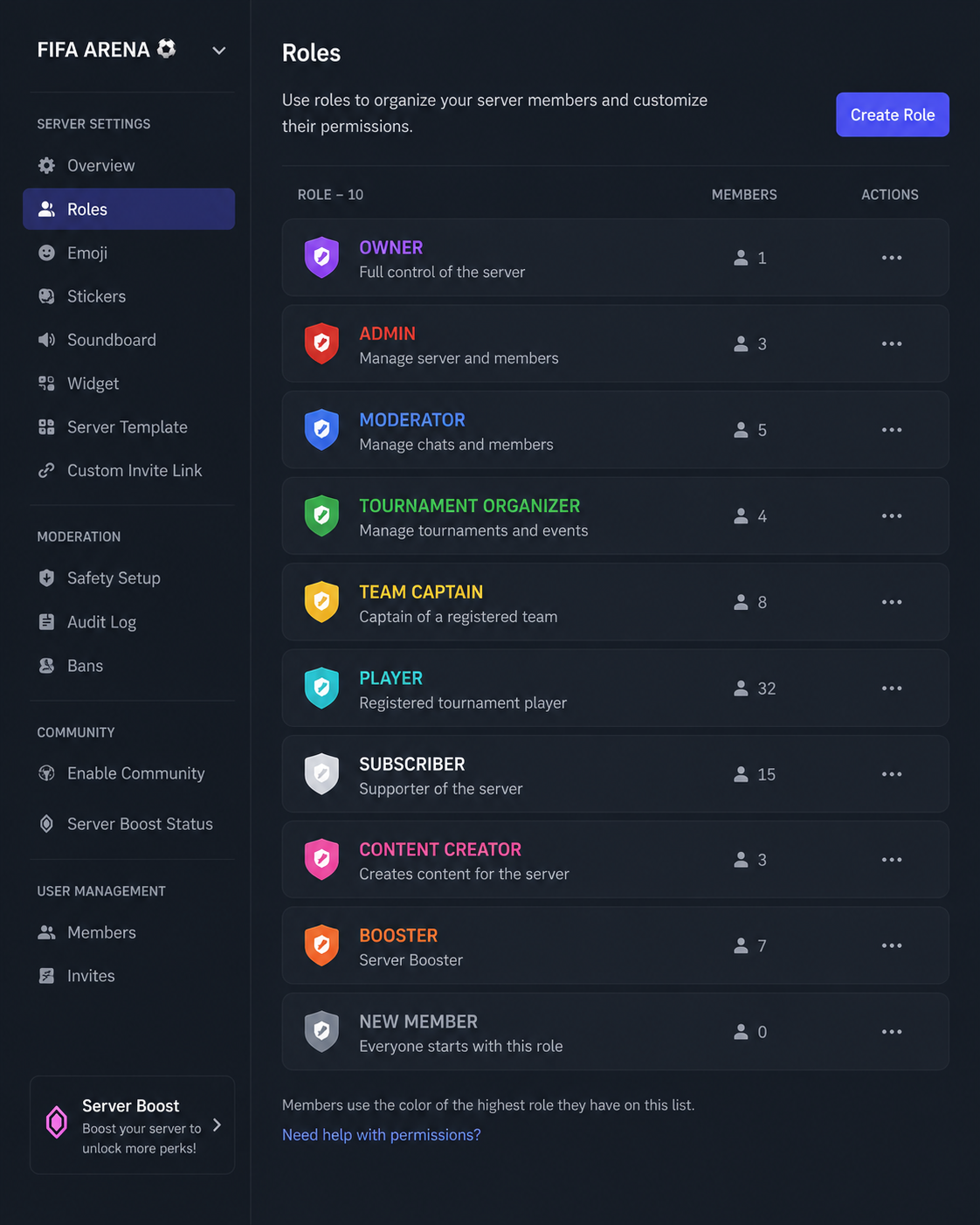
Step 2: Create Tournament Roles
Roles make it easier to organize participants.
Example roles:
🏆 Tournament Organizer
⚽ Referee
🎮 Player
⭐ Champion
📢 Moderator
🎥 Streamer
Roles also help control permissions and identify players during the event.
Step 3: Set Tournament Rules
Before registration begins, create a clear rules channel.
Include rules such as:
* Match duration
* Extra time settings
* Penalty shootouts
* Disconnect policy
* Sportsmanship guidelines
* Reporting scores
* Match deadlines
* Clear rules reduce disputes and keep the tournament fair.
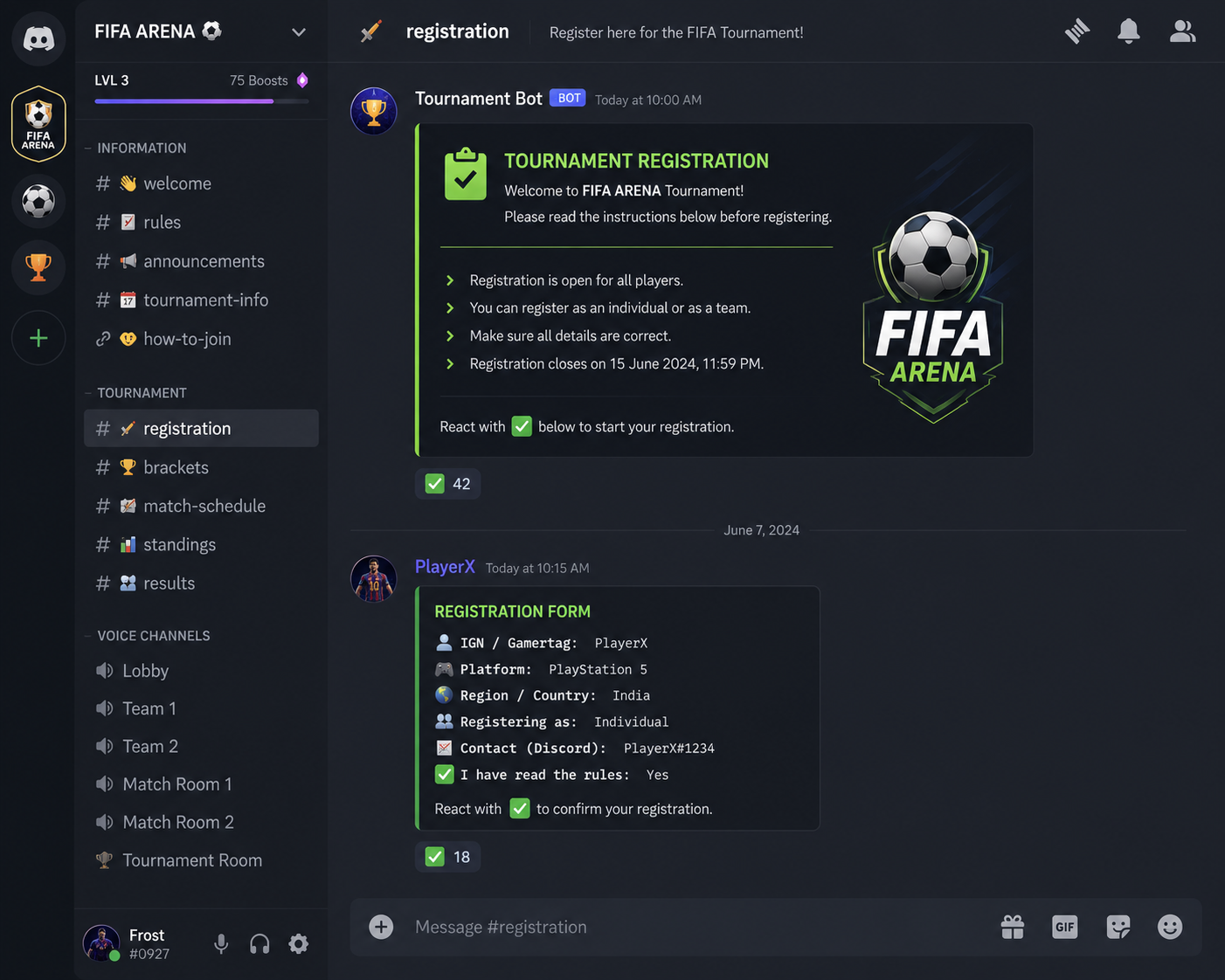
Step 4: Open Player Registration
Create a dedicated registration channel.
Players can register by submitting:
Discord Username
EA SPORTS FC Username
Platform (PC, Xbox, PlayStation)
Region
Time Zone
You can also use reaction roles or Google Forms for larger tournaments.
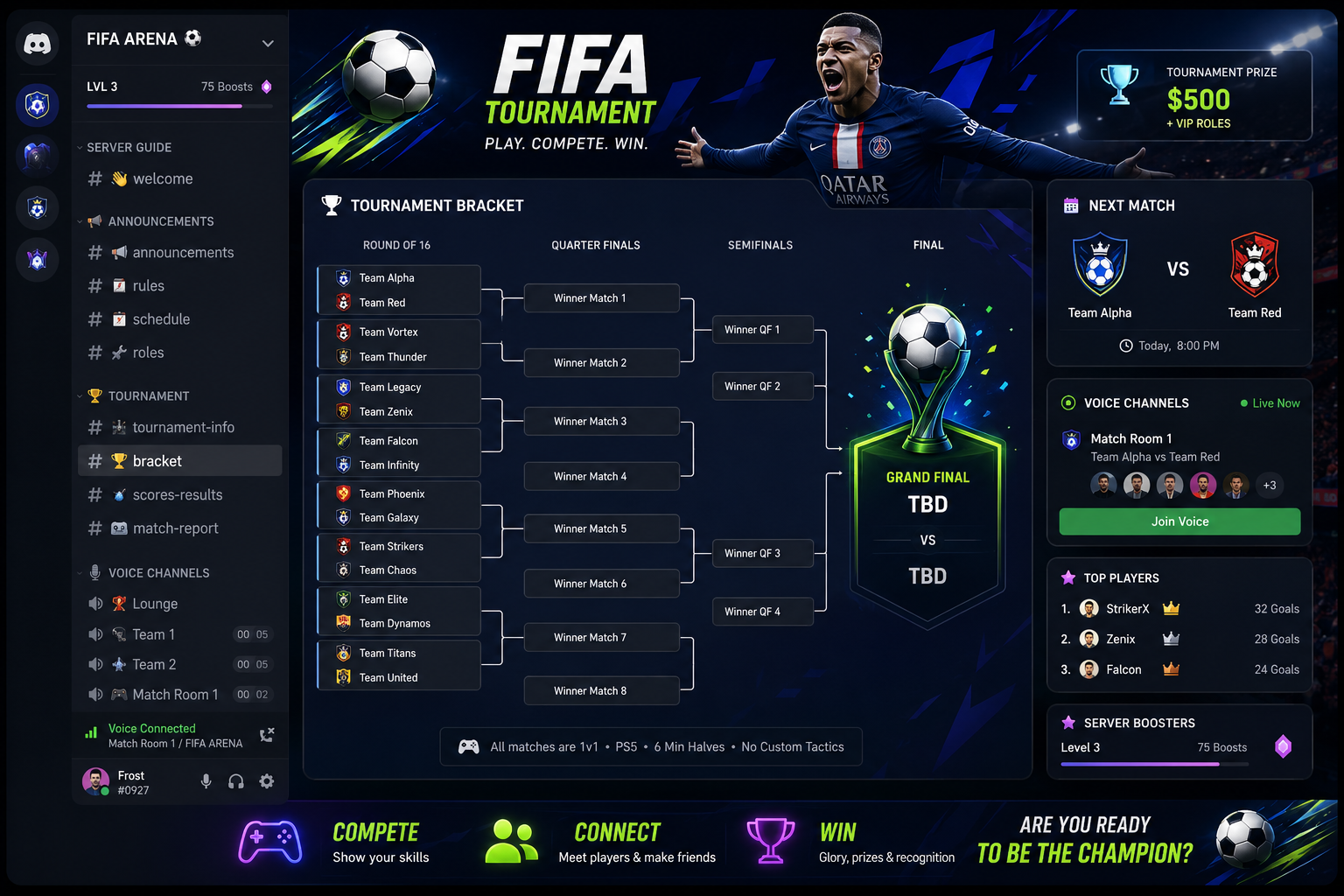
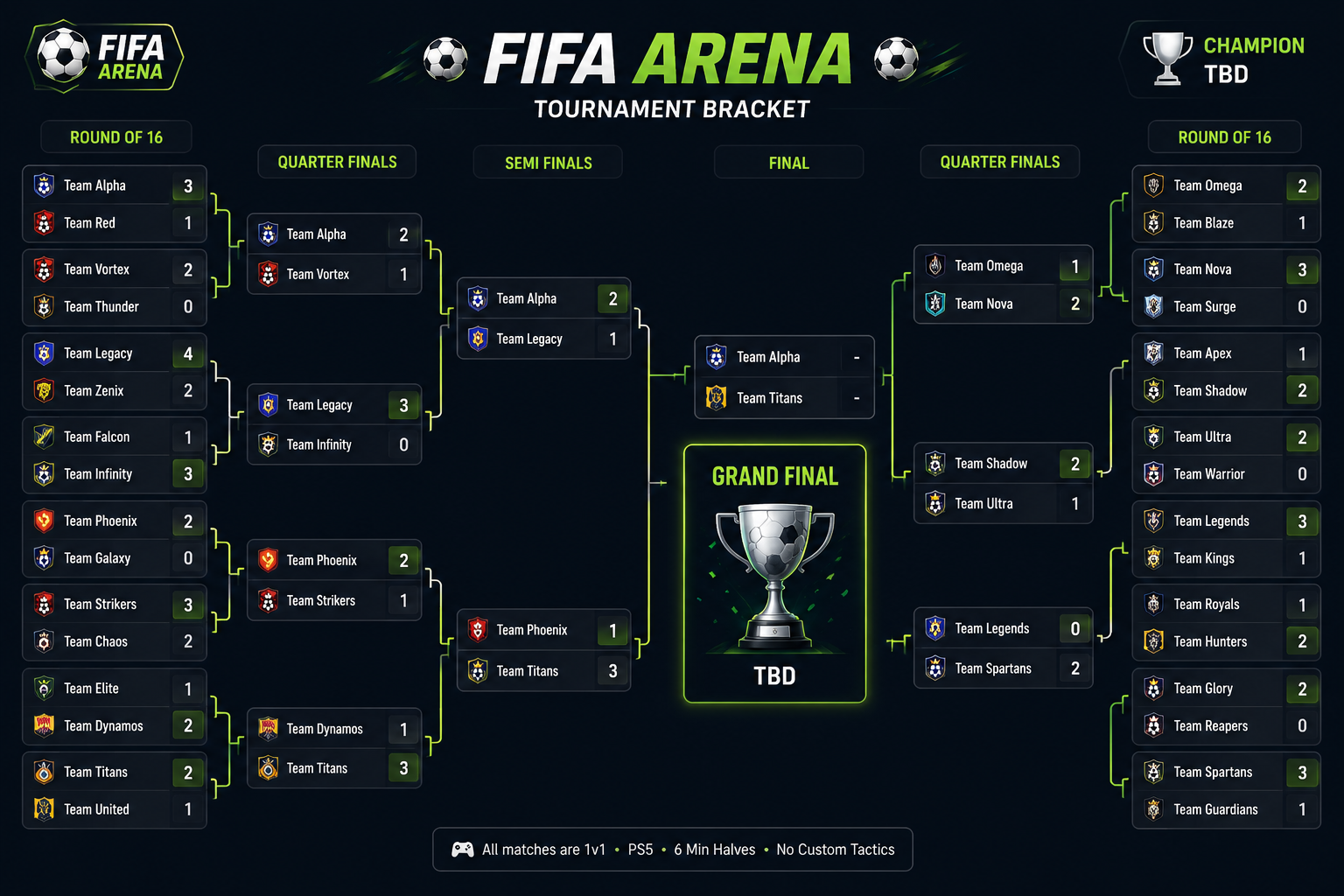
Step 5: Generate Tournament Brackets
Popular bracket formats include:
Single Elimination
Double Elimination
Round Robin
Swiss Format
Most organizers use Challenge or Battlefield to generate brackets.
Share the bracket link in your announcements channel.
Step 6: Schedule Matches
Create a schedule channel where players know exactly when matches will take place.
Example:
Quarterfinals
Saturday
7:00 PM UTC
Player A vs Player B
Voice Channel 1
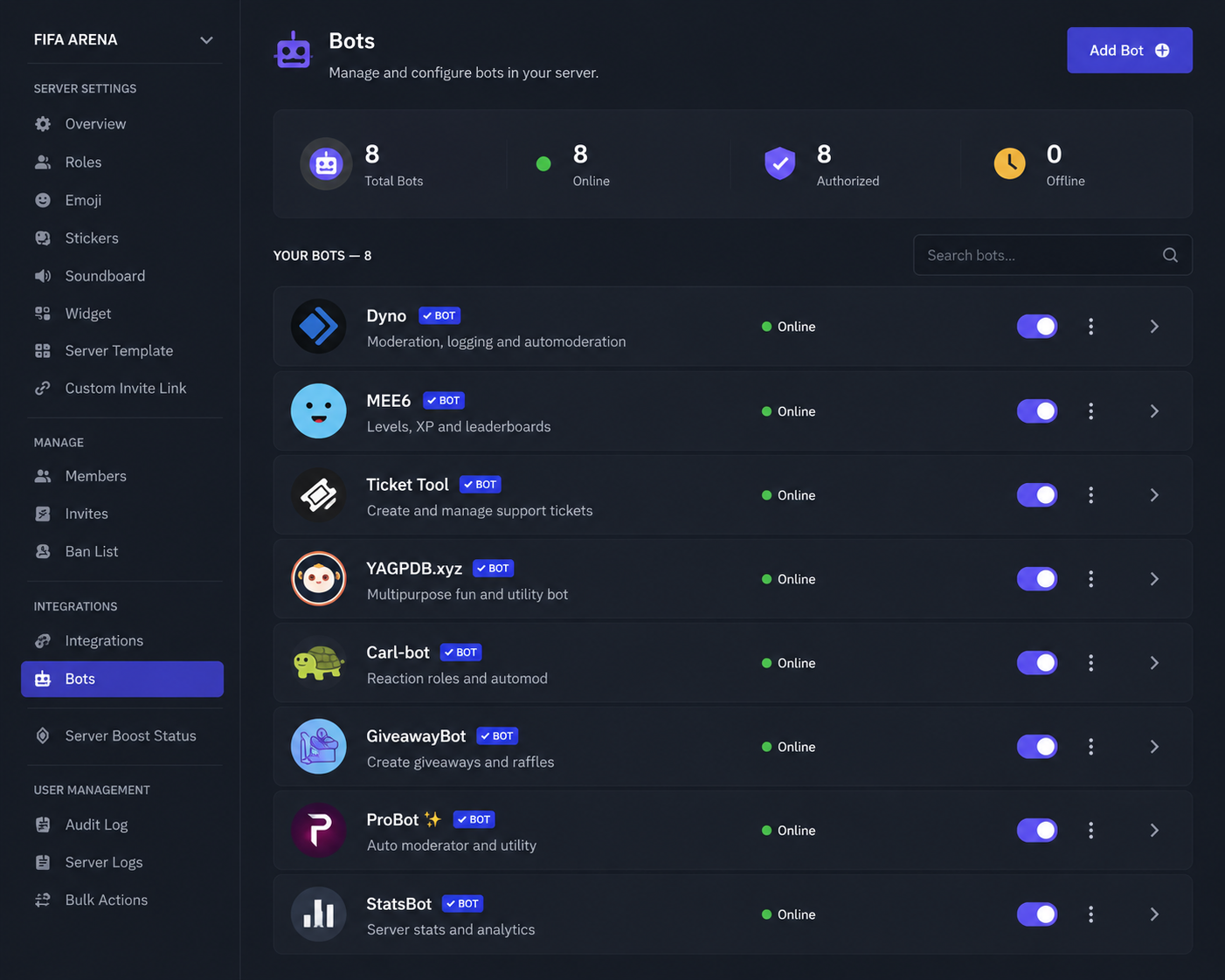
Step 7: Use Helpful Discord Bots
Recommended bots:
* Carl-bot
* MEE6
* Dyno
*Sapphire
* Ticket Tool
These bots can automate:
* Welcome messages
* Reaction roles
* Logging
* Ticket support
* Moderation
* Event reminders
Automation saves time during large tournaments.
Step 8: Report Match Results
Create a dedicated results channel.
Example format:
Quarterfinal
Player A 3-2 Player B
Winner:
Player A
Screenshot Attached
Requiring screenshots helps avoid disputes.
Step 9: Announce Winners
Celebrate your champions with a dedicated announcement.
🏆 Congratulations to Player A for winning the FIFA Championship!
You can also:
Award special Discord roles
Give Nitro prizes
Share highlight clips
Post MVP awards
Recognition encourages players to return for future events.


Recommended Server Structure
📢 INFORMATION
announcements
rules
faq
🏆 TOURNAMENT
registration
brackets
match-schedule
results
🎮 COMMUNITY
general-chat
clips
voice-chat
support
Tips for Growing Your FIFA Tournament
Host weekly events
Offer Discord role rewards
Stream finals on YouTube or Twitch
Invite content creators
Promote your tournament on social media
List your Discord server on Discord directory websites
Encourage players to invite friends
Consistent events help build an active community over time.
Conclusion
Discord is one of the best platforms for hosting FIFA tournaments thanks to its powerful communication tools, customizable roles, and community features. By organizing channels, setting clear rules, using helpful bots, and scheduling matches effectively, you can create a fun and competitive experience for every participant.
Whether you're planning a casual weekend cup or a large EA SPORTS FC championship, following the steps in this guide will help you run a smooth and successful tournament.