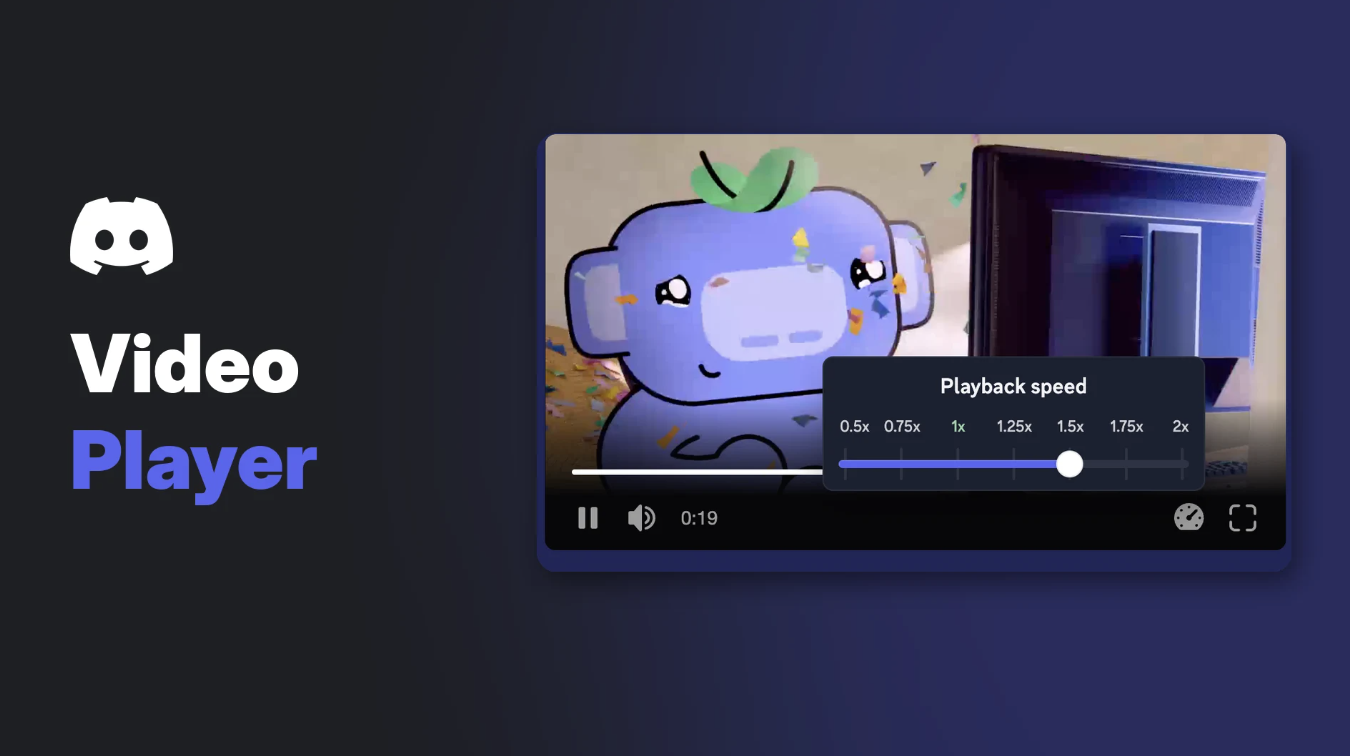

Ever tried to scrub through a clip in Discord and watched the progress bar jump along in little hops? That's about to change. Discord has rebuilt its Discord video player from the ground up, and it's already running in Quests and Clips.
In a 2 November 2026 post on its blog, Discord explained how it merged several separate players into one shared player. It calls it the Discord Video Player, or DVP for short.
The engineering story is long. This article sticks to what you'll actually notice: the new controls, where the player is live and when videos in your chats get it.
At a glance - Announced: 2 November 2026 on the Discord blog - Live now: Quests and Clips, in the web and desktop apps - Chat attachment videos: live for a small percentage of users, rolling out to more over the coming month - New: smooth playhead, seven playback speeds, steadier timestamps, controls that work at any size - Scrub previews: Clips only, for now - Mobile: not mentioned in Discord's post
🎬 What Is the New Discord Video Player?
Discord used to run separate players for different parts of the app. Videos posted in chat had one, Quests had another, and some animated effects used a third.
Discord's Media Infrastructure team folded them into one shared player. Every product now gets the same controls and fixes, and new features can be added once instead of several times.
Discord says the switch cut the player code each product has to maintain by up to 94%. Before switching Quests over, it tested the new player on about a million users, and the key Quest numbers stayed within 0.1% of the old player.
✨ What's New in the Discord Video Player
A smooth playhead
The old players moved the progress bar based on the browser's updates, about four times a second. That's why it looked jumpy. The new player runs on its own clock, so the playhead glides.
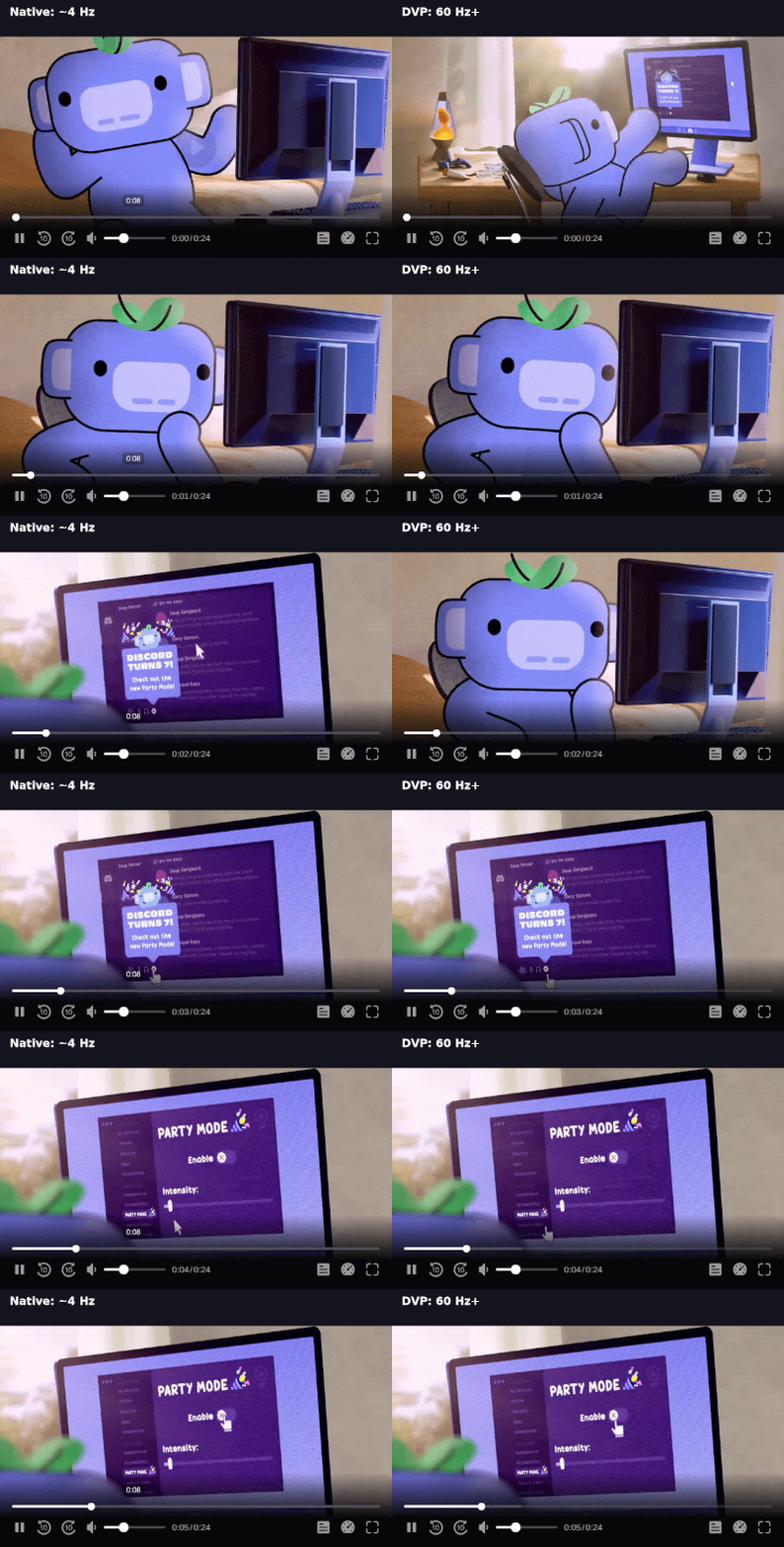
The old playhead (left) next to the new one (right). Image: Discord.
Seven playback speeds
The new player supports seven playback speed settings. Discord's screenshot shows a Playback speed slider running from 0.5x to 2x, opened from a speedometer icon in the control bar.
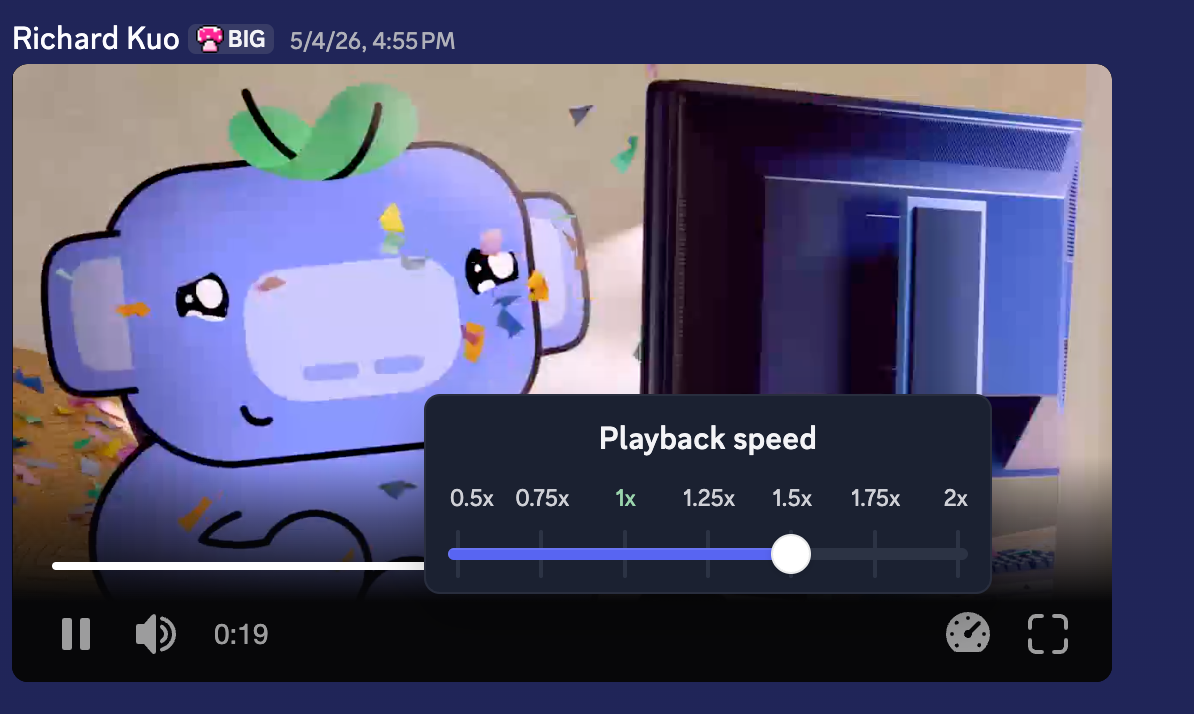
The Playback speed control. Image: Discord.
Speed is built into the base player, so any part of Discord can switch it on. The post doesn't list exactly which surfaces have it today.
Scrub previews (Clips only for now)
Hover over the timeline and a small thumbnail shows the moment you're pointing at. Discord says these previews are Clips only for now, though other parts of the app can turn them on later.
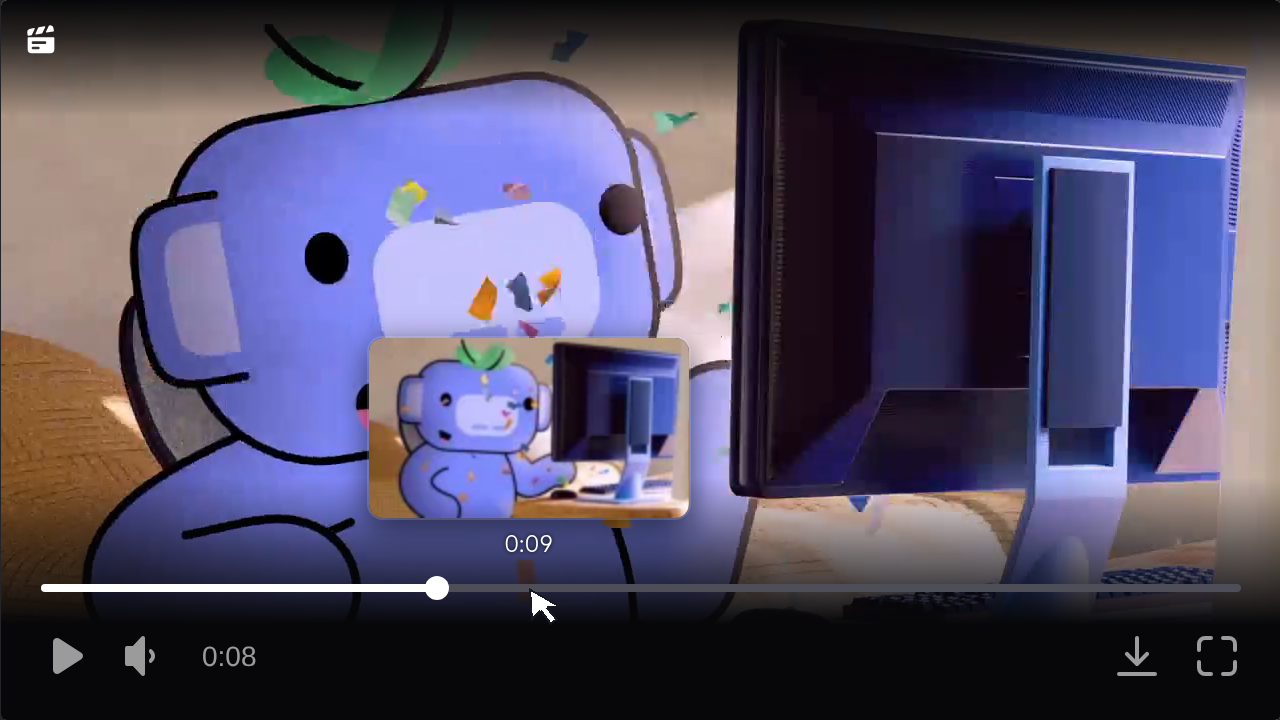
A scrub preview on a clip. Image: Discord.
Controls that work at any size
The controls now work from a small 240px tile all the way up to fullscreen. Discord says no button or target shrinks below 24px, which makes them easier to hit.
Timestamps you can actually read
Timestamps now sit on dark pills, so they stay readable over bright and dark scenes alike. The time readout also uses evenly spaced digits, so the numbers stop wiggling as they count up.
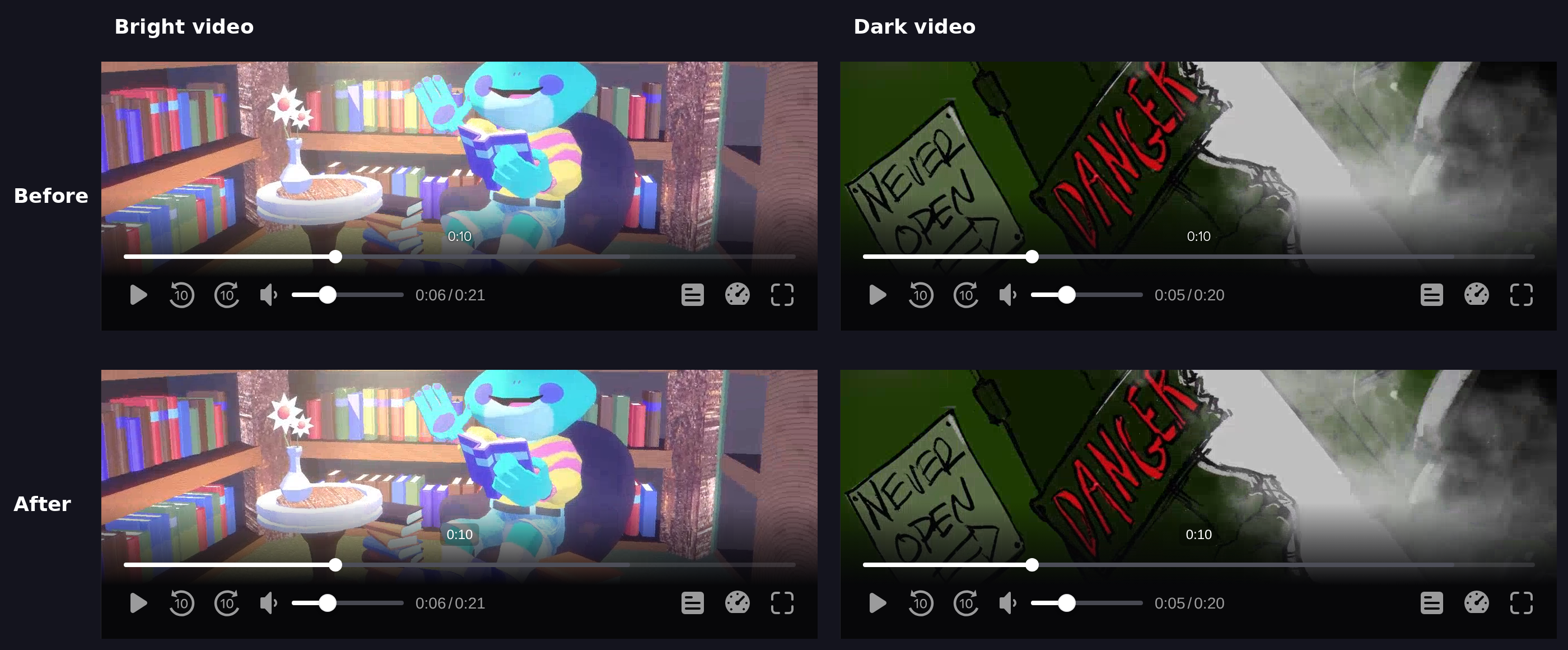
Timestamps before and after, over bright and dark footage. Image: Discord.
📍 Where the Discord Video Player Is Live
| Where | Status |
|---|---|
| Quests | Live in the web and desktop apps |
| Clips | Live in the web and desktop apps |
| Videos attached in chat | Live for a small percentage of users |
| Wider chat rollout | Over the coming month, says Discord |
| Mobile apps | Not covered in the post |
So if you watch a Quest video or open a clip on desktop today, you're already using it. For the videos friends post in your servers, it depends on whether your account is in the early group.
🧩 What It Means for Clips
Clips is the other product already running on the shared player, alongside Quests. Discord says Clips moved to early access in late March.
Clips adds its own extras on top of the base player. Discord names preview thumbnails, timeline comments and a download button in the control bar. Because these are add-ons, the core player stays the same everywhere else.
Clips come from streams, so if you're new to Go Live, our Discord streaming guide covers the setup.
Frequently Asked Questions
What is the Discord video player?
It's Discord's new shared player for Quests, Clips and, soon, videos posted in chat. Discord calls it the Discord Video Player, or DVP.
Can I change playback speed in the Discord video player?
The new player supports seven speeds. Discord's screenshot shows options from 0.5x to 2x. Each part of the app has to switch the feature on.
Why don't my chat videos have the new player yet?
Attachment videos are only live for a small percentage of users. Discord says it will reach more over the coming month.
Is the new player on mobile?
Discord's post only mentions the web and desktop apps. It doesn't say anything about iOS or Android.
Do I need to turn anything on?
Discord's post doesn't mention any setting. It describes a gradual rollout, so the new player should simply appear when your account gets it.
🎮 The Bottom Line
The new Discord video player is a quality-of-life update you'll feel more than see. The playhead glides, timestamps stay put, and speed controls are built in wherever Discord switches them on.
It's live in Quests and Clips now. Chat videos follow over the coming month, so keep an eye on the speedometer icon. For more ways to tune Discord while you play, see our look at Discord Game Mode.
Which speed will you use most: 1.5x for long uploads, or 0.5x to catch a frame-perfect play?
Sources
- Discord Blog: Modernizing the Video Playback Experience at Discord, by Richard Kuo, 2 November 2026



Comments
Sign in to join the conversation
Sign inNo comments yet
Be the first to share your thoughts!