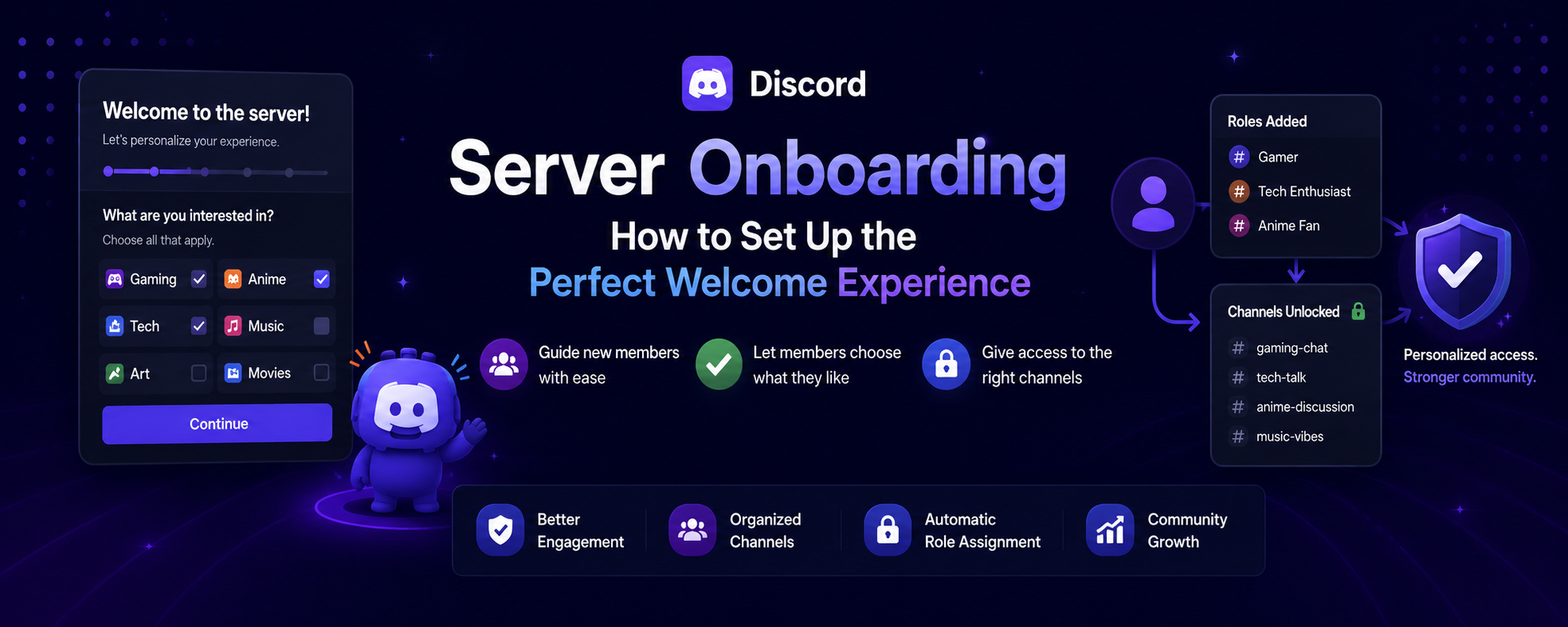

Discord Server Onboarding: How to Welcome New Members Like a Pro
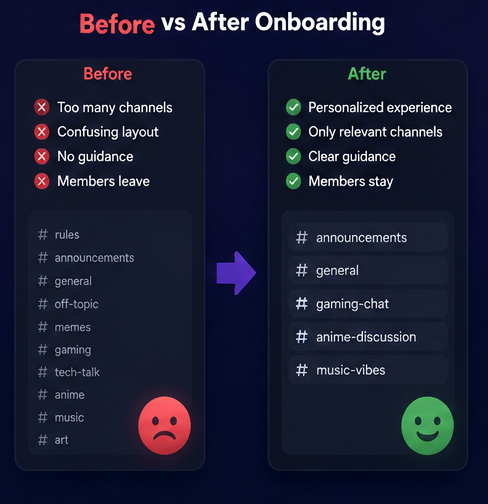
Have you ever joined a new Discord server only to be greeted by dozens of channels, endless notifications, and no idea where to start? Most users simply leave when that happens.
Discord introduced Server Onboarding to solve this exact problem. Instead of overwhelming new members, Onboarding creates a personalized welcome experience that lets users choose their interests, receive relevant roles, and only see the channels they actually care about.
Here's everything you need to know about setting up Discord Server Onboarding.
What Is Discord Server Onboarding?
Server Onboarding is a built-in Discord feature that guides new members through a customized welcome process before they access your entire server.
Instead of manually assigning roles or using third-party bots, Discord allows you to:
- Ask new members questions
- Assign roles automatically
- Unlock specific channels
- Personalize the server experience
- Reduce confusion for newcomers
This makes your community feel much more organized and beginner-friendly.
Why You Need Server Onboarding
Before Onboarding existed, server owners relied on reaction-role bots and lengthy welcome messages.
Now, everything happens natively inside Discord.
Benefits include:
✅ Better member retention✅ Cleaner server experience
✅ Automatic role assignment
✅ Personalized channel lists
✅ Easier community management
For growing communities, this feature can significantly increase the number of users who stay and become active members.
How to Enable Server Onboarding
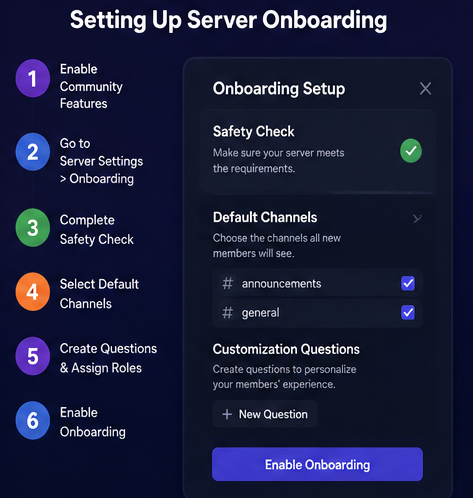
Before setting up Onboarding, your server must have Community Features enabled.
To enable Server Onboarding:
- Open Server Settings.
- Navigate to Community.
- Click Onboarding.
- Select Check it out.
- Start the setup wizard.
Discord will then perform a quick safety check.
Safety Requirements
Before enabling Onboarding, Discord ensures your server follows certain safety requirements.
These include:
- Dedicated Rules Channel
- Community Guidelines
- Restricted @everyone permissions
- Proper moderation settings
Once everything passes, you can continue setting up your onboarding flow.
Setting Up Default Channels
Default Channels are the channels every member sees regardless of the roles they choose.
Examples include:
#announcements#general-chat
#introductions
#rules
Choose only your most important channels here. Adding too many channels defeats the purpose of Onboarding.
Creating Custom Welcome Questions
This is where Server Onboarding becomes powerful.
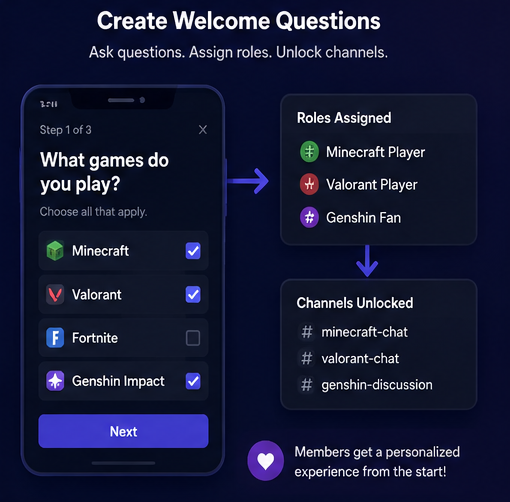
You can create questions that help users personalize their experience.
Example Questions
What games do you play?
- Minecraft
- Valorant
- Fortnite
- Genshin Impact
What notifications do you want?
- Give me all the pings!
- Only important announcements
- No notifications
What region are you from?
- North America
- Europe
- Asia
- South America
Each answer can automatically assign:
- Roles
- Permissions
- Specific channels
Required vs Optional Questions
Discord allows you to make onboarding questions:
| Type | Description |
|---|---|
| Required | User must answer before joining |
| Optional | User can skip the question |
A good strategy is:
Required
- Region
- Language
- Notifications
Optional
- Hobbies
- Favorite Games
- Special Interests
Why This Matters for Community Growth
A good onboarding experience dramatically improves community retention.
New users are more likely to:
- Stay in your server
- Participate in discussions
- Find channels they enjoy
- Return regularly
- Invite friends
Server Onboarding removes the biggest reason users leave: confusion.
Is Server Onboarding Worth Using?
Absolutely.
Benefits
✅ Better first impressions✅ Higher member retention
✅ Cleaner server organization
✅ Automatic role assignment
✅ Easier moderation
✅ More active community members
For almost every community server, enabling Onboarding is highly recommended.
Frequently Asked Questions
1. Do I need bots for Server Onboarding?
No. Discord handles everything natively.
2. Can I assign roles automatically?
Yes. Roles can be linked directly to answers.
3. Can users change their selections later?
Yes. Members can update their onboarding preferences.
4. Is Server Onboarding available for every server?
Your server must have Community Features enabled.
5. Does Onboarding work on mobile?
Yes. The feature works on both desktop and mobile versions of Discord.
Final Thoughts
Discord Server Onboarding is one of the best tools available for community growth.
Instead of overwhelming new members with dozens of channels and complicated instructions, you can guide them through a personalized welcome experience that feels clean, simple, and engaging.
If you want to improve retention and build a stronger community, setting up Server Onboarding should be one of the first things you do.
Sources
- Official Discord Support Documentation
- Discord Community Features Documentation
- Discord Desktop Client
- Discord Mobile App


