

Discord's September 2026 Update: The Hidden Features Changing How We Chat
Your microphone just got a lot less nosy.
Discord has added system wide echo cancellation on Windows, and it targets one of the most annoying problems in voice chat. Your friends should no longer hear the video playing on your second monitor.
This breakdown covers the Discord September 2026 update in full. It focuses on the new echo cancellation, then walks through the other features that shipped alongside it.
🔥 Main Story: Discord September 2026 Update Brings System Wide Echo Cancellation

Discord confirmed the feature in its September 25, 2026 changelog. The company says echo cancellation used to focus only on audio from Discord calls, and nothing else on your PC was accounted for.
Now Discord attempts to remove a much broader set of sounds. The stated goal is fewer complaints from friends about the video on your second monitor.
The key fact: this applies to Windows clients, and Discord says it attempts to remove the extra audio. It does not promise a perfect result.
🎮 What Happened

Discord announced the feature as the headline item of its monthly changelog. The same message was pushed on Discord's official X account, which listed echo cancellation first, followed by @game mentions and audio device icons.
The feature appears to have shipped a little earlier than the announcement. Release tracking site Releasebot summarizes the September 8 patch notes as saying echo cancellation had recently shipped on Windows. That makes the September 25 changelog the official public explainer rather than the first day of availability.
🧭 Navigation: Main Story → What Happened → Why It Matters → Key Details → Deeper Breakdown → Comparison → Creator Note → What Happens Next
🎬 How it works in practice: 🎧 You join a call → 🖥️ Video plays on your second monitor → 🎤 Your mic picks up the sound → 🧹 Discord filters it out → ✅ Friends hear only you
🧠 Why It Matters
Almost everyone with two monitors has been the person with a stray video leaking into a call. Headphones fix it, but plenty of people use speakers.
A filter that works on the whole PC rather than only Discord calls removes the problem at the source. It means fewer awkward "can you mute that?" moments.
⚠️ Important: Discord's wording is "attempt to remove," and the changelog does not publish accuracy figures or technical details. Treat the feature as a strong improvement, not a guarantee.
⚡ Key Details
| Detail | Information |
|---|---|
| Feature | System wide echo cancellation |
| Platform | Windows clients |
| Announced | September 25, 2026 |
| What it targets | Audio from your PC beyond Discord calls |
| Can it be turned off? | Yes, per Discord's own post |
| Status | Confirmed |
🔍 Deeper Breakdown
How Echo Cancellation Works
Echo cancellation compares what your speakers are playing with what your microphone hears, then subtracts the match. That is a general explanation of the technique, not a description of Discord's exact implementation.
The older approach only knew about Discord's own call audio. The new approach widens that reference to other sound on your PC, which is how a video on another monitor can be filtered out. Discord has not published its method, so the finer points remain unconfirmed.
The Opt Out
Discord's own post includes a note for people who want the old behavior. Discord says to turn it off if you want friends to hear every clink and clank from your PC.
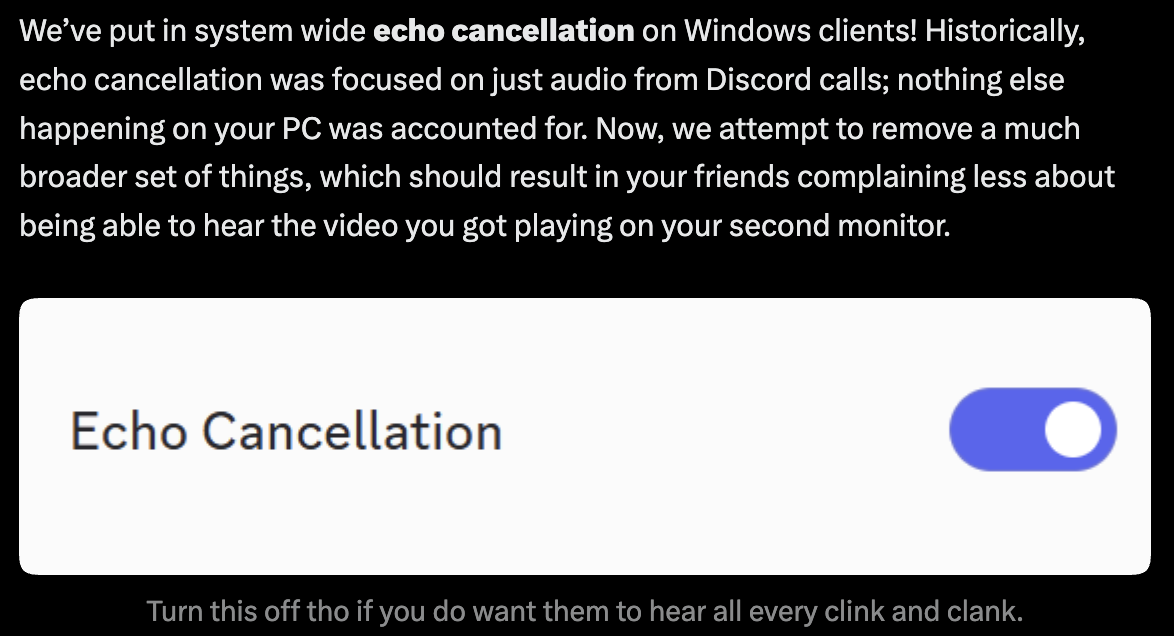
Coverage from Outlook Respawn also notes users can disable it when they want others to hear their system audio. The changelog does not give an exact menu path, so check your voice settings.
💡 Note: If you share a game or video with friends and they suddenly cannot hear it, this setting is the first thing to check.
What We Know
- Confirmed: system wide echo cancellation is live on Windows clients, it targets more than Discord call audio, and it can be turned off.
- Reported: it first appeared in the September 8 patch notes, according to a release tracker.
- Not confirmed: accuracy rates, the exact settings location, and any plans for macOS, Linux or mobile.
What Could Happen Next
This section is speculation. Discord may extend the feature to other platforms if Windows users respond well.
It could also add finer controls, such as choosing which apps get filtered. None of that has been announced.
📊 Quick Comparison
| Category | Before | After |
|---|---|---|
| Audio filtered | Discord call audio | A broader set of PC audio |
| Second monitor video | Often leaks into the call | Should be filtered out |
| Sharing PC sound with friends | Worked as expected | May need the feature turned off |
| Platform | All clients | New behavior on Windows |
🧰 The Rest of the September Update

Echo cancellation led the changelog, but it was a busy release. Here is the rest of what Discord confirmed.
For Nitro users: four new name fonts (Monkey Bars, Mainframe, Headbang and Journal) and two name effects (Gummy and Prism).
For game discovery: the Trending Games page now filters by genre, such as indie or FPS.
For DM clutter: you can bulk leave inactive group DMs that have not seen a message in a while.
For small quality of life fixes:
- Audio device icons make headsets and speakers easy to tell apart.
- Profile bios grew from 190 to 300 characters.
- Server tags can now be edited on mobile.
- Friend online notifications can be tuned or switched off.
For mobile: a visual refresh brings it in line with desktop, with circles for people and squircles for things, plus @game mentions on mobile.
For performance: the September 8 patch notes highlight an Electron 42 upgrade. Discord reports about 17% lower median CPU usage on desktop, with a small 4% rise in median memory. Mobile apps moved from React Native .81 to .86 for roughly 5% lower CPU use and 5% faster launches.
💡 Creator Note
For streamers and Discord community hosts, this update has practical consequences. Here are a few ways to put it to work.
- Test a call with a video playing on your second monitor before your next event.
- Turn the feature off before sharing a game or video with friends.
- Tell your community about the toggle so they know where to look.
- Use the new group DM cleanup to tidy your planning chats.
🚨 What Happens Next
- Watch for Discord publishing a settings guide for the feature.
- Watch for any expansion beyond Windows.
- Watch community reports on how well it filters different kinds of audio.
- Watch the October changelog for follow up fixes.
Echo cancellation shipped → Users test it → Feedback arrives → Discord tunes it
Final Takeaway
This update is a good example of Discord fixing a problem everyone recognizes. Nobody asked for a flashy feature here. They asked for friends to stop hearing their second monitor.
The rest of the release is a grab bag, from fonts to a mobile refresh. The echo cancellation is the piece that changes how a normal call sounds for a lot of Windows users.
The best voice feature is the one nobody notices, because nobody has to say "mute your other tab" anymore.

🔗 Sources
- Discord Update: September 25, 2026: Discord's official changelog covering echo cancellation and every other feature in the release.
- Discord on X: Discord's announcement post, including the note about turning the feature off.
- Discord Patch Notes: September 8, 2026: The technical patch notes behind the performance gains.
- Discord September 2026 Changelog Adds New Features and Fixes: Outlook Respawn's summary, including the note about disabling the feature.



Comments
Sign in to join the conversation
Sign inNo comments yet
Be the first to share your thoughts!