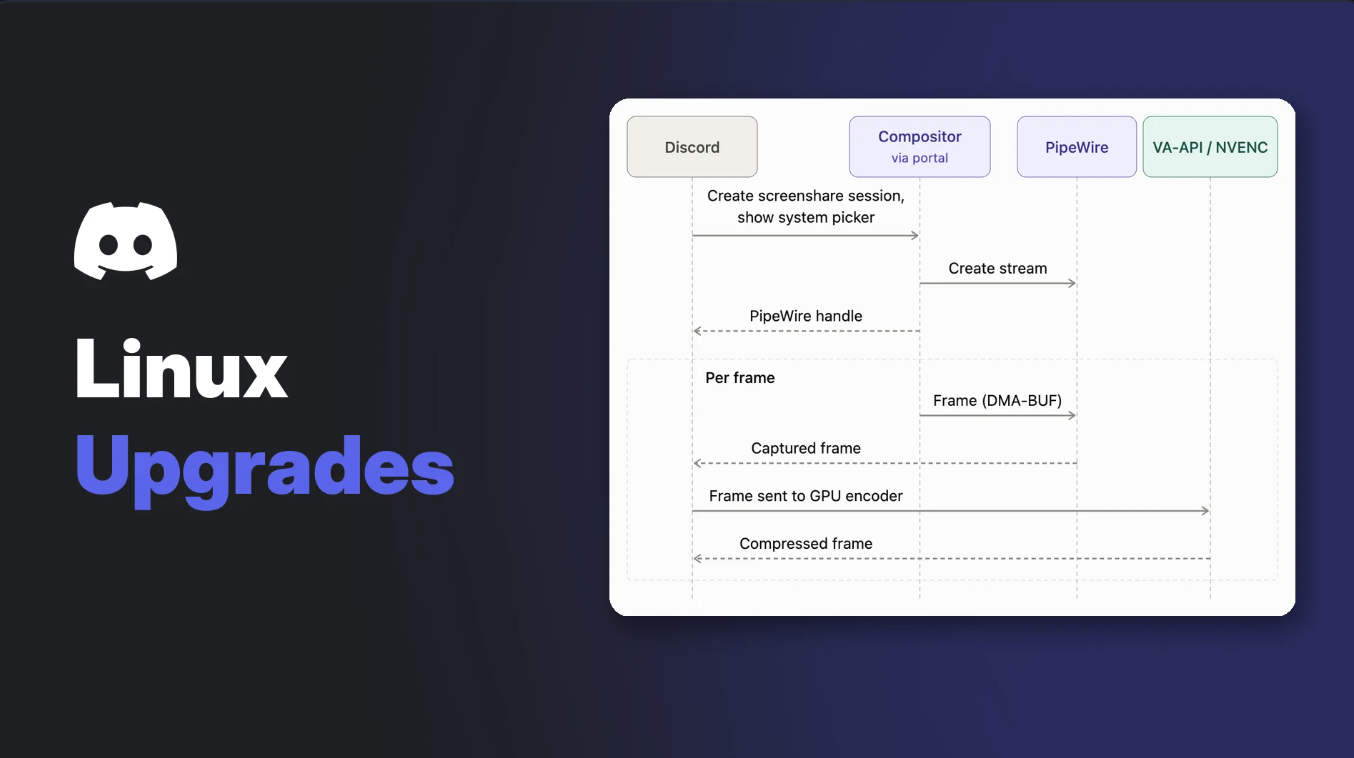

For years, using Discord Linux builds meant small chores. Download a new package for every update. Fight Wayland to share your screen. Keep Discord focused or lose push-to-talk.
On 12 November 2026, Discord published "Discord <3 Linux: A Year of Upgrades," written by Josh Stratton, the engineering manager of Client Audio/Video. It explains how the Discord Linux app now updates itself, streams through your GPU on Wayland and handles global keybinds properly.
Here's what each change means for desktop Linux and Steam Deck players, and what to do today.
At a glance - New updater: written in Rust, installs into your home folder, updates without sudo - Faster patches: binary delta updates, about 23% faster on average - New downloads: .rpm and .pkg.tar.zst join .deb and .tar.gz - Wayland screen share: PipeWire plus hardware encoding (VA-API or NVENC) - Steam Deck: Go Live in Game Mode and Desktop Mode - Push-to-talk: works on Wayland when Discord isn't focused - Coming later: per-app audio sharing, no date given
🔄 The New Updater: Install Once, Update Forever
Linux packages install into system folders that need root access, so Discord couldn't patch itself. Every update meant a fresh package by hand.
Discord's fix is a new Rust-based updater. The .deb, .rpm, Arch package and tarball now act as a small bootstrapper. You install it once, and it places Discord in your home directory, where the app can write its own updates. After that, Discord updates itself with no sudo prompt.
Updates are smarter too:
- Delta patches: Discord sends binary diffs made with bsdiff, so you only download what changed.
- Skipped files: files whose contents and permissions haven't changed are left alone.
- Overlapping stages: decompression runs in parallel, and each package installs as soon as it finishes downloading.
Discord measured delta updates on Linux at about 23% faster on average.
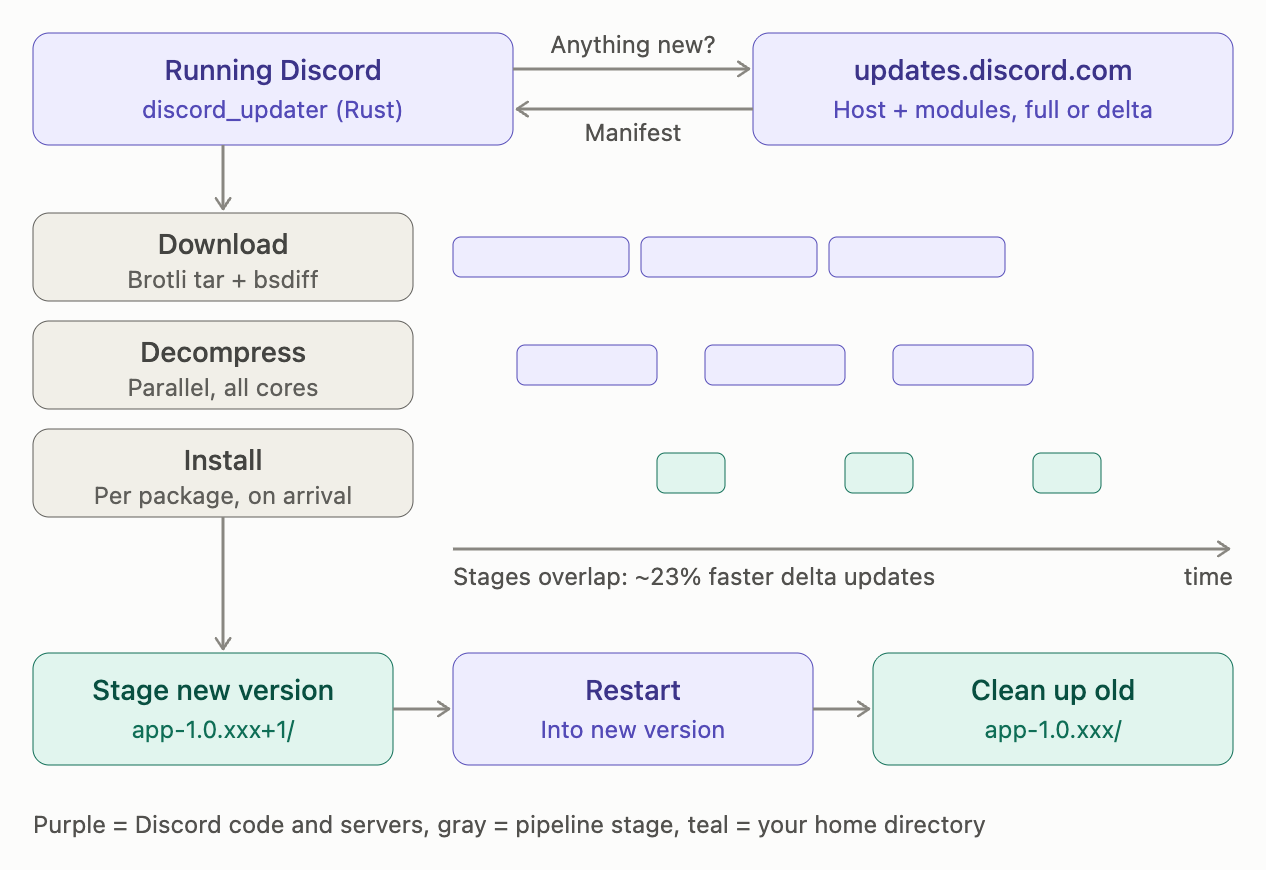
How the new Rust updater stages updates in your home directory. Image: Discord.
📦 New Package Formats
The download page now offers four Linux formats instead of two:
| Format | Typical use | Status |
|---|---|---|
| .deb | Debian, Ubuntu and similar | Existing |
| .tar.gz | Any distro, manual setups, community builds | Existing |
| .rpm | Fedora, openSUSE and other RPM distros | New |
| .pkg.tar.zst | Arch and Arch-based distros | New |
Discord notes that many people use community packages built from its tarball, such as AUR packages, and that immutable distros like SteamOS and Bazzite mostly rely on Flatpak. Those packagers had to adapt to the updater change, and Discord thanked them for helping roll it out.
🖥️ Wayland Screen Share With Hardware Encoding
Wayland, now the default on most major distros, isolates apps and makes screen sharing go through a permission system. Discord rebuilt its screen share around that model with Igalia, a Linux multimedia specialist.
The flow:
- You pick a screen or window in your desktop's own system dialog.
- Discord receives a PipeWire stream of frames through xdg-desktop-portal.
- Frames go straight to your GPU's encoder: VA-API on supported Intel and AMD GPUs, or NVENC on supported Nvidia GPUs.
- The encoded stream is encrypted and sent to everyone watching.
The GPU does the encoding, so your CPU stays free for the game. Our guide to Discord Game Mode and settings that stop Discord slowing your games pairs well with this.
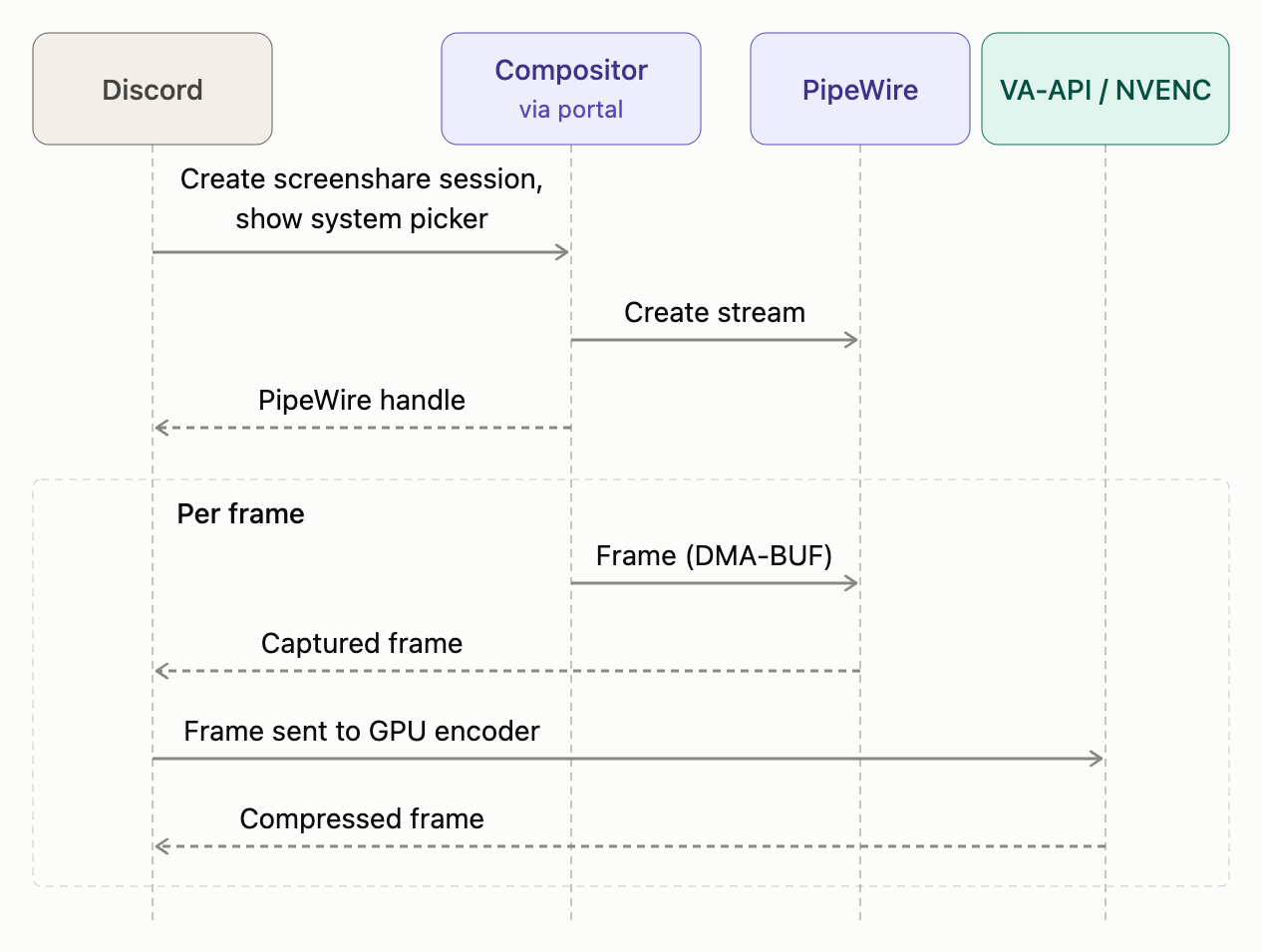
How Discord captures and encodes your screen on Wayland. Image: Discord.
Discord says Wayland screen share is enabled on GNOME, KDE, gamescope and other compositors that support the standard Wayland and PipeWire features.
🎮 Go Live on Steam Deck
Gamescope support is the big one for handheld players. Discord confirms that Go Live now works on Steam Deck in both Game Mode (which runs on gamescope) and Desktop Mode.
So you can stream a game to a voice channel from your Deck without switching modes. For stream tips, see our Discord streaming guide.
⌨️ Push-to-Talk and Global Keybinds on Wayland
Wayland blocks apps from reading your keyboard in the background. That's good for privacy, but it broke push-to-talk whenever Discord wasn't focused.
Discord now uses the xdg-desktop-portal GlobalShortcuts API. A few details worth knowing:
- Format differences: the spec writes shortcuts one way, while KDE expects a different style. Discord detects your desktop and sends the right format, since the wrong one can break the portal session.
- Fewer prompts: each keybind request can show an approval dialog, so Discord only asks again when you change your keybinds, not every launch.
Push-to-talk now works while you're in a game or another app.
🔊 What's Next: Per-App Audio Sharing
Audio is the gap that remains. Discord says the screen share portal doesn't expose app audio, so Linux users can share all desktop audio or none. Its help centre Go Live page still lists application audio sharing as unavailable on Linux.
Discord is working on per-app audio sharing for Wayland. Igalia is adding support to xdg-desktop-portal, and Discord is also building it directly for GNOME and KDE so it arrives sooner. There's no release date, and Discord says adoption across desktops will take time.
🐧 What Discord Linux Users Should Do Now
If you install Discord from the official download page, grab the new package once:
- Open Discord's download page and select Download for Linux.
- Pick the format for your distro: .deb, .rpm, .pkg.tar.zst or .tar.gz.
- Install it the usual way. On Debian-based distros, Discord's help centre suggests
sudo apt install ./package.deb. - Open Discord and let it update itself from then on.
The Download for Linux button on Discord's download page. Image: Discord.
If you use the AUR, Flatpak or a distro repo (including Flatpak on Steam Deck), check your package's page or maintainer notes. Discord didn't say how each community package handles the updater.
Running a server for your Linux gaming group? See our gaming Discord server setup guide.
Frequently Asked Questions
Does the Discord Linux app still need sudo to update?
Only for the first install of the new package. After that, Discord installs into your home directory and updates itself without sudo.
Does Discord screen share work on Wayland?
Yes. Discord uses xdg-desktop-portal and PipeWire, and it's enabled on GNOME, KDE, gamescope and other compositors with standard support.
Can I share one app's audio on Linux?
Not yet. Per-app audio sharing on Wayland is in progress, with no release date.
Will my Flatpak or AUR package get the new updater?
Discord didn't give package-specific details. Check with your package's maintainer.
🎮 The Bottom Line
Self-updates without sudo, GPU-encoded Wayland streaming, Steam Deck Go Live and working push-to-talk fix the biggest daily annoyances on the Discord Linux app.
Per-app audio is still missing, and community package users should check with their maintainers. Have you tried Wayland screen share or Go Live on your Deck yet?
Sources
- Discord Blog: Discord <3 Linux: A Year of Upgrades, Josh Stratton, 12 November 2026
- Discord Help Center: Desktop Installation Guide, updated 12 November 2026
- Discord Help Center: Go Live and Screen Share, updated 12 November 2026

Comments
Sign in to join the conversation
Sign inNo comments yet
Be the first to share your thoughts!